Ergonomics Unit Research

Papers and other publications, produced by the Ergonomics Unit at UCL

HCI is more than the Usability of Web Pages: a Domain Approach 150 150 John

HCI is more than the Usability of Web Pages: a Domain Approach

John Long

Emeritus Professor, Ergonomics and HCI Unit, University College London, 26, Bedford Way, London, WC1H OAP, UK ( Now at UCL Interaction Centre)

Keywords: HCI Engineering, Domain of work, Design problems


Abstract

Usability continues to be central to Human-Computer Interaction (HCI), in spite of recent developments associated with user experience, user pleasure, etc. The Internet continues to dominate the introduction of a wide range of new technologies and rightly has become central to HCI. One current view of HCI, then, is in terms of the usability of Web pages. This view is appealing and there can be no doubt that usable Web pages would be a laudable achievement for HCI This paper supports such a view, but argues that it is too limited. HCI, as an engineering discipline, supports user interaction design, but for effectiveness. The latter necessarily includes usability – how easy it is to use a computer, but also task quality – how well the work is performed by the interactive user-computer worksystem. Easy-to-use computers may produce poor work, hard-to-use computers may produce good work. Usability alone fails to distinguish between these two cases, but differentiation is essential for HCI design and evaluation, because both usability and task quality need to be as desired. This paper proposes a domain approach to make good the limitation of HCI as the usability of Web pages. The domain of work is represented as object, attributes, values and their desired changes – task quality. Implicit domain models (medical reception; military command and control; and domestic energy management) and explicit domain models (off-load planning; emergency management; and air traffic management) are described. Each model is illustrated in terms of its potential support for design as the diagnosis of design problems and the prescription of design solutions, both as they relate to the task quality of the associated domains of work. It is concluded that HCI is indeed more than the usability of Web pages and that the domain approach to making good the limitation shows promise. In particular, implicit domain models are considered to support design in the short-term, while explicit domain models are considered to support design and research in the long-term.

1. Introduction

Usability and Web pages continue to be central to HCI. However, the view that HCI is no more than the usability of Web pages is rejected as too limited. Nevertheless, usable Web pages constitutes a laudable goal for HCI. This paper proposes a domain approach to HCI to make good this limitation.

1.1 Usability and HCI

HCI has evolved considerably since those early days. A number of developments have extended its scope. For example, computer-supported co-operative work (CSCW) emphasises the interdependance between computer users. Ubiquitous computing (Ubicomp) emphasises the variety of computing devices and their locations. Virtual reality (VR) emphasises the importance of ‘presence’ in its simulations. However, in spite of these developments, HCI continues to retain usability as a critical expression of performance.

The concept of usability has also evolved since the early days of HCI. Pleasure has been proposed as a concept, relating people to computing products, which goes beyond usability (Green and Jordan, 2002). User experience claims to be a more complete expression of the same relationship (Light & Wakeman, 2001). However, these new concepts do not claim that usability is unimportant, or even unnecessary, only that there are additional people-product relations. Usability, then, remains central to HCI. It is concluded that in spite of extensions to both the scope of HCI and usability, over the years since their inception, the latter remains central to the former.

1.2 Web Pages and HCI

New technologies continue to characterise and to extend the scope of HCI. Personal computers soon became networked. Broadband communication integrated data processing and communications. Multi-media synthesised text and graphics. Multi-modality combined user inputs from speech, gesture and keyboard. Other new technologies include: distributed networks; mobile computing and telephony; smart buildings; wearable computing; augmented reality, etc. However, some of these new technologies are only in their infancy. Other technologies have proved less successful than originally expected. Yet other technologies have achieved only modest market penetration. In contrast, the new technology, that is the Internet, has continued to develop, offers a number of successful services (although not all are succesful) and has achieved deep market penetration. It is unsurprising, then, that Web pages have rightly become central to HCI.

1.3 Usability, Web Pages and HCI

Given the centrality of both usability (Section 1.1) and Web pages (Section 1.2) to HCI, one might be forgiven for thinking that HCI is essentially the usability of Web pages. This view is appealing and there can be no doubt that usable Web pages would be a laudable and notable achievement for HCI. The notability would derive both from the importance of the achievement for users and from the increased competition of other professionals, such as graphic designers, software engineers, marketeers and financiers to influence the design and evaluation of interactive computer systems. The view that HCI is the usability of Web pages is shared here. However, the proposition is understood as ‘HCI is not less than the usability of Web pages’, but not ‘HCI is only the usability of Web pages’. The scope of HCI must include usability, a primary expression of performance and Web pages, the dominant New Technology. HCI, then, is not limited to, but more than the usability of Web pages. The aim of this paper is to propose an approach – that of the domain – for HCI to go beyond the usability of Web pages.

2. General Domain Approach to HCI

The limitations of the view that HCI is no more than the usability of Web pages are analysed in terms of: completeness; coherence; and fitness-for- purpose. A domain approach is proposed, which makes good these limitations in terms of the three criteria.

2.1 Limited View of HCI

It has been argued earlier that the view of HCI as only the usability of Web pages is too limited. It is worth setting out these limitations in more detail. The latter both provide support for the argument and set up criteria against which to assess alternative approaches to HCI -such as that of the domain, as proposed here. The criteria are: completeness; coherence; and fitness-for-purpose. These criteria derive from the concept of a discipline, whose knowledge, acquired by research, supports its practices (Long, 1996).

First, the usability of Web pages is an incomplete expression of HCI performance. Ideally, usable interactive user-computer systems also achieve their goals. However, HCI evaluations routinely identify usable systems, which fail to achieve their goals and hard-to-use systems, which do achieve their goals. Usability, then, can only constitute one aspect of performance. There also needs to be some expression of the work an interactive system performs and how well it performs that work. The usability of Web pages is too limited a view of performance. If the Web pages provide a service, such as e-commerce, performance needs to express how well the service is effected, for example, goods purchased.

Usability also fails to reflect the computer’s contribution to performing work. For example, a hard-to-use system might be made more easy to use by simplification of the interface. Simplification might be achieved by reducing inappropriate computer behaviours (and so the code supporting them) or increasing appropriate behaviours (and so the code supporting them). In both cases, usability is the same, but the computer contribution differs. This difference should be reflected in a more complete expression of the interactive worksystem’s performance.

Second, the usability of Web pages is an incoherent expression of HCI performance. Usability appears to be a property of the computer. For example, a hard-to-use computer can be re-designed to be easier to use. But computers can also become easier to use by training, learning and practice with no change in the computer itself. Training, learning and practice all modify properties of the user and not the computer. So, usability would be more coherently expressed, if it referred to the user contribution to the interaction. For example, if usability were expressed as effort, or somesuch, the latter might vary as a function of re-design, training, etc. Third, and last, the usability of Web pages is not fit-for-purpose for expressing HCI performance. HCI, as an engineering discipline (Long and Dowell, 1989), acquires and validates knowledge by research to support HCI design. HCI design (and evaluation) can be understood as the diagnosis of design problems and the prescription of design solutions. HCI, then, attempts to ‘design for effectiveness’, indeed to  ‘design users interacting with computers to perform effective work’, (Dowell and Long, 1989 and 1998). The usability of Web pages fails to express such effectiveness and so is not fit-for-purpose for supporting HCI performance.

In summary, then, the usability of Web pages is neither complete, coherent, nor fit-for-purpose for expressing HCI performance for an HCI discipline intent on designing for effectiveness. Those three criteria need to be met by any alternative approach to HCI, including the domain approach, proposed here.

2.2 Particular Domain Approach to HCI

The domain approach to HCI originates in proposals made by Dowell and Long (1989 and 1998). According to the latter, HCI is an engineering discipline, whose research acquires knowledge to support the solution of the general problem of design, having the particular scope of users interacting with computers to perform effective work. Following Dowell and Long, users interacting with computers constitute an interactive worksystem, composed of at least two separate, but interacting, sub-systems, namely users and computers. Such interactive systems have a domain of application. The domain of work is where work originates, is performed and has its consequences. Goals are allocated to worksystems by organisations. A domain is distinct from, and delimits, a worksystem. Worksystems are designed to perform effective work.

Work is conceived as comprising one or more objects, constituted of attributes, which have values. Goals express a requirement for change in the values of these attributes. Interactive subsystems consist of user behaviours interacting with computer behaviours. These behaviours are supported by mutually exclusive user structures and computer structures and are executed to perform work effectively. Effectiveness is expressed by the concept of performance, that is, how well a system achieves its goals – task quality, and the system costs that are incurred in so doing. Costs are incurred by both the user and the computer, may be physical and mental/cognitive/abstract and can be thought of as workload – for present purposes. The domain approach thus adds the separate concept of work to the system effecting the work. In addition, it applies the concept of work as object/attribute/value transformation (by the worksystem) to performance. It further distinguishes user and computer workloads. The conception is entirely motivated and rationalised by the requirements of an HCI engineering discipline to support design for performance.

This view of HCI is considered to meet the three criteria of completeness, coherence and fitnessfor- purpose, identified earlier and so make good the limitations of the view of HCI as only the usability of Web pages.

First, the view is complete. Performance of an interactive work-system is expressed in terms of task quality – how well the work is carried out and worksystem costs, the workload involved in carrying out the work that well. System workload is composed of user workload and computer workload. If usability is considered to be expressed by user workload, then task quality and computer workload are the additional concepts, required for a complete view of HCI.

Second, the view is coherent. User workload is a property of the user; computer workload is a property of the computer. An increase or decrease in the one can be accompanied by an increase or decrease in the other. In general, the trend in current design is to increase computer workload for a decrease in user workload (given the decreasing cost of computer hardware and software). This current trend in design is well expressed by differentiated worksystem costs, but not by usability, either alone or as a presumed property of the computer. Further, design, training or user selection can all be expected to change user workload, but only design can change computer workload.

Third, and last, task quality and differentiated system workload are fit-for-purpose for expressing HCI performance, because design problems can be diagnosed as ineffective performance, and thus design solutions can be prescribed as effective performance. HCI, as an engineering discipline, can, be supported in its intent ‘to design for effectiveness’. Performance-driven design is taken to be the hall-mark of an engineering discipline (Newman, 1994) In conclusion, then, the domain approach to HCI proposed here meets the three criteria of completeness, coherence and fitness-for-purpose that were used to identify the limitations of the view of HCI as only the usability of Web pages. This domain approach to HCI is now illustrated.

3. Domain Approach Illustrations

Each illustration of the domain approach to HCI describes a domain model and its potential to support design as the diagnosis of design problems and the prescription of design solutions. Only task quality is illustrated as an expression of performance. User and computer costs as workload refer to the worksystem and not the work. User workload is a more coherent expression of usability. Only task quality derives from the domain and so goes beyond usability. Hence, the focus of the illustrations on task quality.

3.1 Implicit Domain Model Illustrations

Modelling the domain of work, following the domain conception of Dowell and Long (1989), necessarily produces an explicit domain model. However, the domain conception can also be used informally to identify domain aspects, implicit in descriptions of interactive worksystems. Such descriptions derive from domain expertise and may be provided by domain experts or worksystem documentation, such as operational procedures, training manuals, etc. Implicit domain models are important for three reasons. First, they are readily available, given access to domain experts and/or worksystem documentation. Second, implicit domain models can be used to support design and evaluation as illustrated here. Third, such models provide the starting point for developing explicit domain models. Implicit domain models use a wide range of representations, including text, diagrams, etc. Note that because the domain models are implicit, these representations include descriptions of the worksystem and other aspects, excluded from the domain conception of Dowell and Long.

3.1.1 Domain of Medical Reception

Domain models of Medical Reception (MR) are implicit in the documentation of medical reception itself (for example, Drury, 1981; Jeffreys and Sachs, 1983, etc.) MR involves combinations of people and office devices (including computers, at least in the UK) in the support of interactions between medical practitioners and their patients in medical general practices. Receptionists are central to the organisation of MR. For example, by 1981 over 70% of medical general practitioners in the UK employed receptionists to operate doctor patient appointment systems, in a group practice (comprising three or more doctors), during surgeries (that is, when the doctors see patients). Most of the receptionists’ time is spent dealing with: requests for surgery appointments and home visits, either by telephone or in person; patients, who turn up with or without appointments; telephone requests to speak to doctors and other medical health workers; registration of new patients; and other patient enquiries and complaints. When making an appointment, the receptionist tries to satisfy the patients’ request for a particular doctor, without keeping them waiting for longer than is acceptable. (At busy times, there may be ten or more patients queuing for an appointment, either on the telephone or in person.) It is difficult, under such conditions, to keep track of the order in which patients present themselves, by telephone or in person, so receptionists can become confused and either have to interrupt and recommence appointment-booking, keeping patients waiting longer than is acceptable or fail to respect the ‘first-come-first-served’ principle underlying ‘fair’ queuing.

Domain models can also be implicit in the transcribed videotapes of MR observational studies (Hill, Long, Smith and Whitefield, 1995). Consider this example of protocol data from the latter study:

Telephone 1    : flash

Receptionist 1 : pick up receiver Telephone
: (over telephone) say: “Can I help”
: pick up green card (?baby registration card) from hatch
: read green card : put green card on desk top
: (over telephone) say: “No, I’m sorry I’ve got nothing”.

Nurse                 : look at nurse appointment book.

Receptionist 1 : (over telephone) say: “Did you say it’s an eye infection?”
: (over telephone) say: “I’ve got literally nothing”.
: (over telephone) say: “All I can offer you is 11:45 this morning – an emergency                                            appointment”.

Receptionist 2 : search prescription – box

Receptionist 1 : (over telephone) say: “Or 10 past 10 with Dr. J tomorrow morning”.

Receptionist 2 : take out prescription

Receptionist 1 : (over telephone) say: “O.K., your name again?”
: write in appointment book
: (over telephone) say: “O.K., 11:45 Dr. I”.
: (over telephone) say: “Thank you. ‘Bye”.
: replace receiver Telephone 1.
: (to hatch) say: “Have you not got a card when you registered the baby

On the basis of MR documentation and the protocol data, the following set of user requirements might be expressed by a receptionist domain expert: “Booking appointments works well, if only one patient is waiting and there are no interruptions. If many patients are waiting, on the telephone and at the hatch (that is, in person), or following an interruption by patient, nurse, doctor or other receptionist, we are often confused as to where we are in the booking procedure. We often take patients out of turn or have to start booking again. This results in us having to work harder than is reasonable and to keep the patients waiting longer than is acceptable to them. Further, we often fail to meet the desires of patients as concerns the particular doctor, the time, or both booked for the appointment. We need some computer help to deal with waiting patients and interruptions, so that our work and the patient waiting times are reduced to acceptable levels”.

It should be noted that neither the MR documentation, the protocol data, nor the receptionist domain expert refer explicitly to the domain, as conceived by Dowell and Long. However, their conception can be used to make explicit the domain, implicit in the description of worksystem behaviours.

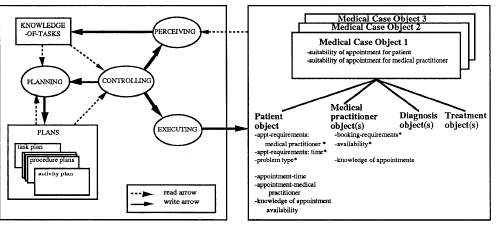
For example, following Hill et al (1995), ‘suitability-of-appointment-for-patient’ could be conceived as one attribute of a ‘medical case object’, having values of ‘suitable’ or ‘unsuitable’. For the protocol data, the patient would obviously have preferred an appointment with Dr. J. rather than Dr. I., although an earlier appointment with the latter (for an eye infection) was preferable in this instance to a later appointment with the former. Likewise, an expedition-of-appointment-for-patient’ attribute might have the values ‘timely’ or ‘untimely’. The interruption of a nurse or doctor would have delayed the booking of the appointment described by the protocol data, so rendering it untimely.

Such an informal interpretation of the implicit MR model could be used to support design (and evaluation) in terms of design problem diagnosis and design solution prescription. The design problem and solution would be expressed in terms of the task quality of the MR domain of work.

As concerns design problem diagnosis, the earlier receptionist user requirements identify both acceptable user waiting times and meeting patients’ doctor preferences as candidate problems. In terms of the implicit MR domain model, the design problem could be expressed as the undesired MR task quality of (doctor) suitability and appointment expedition. The problem could be quantified, for example, appointment-booking achieving 90 per cent (doctor) suitability and 90 per cent expedition timelines.

As concerns design problem prescription, computer-based decision support might be provided for the receptionist. The support could record the order of patient arrival and store patients’ doctor preferences, using the latter to prompt preferred appointments. The additional computer support might be expected to increase MR task quality of (doctor) suitability and expedition to a desired level.

The illustration shows how the domain approach goes beyond usability (workload). The latter is implicated in the receptionist user requirements (“This results in us having to work too hard…”). It is also implicated in the additional computer decision support. However, in neither case does usability express MR task quality. (Doctor) suitability and appointment expedition express how well the MR work is performed and not the usability/workload of the MR system performing the work that well. The two concepts, of course, may be intimately related.

3.1.2 Domain of Military Command and Control

The domain of military command and control (C2) carries out two types of work – planning for armed conflict and operating for armed conflict. Nation states pursue their interests by the use of their resources, both human and nonhuman. Users may be political, military, diplomatic, etc. Resources include land, sea, air, space, installations, etc. Domain models of C2 are implicit in military history, doctrine, manuals, domain expert descriptions and military operating procedures. This illustration of military C2 uses the Vincennes incident as described in the official report of the associated enquiry (USDOD, 1988).

The incident took place during the Iran/Iraq war, initially a land battle. Iraq attempted to disrupt Iran’s oil trade, launching air attacks against its oil installations. In response, Iran disrupted oil transport in the Persian Gulf. The US response was to send naval forces to ensure oil supplies. The Iraqi Air Force successfully attacked Iranian forces near the North Persian Gulf. Iranian retaliation of small boat attacks on commercial shipping was expected. The incident occurred when the USS Vincennes – a cruiser – mistakenly shot down civilian Iran Air Flight 655, with total loss of life, while simultaneously engaging a group of Iranian small boats.

The domain model of military C2 is implicit in the expert military descriptions, which appear in the official report. Colbert and Long (1995) summarised the events of the incident as they occur in the report descriptions. Here is a selective extract (the time of the event precedes the events):

0620 The small boats and the Vincennes begin to close ———-.

0647 Flight 655 takes off and is detected by the Vincennes as an ‘unknown, presumed enemy’.

0649 Flight 655 adopts its flight path, which is towards the Vincennes. The Vincennes challenges its air contact (actually Flight 655), but receives no reply. For a moment, Vincennes’ air contact appears electronically to identify itself as a military aircraft (due to freak weather conditions?).

0651 One of the Vincennes’ guns jams when one of the small boats is about to adopt a dangerous position ———. Further challenges to the air contact receive no reply —–. Flight 655’s altitude is misread. The air contact is perceived as diving towards the Vincennes; in fact, it is climbing away from it.

0654 Two surface to air missiles are launched by the Vincennes ——. The missiles destroy Flight 655. All passengers and crew are killed.

The summary does not refer explicitly to the domain of C2, as conceived by Dowell and Long. However, their conception can be used to make the implicit domain model explicit. For example, following Colbert and Long (1995), armed conflict objects could be conceived as constituted of: friends; hostiles; and neutrals objects. All three objects have attributes of vulnerability and involvement. In addition, the friends object has the attribute of power (to realise its interest) and the hostiles object has the attribute of threat (to frustrate the friend’s interest). Attributes could have the values of low, medium and high (or indeed any finer gradations, as required). The C2 expert descriptions of the report can be re-expressed to render the domain model explicit as follows:

0620 The involvement, power and vulnerability of the friend (Vincennes) and the hostile increase again.

0647 The involvement of the neutral (Flight 655) and the friend begins to increase.

0649 The involvement and vulnerability of the neutral, and the friend’s power with respect to it, increases rapidly.

0651 The power of the friend with respect to the neutral temporarily falls sharply——. The involvement and vulnerability of the neutral and the friend’s power with respect to it continue to increase rapidly.

0654 The friend’s power with respect to the neutral is realised, with catastrophic results.

The design problem, as concerns task quality, can be diagnosed as the involvement of the neutral (Flight 655) and the realisation of the friend’s (Vincennes’) power with respect to the neutral. Both the latter’s involvement and the friend’s power with respect to the neutral have undesired high values. As a result, task quality is not as desired, and so constitutes a design problem.

As part of the prescription of a possible design solution, air contact altitude might be more clearly presented, for example, using colour or three-dimensional coding. The Vincennes would then have perceived Flight 655 as climbing away from it and not diving towards it. As a result, the neutral’s involvement would have decreased and the friend’s power would not have been realised. Neutral involvement and friend’s power values, and so task quality, would be as desired.

The illustration shows how the domain approach goes beyond usability. The latter might well be implicated in the Vincennes’ misreading of Flight 655’s altitude, but altitude is co-extensive with neither neutral’s involvement nor friend’s power realisation. Usability tells us how easy or difficult it is to perform work, not how well the work is performed.

3.1.3 Domain of Domestic Energy Management

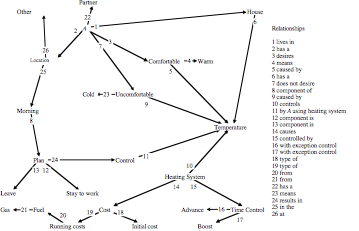
Energy has multiple uses in the home – heating, cooking, lighting, etc. A major use – in the UK at least – is the heating of the house to maintain the comfort of the people living there. Management consists of the planning and control of the heating to ensure people’s comfort. Management is typically effected by ‘central’ heating systems, consisting of a boiler, which heats water, a tank, which stores it and pipes, which conduct the water to the radiators. Users interact with a controller to set and to programme the heating. The hot water heats the radiators, which in turn heat the house, which determines the comfort of the occupants.

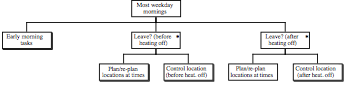
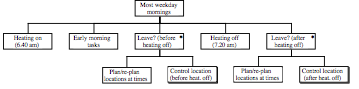
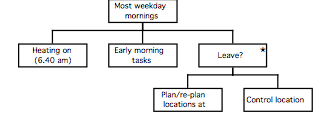
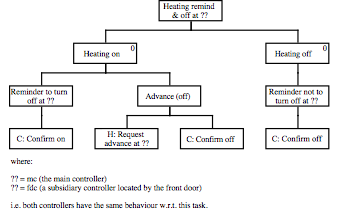
Elsewhere (Stork, Middlemass and Long, 1995), a set of user requirements was elicited for such a central heating system. They are as follows: “The domestic routine of A occasionally requires him to remain at home to work in the mornings, rather than at his office. However, if A leaves after 8 o’clock in the morning, or stays at home to work, then the house is too cold until he turns the gas-powered central heating back on. If he expects to be at home a short time after 8 o’clock, then he often uses the one-hour boost facility on the heating controller to turn the heating back on, which can result in him being too cold, if he is at home longer than expected. A’s ability to work is adversely affected by being cold and having to control the heating. A finds it difficult to plan much in advance, either whether he is staying at home to work, or if he stays, how long he will stay to work. The current gas bill is acceptable, and an increase could be tolerated, although a decrease would be desirable”.

The user requirements make some explicit reference to the domain, for example, “the house is too cold” and “him being too cold”. The references are, however, incomplete. Following Stork and Long (1994), a more complete and explicit domain model might have two main physical objects: A and the house. A has a physical attribute of temperature and an abstract attribute of comfort. The attribute of comfort is related to the attribute of temperature, having a range of acceptable temperatures (for example, 35.75c to 37.5c).

The second physical object is the house, which has physical objects that are the rooms. The rooms have a physical attribute of their temperature and physical objects as radiators. The radiators have a physical attribute of their temperatures. The temperature is related to the temperature of A (an approximately linear relationship) and the temperature of the radiators.

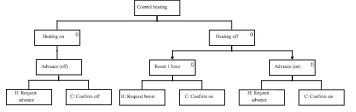
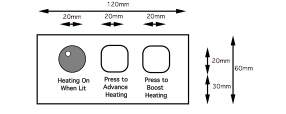
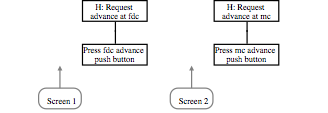
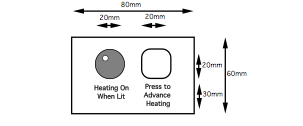
In terms of this explicit domain model, a design problem exists, because the current values of the temperatures of the radiators result in the value of the comfort attribute of A being ‘not comfortable’, at some times, that is, task quality is too low. A design solution prescribed by Stork et al, (1995) involved programming the heating to be on for weekday mornings with an additional remote-heating controller, having an advance button and a bright status light, installed by the front door. The temperatures of the radiators and rooms, and so the house and A, were maintained, such that A’s value remained comfortable, that is, task quality was as desired.

The illustration shows how the domain approach goes beyond usability. Usability/workload is implicated in the user requirements. For example, “A finds it difficult to plan much in advance” and “A’s ability is affected by —— having to control the heating”. However, these aspects do not refer to A’s comfort, the maintenance of which, as desired, constitutes the work of the domestic energy work-system. The design solution likewise. However, the two aspects of performance, and so effectiveness, although related, are differentiated in the domain approach. The rationale is that any design change, such as the addition of a front door controller might affect usability/workload and task quality differentially.

The illustration of how implicit domain models, such as medical reception, military command and control and domestic energy management, when informed by the explicit domain approach of Dowell and Long, can inform design as the diagnosis of design problems of task quality and the prescription of design solutions for task quality, are now complete.

In all cases, the illustrations show how the domain approach goes beyond usability, and given the range of applications, beyond the usability of Web pages. Usability/workload expresses the performance of the work-system; task quality the performance of the work. Together they constitute effectiveness. We turn next to consider how explicit domain models go beyond usability.

3.2 Explicit Domain Model Illustrations

As indicated earlier, applying the domain conception of Dowell and Long necessarily produces an explicit model of the domain of work. Explicit models have also been referenced (Hill et al., 1995; Colbert and Long, 1995; and Stork et al, 1995). The illustrations, which follow show how explicit models support design and in so doing, go beyond usability.

3.2.1 Domain of Amphibious Landing Off-load Planning

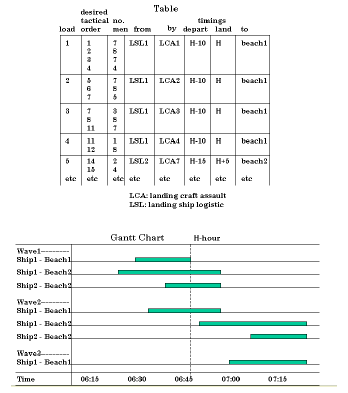
As indicated earlier, military C2 carries out planning for armed conflict. Amphibious landing off-load planning is one such type of planning. An amphibious landing may here be considered an attack (that is, armed conflict) against a potentially hostile shore, launched from the sea, and involving air, sea and land forces. It includes the movement ashore of a landing force, embarked on transport ships and naval vessels, by means of amphibious vehicles, landing craft, and helicopters. The landing force arrives ready for combat ashore, and at beaches and landing zones (rather than ports or airfields) (Evans; 1990). Critical for the landing are the off-load plans (see Figure 1), which represents a typical traditional off-load plan as a table (upper figure) and as a gantt chart (lower figure). These plans specify who is to go ashore (left-hand columns of the table) and where and when (right-hand columns of the table). They also specify who is to take the landing force ashore and how the force is to be grouped tactically  (middle columns) .

Figure 1. Typical traditional off-load plan
as a table (upper figure) and as a gantt chart (lower figure)

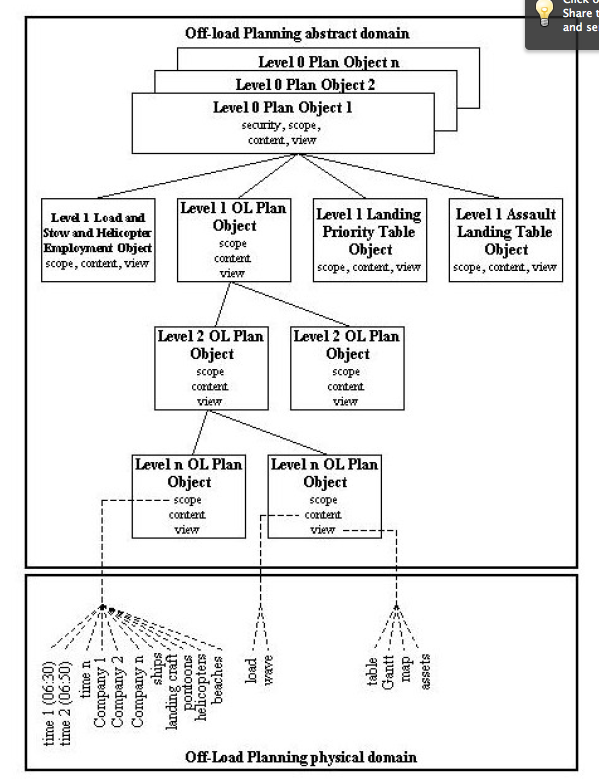
An explicit domain model of amphibious offload planning (following Colbert and Long, 1995 and Long, 2000) is shown in Figure 2. The plan has both physical and abstract aspects, the latter represented at different levels of description. Plan object attributes comprise: scope; content; and view. Scope has time and object values. Content has the values of conflict object goal states etc, view has the values of table, gantt chart etc.  
Figure 2 Domain model of amphibious off-load planning

Following Long (2000), decision problems, such as off-load planning, require three decision types: solution selection; solution construction; and problem elaboration. Traditional off-load plans (Figure 2) provide only limited support for these decision types. Colbert and Long (1995), using the explicit domain models of armed conflict and off-load planning, diagnosed a design problem, indicating the task quality of such traditional off-load plans are not as desired. The design problem identified, as undesired, aspects of both plan content and plan scope. Concerning plan content, there was a failure to achieve 100% availability by the specified deadlines and rates of lift in terms of man/hours. Concerning plan scope, there were too many errors, related to time and object values.


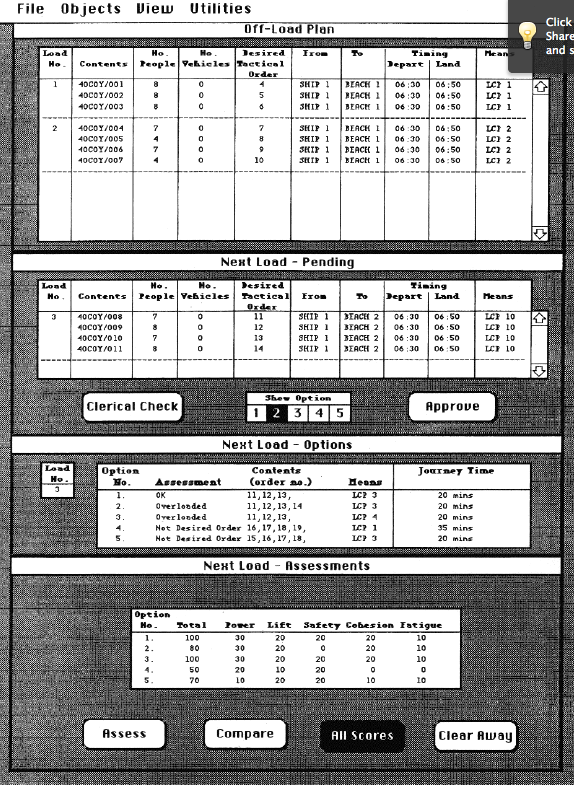
Figure 3 Re-designed interface for amphibious off-load planning


Again, using the domain models of armed conflict and off-load planning, Colbert and Long proposed a re-designed interface, constituting the prescription of a design solution (shown in Figure 3). The interface not only shows the off-load plan to date, but also: next load pending; next load options; and next load assessments. The next load option exploits the domain model of off-load planning, for example, contents. The next load assessment exploits the domain model of armed conflict, for example, power, safety, cohesion and fatigue and the domain model of off-load planning, for example, lift. The redesign was intended to provide improved support for plan solution selection, solution construction and problem elaboration and so to achieve desired content deadlines, and lift and a reduction in scope errors.

Colbert and Long conducted an evaluation of the re-designed off-load planning interface. The results were as follows. Content deadlines were not met as desired, 91.5% not 100% of content was made available by the deadline. The planned rate of lift, however, was as desired – the 267 men/hour achieved fell between the desired criteria of 255 -275 men/hour. Likewise, scope errors of 0.4 fell below the desired criteria of 1.8. We can conclude on this basis that off-load plan quality was as desired, except as concerns content availability by specified deadline. Further redesign would be required to meet this performance criterion.

However, what this illustration is intended to show is not the success of the redesign itself, but that the domain approach goes beyond usability and that explicit domain models have the potential to support design. First, off-load task quality was expressed as desired content availability and rate of lift, together with scope errors. Elsewhere, Colbert and Long evaluated usability/workload in addition to task quality. Users’ rating of workload was an average 3.0,  which was less than the acceptable criterion of 3.3, and so as desired. Thus, the redesign affected task quality and user costs differentially, so illustrating how the domain approach goes beyond usability. Both are required to express work-system performance and so to support design. Second, both domain models of armed conflict and of off-load planning contributed to the design by suggesting object/attribute/values, such as plan content and scope. Such aspects undoubtedly also contributed to the effects on the performance of task quality and user costs/workload.

3.2.2 Domain of Emergency Management

As in many countries, the UK has a system for the co-ordination of the emergency services in response to disasters, such as explosions, airplane crashes, etc. This system is called the Emergency Management Combined Response System (EMCRS). This system manages, that is, plans and controls, agencies, such as Fire and Police, when they respond to disasters. The UK EMCRS was set up to support better coordination between agencies.

The EMCRS is a command and control system with a three-level structure – operational, tactical and strategic. The system has objectives (embodied in plans), common to all agencies. These objectives are (in descending order of priority): to save life; to prevent escalation of the disaster; to relieve suffering; to safeguard the environment; to protect property; to facilitate criminal investigation and judicial, public, technical or other enquiries; and to restore normality as soon as possible (Home Office, 1994). The individual agencies relate their own individual plans by means of the shared EMCRS plans to interact effectively. Each agency plan specifies a set of functions, for example: Fire Service – rescuing trapped casualties; preventing escalation of the disaster, etc.

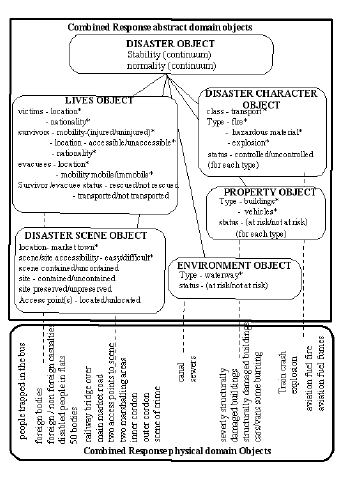
An explicit domain model of EMCR (following Hill and Long, 1996 and 2001) is shown in Figure 4. The model comprises physical and abstract domain objects, having attributes and values. For example, the lives object has a survival/evacuee status attribute, having the values of: rescued and not rescued. The disaster scene object has a site attribute, having the values of preserved and unpreserved. And the disaster character object has a fire-type status attribute, having the values of controlled and uncontrolled. The transformation of the object/attribute/values by the EMCRS determines the values of the stability and normality attributes of the disaster object. These values constitute EMCR task quality.

Hill and Long conducted an observational study, involving two stagings of an inter-agency combined response training scenario, which took place at the Home Office Emergency Planning College. The 60 trainees were members of the emergency services and local authority emergency planning officers. The training scenario concerned the derailment of an oil-tanker train on a bridge over a busy main road and a market. The data from the study were used to construct the explicit EMCR domain model. The data can also be used to diagnose a design problem and to prescribe a design solution to illustrate the contribution of the domain model to design.


Figure 4 Domain model of emergency management combined response system

One design problem derived from a behaviour conflict between the Police, Fire and Ambulance Services. The conflict concerned the relations between the Services’ trampling of the disaster site, and the preserved/unpreserved values of the site attribute of the disaster scene object (see earlier and Figure 4). In the training scenario, the Police declare the site a crime scene as vandalism is suspected to be the cause of the tanker-train derailment. As a result of the declaration, the Fire and Ambulance Services are required, by the EMCRS plan, not to trample the scene in the course of their functions (see earlier), as any evidence of a crime must be preserved “to facilitate criminal investigation” (see EMCRS objectives earlier). However, not trampling the site, that is, moving more carefully and so more slowly, delays the rescue of casualties by the Ambulance Service (a primary function) and hinders prevention of escalation of fires by the Fire Service (also a primary function). The Police Service behaviours of preserving the site of the disaster scene conflict with the Ambulance Service behaviours of casualty rescue, and the Fire Service behaviours of fire containment. In terms of EMCR task quality, there is an undesired survivor/evacuee attribute value of not rescued and an undesired fire-type attribute of uncontrolled. Task quality is not as desired and so constitutes a design problem.

The training data do not make clear, whether this design problem is related to planning or control, training or selection of service personnel and so do not suggest a specific design solution prescription. However, it is plausible to conceive that, in any re-design of the EMCRS plans, the disaster scene object site attribute could take on values of high, medium and low preservation. In the training scenario, the train and the track might be adjudged high preservation, the rest of the bridge medium preservation and the main road low preservation value. The additional trampling gradation would be expected to increase the survivor/evacuee attribute value of not rescued for the Ambulance Service and the fire-type attribute of uncontrolled for the Fire Service. The gradation, however, would also be expected to reduce the facilitation of criminal investigation. In other words, the original desired task quality would not be achieved by the re-design, but the task quality would be superior to the actual task quality, observed in the training scenario.

The additional gradation of trampling might make the EMCRS plan more or less usable, implicating more or less workload for the Police, Ambulance and Fire Services. Be that as it may, the illustration makes clear how the EMCR task quality of the domain approach, expressed as survivor/evacuee rescued and the management combined response system fire-type controlled, goes beyond usability and EMCR systems go beyond web pages.


Figure 5. Domain model of reconstructed air traffic management


3.2.3 Domain of Air Traffic Management

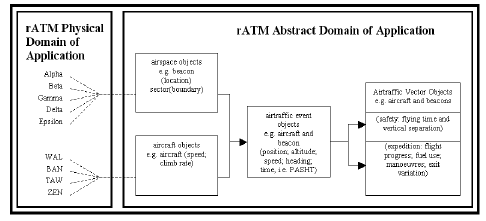
Air traffic management (ATM) is here understood as the planning and control of air traffic. Operational ATM manages air traffic, for example, Manchester Ringway Control Centre in the UK. The Centre manages a terminal manoeuvring area with 9 beacons, more than 2 airways, 1 stack, and 2 exits. Its traffic can be characterised as: departing; arriving, overflying; “low and slow”; high-level bunching and so forth. The management involves track and vertical separation rules (Dowell, 1993 and 1998). Planning is supported by “flight strips” and controlling by radar.

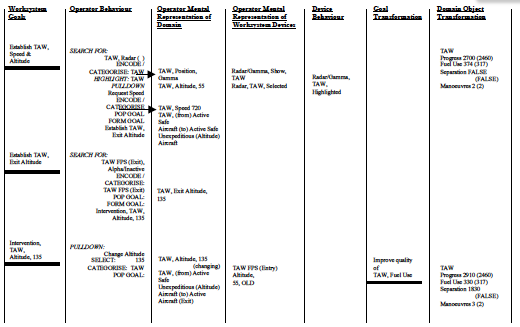
Dowell developed an explicit domain model of Manchester Ringway ATM and a simulation thereof – reconstructed air traffic management (RATM) (Dowell, 1993 and 1998). The model, following Long and Timmer (2001), appears in Figure 5. The model comprises physical and abstract objects. Airspace objects include beacons, for example, Alpha, Beta, etc. Aircraft objects include aircraft, for example, TAW, etc. The intersection of airspace objects and aircraft objects results in air traffic event objects with attributes of: position; altitude; speed; heading; and time. Transformation of the values of these attributes result in air traffic vector object attributes of safety, with values of flying time and vertical separation; and expedition, with values of flight progress; fuel use; manoeuvres; and exit variation. Safety and expedition express ATM task quality. Timmer and Long (1996 and 1997) conducted an observational study, using the RATM simulation. An extract from their data, involving the aircraft TAW is shown in Figure 6. The data can be used to diagnose design problems. For example, in the case of TAW, the data indicate its initial state to achieve desired task quality, the separation goal of false (that is, there is desired separation). However, following an operator intervention to improve fuel use, by changing TAW’s altitude (fuel use decreases with increases in altitude), TAW’s actual task quality becomes less than desired, the separation goal false being actually 1830 (that is, less than desired separation). This difference between actual and desired RATM task quality, constitutes the basis for an instance of a RATM design problem.

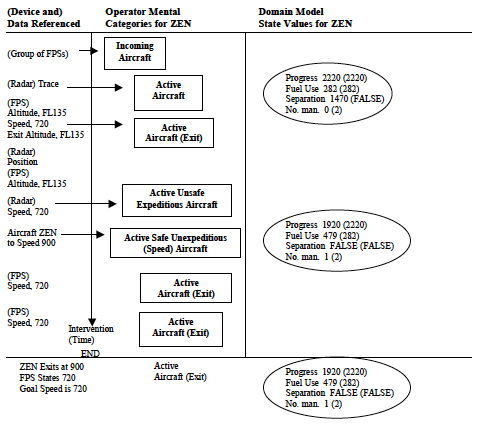
A further instance of a design problem, diagnosed by means of the domain model (in conjunction with a RATM worksystem model, proposed by Timmer and Long (2002)) appears in Figure 7. The RATM data have been collapsed to highlight the design problem diagnosis. The final state of the data shows actual performance to be less than desired Figure 5. Domain model of reconstructed air traffic management. performance. ZEN is safe, but unexpeditious (excessive progress and fuel use). The likely reason is that earlier, ZEN was expeditious, but unsafe (see domain model attribute values of Figure 4). The operator intervenes to speed up ZEN, so making it safe. However, the operator fails to update the flight progress slip, which continues to show ZEN at its cruising speed of 720. Exceeding the cruising speed results in excessive progress and fuel use. The operator’s earlier recognition of ZEN as an active, safe and unexpeditious (as concerns speed) aircraft, but subsequent failure to increase to slow down ZEN, is assumed to be associated with the decay of the unexpeditious category in memory and the flight progress strip showing (incorrectly) ZEN to be flying at cruising speed.


Figure 6 Reconstructed air traffic management data showing
Domain model attribute states and RATM Worksystem behaviours


Although Timmer and Long do not prescribe a design solution in detail, they do speculate about RATM re-design options. For example, a procedure, requiring immediate flight progress strip update, might solve the design problem. Alternatively, or in addition, an explicit display by the RATM interface of speed, progress and fuel use, which link position, altitude, speed, heading and time attributes to safety and expedition (see Figure 4) might also solve the design problem. If so, RATM actual performance, as concerns task quality, would equal desired performance.

In both cases, the new flight strips procedure and the re-designed interface would have implications for the usability/workload of the RATM system/operator. However, any such implications are not co-extensive with RATM task quality as expedition and safety. The illustration, thus, makes clear how the domain approach, expressed as task quality, goes beyond usability and how the explicit domain model can support design.

Figure 7 Reconstructed Air Traffic Management design problem (collapsed data)


4. Discussion and Conclusions

Both implicit and explicit domain models constitute HCI design knowledge. Such knowledge is intended to support both design and research. HCI design, as shown by the earlier illustrations, can be conceived as the diagnosis of design problems and the prescription of design solutions (Long, 2001). HCI research can be conceived as the acquisition and validation of design knowledge (Long, 2001). Implicit and explicit models are now assessed for their potential to support design and research.

The illustrations from the domains of medical reception, military command and control and domestic energy management all suggest implicit domain models have potential to support design as both diagnosis and prescription. In contrast, these implicit models would appear to have little potential for informing research, other than as a point of departure. Validation of the design knowledge requires its conceptualisation, operationalisation, test and generalisation (Long, 2001). Since these models are implicit, they are not (explicitly) conceptualised. Hence, they cannot be operationalised, tested and generalised, and so validated.

The illustrations from the domains of off-load planning, emergency management and air traffic management all suggest explicit models have potential to support design as diagnosis and prescription. Note, however, that these explicit domain models express only task quality, that is, performance. They do not describe the worksystem behaviours, neither those of the user nor of the computer, determining performance. Additional models are required to represent the latter. The explicit models would also appear to have the potential for informing research

As the domain concepts are explicit, the models meet the requirement of research for conceptualisation. Since conceptualised, the models offer the potential for operationalisation, test and generalisation, and so validation. It is concluded that both implicit and explicit domain models of work have the potential to support design practice as diagnosis and prescription. However, the nature of the support is different. Implicit models support (re-)design of the instance (that is, the particular work system, for example, the medical prescription system of Drs. I. and J. (see earlier) ). In contrast, explicit domain models express the instance as a member of the class (that is, the domain model of air traffic management of which Manchester Ringway is an example (see earlier) . Explicit model support for design is thus more than implicit model support. In contrast, explicit model support is more limited, as it expresses only performance (as task quality) and not the worksystem itself. As concerns research, only explicit domain models have the potential to provide support, because implicit models cannot be validated, in the absence of conceptualisation. Implicit domain models, however, can be the starting point for explicit domain models, developed by research.

It is concluded, generally, that implicit domain models are needed in the shorter term, to inform design of individual work systems. Explicit domain modelling is in its infancy. However, explicit domain models offer the possibility of validation by research and so a better guarantee, in the longer term, of support for both design and research. The importance of explicit domain models needs to be underlined and its further development encouraged. However, both implicit and explicit domain models can be considered as part of the domain approach to HCI. This approach accepts that usability and Web pages are rightly both central to HCI at this time. However, task quality – how well the work is done, derived from domain models, that is, performance, goes beyond usability, conceived either as a property of the computer or as the property of the user, that is, workload. The domain approach also goes beyond the new technology of Web pages. The Web is essentially an information provider with design problems and solutions, concerning access, navigation, etc. It also currently offers, in addition, a range of services, for example, ecommerce, insurance, banking, holiday and flight booking, etc. However, work such as air traffic management, emergency management and amphibious off-load planning are well beyond its current capability. It is concluded, then, that the domain approach goes beyond the usability of Web pages – the thesis of this paper. Finally, the arguments and the illustrations suggest that the domain approach shows promise in its support for an engineering HCI discipline, whose aim is design for effectiveness and whose design knowledge offers a better guarantee of its application.


Acknowledgements:

For conceptual foundations – John Dowell. For the research – all first authors of illustrations. For paper realisation – Doris; Natalie; Rhunette; Beverley; Minna and Jacky.

4. References

BEKKER, M.M. & LONG, J. User Involvement in the Design of Human-Computer Interactions: Some Similarities and Differences between Design Approaches. In Proceedings of the British Computer Society Human-Computer Interaction Specialist Group, 2000.

CARD, S.K., MORAN, T.P. & NEWELL, A., The Psychology of Human-Computer Interaction, New Jersey, Erlbaum, 1983.

COLBERT, M. & LONG, J. Towards the Development of Classes of Interaction: Initial Illustration with reference to Off-Load Planning. In Behaviour & Information Technology, 15 (3), 149-181, 1995.

Home Office. Dealing with Disaster, 2nd ed. Home Office Publication, London, HMSO, 1994.

DOWELL, J. Cognitive engineering and the rationalisation of the flight strip. Unpublished PhD Thesis, University of London, 1993.

DOWELL, J. Formulating the design problem of air traffic management. International Journal of Human-Computer Studies, 49, 743-766, 1998.

DOWELL, J. & LONG, J. Target Paper: Conception of the Cognitive Engineering Design Problem. Ergonomics, 41 (2), 126-139, 1998.

DOWELL, J. & LONG, J.B. Towards a conception for an engineering discipline of human factors. Ergonomics, 32, 1513-35, 1989.

DRURY, M. The medical secretary’s and receptionist’s handbook, 4th ed. London, Bailliere Tindall, 1981. EVANS, M.H.H. Amphibious operations. London, Brassey’s, 1990.

GREEN, W. S., & JORDAN, P. W. Pleasure with products: Beyond usability. London, Taylor & Francis, 2002.

HILL, B. & LONG, J. A Preliminary Model of the Planning and Control of the Combined Response to Disaster. In Proceedings of ECCE 8, 57-62, 1996.

HILL, B. & LONG, J. Performance Modelling in the Domain of Emergency Management. In M.A. Hanson, (Ed.). Contemporary Ergonomics 2001, 165 – 170. London, Taylor & Francis, 2001.

HILL, B., LONG, J., SMITH, W. & WHITEFIELD, A. A Model of Medical Reception – The Planning and Control of Multiple Task Work. Applied Cognitive Psychology, 9 (1), 81-114, 1995.

JEFFREYS, M. & SACHS, H. Rethinking General Practice: Dilemmas in Primary Health Care. London, Tavistock, 1983.

LIGHT, A. & WAKEMAN, J. Beyond the interface: users’ perceptions of interaction and audience on websites. Interacting with Computers, 13(3), 325-351, 2001.

LONG, J. Specifying Relations between Research and the Design of Human-Computer Interactions. International Journal of Human- Computer Studies, 44 (6), 875-920, 1996.

LONG, J. Cognitive Ergonomics: some lessons learned (some remaining). In M.A. Hanson, (Ed.), Contemporary Ergonomics 2001, 263 – 271. London, Taylor and Francis, 200.

LONG, J. & TIMMER, P. Design problems for cognitive ergonomics research: What we can learn from ATM-like micro-worlds. Le Travail Humain, 64(3), 197-222, 2001.

LONG, J.B. Domain Approach for Decision Support for Planning and Control: a Case-Study of Amphibious Landing Off-Load Planning. In Proceedings of APCHI 2000, 2000.

NEWMAN, W. A preliminary analysis of the products of HCI research, using pro forma abstracts. In Proceedings of CHI ’94, 278-284, 1994.

STORK, A. & LONG, J.B. A Specific Planning and Control Design Problem in the Home: Rationale and a Case Study. In Proceedings of the International Working Conference on Home-Oriented Informatics, Telematics and Automation, 1994.

STORK, A., MIDDLEMASS, J. & LONG, J. Applying a Structured Method for Usability Engineering to Domestic Energy Management User Requirements: a Successful Case Study. In Proceedings of HCI’95, 367-385, 1995.

TIMMER, P. & LONG, J. Expressing the effectiveness of planning horizons. Le Travail Humain, 65(2), 103-126, 2002.

TIMMER, P. & LONG, J. Integrating Domain and Worksystem Models: An Illustration from Air Traffic Management. In Proceedings of the Conference on Domain Knowledge in Interactive System Design, 194-207, 1996.

TIMMER, P. & LONG, J. Separating User Knowledge of Domain and Device: A Framework. In Proceedings of HCI’97, 379- 395, 1997.

Towards a Conception of HCI Engineering Design 150 150 John

Towards a Conception of HCI Engineering Design

S. Cummaford and J. Long

Ergonomics & HCI Unit, University College London, 26 Bedford Way,
London, WC1H 0AP


ABSTRACT

Current HCI design knowledge is generally not well specified and thus not validatable. There is a need for more formal design knowledge, which can be validated, such that guarantees may be developed. This need would be met by Engineering Design Principles (EDPs). EDPs support the specification then implementation of a class of design solution for a class of design problem within the scope of the EDP. A conception of the general EDP (GEDP) is proposed here, illustrated with reference to internet-based transaction systems. The GEDP is derived from the conception of the general design problem of an engineering discipline of HCI, and the general design solution, as conceptualised here. This conception of the GEDP, it is argued, is sufficiently formal to support the initial operationalisation of class-level design problems to support the development of class-level EDPs. A strategy for developing class-level design problems is proposed and illustrated with reference to transaction systems. This strategy appears promising for the development of class-level EDPs, supported by empirical guarantees.

Keywords Engineering, design principles, conception, human-computer interaction, performance guarantees, internet transaction systems.

NEED FOR HCI ENGINEERING DESIGN PRINCIPLES

Current best practice in HCI design has produced many technologies that interact with the user to perform effective work. However, the knowledge applied in the design of these technologies is all-toooften not explicitly stated and so not formally conceptualised, although it may be successfully operationalised by designers. Reliance on such ‘craft’ skills militates against the identification, and so the validation, of successful design knowledge and, as a result, its take-up and re-use. The lack of validation and the consequent ineffective development of design knowledge thus leads to slow and inefficient HCI discipline progress (Long 1996).

There is a need for more formal HCI design knowledge, that is, whose conception is coherent, complete and fit-for-purpose, such that guarantees may be developed and ascribed. HCI Engineering Design Principles (EDPs) would meet this need by establishing these guarantees on the basis of analytic and empirical testing, leading to their validation. EDPs are explicit, and so validatable, prescriptions of substantive and methodological design knowledge which, when applied to a design problem within the scope of the principle, would support the specification then implementation of a design solution with guarantee (Dowell & Long, 1989). The development of such knowledge would thus increment the knowledge of an engineering discipline of HCI and would be fit-for-purpose, by providing support with a better guarantee for the practices of solving HCI design problems.

The benefits of such EDPs would be numerous. By employing design knowledge, which has already been shown to support the development of successful design solutions to design problems of a similar type, the need for iterative system development would be reduced. The first iteration would benefit from previous solutions. The re-use of such design knowledge would thus reduce the development time for a technology for which a principle had been formulated. Consequently, the cost of iterative usability testing would be reduced. Furthermore, the structuring of EDPs, at varying levels of generality, would support the re-use of successful design knowledge in new design problems, providing these problems could be characterised similarly at a general level. EDPs would also facilitate design knowledge organisation, by offering a structure with which to taxonomise acquired design knowledge, relating to classes of design problem.

This paper seeks to inform EDP development by conceptualising design knowledge sufficient to prescribe a general design solution (GDS) for a general design problem (GDP). Conceptualisation of such design knowledge, once the general EDP (GEDP) has been established as applicable, is required by EDP development to make explicit the concepts, which need to be instantiated as class-level EDPs (CEDPs). The process of EDP validation comprises four stages: conceptualisation; operationalisation; test; and generalisation (Long, 1996). These four stages support the development of formal, and so validatable, HCI engineering design knowledge. Conceptualisation supports the identification of promising knowledge, which guides instantiation of the GEDP, to produce a CEDP. Instantiated CEDPs may then be operationalised, tested and generalised. These four stages of validation support the ascription of performance guarantees.

This paper begins with an expression of the GDP of an engineering discipline of HCI, as proposed by Dowell and Long (1989; 1998), which is then used to inform the conceptualisation of the GDS, the components of the GEDP and the relationships between the GDP, the GEDP and the GDS. GEDP concepts are illustrated with respect to internet-based transaction processing systems (transaction systems). These transaction systems are in widespread use in electronic commerce, e.g. the order collation and payment system in an internet bookshop. The second section addresses CEDP development issues. Two contrastive strategies are presented, the ‘initial instance’ strategy (Stork & Long, 1994) and the ‘initial class’ strategy, as proposed here. These strategies are assessed and the ‘initial class’ strategy is developed by consideration of class-level design problems (CDPs) and an approach to developing CDPs to support the development of CEDPs. CDPs are illustrated with respect to transaction systems.

PRACTICES SUPPORTED BY EDPS

Long and Dowell (1989) characterise disciplines as comprising: a general problem with a particular scope; practices which provide solutions to the general problem; and knowledge, which supports those practices. EDPs would be the knowledge of an engineering discipline of HCI. They argue that disciplines, and so knowledge, may be characterised by the completeness with which solutions are specified, supporting the practices of implement and test, if incomplete; or specify then implement, if complete. EDPs seek to support the practices of specify then implement by employing formal, and so validatable, design knowledge, which offers complete, coherent, prescriptive design support. The efficacy of prescriptive design knowledge may be seen in more mature engineering disciplines (such as electrical engineering), in which discipline knowledge supports the complete and coherent specification of design solutions prior to implementation.

CONCEPTION OF THE RELATIONS BETWEEN GDP, GEDP AND GDS

To support the development of such EDPs, Dowell & Long (1989) proposed a conception of the GDP of an engineering discipline of HCI in terms of: work; the interactive worksystem; and performance, as task quality and worksystem costs. This conception of the GDP is summarised below to inform the conception of the GDS and GEDP as proposed here. By conceptualising the relations between the GDP, the GEDP and the GDS, coherence and completeness may be assessed. The conception of the GDS is proposed here in terms of: work; the interactive worksystem; and performance, as task quality and worksystem costs. The concepts of the GDP are thus recruited into the conception of the GDS. The concepts of the GDP form criteria for the success of the GDS; use of the same concepts supports assessment of the success of the GDS in satisfying the criteria in the GDP. The conception of the GEDP of an engineering discipline of HCI is proposed here in terms of: scope, comprising a class of users, a class of computers and a class of achievable performances; substantive component; methodological component; and guarantees. These relationships between the concepts of the GEDP and their relationship to concepts contained in the GDP and GDS are discussed later. The discussion of these relationships supports the conceptualisation of complete and coherent relations between the conceptions of the GDP, GEDP and GDS of an engineering discipline of HCI.

GENERAL DESIGN PROBLEM

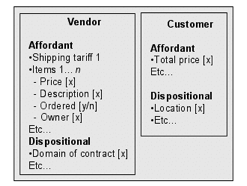
A design problem 1 expresses an inequality between actual performance (Pa) and desired performance (Pd) of some interactive worksystem (i.e. Pa >Pd with respect to some domain; a successful design solution specifies some interactive worksystem (hereafter worksystem) which achieves the desired performance (Pa = Pd) with respect to some domain. Worksystems comprise users and computers, both of which have structures supporting behaviours. The desired performance is expressed as work, achieved to a desired level of task quality, whilst incurring an acceptable level of costs to the worksystem. Work is expressed as transformations of the attribute values of objects in the domain of the worksystem. These domain transformations (Dowell & Long) inform the conception of the GDS and GEDP and  are in italics on first exposition. Engineering Design Principles are achieved at some desired level of task quality (Tq), whilst incurring some acceptable level of costs to the user (Uc) and the computer (Cc). Attributes are features of domain objects, which afford transformation by the worksystem. The goals of the worksystem are defined as a product goal, which is a transformation of object attribute values. Realisation of a product goal may involve the transformation of many attributes and their values, these transformations being termed task goals. Thus, a product goal may be re-expressed as a task goal structure, which specifies the order and relations between a number of task goals, sufficient to achieve the product goal. As more than one task goal structure may be sufficient to achieve a product goal, it is necessary to distinguish between alternative task goal structures in terms of task quality. Task quality describes the difference between the product goal and the actual transformation specified by a task goal structure. This concept supports evaluation of alternative structures of this type (Dowell & Long, 1989). The worksystem comprises one or more users interacting with one or more computers, each of which is characterised by structures which support behaviours. Desired performance is thus effected by a particular class of user and computer structures, supporting behaviours, which achieve domain transformations, whilst incurring some acceptable level of costs. Worksystem structures are necessary to support behaviour, e.g. knowledge of financial transactions is necessary to support transacting behaviours. Worksystem behaviours involve the transformation of object attributes and their values, e.g. transferring ownership of goods from the vendor to the customer in transaction processing may be expressed as transforming the attribute ‘owner’ from value ‘vendor’ to value ‘customer’ for domain object ‘book x’.

SUBSTANTIVE AND METHODOLOGICAL EDPS

Dowell and Long assert that EDPs may be either substantive or methodological. They state that substantive EDPs “prescribe the features and properties of artefacts, or systems that will, constitute an optimal design solution to a general design problem.” Methodological EDPs “prescribe the methods for solving a general design problem optimally.” (Dowell & Long, 1989). In the conception of EDPs proposed here, substantive and methodological knowledge is assumed to be unitary. The issue of whether optimal solutions are commensurate with EDPs is not addressed, as the guarantees ascribed here would be derived from empirical testing. Thus, these guarantees cannot be claimed optimal, but empirically established.

NEED FOR CONCEPTION OF GDS AND GEDP

The Dowell and Long conception supports the development of EDPs by offering a coherent and complete expression of the GDP to be addressed by the GEDP. However, the relationship between the concepts of the GDP and the concepts of the GEDP are not formally conceptualised. Furthermore, the conception of the GDS is implicit. Thus, the relationship between the GEDP and the GDS is not formally conceptualised. The GDS is conceptualised below, as required to inform the development of EDPs.

CONCEPTION OF GDS

A design solution 2 contains the specification of a worksystem for which the actual performance equals the desired performance (i.e. Pa = Pd), as stated in the design problem. Worksystems comprising users and computers are conceptualised as structures, which support behaviours, which interact to perform work in a domain. Work is expressed as transformations of object attribute values to achieve task goals, which comprise a task goal structure. The quality with which the task goal structure achieves the product goal specified in the GDP is expressed as Tq and the costs incurred by the users and computers are expressed as Uc and Cc.


CONCEPTION OF GEDP

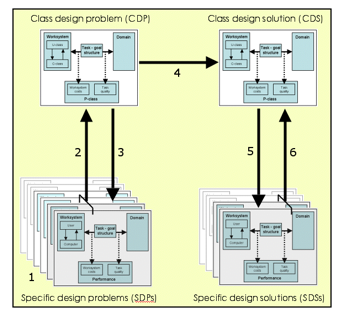
A conception of the GEDP may be considered complete, if its expression is sufficient to identify the applicability of the GEDP, in terms of the GDP. It may be considered coherent, if its expression is sufficient to prescribe design knowledge for specifying the GDS. The ascription of performance guarantees must also be explicitly conceptualised for coherence. The conception of EDPs proposed here includes the concepts of: scope; comprising a class of users, a class of computers and a class of achievable performances; substantive component; methodological component; and performance guarantees. This conception of the GEDP 3, it is argued, is sufficiently coherent and complete to support the initial operationalisation, test and generalisation of EDPs, and so is potentially fit-forpurpose. The concepts of the GEDP are formally conceptualised at a level commensurate with the conception of the GDP. This conception of the GEDP supports carry-forward of coherent and complete design knowledge by supporting the expression of design knowledge, at the appropriate level of generality. This knowledge supports the operationalisation of CEDPs, and its success determines whether it is fit-for-purpose. CEDPs formally specify the relationship between a CDP and a corresponding CDS. The concept of classes supports the representation of design knowledge at different levels of generality. These classes are 2 Concepts from Dowell & Long which have been recruited into the conception of the GDS and the GEDP are in bold italics on first exposition.

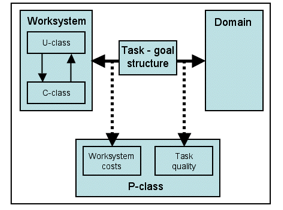
Concepts which are novel to this paper are in bold on first exposition. Cummaford and Long 82 identified by reference to the scope of CEDPs – class hierarchies are not intended to constitute a taxonomy of all possible CDPs, but rather only of those CDPs for which a CDS exists. The ultimate success of a CEDP is measured by the performance achieved by the specific technologies supported by its application. The associated guarantees are based on the empirical testing of a series of instances of CEDP application. The coherent and complete conceptualisation which guides this operationalisation may thus be assessed for fitnessfor- purpose. The concepts of the GEDP are informed by the concepts of the GDP and GDS, as the purpose of the GEDP is to identify its applicability to the GDP and prescription of the GDS, if applicable. The GEDP supports the prescription of a GDS, which achieves the desired performance stated in the GDP, if identified as applicable. Scope of the GEDP Specifying criteria for identifying design problems, to which an EDP may be applied, ensures that the knowledge is applied only to those design problems for which it supports the specification of a design solution. Design problems contain not less than one or more users, interacting with not less than one or more computers, and some desired performance. The scope of the GEDP thus comprises a class of users (U-class), a class of computers (C-class) and a class of achievable performances (P-class). If the user and computer in the design problem are members of U-class and C-class respectively, and the desired performance stated in the design problem is a member of P-class, then a design solution would be produced and the actual performance of the solution would equal the desired performance stated in the design problem. The relationship between Uclass, C-class and P-class is developed by empirical testing of the implemented design solutions, produced by CEDP operationalisation. If the user, computer or the desired performance are outside the scope of the principle, then there is no guarantee that the design solution may be specified then implemented. For transaction systems, the criteria for establishing U-class membership would establish the minimum structures and behaviours required for some user, in conjunction with some member of C-class, to achieve a performance which is a member of P-class. Such structures might include knowledge of financial transactions with card-based payment technologies. Supported behaviours might include matching goods descriptions to their shopping goals. The criteria for C-class membership might include structures such as a Virtual Shopping Cart, and supported behaviours, such as real-time processing of payments via the internet. P-class would specify the product goal, e.g. support the exchange of resources for currency, which could be achieved by members of U-class and C-class, to a desired level of task quality, whilst incurring an acceptable level of costs.

Substantive and Methodological Components of GEDP

EDPs contain substantive and methodological design knowledge which may be applied to any design problem within the scope of the EDP. The substantive component is characterised by the conceptualisation of user and computer structures and behaviours, comprising the worksystem, which are present in some instance of the class of users (Uclass) or class of computers (C-class) respectively. The methodological component supports the conceptualisation of a task goal structure, comprising task goals, to be effected by the worksystem, which achieves the product goal stated in P-class. The product goal specifies the work to be effected in the domain by the worksystem, in terms of object attribute value transformations. The structures and behaviours specified in the substantive component are sufficient to achieve the task goal structure specified in the methodological component to an acceptable level of task quality, whilst incurring some acceptable level of costs; where task quality and worksystem costs are members of P-class. This sufficiency is supported by empirical testing of a CEDP, which indicates whether the GEDP is fit-for-purpose. Support for the conceptualisation of user and computer structures and behaviours may take the form of models of interaction between user and computer, expressed as structures supporting behaviours. In the case of transaction systems, a mercantile model of the stages of a transaction to support the specification of behaviours, sufficient to achieve the required domain transformations, would constitute candidate substantive knowledge. One such model (Kalakota & Whinston, 1996) characterises a transaction as: prepurchase determination (information seeking); purchase (agreement of a contract for exchange); and postpurchase interaction (exchange, and evaluation of the product). This model might indicate that information seeking behaviours are necessary to complete a transaction, these behaviours being supported by structures, e.g., purchasing goals, hands. Summary of GEDP Conception This paper proposes a conception of EDPs within which guarantees may be developed for formal HCI engineering design knowledge. The conception proposed thus far comprises the following concepts and relationships: For any design problem {user, computer, Pd} and any EDP {U-class, C-class, P-class, substantive component, methodological component} If user is a member of U-class and computer is a member of C-class,  then user structures and behaviours, and computer structures and behaviours, stated in the substantive component are present. If user structures and behaviours and computer structures and behaviours specified by the substantive component are present then the task goal structure specified by the methodological component is achievable. If the task goal structure specified in the methodological component is effected by a worksystem comprising the structures and behaviours specified in the substantive component then the product goal will be achieved, task quality will be x, user costs will be y and computer costs will be z. If task quality x, user costs y and computer costs z are achieved, Then Pa = Pd. Therefore, Pd is a member of P-class for a worksystem comprising instances of U-class and C-class. This conception may be said to be coherent, as it is based on two relationships: the relationship between the task goal structure and Tq for some product goal, and the relationship between the worksystem structures and behaviours, sufficient to achieve this task goal structure, and Uc and Cc. These relationships may be said to be coherent, as performance is a function of the efficacy with which some task goal structures are achieved by some worksystem structures and behaviours. The GEDP conception may be considered complete, as the concepts of the conception of the engineering discipline of HCI, which inform its development, appear within it. The issue of fitness-for-purpose will be addressed via operationalisation of the conception of the GEDP to inform the development of CEDPs, which may then be tested and generalised.

Validation and Ascription of Guarantees to EDPs

Operationalisation of the GEDP as CEDPs supports empirical testing of the class-level design solutions prescribed. This testing establishes whether the GEDP is fit-for-purpose, that is, it supports the specification then implementation of a design solution which achieves the desired level of performance stated in the design problem. The fourth stage of validation, generalisation, involves establishing the generality of the CEDP. These four stages of validation support the ascription of a guarantee that a worksystem, which performs the task goal structure specified in the methodological component of the EDP, achieves a level of Tq within the P-class stated in the EDP. A second guarantee, that the substantive component supports the specification of a worksystem, which exhibits the structures and behaviours sufficient to achieve the task goal structure, specified in the methodological component, whilst incurring a level of costs within the P-class stated in the EDP, may then be ascribed. A third guarantee, that correct application of the EDP to a design problem, within its scope supports the specification then implementation of a design solution which achieves Pd, is then ascribed on the basis of the former guarantees and further empirical testing. EDPs thus support the specification then implementation of a design solution which achieves the desired performance, if the design problem is within the scope of the EDP.

STRATEGY FOR CEDP DEVELOPMENT

Stork & Long (1994) have applied the conception of HCI to establish a basis for developing EDPs. They have operationalised the general HCI design problem by metricating the concepts, of which it is comprised, to express a specific design problem (SDP) in the domain of domestic energy management. Metrication provides observable and measurable criteria against which to assess performance. The design solutions (SDSs) of such specific design problems and the abstraction of prescriptive knowledge would constitute an EDP – the goal of Stork and Long. However, the operationalisation of an SDP per se does not ensure that a CDP, of which the SDP is an instance, will be found, other than by the assumption of a single domain. This strategy may be termed the ‘initial instance’ strategy, as it seeks to develop CEDPs by specifying design knowledge for SDPs, by means of SDSs, and then generalising across instances. This approach may be contrasted with an alternative ‘initial class’ strategy for CEDP development, as proposed here. The ‘initial class’ strategy supports CEDP development by constructing solutions to CDPs and then construing relevant design knowledge. Because this knowledge is construed at the class level, it is promising for CEDP development. The development of CDPs prior to operationalisation is therefore desirable, as this development constrains the DPs operationalised to those which offer promise in supporting the identification of class-level knowledge. A class may be considered promising for development, if an SDS exists and there are SDPs which share features of the solved SDP. Once such an initial class hypothesis has been formulated, the viability of the class may be assessed by examination of the work performed and the worksystem structures and behaviours sufficient to achieve Pd. If the performance achieved by the worksystem (Pa), specified in the SDS, is similar to the Pd of other SDPs (i.e. Pa = Pd), then the SDPs show promise for CDP development. Cummaford and Long 84

Method for CDP development

The first phase of the ‘initial class’ strategy for CDP development involves identification of an SDP and a corresponding SDS. The second stage involves identifying further SDPs which require a similar Pd, which supports specification of P-class. The user(s) and computer(s) which are to achieve P-class are then assessed for similarities. They may be considered similar, if the user(s) and computer(s), specified in each SDP, comprise sufficient structures supporting sufficient behaviours to achieve P-class. If this sufficiency holds, these user(s) and computer(s) form U-class and C-class of the CDP respectively. In practice, once P-class has been specified, developing CDPs involves identifying U-class and testing instances (members) of this class interacting with instances of C-class. These instances of U-class and C-class are then used to inform the development of a CDS, which achieves P-class. The level of generality should be considered prior to development. Classes which contain very few instances low in the hierarchy contain design knowledge which is very specific. The costs of developing a class at a given level of generality should be balanced against the number of instances to which it may be applied successfully.

Candidate CDPs: Internet-Based Transaction Systems

A class of transaction system design problems has been identified and is presented to illustrate the concept of CDPs. This parent class has three instances (subclasses), each of which is also a class. Each subclass is characterised by P-class, to be achieved by U-class interacting with C-class with respect to some domain. The general characteristics of each of these CDPs are inherited from the parent class. The subclasses of transaction system CDP are: (homogeneous) physical goods (e.g. books); information (e.g. online newspapers); and banking and finance (e.g. loans). These subclasses are abstractions over SDPs, e.g. a design problem concerning a transaction system to support the effective exchange of books for currency in an internet bookshop is an instance of the class of (homogeneous) physical goods. Subclasses may be distinguished by P-class. Differences in the product goal required for each of these subclasses have been identified for physical goods and information sub-classes (Hallam-Baker, 1997). In addition to these two classes, a banking CDP has been developed. The classes differ in the nature of the resources exchanged, the immediacy of the exchange, the possibility for reversing the transaction and the potential loss to the vendor. These differences in product goal indicate that the CDSs for these subclasses will specify classes of worksystem with different task goal structures, as the respective worksystems perform different work. It should be noted that candidate CDPs are identified on the basis of differences in the domain objects transformed by the respective worksystems. Operationalisation of CDPs will support the assessment of whether such differences will result in different worksystem specifications. Each CDS specified is then assessed to establish the task goal structure, sufficient to achieve a level of Tq within P-class. This sufficiency informs the development of the methodological component of the corresponding CEDP. The worksystem structures and behaviours sufficient to achieve the task goal structure, whilst incurring a level of Uc and Cc within P-class, are then construed. These structures and behaviours inform the development of the substantive component of the CEDP. Validation and the ascription of guarantees are based on subsequent operationalisations of the conceptualised CEDPs.

FUTURE RESEARCH

The ‘initial class’ strategy will be operationalised, resulting in CDPs and CDSs for the three transaction system subclasses identified. These CDPs and CDSs will be used to inform CEDP development. The resulting CEDPs will be operationalised and tested to inform the development of guarantees. If these stages of validation are successful, the CEDPs will be generalised and the CEDPs may be considered valid. Abstraction of these subclass CEDPs will be used to produce the parent CEDP, which will then be operationalised, tested and generalised.

ACKNOWLEDGEMENTS

This research associated with this paper was carried out under an EPSRC studentship.

REFERENCES

Dowell, J. and Long, J. B. (1989) Towards a conception for an engineering discipline of human factors. Ergonomics 32, 1513-1536.

Dowell, J. and Long, J. B. (1998) Conception of the cognitive engineering design problem. Ergonomics 41, 2, 126-139.

Hallam-Baker, P. M. (1997) User Interface Requirements for Sale of Goods. Available from: http://www.w3.org/ECommerce/interface.html

Kalakota, R. and Whinston, A. B. (1996) Frontiers of Electronic Commerce. Reading, Mass: Addison-Wesley.

Long, J. B. (1996) Specifying relations between research and the design of human-computer interactions. International Journal of Human Computer Studies, 44, 6, 875-920.

Long, J. B. and Dowell, J. (1989) Conceptions of the discipline of HCI: craft, applied science, and engineering. in Sutcliffe A. and Macaulay L., (Eds.) Proceedings of the Fifth Conference of the BCS HCI SG. Cambridge: Cambridge University Press.

Stork, A. and Long, J. B. (1994) A specific planning and control design problem in the home: rationale and a case study. in Proceedings of the International Working Conference on Home- Oriented Informatics, Telematics and Automation. University of Copenhagen, Denmark. 419-428.


Validating Effective Design Knowledge for Re-Use: HCI Engineering Design Principles 150 150 John

Validating Effective Design Knowledge for Re-Use: HCI Engineering Design Principles

Stephen Cummaford

Ergonomics & HCI Unit, University College London, 26 Bedford Way, London, WC1H OAP


ABSTRACT

There is a need for more formal HCI design knowledge, such that effective design knowledge may be specified in a format which facilitates re-use. A conception of Engineering Design Principles (EDPs) is presented, as a framework within which to systematically relate design knowledge to performance. It is argued that the specification of these relations supports validation, leading to a higher likelihood that application of an EDP to an appropriate design problem will result in a satisfactory design solution. A hierarchy of classes of design problem is presented, and discussed in context of the ongoing research project.

Keywords Cognitive engineering, design, knowledge re-use, performance, principles, validation.

INTRODUCTION

Human-computer interaction practitioners have designed many effective technologies. However, the knowledge applied during development of a successful design solution is not often stated explicitly. Such ‘craft’ skills are difficult to represent explicitly, and as such, cannot easily be tested, and so validated [4]. Such under-specification limits the possibility of successful communication, and so re-use, of effective design knowledge. Engineering Design Principles (EDPs) benefit designers by facilitating more complete communication of designers’ knowledge. Design knowledge applied to produce a successful solution to a design problem can be carried forward to solve similar design problems. Validated design knowledge allows designers to generate new solutions with less prototyping and testing, thus reducing system development costs.

ENGINEERING DESIGN PRINCIPLES

The concept of specifying a complete, class-level, design solution was presented in the Engineering Conception of HCI (HCIe), which was developed within the Ergonomics & HCI Unit, UCL. [3]. The HCIe conception characterises the worksystem, tasks, and interaction structure in terms which support expression of performance, in terms of task quality achieved, and costs incurred whilst performing the work. The focus of my thesis is to develop coherent representations of the relationships between worksystem, tasks, interaction structure, and performance. Such representations support validation of the relationships between a design solution and performance. This conception of principles, as relating to specific classes of design problem, allows design knowledge to be represented at varying levels of generality, as classes may contain instances which are themselves classes.

EDP components

The EDP conception relates the elements of the HCIe conception, by specifying design representations which allow the relationship between the design solution and performance to be measured. An EDP consists of related representations which support coherent specification of a class-level effective design solution. Examples for each concept are provided, from a recent e-store transaction systems case-study, in { } brackets.

Scope: identifies the class of design problems for which this EDP has been validated {physical goods transaction systems supporting order collation and payment, for use by general public without specific training}.
Product goal: the work which is to be done {online order collation and payment }.
Domain model: contains objects which are transformed by the worksystem. Objects have attributes {book, has an owner} and the product goal is expressed in terms of object-attribute value transformations {change book owner from ‘vendor’ to ‘customer’ }.
Task-goal structure: specifies the interactive behaviours to be performed by the worksystem as a hierarchical box diagram, which decomposes the work to be done into behaviour primitives. These behaviours achieve the product goal.
User and computer models: specify the user and computer structures and behaviours which are sufficient to perform the task-goal structure {knowledge of credit card use, shipping address; realtime credit card transaction processing}. These models are used to determine costs incurred by the worksystem, an aspect of performance.
Achievable task quality: statement of how well the work was achieved by previous artefacts designed with this EDP, an aspect of performance { in empirical test, 100% of users completed transaction, no set-up or training required for users with 6+ months internet experience }. Cost matrix an expression of the costs incurred by the worksystem whilst performing the task-goal structure. It is constructed by listing the elements of the user model on the y axis {read, calculate, working memory} and the subtasks of the product goal on the x axis { order item, enter payment details}. The cost matrix is used to record the number of times each user model element is activated during each task. This is assessed empirically, by observation of user trials, and so measures actual user costs, rather than ideal performance. The cost matrix has proved useful in systematic comparison of competing design solutions [2].
Validation:  The EDP conception supports expression of design knowledge by specifying an effective design solution at some level of generality. Performance is measured empirically, by testing with implemented design solutions specified by an EDP. Establishing performance supports assessment of whether the design solution is actually effective, rather the extent of its functionality [5]. The concepts contained in the EDP conception, it is argued [1], support validation by evaluation of the relations between performance and worksystem components performing a task-goal structure.

CLASSES OF DESIGN PROBLEM

A class of transaction system design problems has been identified to inform the development of EDPs. A transaction system is the order collation and payment component of an internet store. The parent class has three instances (subclasses), each of which is also a class. The subclasses of transaction system design problem are: physical goods (e.g. books); online services (e.g. video on demand); and financial (e.g. loans). A case study, addressing the design of physical goods transaction systems, has been conducted. This case study involved specification of a class-level design problem, by abstraction over the requirements for several e-stores, and specification of a design solution, which was then implemented and tested. There were particularly high costs associated with finding the total price for goods, including shipping, in the existing system. This was because the user must enter address and credit card details before the price was calculated. The re-designed system featured two popup menus to select a country and a shipping option, after which the total price could be displayed throughout the interaction, thus reducing user costs. Further details from this case-study are shown on the accompanying poster.

FUTURE RESEARCH

The next stage of the research project is to develop class-based knowledge for the subclass of online services transaction systems. The class hierarchy hypothesised earlier will then be evaluated. The hypothesised class hierarchy will be partially validated, if commonalities are found between the first and EDPs, such that design knowledge may be abstracted and represented at the general class level. The abstracted, class-level knowledge will then be validated by application to further design problems which are instances of the third subclass. The final stage of the project will be to address the usability of the design representations, such that the benefits of using the EDP framework are realised, whilst incurring an acceptable cost of use to designers.

ACKNOWLEDGEMENTS

I would like to thank my supervisor, Professor John Long, for his enthusiastic and insightful input throughout this project. This work was funded by the UK Engineering and Physical Research Council.

REFERENCES

[1] Cumrnaford and Long (1998) Towards a conception of HCI engineering design principles, in T.R.G. Green, L. Bannon, C.P. Warren & J. Buckley (eds.) Proceedings of ECCE-9, the Ninth European Conference on Cognitive Ergonomics. EACE, pp. 79-84.

[2] Cummaford, S. and Long, J. B. (1999) Costs Matrix: systematic comparison of competing design solutions, in S. Brewster, A. Cawsey & G. Cockton (eds.), Proceedings of Human-Computer Interaction INTERACT ’99 Volume 2, IOS Press, pp.25-26.

[3] Dowell, J. and Long, J. B. (1989) Towards a conception for an engineering discipline of human factors. Ergonomics 32, 1513-1536

[4] Long, J. B. (1996) Specifying relations between research and the design of human-computer interactions. International Journal of Human Computer Studies, 44, 6, 875-920.

[5] Newman, W. M. (1997) Better or Just Different? On the benefits of designing interactive systems in terms of critical parameters, in G. C. van der Veer, A. Henderson & S. Coles (eds.), Proceedings of the Symposium on Designing Interactive Systems (DIS ’97), ACM Press, pp.239-245.


Solving class design problems: towards developing Engineering Design Principles 150 150 John

Solving class design problems: towards developing Engineering Design Principles

Steve Cummaford and John Long

Ergonomics & HCI Unit, University College London, 26 Bedford Way, London WC1H 0AP

ABSTRACT

Current HCI design knowledge is rarely specified adequately to support its validation. However, such validation is important, since it offers promise for the re-use of design knowledge, to solve design problems, similar to previously solved problems. This paper proposes a strategy for the development of HCI design knowledge, leading to validation. This knowledge is to be expressed ultimately as HCI Engineering Design Principles, which comprise validated knowledge, supported by performance guarantees. The strategy initially requires the specification of class design problems, and their solutions. A partial operationalisation of the strategy, for e-commerce transaction systems, is reported. The operationalisation resulted in the specification of a class design problem and solution, which are exemplified in this paper. The specification will be developed in future research, to construct Engineering Design Principles.

KEYWORDS

HCI, Engineering, Design knowledge, Validation, Engineering Design Principles

RESEARCH NEED

Validated Human-Computer Interaction (HCI) design knowledge offers the benefit of reducing system development costs for the solution of design problems, similar to previously solved problems. However, the validation of HCI design knowledge has been limited, if compared with related disciplines, e.g. Software Engineering (Sutcliffe, 2002).  It has been argued that this deficit is due to the lack of (explicit) conceptualisation of design knowledge, to solve design problems. This under-specification limits testing, and so validation (Long 1996).

This paper describes the initial and partial operationalisation of a research strategy, intended more adequately to specify HCI design knowledge, to support validation. Dowell & Long (1989) state that “established engineering disciplines possess formal knowledge: a corpus of operationalised, tested and generalised principles. Those principles are prescriptive, enabling the complete specification of  [classes of] design solutions before those designs are implemented.” To support validation, design knowledge must be expressed explicitly (conceptualised), to enable its application to design (operationalised), so its relationship with interactive system performance can be established (tested). On the basis of this relationship, the class of design problems for which this performance is achieved can be specified (generalised) (Dowell & Long 1989).

The conception of Engineering Design Principles (EDPs), proposed in Cummaford & Long (1998), specifies the knowledge representations, sufficient to support development and validation of EDPs. This conception is shown in Figure 1.


Figure 1: EDP conception

The conception comprises models, required by HCI as an engineering discipline (HCIe), following Dowell & Long (1989). The conception expresses the HCIe general design problem in terms of a domain model; a user model and a computer model, which together comprise the interactive worksystem (IWS) model; and a statement of inequality between actual and desired performance (Pa ≠ Pd). The domain model comprises objects, which have attributes having particular values. The work to be performed is expressed as domain object attribute value transformations, collectively termed the product goal. The user and computer are characterised by structures and behaviours. These structures are physical, and abstract, and they support behaviours, which are physical, and abstract, and effect transformations in the domain. Performance is expressed as task quality (Tq), (i.e. how well the work is effected) and IWS costs (i.e. the workload incurred in effecting the work). IWS costs comprise user costs (Uc) and computer costs (Cc), and can be physical and mental.

The EDP conception specifies relations between its representations, which can be validated. First, the user and computer models contain sufficient structures, to support behaviours, which carry out the task-goal structure (TGS), whilst incurring IWS costs. Second, the task goal structure, achieves the product goal, for some Tq. The EDP conception thus relates statements of performance to the models, supporting operationalisation, and so, validation. EDPs comprise conceptualised, operationalised, tested and generalised design knowledge, which supports the diagnosis and prescription of a class of design solutions (CDS), which satisfies a class of design problems (CDP). Thus, the specification of design problems and design solutions, at the class level, is a pre-requisite, and so, necessary process of EDP development. To support the ultimate specification of EDPs, there is a need iteratively to identify CDPs and their CDSs, and extract both commonalities between them, and between the commonalities themselves. The latter constitute an EDP, which applies to all design problems within its scope. EDPs offer the possibility to specify, then implement design solutions to ‘hard’ (determinate) design problems.

EDPs may be contrasted with HCI design patterns (Borchers 2001), which focus on a part of a design solution, rather than the complete solution. A complete solution offers more promise for performance guarantees, as the application scope is more constrained.

In this paper, the process of CDS development is reported, to illustrate the application of an EDP development strategy. The result, comprising class representations of the user, computer, domain and TGS for the CDP and CDS, is exemplified (due to space limitations) by the single task ‘find total price’.

DEVELOPMENT STRATEGY

Two strategies for EDP development were described in Cummaford & Long (1998). The ‘initial instance’ strategy (Stork & Long, 1994) generates specific design solutions to specific design problems, then abstracts commonalities, between a problem and its solution, then between these commonalities. This approach is ‘bottom up’. This strategy was contrasted with the ‘initial class’ strategy, proposed by Cummaford & Long, in which ‘promising’ candidate CDPs are identified, by abstraction of commonalities from (constructed) design problems, and corresponding CDSs constructed (where possible). This strategy thus constrains EDP development effort by focusing on domains, which offer ‘promise’ for class design knowledge (although there is no guarantee). This approach is ‘top down’.

SELECTION OF PROMISING CLASS

This research conducted a review of four e-shops, from a wider range, to evaluate similarities in product goal, users and devices, comprising the IWS, and Pa and Pd. All shops support a similar product goal, namely, the exchange of goods for funds, when certain criteria apply. The user groups appear also to be similar, as members of the general public, having knowledge of using websites, and making payments with credit cards (or similar payment technologies). The e-shops sell different goods (e.g. books, CDs, tea, etc.), but comprise similar structures, e.g. ‘virtual shopping cart’, which support similar behaviours, e.g. ‘display subtotal’. Pd is also assumed to be similar for the shops, i.e. to enable all users (fulfilling the criteria), to complete a purchase (high Tq), with minimum workload (low Uc). The similarities between the product goal, IWS, and Pd, for the e-shops reviewed, are considered sufficient to offer promise for the development of a CDP and CDS (and so ultimately an EDP) for e-shop transaction systems.

PROCESS

The following process specified the CDP and CDS. The stages are shown in Figure 2. Of the 6 SDPs represented, two e-shops were reviewed, for which SDPs were specified, the remaining two e-shops were only reviewed (i.e. as potential SDPs), and other e-shops were available for review more generally (i.e. 5 …n). CDP and CDS specification involves first specifying SDPs [1], by testing existing systems and identifying instances for which Pa ≠ Pd. The CDP is then specified, by abstracting commonalities from them [2]. The resulting model is evaluated, by checking that the class user and computer models can be operationalised to complete the TGS for each SDP [3]. Existing HCI design methods are applied to the CDP, to specify a CDS [4]. To evaluate Pa of the CDS, it is decomposed into SDSs, to enable testing by the target user group [5]. Pa is abstracted from the SDSs’ performances [6]. A complete CDP and CDS were specified by the present research, using this process. The complete CDP and CDS models however, are not presented here, due to space limitations. However, complete models, relating to a particular goal of the TGS (‘find total price’), are presented, to exemplify the process completely. The exemplification demonstrates how the models are related to performance, as required by the CDP and the CDS. The requirement of the EDP conception in what follows, for each stage of the process, precedes exemplification by the models of the partial operationalisation of the EDP strategy.

Figure 2: CDP & CDS specification process

1: Specify SDPs

RequirementFirst, a promising class of systems is identified, on the basis of (informal) similarities in work performed. Second, examples of such systems are selected for testing. If these systems achieve a desired level of performance, they constitute specific design solutions (SDSs). If Pa ≠ Pd, they constitute specific design problems (SDPs). The SDP representations specify the domain objects, sufficient to characterise the work performed by the IWS, to achieve the product goal, by operationalisation of the TGS. The IWS, comprising user and computer models, specifies the structures, sufficient to support behaviours, to achieve the TGS. Performance, expressed as Tq and Uc and Cc, is established empirically.

InstantiationIn this research, of the four e-shops reviewed, two – Amazon.com and Barnes & Noble.com, were selected for testing. The e-shops achieved similar product goals, but exhibited different behaviours. The testing required the users to attempt to complete a range of tasks. The latter ensured that relevant aspects of the transaction were evaluated, e.g. removing items from the order, as well as adding them. Actual Tq was lower than desired, as not all users completed the tasks. Uc were inferred from user behaviours[1] and verbal protocols, and enumerated in a Costs Matrix (Cummaford & Long 1999). The SDPs are not included here, due to space limitations, but differences between the SDPs and the CDP are reported later.

Requirement

Following SDPs specification, commonalities are abstracted to construct the CDP. This abstraction comprises common aspects of the SDPs, to provide an initial CDP expression. The domain model is also abstracted, to express the product goal in terms of domain transformations. The TGS is then similarly abstracted. The IWS model is likewise abstracted from the SDPs. As class users cannot be tested as such, Pa for the CDP is derived from the SDPs tested.

Instantiation

Here, the CDP domain model was abstracted from the SDP domain models tested. The domain transformations to achieve the product goal were then specified. The product goal is presented here as text, with an example of its domain transformations. The TGS, to achieve the product goal was then specified, by abstraction from the SDP TGSs. The U-class and C-class, comprising the IWS, were then specified, to contain the minimal set of behaviours to enable the domain transformations to effect the TGS. Performance was then derived by calculating the mean performances of the SDPs tested.

Domain model

Only those components of the domain model, sufficient to specify the total price of the goods ordered, are presented here (see earlier). Domain objects (e.g. ‘user’) have affordant attributes (e.g. total price), the values of which are transformed by the IWS. Dispositional attributes comprise information, which is needed, in order to complete the product goal (e.g. user location), but their values are not transformed.

The domain model was the same for the two tested SDPs, and so was synthesised as the CDP. However, the reviewed e-shops sold different goods (e.g. books, CDs, tea, etc.). The goods were therefore specified generally as ‘homogeneous physical goods, of which multiple units of multiple items are typically ordered’. This specification constrains instances of the CDP to transaction systems, which support collation of an order, containing multiple items, and which incur shipping (i.e. delivery) price, as part of the total transaction price.

Figure 3: Partial domain model for transaction processing

Product goal

The product goal comprises tasks, which must be supported, under specific conditions. Here, the design solution must likewise support the exchange of goods for payment in real-time. In addition to enabling transactions, the system must support the user in gathering pricing information to inform later purchasing decisions. The product goal for the class of physical goods transaction systems is specified as:

  1. Transfer ownership rights of goods from vendor to customer
  2. Transfer goods & shipping price from customer account to vendor account
  3. Transport goods from current location to customer’s address

when the following conditions hold:

  1. User desires to complete a transaction in response to offer from vendor
  2. User has sufficient funds in appropriate format
  3. User address is in legal domain of contract for vendor

In the CDP, the product goal is expressed in terms of transformations of domain object attribute values, which are presented using the syntax ‘domain_object/attribute [value]’.  For example, the first statement in the product goal is expressed as:

  1. Transform item/owner from [vendor] to [customer] for all products for which product/ordered is [true].

The relationship between domain transformations, and IWS behaviours to effect these transformations, is represented in the TGS.

Task-goal structure

Here, the TGS was abstracted from the TGSs of the two SDPs tested. A range of shopping tasks was specified, to support comparison of costs between the CDP and CDS. These tasks included ordering single and multiple units of goods, deleting goods from an order, finding total price, and completing the transaction. Only Task 4 in the TGS is shown, as the exemplification of the CDP models, establishing performance. Task 4 requires the domain transformation: ‘Transform user/total price from [unknown] to [amount]’.

Figure 4: Task-goal structure: Task 4

User model

Here, the user model (U-class) was abstracted from the user models in the two SDPs tested. The mental behaviours were specified by positing the minimal set of behaviours, sufficient to effect the TGS, to achieve the product goal. User behaviours were specified analytically, and then evaluated, using verbal protocols from the SDP tests. Here, only user behaviours, sufficient to achieve Task 4 of the TGS, are specified.

Figure 5: Partial user model

Computer model

The computer model was abstracted from the computer models of the two SDPs tested, as for the user model. The computer model contains the minimal set of behaviours, to achieve the TGS.

Figure 6: Partial computer model

Performance

Performance is abstracted from testing the SDPs, instances of the CDP. Tq is expressed as the percentage of successful attempts to complete the product goal. IWS costs are expressed as the number of behaviours performed. Costs are measured, using the Costs Matrix. Cc are not reported here, due to space limitations.

Task quality

80% of tasks were successfully completed during SDP testing. Tq is less than desired, that is, 100%.

User costs

Uc are incurred, whilst learning to achieve the product goal (‘set-up costs’), or during execution of the TGS behaviours (‘runtime costs’). Acceptable setup costs are essentially zero, as target users are able to complete a transaction with no previous training (they are specified as having used the internet previously, and having experience of using credit-card-style payment technologies). Pd is for lower runtime Uc than the SDPs. An increase in Cc is considered acceptable, if this supports a reduction in Uc, or an increase in Tq (as required earlier).

Runtime costs were calculated using the Costs Matrix, one of which was constructed for each user interacting with each SDP. The matrix was completed by giving a score of 1 for every observed or inferred user behaviour. The mean values for users were then calculated (shown in Table 1). Costs support diagnosis of ineffectiveness in the SDPs, and enable comparison with potential design solutions. The tasks in Table 1 constitute the TGS to achieve the product goal. Similar tasks were used during evaluation of the CDS, to support direct comparison of performance. Tasks 1-3 involved ordering goods; Tasks 4 & 6 were ‘find total price’; Task 5 was ‘delete items’; and Task 7 was ‘complete transaction’.

Task: 1 2 3 4 5 6 7 Total
Encode 3.5 4 6.5 4 2.5 3 1
Execute 10 12.5 11 4 6 4 7
Total abstractbehaviour cost 13.5 16.5 17.5 8 8.5 7 8 79
Search screen 2.5 3.5 3.5 3.5 3.5 3 1
Click 3 3.5 5 13.5 1.5 5.5 1
Keystroke 4.5 1 122.5 1 12
Total physical

behaviour cost

5.5 11.5 9.5 139.5 6 20.5 2 194.5

Table 1: CDP Costs Matrix

The CDP, here, comprises all the representations, specified in the EDP conception, and as such, is considered acceptable .

3: Evaluate CDP

Requirement

To ensure that the CDP is sufficient to characterise SDP behaviours, it is evaluated analytically, with respect to the TGS for each SDP. The IWS behaviours of the CDP are operationalised, to achieve the TGS, for each SDP. If the CDP IWS achieves the TGS, then the CDP is retained. If there are insufficient behaviours, then SDP / IWS differences must be re-synthesised. If they are too dissimilar to support synthesis, then a CDP cannot be abstracted.

Instantiation

The evaluated e-shops exhibited different behaviours, e.g. present subtotal on all screens, or only on the ‘virtual shopping cart’ screen. These differences resulted in a similar product goal, but with different performances. However, the aspects of the work, resulting in high user workload, were similar. They were included in the CDP. The CDP user model and domain model were operationalised analytically, to check that the TGS in each SDP could be achieved. The user model contained sufficient behaviours to achieve the TGS in each of the SDPs tested. The CDP was therefore retained.

4: Specify CDS

Requirement

Existing HCI design knowledge and methods are used to specify the CDS. The design stage specifies a TGS, which is achievable by the IWS, whilst incurring acceptable IWS costs and attaining desired Tq. Whilst performance can only be established by testing SDSs, instantiated from the CDS, analytic methods can be used to establish the likely performance of the CDS, prior to testing.

Instantiation

In this case, MUSE, a method for usability engineering (Lim & Long, 1994) was generally used, to design a CDS, which achieved Pd. Substantive HCI design knowledge was also recruited in the design. In particular, the TGS, required to effect the product goal, was informed by mercantile models, which specify transactions as having distinct phases, described as Negotiation, Agreement and Exchange (Kalakota & Whinston 1996). The outcome of the redesign was a re-engineered TGS. An example for the task ‘find total price’, is shown in Figure 7. During CDP testing, calculation of total price, during order collation, was found to be a high-cost behaviour. The CDS TGS differed from the CDP TGS (Figure 4), in that shipping options may be selected at any point in the interaction, hence supporting calculation of shipping costs by the computer, during the Negotiation Phase of the transaction.

Figure 7: Task 4 of the CDS Task-goal structure

The CDP TGS required credit card details to be entered by the user, before the computer displayed the total price, including shipping. The CDP testing indicated that this interaction reduced Tq, as some users were unwilling to enter this information, prior to knowing the total price. The CDS TGS presents the total price throughout the Negotiation Phase, enabling the user to complete a transaction, based on the total price, including shipping price (and so to achieve Tq). IWS costs, incurred whilst effecting the TGS, and the Tq achieved, were measured by testing SDSs, instantiated from the CDS. This testing is described in the next stage of the process.

5: Specify SDSs

Requirement

To evaluate the CDS, it is necessary to re-express it as specific design solutions (SDSs). As there are no class users per se, SDSs must be designed, to enable CDS testing. It is necessary to instantiate more than one SDS, to abstract CDS commonalities in performance.

Instantiation

Here, to evaluate the CDS, it was instantiated as two SDSs, to enable testing with specific users. The two SDS computer models were similar to the SDP computer models, but featured controls to allow the shipping options to be selected at any point during the Negotiation Phase. Two SDS prototypes ensured class performance.

6: Evaluate CDS

Requirement

The CDS performance is abstracted from the performances attained by each of the SDSs. If Pa = Pd, then the CDS is acceptable for the CDP.

Instantiation

Here, ten users were tested on each of the SDS prototypes. Analysis by means of the Costs Matrix indicated that user workload was acceptable in both prototypes, and all users could complete the product goal (the specified criteria having been met). The mean user costs are presented in Table 3. The costs were lower than those of users interacting with the CDP systems. Desired Tq was achieved. The CDS was therefore an acceptable design solution, for the CDP.

Task: 1 2 3 4 5 6 7 Total
Encode 3.5 4 5.5 1.5 2.5 1 4.5
Execute 13 9.5 11 2 5 2 6
Total abstractbehaviour cost 16.5 13.5 16.5 3.5 7.5 3 10.5 71
Search screen 2.5 3.5 3.5 2 3.5 2 3.5
Click 5 3.5 5 2 1.5 12.5
Keystroke 4.5 1 1 120
Total physical

behaviour cost

7.5 11.5 9.5 4 6 2 136 176.5

Table 2: CDS Costs Matrix

Review

The process presented above was instantiated here, to specify a CDP and CDS for e-commerce transaction systems, as a pre-requisite for EDP development. The specification of a CDP was considered promising for the development of a CDS. This CDS was then specified, and evaluated by testing SDSs, instantiated therefrom. The results indicated that the CDS achieved Pd, and was thus was an acceptable solution to the CDP.

DISCUSSION

This research raises both general and specific issues. Specific issues will be addressed first and general issues second. The specific issues are ordered, following the process stages, shown in Figure 2.

Specifying SDPs

Four e-shops were reviewed, to inform selection of systems for SDP specification. These e-shops exhibited sufficient similarities to show promise for class development. However, the number of systems tested, to inform CDP development, was somewhat limited (i.e. two). Testing more systems would give greater confidence in abstracted similarities between instances. However, the work described here is intended to demonstrate the possibility of specifying CDPs and their CDSs, as an initial and partial operationalisation of the ‘initial class’ strategy of EDP development. Once the process of developing CDPs and their CDSs has been shown to be feasible, such additional development efforts may then be justified.

The tasks, selected for inclusion in the TGS, included a range of typical shopping activities. The tasks are sufficient to characterise any transaction performed on e-commerce sites, although the number of times each task is completed will vary for each transaction. It was, however, considered desirable to standardise the tasks here, to support systematic comparison of the SDP systems, both with respect to each other, and to the SDS prototypes. Varying sub-task frequency, however, should be considered in future work.

SDP testing involved users entering payment authorisation details, supplied by the researchers. Whilst actual payment was thus simulated, users reported that they would be uncomfortable entering their own payment authorisation, before knowing the total price payable. Tq was thus based on a simulation, with its inevitable differences with actual transactions, and so might be questioned. However, such ineffectiveness has been also shown to occur for e-shops generally (Spool 2002).

User behaviours were assumed to be equivalent in terms of workload (Uc). Whilst these behaviours undoubtedly involve user workload, the relative workload, of each, may well not be equal. Empirical evidence for differential workload between behaviours could be integrated into the Costs Matrix. Physical costs were enumerated by counting directly observable user behaviours, but abstract costs were inferred, from tasks performed by the user, and from verbal protocols. A standardised set of encoding criteria informed identification of user abstract costs, which assumed the cost of encoding each page of information to be equivalent to the cost of mental (structure) activation. The criteria, and the equivalence of costs, incurred during behaviours and activation of associated structures, could usefully be explored further in future work.

Specifying the CDP

Pd for the CDP was specified relative to the Pa of the SDSs tested (i.e. increase Tq, reduce Uc). Whilst it is possible, in principle, to state Pd as absolute values, such absolute values were not employed here. Future EDP development should support address of this issue.

Evaluating the CDP-SDP relations

Analytic evaluation of the CDP involved checking that sufficient structures and behaviours were present in the user and computer models, to perform the TGS of each SDP. This assessment supported evaluation of the CDP user and computer models. In EDPs, the CDP is used to establish its applicability, and so this process was considered necessary, in order the better to inform the development of EDP models.

Specifying the CDS

MUSE was selected, from a range of existing HCI design methods, as it supports explicit specification of user and computer behaviours, as a system and user task model, achieving domain transformations for some level of Tq, whilst incurring Uc and Cc.. These representations of IWS, work, and performance allowed the resulting MUSE models to support specification of the CDS models, with minimal re-expression. Substantive knowledge, recruited during this stage of the process, was taken from the existing literature.

Specifying the SDSs

The SDS prototypes exhibited features, which were ported from the SDP systems tested. For example, the two SDP systems exhibited different types of ‘virtual shopping cart’, aspects of which were included in the SDS prototypes. This inclusion ensured that differences in performance between the SDPs and SDSs were due to differences in the CDP and CDS, rather than to specific features of the e-shops and SDS prototypes.

Evaluating the CDS

The EDP conception, upon which this work is based, includes explicit representations of user and computer structures, which support behaviours (following the HCIe conception – see earlier). User and computer structures are not reported in this paper, due to lack of space, but structures were specified for both the user and computer models. That behaviours may be enumerated as an expression of costs, without reference to structures, suggests that structures are not a necessary component of the models, for the purpose of measuring workload, when CDP and CDS structures remain unchanged. However, structures offer a more complete characterisation of the IWS, and are necessary when CDP and CDS structures change (that is, when structure ‘set-up’ costs are not zero).

Mapping the CDP to CDS

Whilst the CDP and CDS cannot be tested directly, the differences in performances of their instantiations indicate that the CDS achieved more effective performance than the CDP. Subjective reports of workload (Likert scales of task difficulty completed by users after testing) indicate that the SDS prototypes incurred less costs in general (as perceived by users) than the SDP systems.

General issues

This initial and partial operationalisation enabled evaluation of the research process followed. The evaluation, however, suggests the need for better specification of that process, such that subsequently developed CDPs and CDSs are likely to be at the same level of generality, and are appropriate to construct EDPs. Model granularity was not an issue here, as they were specified by the same researchers. However, better specification of the process is needed, to support different researchers in specifying CDPs and CDSs at a commensurate and appropriate level of generality.

Whilst the CDP class identified appears promising, there is no guarantee that development will result in the construction of EDPs. Class problems may not have class solutions, and this relationship cannot be known in advance, that is, when the CDP is initially specified. In addition, to construct EDPs, it is necessary to have more than one CDP and CDS to abstract commonalities between these CDP/CDS pairs. In order to achieve this abstraction, further CDPs, and their CDSs, will need to be specified. The initial operationalisation of the ‘initial class’ strategy will therefore continue, with the aim of constructing EDPs.

The initial and partial operationalisation of the ‘initial class’ strategy presented here, thus, offers promise for the eventual development of EDPs, as validated HCI design knowledge, supported by performance guarantees. Whilst this goal has yet to be achieved, this initial and partial operationalisation indicates that the specification of class design problems and solutions is possible.

ACKNOWLEDGMENTS

This work was partially supported by an EPSRC research studentship.

REFERENCES

Borchers, J. (2001). A pattern approach to interaction design. John Wiley, Chichester, UK.

Cummaford, S.J.O. and Long, J.B. (1998). Towards a conception of HCI engineering design principles. Proc. ECCE-9, ed. Green et al; Limerick, Eire.

Cummaford, S.J.O. and Long, J.B. (1999). Costs matrix: Systematic comparison of competing design solutions. In Proc INTERACT 99, ed. Brewster et al; Edinburgh UK.

Dowell, J. and Long, J. (1989). Towards a conception for an engineering discipline of human factors. Ergonomics, 32, 1513-1536.

Kalakota, R. and Whinston, A.B. (1996) Frontiers of electronic commerce. Addison Wesley, Reading Mass. USA.

Lim, K.Y and Long, J.B. (1994) The Muse method for usability engineering. Cambridge University Press, Cambridge, UK

Stork, A. and Long, J.B.  (1994). A specific planning and control design problem in the home: rationale and a case study. In Proceedings of the International Working Conference on Home-Oriented Informatics, Telematics and Automation. University of Copenhagen, Denmark. 419-428.

Spool, J. (2002). The customer sieve. Online report, available at world.std.com/~uieweb/Articles/customer_sieve.htm

Sutcliffe, A. 2002 On effective use and re-use of HCI knowledge. In Human – Computer Interaction in the new millennium. J.M. Carroll (Ed); Addison Wesley.


[1] Although the research specified the structures, supporting behaviours, as required by the HCIe conception (see earlier), only behaviours are reported here, due to space limitations.


Old Papers Never Die – They Only Fade Away…… 150 150 John

Old Papers Never Die – They Only Fade Away……


Interacting with the Computer: a Framework


John Long Comment 1

The title remains an appropriate one. However, given its subsequent references to: ‘domains’; ‘applications’; ‘application domains’; ‘tasks’ etc, it must be assumed that the interaction is: ‘to do something’; ‘to perform tasks’; ‘to achieve aims or goals’; or some such. Further modeling of such domains/applications, beyond that  of text processing, would be required for any re-publication of the paper and in the light of advances in computing technology – see earlier. The issue is pervasive – see also Comments 6, 35, 37, 40 and 41.


Comment 2

‘A Framework’ is also considered to be appropriate. Better than ‘a conception’, which promises greater completeness, coherence and fitness-for-purpose (unless, of course, these criteria are explicitly taken on-board). However, the Framework must explicitly declare and own its purpose, as later set out in the paper and referenced in Figure 1. See also Comments 15, 19, 27, and 42.

J. Morton, P. Barnard, N. Hammond* and J.B. Long

M.R.C. Applied Psychology Unit, Cambridge, England *also IBM Scientific Centre, Peterlee, England

Recent technological advances in the development of information processing systems will inevitably lead to a change in the nature of human-computer interaction.

Comment 3

‘Recent technological advances’ in 1979 centred around the personal, as opposed to the main-frame, computer. To-day there are a plethora of advances in computing technology – see Commentary Introduction earlier for a list of examples. A re-publication of the paper would require a major up-date to address these new applications, as well as their associated users. Any up-date would need to include additional models and tools for such address, as well as an assessment of the continued suitability of the models and tools, proposed in the ’79 paper.

Direct interactions with systems will no longer be the sole province of the sophisticated data processing professional or the skilled terminal user. In consequence, assumptions underlying human-system communication will have to be re-evaluated for a broad range of applications and users. The central issue of the present paper concerns the way in which this re-evaluation should occur.

First of all, then, we will present a characterisation of the effective model which the computer industry has of the interactive process.

Comment 4

We contrasted our ’79 models/theories with a single computer industry’s model. To-day, there are many types of HCI model/theory. A recent book on the subject listed 9 types of ‘Modern Theories’ and 6 types of ‘Contemporary Theories’ (Rogers, 2012). The ‘industry model’ has, of course, itself evolved and now takes many forms (Harper et al., 2008). Any re-publication of the ’79 paper would have to specify both with which HCI models/theories it wished to be  contrasted and with what current industry models.

The shortcoming of the model is that it fails to take proper account of the nature of the user and as such can not integrate, interpret, anticipate or palliate the kinds of errors which the new user will resent making. For remember that the new user will avoid error by adopting other means of gaining his ends, which can lead either to non-use or to monstrously inefficient use. We will document some user problems in support of this contention and indicate the kinds of alternative models which we are developing in an attempt to meet this need.

The Industry’s Model (IM)

The problem we see with the industry’s model of the human-computer interaction is that it is computer-centric. In some cases, as we shall see, it will have designer-centric aspects as well.

Comment 5

In 1979, all design was carried out by software engineers. Since then, many other professionals have become involved – initially psychologists, then HCI-trained practitioners, graphic designers, ethnomethodologists, technocratic artists etc. However, most design (as opposed to user requirements gathering or evaluation) is still performed by software engineers. Any re-publication of this paper would have to identify the different sorts of design activity, to assess their relative contribution to computer- and designer-centricity respectively and the form of support appropriate to each, which it might offer  – see also Comments 14, 15, 21 (iv) and (v), 27 and 41 (iv).


To start off with, consider a system designed to operate in a particular domain of activity.

Comment 6

Any re-published paper would have to develop more further the concept of ‘domain’ (see Comment 1). The development would need to address: 1. The computer’s version of the domain and its display thereof. There is no necessary one-to-one relationship (consider the pilot alarm systems in the domain of air traffic management). Software engineer designers might specify the former and HCI designers the latter; and 2. To what extent the domain is an ‘image of the world and its resources’. See Comments 1, 35, 37, 40 and 41.

In the archetypal I.M. the database is neutralised in much the same kind of way that a statistician will ritually neutralise the data on which he operates, stripping his manipulation of any meaning other than the purely numerical one his equations impose upon the underlying reality. This arises because the only version of the domain which exists at the interface is that one which is expressed in the computer. This version, perhaps created by an expert systems analyst on the best logical grounds and the most efficient, perhaps, for the computations which have to be performed, becomes the one to which the user must conform. This singular and logical version of the domain will, at best, be neutral from the point of view of the user. More often it will be an alien creature, isolating the user and mocking him with its image of the world and its resources to which he must haplessly conform.

Florid language? But listen to the user talking.

Comment 7

The ’79 user data are now quite out of date, both in terms of their content, means of acquisition and associated technology, compared with more recent data. However, current user-experience continues to have much in common with that of the past. Up-dated data are required to confirm this continuity.

“We come into contact with computer people, a great many of whom talk a very alien language, and you have constant difficulty in trying to sort out this kind of mid-Atlantic jargon.”

“We were slung towards what in my opinion is a pretty inadequate manual and told to get on with it”

“We found we were getting messages back through the terminal saying there’s not sufficient space on the machine. Now how in Hell’s name are we supposed to know whether there’s sufficient space on the machine?” .

In addition the industry’s model does not really include the learning process; nor does it always take adequate note of individual’s abilities and experience:

“Documentation alone is not sufficient; there needs to be the personal touch as well . ”

“Social work being much more of an art than a science then we are talking about people who are basically not very numerate beginning to use a machine which seems to be essentially numerate.”

Even if training is included in the final package it is never in the design model. Is there anyone here, who, faced with a design choice asked the questions “Which option will be the easiest to describe to the naive user? Which option will be easiest to understand? Which option will be easiest to learn and remember?”

Comment 8

Naive users, of course, continue to exist to-day. However, there are many more types of users than naive and professional of interest to current HCI researchers. Differences exist between users of associated technologies (robotic versus ambient); from different demographics (old versus young); at different stages of development (nursery versus teenage children); from different cultures (developed versus less developed) etc. These different types of user would need some consideration in any re-publication. 

Let us note again the discrepancy between the I.M. view of error and ours . For us errors are an indication of something wrong with the system or an indication of the way in which training should proceed. In the I.M. errors are an integral part of the interaction. For the onlooker the most impressive part of a D.P. interaction is not that it is error free but that the error recovery procedures are so well practised that it is difficult to recognise them for what they are .

Comment 9

As well as this important distinction, concerning errors, they need to be related to ‘domains’, applications’ and ‘effectiveness’ or ‘performance’ and not just user (or indeed computer) behaviour. See Comment 6 earlier and Comments 35, 36, 37 and 38 later.

Errorless performance may not be acceptable (consider air traffic expedition). Errorful behaviour may be acceptable (consider some e-mail errors). A re-published ’79 paper would have to take an analytic/technical(that is Framework grounded) view of error and not just a simple adoption of users’ (lay-language) expression. This problem is ubiquitous in HCI, both past and present.

We would not want it thought that we felt the industry was totally arbitrary . There are a number of natural guiding principles which most designers would adhere to. See also Comment 16.

Comment 10

We contrast here two types of principle, which designers might adhere to: 1. IM principles, as ‘intuitive, non-systematic, not totally arbitrary’; and our proposed principles, as ‘systematic’. In the light of this contrast, we need to set out clearly: 1. What and how are our principles ‘systematic’? and 2.  How does this systematicity guarantee/support better design?

Note that in Figure 1 later, there is an ‘output to system designers’. Is this output expressed in (systematic) principles? If not, what would be its form of expression? Any form of expression would raise the same issues raised earlier for ‘sysematic principles’.

We do not anticipate meeting a system in which the command DESTROY has the effect of preserving the information currently displayed while PRESERVE had the effect of erasing the operating system. However , the principles employed are intuitive and non-systematic. Above all they make the error of embodying the belief that just as there can only be one appropriate representation of the domain, so there is only one kind of human mind.

A nice example of a partial use of language constraints is provided by a statistical package called GENSTAT. This package permits users to have permanent userfiles and also temporary storage in a workfile. The set of commands associated with these facilities are :

PUT – copies from core to workfile

GET – copies from workfile to core

FILE – defines a userfile

SAVE – copies from workfile to userfile

FETCH – copies from userfile to workfile

The commands certainly have the merit that they have the expected directionality with respect to the user. However to what extent do, for example, FETCH and GET relate naturally to the functions they have been assigned? No doubt the designers have strong intuitions about these assignments. So do users and they do not concur. We asked 40 people here at the A. P.U. which way round they thought the assignments should go: nineteen of these agreed with the system designers, 21 went the 0ther  way . The confidence levels of rationalisations were very convincing on both sides!

The problem then, is not just that systems tend to be designer-centric but that the designers have the wrong model either of the learning process or of the non-D.P. users’ attitude toward error. A part-time user is going to be susceptible to memory failure and, in particular, to interference from outside the computer system. du Boulay and O’ Shea [I] note that naive users can use THEN in the sense of ‘next’ rather then as ‘implies’. This is inconceivable to the IM for THEN is almost certainly a full homonym for most D.P. and the appropriate meaning the appropriate meaning thoroughly context-determined .

Comment 11

The GENSTAT example was so good for our purposes, that it has taken considerable reflection to wonder if there really is a natural language solution, which would avoid memory failure and/or interference. It is certainly not obvious.

The alternative would be to add information to a menu or somesuch (rather like in our example). But this is just the sort of solution IM software engineers might propose. Where would that leave any ‘systematic’ principles’? – see Comment 10 earlier.

An Alternative to the Industry Model

The central assumption for the system of the future will be ‘systems match people’ rather than ‘people match systems’. Not entirely so, as we shall elaborate, for in principle, the capacity and perspectives of the user with respect to a task domain could well change through interaction with a computer system.

Comment 12

In general, the alternative aims to those of the IM promise well. The mismatch, however, seems to be expressed at a more abstract level than that of the ‘task domain’ – the ‘alien creature, isolating the user and mocking him with its image of the world and its resources to which he must haplessly conform’ – see earlier in the paper. Suppose the mismatch is at this specific level, where does this leave, for example, the natural language mismatch? Of course, we could characterise domain-specific mismatches, for example, the contrasting references to ambient environment in air- and sea-traffic management, although for professional, not for naive users. Such mismatches would require a form of domain model absent from the original paper. However, the same issue arises in the domains of letter writing and  planning by means of ‘to do’ lists. Either way, the application domain mismatch needs to be addressed, along with that of natural language.


But the capacity to change is more limited than the variety  available in the system .

Comment 13

The contrast ‘personal versus mainframe computer’ and the parallel contrast ‘occasional/naive versus professional user’ served us very well in ’79. But the explosion of new computing technology (see Comment 3 earlier) and associated users requires a more refined set of contrasts. There are, of course, still occasional naive users; but these are mainly in the older population and constitute a modest percentage of current users. However, with demographic changes and a longer-living older population, it would not be an uninteresting sub-set of all present users. A re-publication, which wanted to restrict its range in the manner of the ’79 paper, might address ‘older users’ and domestic/personal computing technology. An interesting associated domain might be ‘computer-supported co-operative social and health care’. We could be our own ‘subjects, targets, researchers, and designers’, as per Figure 1 later.

Our task, then, is to characterise the mismatch between man and computer in such a way that permits us to direct the designer’s effort.

Comment 14

Directing the designer’s efforts are strong words and need to be linked to the notion and guarantee of principles – see Comment 10 and Figure 1 ‘output to designers’. Such direction of design needs to be aligned with scientific/applied scientific or engineering aims (see Comments 15 and 18).

In doing this we are developing two kinds of tool, conceptual and empirical. These interrelate within an overall scheme for researching human-computer interaction as shown in Figure 1.


Comment 15

Figure 1 raises many issues:

1. Empirical studies require their own form of conceptualisation, for example: ‘problems’; ‘variables’; ‘tasks’ etc. These concepts would need specification before they could be conceptualised in the form of multiple models and operationalised for system designers.

2. What is the relationship between ‘hypothesis’ and the thories/knowledge of Psychology? Would the latter inform the former? If so, how exactly? This remains an endemic problem for applied science (see Kuhn, 1970).

3. Are ‘models’, as represented here, in some (or any) sense Psychological theories or knowledge? The point needs to be clarified – see also Comment 15 (1) earlier.

4. What might be the ‘output to system designers’ – guidelines; principles; systematic heuristics; hints and tips; novel design solutions; methods; education/training etc? See also Comment 14.

5. How is the ‘output to system designers’ to be validated? There is no arrow back to either ‘models’ or ‘working hypotheses’. At the very least, validation requires: conceptualisation; operationalisation; test; and generalisation. But with respect to what – hypotheses for understanding phenomena or with respect to designing artefacts?


Relating Conceptual and Empirical Tools

Comment 16

The relationship between conceptual and analytic tools and their illustration reads like engineering. In ’79, I thought that we were doing ‘applied science’ (following in the footsteps of Donald Broadbent, the MRC/APU’s director in 1979). The distinction between engineering and applied science needs clarification in any republished version of the original paper.

Interestingly enough, Card, Moran and Newell (1983) claimed to be doing ‘engineering’. Their primary models were the Human Information Processing (HIP) Model and the Goals, Operators, Methods and Strategies (GOMS) Model. There is some interesting overlap with some of our multiple models; but also important differences. One option for a republished paper would be to keep to the ’79 multiple models. An alternative option would to augment the HIP and GOMS with the ’79 multiple models (or vice versa), to offer a (more) complete expression of either approach taken separately.


The conceptual tools involve the development of a set of analytic frameworks appropriate to human computer interaction. The empirical tools involve the development of valid test procedures both for the introduction of new systems and the proving of the analytic tools. The two kinds of tool are viewed as fulfilling functions comparable to the role of analytic and empirical tools in the development of technology. They may be compared with the analytic role of physics, metallurgy and aerodynamics in the development of aircraft on the one hand and the empirical role of a wind tunnel in simulating flight on the other hand.

Empirical Tools

The first class of empirical tool we have employed is the observational field study, with which we aim to identify some of the variables underlying both the occasional user’s perceptions of the problems he encounters in the use of a computer system, and the behaviour of the user at the terminal itself.

Comment 17

Observational field studies have undergone considerable development since ’79. Many have become ethnomethodological studies, to understand the context of use, others have become front-ends to user-centred design methodologies, intended to be conducted in parallel to those of software engineering. Neither sort of development is addressed by our original paper. Both raise numerous issues, including: the mutation of lay-language into technical language; the relationship between user opinions/attitudes and behaviour; the relationship between the simulation of domains of application and experimental studies; the integration of multiple variables into design; etc.

The opinions cited above were obtained in a study of occasional users discussing the introduction and use of a system in a local government centre [2]. The discussions were collected using a technique which is particularly free from observer influence [3 ].

In a second field study we obtained performance protocols by monitoring users while they solved a predefined set of problems using a data base manipulation language [4 ]. We recorded both terminal performance and a running commentary which we asked the user to make, and wedded these to the state of the machine to give a total picture of the interaction. The protocols have proved to be a rich source of classes of user problem from which hypotheses concerning the causes of particular types of mismatch can be generated.

Comment 18

HCI has never given the concept of ‘classes of user problem’  the attention that it deserves. Clearly, HCI has a need for generality (see Comment 10, concerning (systematic) principles with their implications of generalisation). Of course, generalising over user problems is critical; but so more comprehensively is generalising over ‘design problems’. The latter might express the ineffectiveness of users interacting with computers to perform tasks (or somesuch). The original paper does not really say much about generalisation – its conceptualisation; operationalisation; test; and  – taken together –  validation. Any republication would have to rise to this challenge.

Comment 19

The concept of ’cause’ here is redolent of science, for example, as in Psychology. See also Comment 18, as concerns phenomena and Comment 15 for a contrast with engineering. Science and engineering are very different disciplines. Any re-publication would have to address this difference and to locate the multiple models and their application with respect to it.


There is thus a close interplay between these field studies, the generation of working hypotheses and the development of the conceptual frameworks. We give some extracts from this study in a later section.

Comment 20

This claim would hold for both a scientific (or applied scientific) and an engineering endeavour. See also Comments 15 and 18 earlier. However, both would be required to align themselves with Figures 1 and 2 of the original paper. 

A third type of empirical tool is used to test specific predictions of the working hypothesis.

Comment 21

The testing of predictions (which in conjunction with the explanation of phenomena, together constituting understanding) suggests the notion of science (see Comments 18 and 19), which can be contrasted with the prescription of design solutions (which in conjunction with the diagnosis of design problems, together constituting design of artefacts), as engineering (see Comment 15). The difference concerning the purpose of multiple models needs clarification.

The tool is a multi-level interactive system which enables the experimenter to simulate a variety of user interfaces, and is capable of modeling and testing a wide range of variables [5]. It is based on a code-breaking task in which users perform a variety of string-manipulation and editing functions on coded messages.

It allows the systematic evaluation of notational, semantic and syntactic variables. Among the results to be extensively reported elsewhere is that if there is a common argument in a set of commands, each of which takes two arguments, then the common argument must come first for greatest ease of use. Consistency of argument order is not enough: when the common argument consistently comes second no advantage is obtained relative to inconsistent ordering of arguments [6].

Comment 22

The 2-argument example is persuasive on the face of it; but is it a ‘principle’ (see Comment 10) and might it appear in the ‘output to designers’ (Figure 1 and Comment 15(4))? If so, how is its domain independence established? This point raises again the issue of generalisation – see also Comment 17.

Conceptual Tools

Since we conceive the problem as a cognitive one, the tools are from the cognitive sciences.

Comment 23

The claim is in no way controversial. However, it raises the question of whether the interplay between these cognitive tools and the working hypotheses (see Figure 1) also contribute to Cognitive Science (that is, Psychology)? See also Comment 15(3). Such a contribution would be in addition to the ‘output to designers’ of Figure 1.


Also we define the problem as one with those users who would be considered intellectually and motivationally qualified by any normal standards. Thus we do not admit as a potential solution that of finding “better” personnel, or simply paying them more, even if such a solution were practicable.

Comment 24

If ‘design problem’ replaced ‘user problem’ (see also Comment 18), then better personnel and/or better pay might indeed contribute to the design (solution) of the design problem. The two types of problem, that is, design problem and user problem need to be related and grounded in the Framework. The latter, for example, might be conceptualised as a sub-set of the former. Eitherway, additional conceptualisation of the Framework is required. See also Comment 18.

The cognitive incompatibility we describe is qualitative not quantitative and the mismatch we are looking for is one between the user’s concept of the system structure and the real structure: between the way the data base is organised in the machine and the way it is organised in the head of the user: the way in which system details are usually encountered by the user and his preferred mode of learning.

The interaction of human and computer in a problem-solving environment is a complex matter and we cannot find sufficient theory in the psychological literature to support our intuitive needs. He have found it necessary to produce our own theories, drawing mainly on the spirit rather than the substance of established work.

Comment 25

It sounds like our ‘own’ theories are indeed psychological theories (or would be if constructed). See also Comments 21 and 23.

Further than this, it is apparent that the problem is too complex for us to be able to use a single theoretical representation.

Comment 26

Decomposition (as in multiple models) is a well-tried and trusted solution to complexity. However, re-integration will be necessary at some stage and for some purpose. Understanding (Psychology) and design of artefacts (HCI) would be two such (different) purposes. They need to be distinguished. See also Comment 15(5).

The model should not only be appropriate for design, it should also give a means of characterising errors – so as to understand their origins and enable corrective measures to be taken.

Comment 27

What characterises a ‘model appropriate for design’? (see also Comment 15(4) and(5)). Design would have to be conceptualised for this purpose. Features might be derived from field studies of designer practice (see Figure 1); but a conceptualisation would not be ‘given’; but would have to be constructed (in the manner of the models). This construction would be a non-trivial undertaking. But how else could models be assured to be fit-for-(design)purpose? See also Comment 14).

Take the following protocol.

The user is asked to find the average age of entries in the block called PEOPLE.

“I’ll have a go and see what happens” types: *T <-AVG(AGE,PEOPlE)

machine response: AGE – UNSET BLOCK

“Yes, wrong, we have an unset block. So it’s reading AGE as a block, so if we try AGE and PEOPLE the other way round maybe that’ll work.”

This is very easy to diagnose and correct. The natural language way of talking about the target of the operation is mapped straight into the argument order. The cure would be to reverse the argument order for the function AVG to make it compatible.

Comment 28

Natural language here is used both to diagnose ‘user problems’ and to propose solutions to those problems. Natural language, however, does not appear in the paper as a model, as such. Its extensive nature in psychology/linguistics would prohibit such inclusion. Further, there are many theories of natural language and no agreement as to their state of validation (or rejection). However, the model appears as a block in the BIM (see Figure 2). The model/representation, of course, might be intuitive, in the form and practice of lay-language, which we all possess. However, such intuitions would also be available to software engineers and would not distinguish systematic from non-systematic principles ( see Comment 10). The issue would need to be addressed in any re-publication of the ’79 paper.


The next protocol is more obscure. The task is the same as in the preceding one.

“We can ask it (the computer) to bring to the terminal the average value of this attribute.”

types: *T -AVG( AGE)

machine response: AVG(AGE) – ILLEGAL NAME

“Ar.d it’s still illegal. .. ( … ) I’ve got to specify the block as well as the attribute name.”

Well of course you have to specify the block. How else is the machine going to know what you’re talking about? A very natural I.M. response. How can we be responsible for feeble memories like this.

However, a more careful diagnosis reveals that the block PEOPLE is the topic of the ‘conversation’ in any case.

Comment 29

Is ‘topic of conversation’, as used here an intuition, derived from lay-language or a sub-set of some natural language theory, derived form Psychology/Linguistics? This is a good example of the issue raised by Comment 28. The same question could be asked of the use of ‘natural language conventions’, which follows next.


The block has just been used and the natural language conventions are quite clear on the point.

We have similar evidence for the importance of human-machine discourse structures from the experiment using the code-breaking task described above. Command strings seem to be more ‘cognitively compatible’ when the subject of discourse (the common argument) is placed before the variable argument. This is perhaps analogous to the predisposition in sentence expression for stating information which is known or assumed before information which is new [7]. We are currently investigating this influence of natural language on command string compatibility in more detail.

Comment 30

These natural language interpretations and the associated argumentation remain both attractive and plausible. However, command languages in general (with the exception of programmers) have fallen out of favour. Given the concept of the domain of application/tasks and the requirements of the Goal Structure Model, some addition to the natural language model would likely be required for any re-publication of the ’79 paper. Some relevance-related, plan-based speech act theory might commend itself in this case.


The Block Interaction Model

Comment 31

The BIM remains a very interesting and challenging model and was (and remains) ahead of its time. For example, the very inclusion of the concept of domain (as a hospital; jobs in an employment agency etc); but, in addition, the associated representations of the user, the computer and the workbase. Thirty-four years later, HCI researchers are still ‘trying to pick the bits/blocks out of that’ in complex domains such as air traffic and emergency services management. Further development of the BIM in the form of more completely modeled exemplars would be required by any republished paper.

Systematic evidence from empirical studies, together with experience of our own, has led us to develop a conceptual analysis of the information in the head of the user (see figure 2). Our aim with one form of analysis is to identify as many separable kinds of knowledge as possible and chart their actual or potential interactions with one another. Our convention here is to use a block diagram with arrows indicating potential forms of interference. This diagram enables us to classify and thus group examples of interference so that they could be counteracted in a coordinated fashion rather than piecemeal. It also enables us to establish a framework within which to recognise the origin of problems which we haven’t seen before. Figure 2 is a simplified form of this model. The blocks with double boundaries, connected by double lines, indicate the blocks of information used by the ideal user. The other lines indicate prime classes of interference. The terminology we have used is fairly straightforward: Domain – the range of the specific application of a system. This could be a hospital, a city’s buildings, a set of knowledge such as jobs in ~n employment agency. Objects – the elements in the particular data base. They could be a relational table, patients’ records. I Representation of domain I Representa ti on of work-base version of domain domain Representation of problem Operations – the computer routines which manipulates the objects. Labels – the letter sequences which activate operators which, together with arguments and syntax, constitute the commands. Work base – in general, people using computer systems for problem solving have had experience of working in a non-computerised work environment either preceding the computerisation or at least in parallel with the computer system. The representation of this experience we call the work-base version. There will be overlap between this and the users representation of the computer’s version of the domain; but there will be differences as well, and these differences we would count as potential sources of interference. There may be differences in ·the underlying structure of the data in the two cases, for example, and will certainly be differences in the objects used. Thus a user found to be indulging in complex checking procedures after using the command FILE turned out to be perplexed that the material filed was still present on the screen. With pieces of paper, things which are filed actually go there rather than being copied. Here are some examples of interference from one of our empirical studies [4]:

Interference on the syntax from other languages. Subject inserts necessary blanks to keep the strings a fixed length.

“Now that’s Matthewson, that’s 4,7, 10 letters, so I want 4 blanks”

types: A+<:S:NAME = ‘MATTHEWSON ‘:>PEOPLE

Generalised interference

“Having learned how reasonably well to manipulate one system, I was presented with a totally different thing which takes months to learn again.”


Interference of other machine characteristics on machine view

“I’m thinking that the bottom line is the line I’m actually going to input. So I couldn’t understand why it wasn’t lit up at the bottom there, because when you’re doing it on (another system) it’s always the bottom line.”

Comment 32

These examples do not do justice to the BIM – see Comment 31. More complete and complex illustrations are required.


The B.I.M. can be used in two ways. We have illustrated its utility in pinpointing the kinds of interference which can occur from inappropriate kinds of information. We could look at the interactions in just the opposite way and seek ways of maximising the benefits of overlap. This is, of course, the essence of ‘cognitive compatibility’ which we have already mentioned. Trivially, the closer the computer version of the domain maps onto the user’s own version of the domain the better. What is less obviou~ is that any deviations should be systematic where possible.

Comment 33

In complex domains (see Comment 31), the user’s own model is almost always implicit. Modeling that representation is itself non-trivial. A re-published paper would have to make at least a good stab at it.

In the same way, it is pointless to design half the commands so that they are compatible with the natural language equivalents and use this as a training point if the other half, for no clear reason, deviate from the principle. If there are deviations then they should form a natural sub-class or the compatibility of the other commands will be wasted.

Information Structures

In the block interaction model we leave the blocks ill-defined as far as their content is concerned. Note that we have used individual examples for user protocols as well as general principles in justifying and expanding upon the distinctions we find necessary. What we fail to do in the B. I .M. is to characterise the sum of knowledge which an individual user carries around with him or brings to bear upon the interaction. We have a clear idea of cognitive compatibility at the level of an individual. If this idea is to pay then these structures must be more detailed.

There is no single way of talking about information structures. At one extreme there is the picture of the user’s knowledge as it apparently reveals itself in the interaction; the view, as it were, that the terminal has of its interlocutor. From this point of view the motivation for any key press is irrelevant. This is clearly a gross oversimplification.

The next stage can be achieved by means of a protocol. In it we would wish to separate out those actions which spring from the users concept of the machine and those actions which were a result of him being forced to do something to keep the interaction going. This we call ‘heuristic behaviour’. This can take the form of guessing that the piece of information which is missing will be consistent with some other system or machine. “If in doubt, assume that it is Fortran” would be a good example of this. The user can also attempt to generalise from aspects of the current system he knows about. One example from our study was where the machine apparently failed to provide what the user expected. In fact it had but the information was not what he had expected. The system was ready for another command but the user thought it was in some kind of a pending state, waiting with the information he wanted. In certain other stages – in particular where a command has produced a result which fills up the screen – he had to press the ENTER key – in this case to clear the screen. The user then over-generalised from this to the new situation and pressed the ENTER key again, remarking

“Try pressing ENTER again and see what happens.”

We would not want to count the user’s behaviour in this sequence as representing his knowledge of the system – either correct knowledge or incorrect knowledge. He had to do something and couldn’t think of anything else. When the heuristic behaviour is eliminated we are left with a set of information relevant to the interaction. With respect to the full, ideal set of such information, this will be deficient with respect to the points, at which the user had to trust to heuristic behaviour.

Comment 34

The concept of ‘heuristic behaviour’ has never received the attention that it deserves in HCI research, although it must be recognised that much user interactive behaviour is of this kind. The proliferation of new interactive technologies (see Comment 3) is likely to increase this type of behviour by users attempting to generalise across technologies. A re-published paper would have better to relate the dimension of heuristic to that of correctness both with respect to user knowledge and user behaviour.

Note that it will also contain incorrect information as well as correct information; all of it would be categorised by the user as what he knew, if not all with complete confidence, certainly with more confidence than his heuristic behaviour. The thing which is missing from B.I.M. and I.S. is any notion of the dynamics of the interaction. We find we need three additional notations at the moment to do this. One of these describes the planning activity of the user, one charts the changes in state of user and machine and one looks at the general cognitive processes which are mobilised.

Comment 35

The list of models required, in addition to the B.I.M. and the I.S. is comprehensive – planning, user-machine state changes, and cognitive processes. However, it might be argued that yet another model is required – one which maps the changes of the domain as a function of the user-computer interactive behaviours. The domain can be modeled as object-attribute-state (or value) changes, resulting from user-computer behaviours, supported respectively by user-computer structures. Such models currently exist and could be exploited by any re-published paper.

Goal Structure Model

The user does some preparatory work before he presses a key. He must formulate some kind of plan, however rudimentary. This plan can be represented, at least partially, as a hierarchical organisation. At the top might be goals such as “Solve problem p” and at the bottom “Get the computer to display Table T”. The Goal Structure model will show the relationships among the goals.

Comment 36

The G.S.M. is a requirement for designing human-computer interactions. However, it needs to be related in turn to the domain model (see Comments 31, 32 and 33). In the example, the document in the G.S.M. is transformed by the interactive user-computer behaviours from ‘unedited’ to ‘edited’. Any hierarchy in the G.S.M. must take account of any other type of hierarchy, for example, ‘natural’, represented in the domain model (see also Comment 35). The whole issue of so-called situated plans a la Suchman would have to be addressed and seriously re-assessed (see also Comment 37).

This can be compared with the way of  structuring the task imposed by the computer. For example, a user’s concept of editing might lead to the goal structure:


Comment 37

HCI research has never recovered from loosing the baby with the bath-water, following Suchman’s proposals concerning so-called ‘situated actions’. Using the G.S.M, a republished paper could bring some much needed order to the concepts of planning. Even the simple examples provided here make clear that such ordering is possible.

Two problems would arise here. Firstly the new file has to be opened at an ‘unnatural’ place. Secondly the acceptance of the edited text changes from being a part of the editing process to being a part of the filing process.

The goal structure model, then, gives us a way of describing such structural aspects of the user’s performance and the machines requirements. Note that such goals might be created in advance or at the time a node is evaluated. Thus the relationship of the GSM to real time is not simple.

The technique for determining the goal structure may be as simple as asking the user “What are you trying to do right now and why?” This,may be sufficient to reveal procedures which are inappropriate for the program being used.

Comment 38

Complex domain models, for example, of air traffic management and control would require more sophisticated elicitation procedures than simple user questioning. User knowledge, supporting highly skilled and complex tasks is notoriously difficult to pin down, given its implicit nature. So-called ‘domain experts’ would be a possible substitute; but that approach raises problems of its own (for example, when experts disagree). A re-published paper would at least have to recognise this problem.

State Transition Model

In the course of an interaction with a system a number of changes take place in the state of the machine. At the same time the user’s perception of the machine state is changing. It will happen that the user misjudges the effect of one command and thereafter’ enters others which from an outside point of view seem almost random. Our point is, as before, that the interaction can only be understood from the point of view of the user.


Comment 39

The S.T.M. needs in turn to be related to the domain model (See Comments 31 and 35). These required linkings raise the whole issue of multiple-model re-integration (see also Comment 26).

This brings us to the third of the dynamic aspects of the interaction: the progress of the user as he learns about the system.

Comment 40

As with the case of ‘heuristic behaviour’, HCI research has never treated seriously enough the issue of ‘user learning’. Most experiments record only initial engagement with an application or at least limited exposure. Observational studies sometimes do better. We are right to claim that users learn (and attempt to generalise). Designers, of course, are doing the same thing, which results in (at least) two moving targets. Given our emphasis on ‘cognitive mismatch’ and the associated concept of ‘interference’, we need to be able to address the issue of user learning in a convincing manner, at least for the purposes in hand.


Let us explore some ways of representing such changes. Take first of all the state of the computer. This change is a result of user actions and can thus be represented as a sequence of Machine States (M.S.) consequent on user action.

If the interaction is error free, changes in the representations would follow changes in the machine states in a homologous manner. Errors will occur if the actual machine state does not match its representation.

Comment 41

At some stage and for some purpose, the S.T.S surely needs to be related to the G.S.M. (and or the domain model). Such a relationship would raise a number of issues, for example, ‘errors’ (see Comment 9) and the need to integrate multiple-models (see also Comments 26 and 39).

We will now look at errors made by a user of an interactive data enquiry system. We will see errors which reveal both the inadequate knowledge of the particular machine state or inadequate knowledge of the actions governing transitions between states. The relevant components of the machine are the information on the terminal display and the state of a flag shown at the bottom right hand corner of the display which ‘informs the user of some aspects of the machine state (ENTER … or  OUTPUT … ). In addition there is a prompt, “?”, which indicates that the keyboard is free to be used, there is a key labelled ENTER. In the particular example the user wishes to list the blocks of data he has in his workspace. The required sequence of machine states and actions is:


The machine echoes the command and waits with OUTPUT flag showing.

User: “Nothing happening. We’ve got an OUTPUT there in the corner I don’ t know what that means.

The user had no knowledge of MS2: we can hypothesise his representation of the transition to be:


This is the result of an overgeneralisation. Commands are obeyed immediately if the result is short, unless the result is block data of any size. The point of this is that the data may otherwise wipe everything from the screen. With block data the controlling program has no lookahead to check the size and must itself simply demand the block, putting itself in the hands of some other controlling program. We see here then a case where the user needs to have some fairly detailed and otherwise irrelevant information about the workings of the system in order to make sense of (as opposed to learn by rote) a particular restriction.

The user was told how to proceed, types ENTER, and the list of blocks is displayed together with the next prompt. However, further difficulties arise because the list of blocks includes only one name and the user was expecting a longer listing. Consequently he misconstrues the state of the machine. (continuing from previous example)

User types ENTER

Machine replies with block list and prompt.

Flag set to ENTER …

“Ah, good, so we must have got it right then.

A question mark: (the prompt). It doesn’t give me a listing. Try pressing ENTER again and see what happens.”

User types ENTER

“No? Ah, I see. Is that one absolute block, is that the only blocks there are in the workspace?”

This interaction indicates that the user has derived a general rule for the interaction:

“If in doubt press ENTER”

After this the user realises that there was only one name in the list. Unfortunately his second press of the ENTER key has put the machine into Edit mode and the user thinks he is in command mode. As would be expected the results are strange.

At this stage we can show the machine state transitions and the user’s representation together in a single diagram, figure 3.

This might not be elegant but it captures a lot of features of the interaction which might otherwise be missed.

Comment 42

The S.T.M. includes ‘machine states’ and the user’s representation thereof. Differences between the two are likely to identify both errors and cognitive mismatches. However, the consequences – effective or ineffective interactions and domain transformations – are not represented; but need to be related to the G.S.M. ( and the domain model). This raises, yet again, the issue of the relations between multiple-models required in the design process (see Figure 1 and Comments 26 and 39).

The final model we use calls upon models currently available in cognitive psychology which deal with the dynamics of word recognition and production, language analysis and information storage and retrieval. The use of this model is too complex for us to attempt a summary here.

Comment 43

Address of the I.P.M. is noticeable only by its intended absence. This may have been an appropriate move at the time. However, any re-published paper would have to take the matter further. In so doing, at least the following issues would need to be addressed:

1. The selection of appropriate Psychology/Language I.P.M.s, of which there are very many, all in different states of development and validation (or rejection).  (Note Card et al’s synthesis and simplification of such a model in the form of the HIP – see Comment 15).

2. The relation of the I.P.M. to all other models (see Comments 26, 35, 41 and 42).

3. The need to tailor any I.P.M. to the particular domain of concern to any application, for example, air traffic management (see Comments 6 and 39).

4. The level of description of the I.P.M. See also 1. above.

5. The use of any I.P.M. by designers (see Figure 1).

6. The ‘guarantee’ that Psychology brings to such models in the case of their use in design and the nature of its validation.

Conclusion

We have stressed the shortcomings of what we have called the Industrial Model and have indicated that the new user will deviate considerably from this model. In its place we have suggested an alternative approach involving both empirical evaluations of system use and the systematic development of conceptual analyses appropriate to the domain of person-system interaction. There are, of course, aspects of the I.M. which we have no reason to disagree with, for example, the idea that the computer can beneficially transform the users view of the problems with which he is occupied. However, we would appreciate it if someone would take the trouble to support this point with clear documentation. So far as we can see it is simply asserted.

Comment 44

In the 34 years, following publication of our original paper, numerous industry practitioners, trained in HCI models and methods, would claim to have produced ‘clear documentation’, showing that the ‘computer can beneficially transform the user’s view of the problems with which he is occupied’. This raises the whole (and vexed) question of how HCI has moved on since 1979, both in terms of the number and effectiveness of trained/educated HCI practitioners. HCI community progress, clear to everyone, needs to be contrasted with HCI discipline progress, unclear to some.

Finally we would like to stress that nothing we have said is meant to be a solution – other than the methods. We do not take sides for example, on the debate as to whether or not interactions should be in natural language – for we think the question itself is a gross oversimplification. What we do know is that natural language interferes with the interaction and that we need to understand the nature of this interference and to discover principled ways of avoiding it.

Comment 45

Natural language understanding and interference smacks of science. Principled ways of avoiding interference smacks of engineering. What is the relationship between the two? What is the rationale for the relationship? What is the added-value to design (see also Comment 15).

And what we know above all is that the new user is most emphatically not made in the image of the designer.

Comment 46

The original paper essentially conceptualises and illustrates the need for the  proposed ‘Framework for HCI’. That was evil, sufficient unto the day thereof. However, what it lacks thirty-four years later is any exemplars, for example, following Kuhn’s requirement for knowledge development and validation. The exemplars would be needed for any re-publication of the paper and would require the complete, coherant and fit-for-purpose – operationalisation, test and generalisation of the Framework, as set out in Figure 1. A busy time for someone……


References

[1 ] du Boulay, B. and O’Shea, T. Seeing the works: a strategy of teaching interactive programming. Paper presented at Workshop on ‘Computing Skills and Adaptive Systems’, Liverpool, March 1978.

[2] Hammond, N.V., Long, J.B. and Clark, l.A. Introducing the interactive computer at work: the users’ views. Paper presented at Workshop on ‘Computing Skills and Adaptive Systems’, Liverpool, March 1978.

[3] Wilson. T. Choosing social factors which should determine telecommunications hardware design and implementation. Paper presented at Eighth International Symposium on Human Factors in Telecommunications, Cambridge, September 1977.

[4] Documenting Human-computer Mismatch with the occasional interactive user. APU/IBM project report no. 3, MRC Applied Psychology Unit. Cambridge, September 1978.

[5] Hammond, N.V. and Barnard, P.J. An interactive test vehicle for the investigation of man-computer interaction. Paper presented at BPS Mathematical and Statistical Section Meeting on ‘Laboratory Work Achievable only by Using a Computer’, London, September 1978.

[6] An interactive test vehicle for the study of man-computer interaction. APU/IBM project report no. 1,MRC Applied Psychology Unit, Cambridge, September 1978.

[7] Halliday, M.A.K. Notes on transitivity and theme in English. Part 1. Journal of Linguistics, 1967, 3, 199-244.


FIGURE 3: STATE TRANSITION EXAMPLE

Towards a Conception for an Engineering Discipline of Human Factors 150 150 John

Towards a Conception for an Engineering Discipline of Human Factors


John Dowell and John Long

Ergonomics Unit, University College London, 

26, Bedford Way, London. WC1H 0AP. 

Abstract  This paper concerns one possible response of Human Factors to the need for better user-interactions of computer-based systems. The paper is in two parts. Part I examines the potential for Human Factors to formulate engineering principles. A basic pre-requisite for realising that potential is a conception of the general design problem addressed by Human Factors. The problem is expressed informally as: ‘to design human interactions with computers for effective working’. A conception would provide the set of related concepts which both expressed the general design problem more formally, and which might be embodied in engineering principles. Part II of the paper proposes such a conception and illustrates its concepts. It is offered as an initial and speculative step towards a conception for an engineering discipline of Human Factors. In P. Barber and J. Laws (ed.s) Special Issue on Cognitive Ergonomics, Ergonomics, 1989, vol. 32, no. 11, pp. 1613-1536.

Part I. Requirement for Human Factors as an Engineering Discipline of Human-Computer Interaction

1.1 Introduction;

1.2 Characterization of the human factors discipline;

1.3 State of the human factors art;

1.4 Human factors engineering;

1.5 The requirement for an engineering conception of human factors.


1.1 Introduction

Advances in computer technology continue to raise expectations for the effectiveness of its applications. No longer is it sufficient for computer-based systems simply ‘to work’, but rather, their contribution to the success of the organisations utilising them is now under scrutiny (Didner, 1988). Consequently, views of organisational effectiveness must be extended to take account of the (often unacceptable) demands made on people interacting with computers to perform work, and the needs of those people. Any technical support for such views must be similarly extended (Cooley, 1980).

With recognition of the importance of ‘human-computer interactions’ as a determinant of effectiveness (Long, Hammond, Barnard, and Morton, 1983), Cognitive Ergonomics is emerging as a new and specialist activity of Ergonomics or Human Factors (HF). Throughout this paper, HF is to be understood as a discipline which includes Cognitive Ergonomics, but only as it addresses human-computer interactions. This usage is contrasted with HF as a discipline which more generally addresses human-machine interactions. HF seeks to support the development of more effective computer-based systems. However, it has yet to prove itself in this respect, and moreover, the adequacy of the HF response to the need for better human-computer interactions is of concern. For it continues to be the case that interactions result from relatively ad hoc design activities to which may be attributed, at least in part, the frequent ineffectiveness of systems (Thimbleby, 1984).

This paper is concerned to develop one possible response of HF to the need for better human-computer interactions. It is in two parts. Part I examines the potential for HF to formulate HF engineering principles for supporting its better response. Pre-requisite to the realisation of that potential, it concludes, is a conception of the general design problem it addresses. Part II of the paper is a proposal for such a conception.

The structure of the paper is as follows. Part I first presents a characterisation of HF (Section 1.2) with regard to: the general design problem it addresses; its practices providing solutions to that problem; and its knowledge supporting those practices. The characterisation identifies the relations of HF with Software Engineering (SE) and with the super-ordinate discipline of Human-Computer Interaction (HCI). The characterisation supports both the assessment of contemporary HF and the arguments for the requirement of an engineering HF discipline.

Assessment of contemporary HF (Section 1.3.) concludes that its practices are predominantly those of a craft. Shortcomings of those practices are exposed which indict the absence of support from appropriate formal discipline knowledge. This absence prompts the question as to what might be the Dowell and Long 3 formal knowledge which HF could develop, and what might be the process of its formulation. By comparing the HF general design problem with other, better understood, general design problems, and by identifying the formal knowledge possessed by the corresponding disciplines, the potential for HF engineering principles is suggested (Section 1.4.).

However, a pre-requisite for the formulation of any engineering principle is a conception. A conception is a unitary (and consensus) view of a general design problem; its power lies in the coherence and completeness of its definition of the concepts which can express that problem. Engineering principles are articulated in terms of those concepts. Hence, the requirement for a conception for the HF discipline is concluded (Section 1.5.).

If HF is to be a discipline of the superordinate discipline of HCI, then the origin of a ‘conception for HF’ needs to be in a conception for the discipline of HCI itself. A conception (at least in form) as might be assumed by an engineering HCI discipline has been previously proposed (Dowell and Long, 1988a). It supports the conception for HF as an engineering discipline of HCI presented in Part II.


1.2. Characterisation of the Human Factors Discipline

HF seeks to support systems development through the systematic and reasoned design of human-computer interactions. As an endeavour, however, HF is still in its infancy, seeking to establish its identity and its proper contribution to systems development. For example, there is little consensus on how the role of HF in systems development is, or should be, configured with the role of SE (Walsh, Lim, Long, and Carver, 1988). A characterisation of the HF discipline is needed to clarify our understanding of both its current form and any conceivable future form. A framework supporting such a characterisation is summarised below (following Long and Dowell, 1989).

Most definitions of disciplines assume three primary characteristics: a general problem; practices, providing solutions to that problem; and knowledge, supporting those practices. This characterisation presupposes classes of general problem corresponding with types of discipline. For example, one class of general problem is that of the general design problem1 and includes the design of artefacts (of bridges, for example) and the design of ‘states of the world’ (of public administration, for example). Engineering and craft disciplines address general design problems.

Further consideration also suggests that any general problem has the necessary property of a scope, delimiting the province of concern of the associated discipline. Hence may disciplines also be distinguished from each other; for example, the engineering disciplines of Electrical and Mechanical Engineering are distinguished by their respective scopes of electrical and mechanical artefacts. So, knowledge possessed by Electrical Engineering supports its practices solving the general design problem of designing electrical artefacts (for example, Kirchoff’s Laws would support the analysis of branch currents for a given network design for an amplifier’s power supply).

Although rudimentary, this framework can be used to provide a characterisation of the HF discipline. It also allows a distinction to be made between the disciplines of HF and SE. First, however, it is required that the super-ordinate discipline of HCI be postulated. Thus, HCI is a discipline addressing a general design problem expressed informally as: ‘to design human-computer interactions for effective working’. The scope of the HCI general design problem includes: humans, both as individuals, as groups, and as social organisations; computers, both as programmable machines, stand-alone and networked, and as functionally embedded devices within machines; and work, both with regard to individuals and the organisations in which it occurs (Long, 1989). For example, the general design problem of HCI includes the problems of designing the effective use of navigation systems by aircrew on flight-decks, and the effective use of wordprocessors by secretaries in offices.

The general design problem of HCI can be decomposed into two general design problems, each having a particular scope. Whilst subsumed within the general design problem of HCI, these two general design problems are expressed informally as: ‘to design human interactions with computers for effective working’; and ‘to design computer interactions with humans for effective working’.

Each general design problem can be associated with a different discipline of the superordinate discipline of HCI. HF addresses the former, SE addresses the latter. With different – though complementary – aims, both disciplines address the design of human-computer interactions for effective working. The HF discipline concerns the physical and mental aspects of the human interacting with the computer. The SE discipline concerns the physical and software aspects of the computer interacting with the human.

The practices of HF and SE are the activities providing solutions to their respective general design problems and are supported by their respective discipline knowledge. Figure 1 shows schematically this characterisation of HF as a sub-discipline of HCI (following Long and Dowell, 1989). The following section employs the characterisation to evaluate contemporary HF.


1.3. State of the Human Factors Art

It would be difficult to reject the claim that the contemporary HF discipline has the character of a craft (at times even of a technocratic art). Its practices can justifiably be described as a highly refined form of design by ‘trial and error’ (Long and Dowell, 1989). Characteristic of a craft, the execution and success of its practices in systems development depends principally on the expertise, guided intuition and accumulated experience which the practitioner brings to bear on the design problem.

It is also claimed that HF will always be a craft: that ultimately only the mind itself has the capability for reasoning about mental states, and for solving the under-specified and complex problem of designing user-interactions (see Carey, 1989); that only the designer’s mind can usefully infer the motivations underlying purposeful human behaviour, or make subjective assessments of the elegance or aesthetics of a computer interface (Bornat and Thimbleby, 1989).

The dogma of HF as necessarily a craft whose knowledge may only be the accrued experience of its practitioners, is nowhere presented rationally. Notions of the indeterminism, or the un-predictability of human behaviour are raised simply as a gesture. Since the dogma has support, it needs to be challenged to establish the extent to which it is correct, or to which it compels a misguided and counter-productive doctrine (see also, Carroll and Campbell, 1986).

Current HF practices exhibit four primary deficiencies which prompt the need to identify alternative forms for HF. First, HF practices are in general poorly integrated into systems development practices, nullifying the influence they might otherwise exert. Developers make implicit and explicit decisions with implications for user-interactions throughout the development process, typically without involving HF specialists. At an early stage of design, HF may offer only advice – advice which may all too easily be ignored and so not implemented. Its main contribution to the development of user-interactive systems is the evaluations it provides. Yet these are too often relegated to the closing stages of development programmes, where they can only suggest minor enhancements to completed designs because of the prohibitive costs of even modest re-implementations (Walsh et al,1988).

Second, HF practices have a suspect efficacy. Their contribution to improving product quality in any instance remains highly variable. Because there is no guarantee that experience of one development programme is appropriate or complete in its recruitment to another, re-application of that experience cannot be assured of repeated success (Long and Dowell, 1989).

Third, HF practices are inefficient. Each development of a system requires the solving of new problems by implementation then testing. There is no formal structure within which experience accumulated in the successful development of previous systems can be recruited to support solutions to the new problems, except through the memory and intuitions of the designer. These may not be shared by others, except indirectly (for example, through the formulation of heuristics), and so experience may be lost and may have to be re-acquired (Long and Dowell, 1989).

The guidance may be direct – by the designer’s familiarity with psychological theory and practice, or may be indirect by means of guidelines derived from psychological findings. In both cases, the guidance can offer only advice which must be implemented then tested to assess its effectiveness. Since the general scientific problem is the explanation and prediction of phenomena, and not the design of artifacts, the guidance cannot be directly embodied in design specifications which offer a guarantee with respect to the effectiveness of the implemented design. It is not being claimed here that the application of psychology directly or indirectly cannot contribute to better practice or to better designs, only that a practice supported in such a manner remains a craft, because its practice is by implementation then test, that is, by trial and error (see also Long and Dowell, 1989).

Fourth, there are insufficient signs of systematic and intentional progress which will alleviate the three deficiencies of HF practices cited above. The lack of progress is particularly noticeable when HF is compared with the similarly nascent discipline of SE (Gries, 1981; Morgan, Shorter and Tainsh, 1988).

These four deficiencies are endemic to the craft nature of contemporary HF practice. They indict the tacit HF discipline knowledge consisting of accumulated experience embodied in procedures, even where that experience has been influenced by guidance offered by the science of psychology (see earlier footnote). Because the knowledge is tacit (i.e., implicit or informal), it cannot be operationalised, and hence the role of HF in systems development cannot be planned as would be necessary for the proper integration of the knowledge. Without being operationalised, its knowledge cannot be tested, and so the efficacy of the practices it supports cannot be guaranteed. Without being tested, its knowledge cannot be generalised for new applications and so the practices it can support will be inefficient. Without being operationalised, testable, and general, the knowledge cannot be developed in any structured way as required for supporting the systematic and intentional progress of the HF discipline.

It would be incorrect to assume the current absence of formality of HF knowledge to be a necessary response to the indeterminism of human behaviour. Both tacit discipline knowledge and ‘trial and error’ practices may simply be symptomatic of the early stage of development of the discipline1. The extent to which human behaviour is deterministic for the purposes of designing interactive computer-based systems needs to be independently established. Only then might it be known if HF discipline knowledge could be formal. Section 1.4. considers what form that knowledge might take, and Section 1.5. considers what might be the process of its formulation.


1.4. Human Factors Engineering Principles

HF has been viewed earlier (Section 1.2.) as comparable to other disciplines which address general design problems: for example, Civil Engineering and Health Administration. The nature of the formal knowledge of a future HF discipline might, then, be suggested by examining such disciplines. The general design problems of different disciplines, however, must first be related to their characteristic practices, in order to relate the knowledge supporting those practices. The establishment of this relationship follows.

The ‘design’ disciplines are ranged according to the ‘hardness’ or ‘softness’ of their respective general design problems. ‘Hard’ and ‘soft’ may have various meanings in this context. For example, hard design problems may be understood as those which include criteria for their ‘optimal’ solution (Checkland, 1981). In contrast, soft design problems are those which do not include such criteria. Any solution is assessed as ‘better or worse’ relative to other solutions. Alternatively, the hardness of a problem may be distinguished by its level of description, or the formality of the knowledge available for its specification (Carroll and Campbell, 1986). However, here hard and soft problems will be generally distinguished by their determinism for the purpose, that is, by the need for design solutions to be determinate. In this distinction between problems is implicated: the proliferation of variables expressed in a problem and their relations; the changes of variables and their relations, both with regard to their values and their number; and more generally, complexity, where it includes factors other than those identified. The variables implicated in the HF general design problem are principally those of human behaviours and structures.

A discipline’s practices construct solutions to its general design problem. Consideration of disciplines indicates much variation in their use of specification as a practice in constructing solutions. 1 Such was the history of many disciplines: the origin of modern day Production Engineering, for example, was a nineteenth century set of craft practices and tacit knowledge. This variation, however, appears not to be dependent on variations in the hardness of the general design problems. Rather, disciplines appear to differ in the completeness with which they specify solutions to their respective general design problems before implementation occurs. At one extreme, some disciplines specify solutions completely before implementation: their practices may be described as ‘specify then implement’ (an example might be Electrical Engineering). At the other extreme, disciplines appear not to specify their solutions at all before implementing them: their practices may be described as ‘implement and test’ (an example might be Graphic Design). Other disciplines, such as SE, appear characteristically to specify solutions partially before implementing them: their practices may be described as ‘specify and implement’. ‘Specify then Implement’, therefore, and ‘implement and test’, would appear to represent the extremes of a dimension by which disciplines may be distinguished by their practices. It is a dimension of the completeness with which they specify design solutions.

Taken together, the dimension of problem hardness, characterising general design problems, and the dimension of specification completeness, characterising discipline practices, constitute a classification space for design disciplines such as Electrical Engineering and Graphic Design. The space is shown in Figure 2, including for illustrative purposes, the speculative location of SE.

Two conclusions are prompted by Figure 2. First, a general relation may be apparent between the hardness of a general design problem and the realiseable completeness with which its solutions might be specified. In particular, a boundary condition is likely to be present beyond which more complete solutions could not be specified for a problem of given hardness. The shaded area of Figure 2 is intended to indicate this condition, termed the ‘Boundary of Determinism’ – because it derives from the determinism of the phenomena implicated in the general design problem. It suggests that whilst very soft problems may only be solved by ‘implement and test’ practices, hard problems may be solved by ‘specify then implement’ practices.

Second, it is concluded from Figure 2 that the actual completeness with which solutions to a general design problem are specified, and the realiseable completeness, might be at variance. Accordingly, there may be different possible forms of the same discipline – each form addressing the same problem but with characteristically different practices. With reference to HF then, the contemporary discipline, a craft, will characteristically solve the HF general design problem mainly by ‘implementation and testing’. If solutions are specified at all, they will be incomplete before being implemented. Yet depending on the hardness of the HF general design problem, the realiseable completeness of specified solutions may be greater and a future form of the discipline, with practices more characteristically those of ‘specify then implement’, may be possible. For illustrative purposes, those different forms of the HF discipline are located speculatively in the figure.

Whilst the realiseable completeness with which a discipline may specify design solutions is governed by the hardness of the general design problem, the actual completeness with which it does so is governed by the formality of the knowledge it possesses. Consideration of the traditional engineering disciplines supports this assertion. Their modern-day practices are characteristically those of ‘specify then implement’, yet historically, their antecedents were ‘specify and implement’ practices, and earlier still – ‘implement and test’ practices. For example, the early steam engine preceded formal knowledge of thermodynamics and was constructed by ‘implementation and testing’. Yet designs of thermodynamic machines are now relatively completely specified before being implemented, a practice supported by formal knowledge. Such progress then, has been marked by the increasing formality of knowledge. It is also in spite of the increasing complexity of new technology – an increase which might only have served to make the general design problem more soft, and the boundary of determinism more constraining. The dimension of the formality of a discipline’s knowledge – ranging from experience to principles, is shown in Figure 2 and completes the classification space for design disciplines.

It should be clear from Figure 2 that there exists no pre-ordained relationship between the formality of a discipline’s knowledge and the hardness of its general design problem. In particular, the practices of a (craft) discipline supported by experience – that is, by informal knowledge – may address a hard problem. But also, within the boundary of determinism, that discipline could acquire formal knowledge to support specification as a design practice.

In Section 1.3, four deficiencies of the contemporary HF discipline were identified. The absence of formal discipline knowledge was proposed to account for these deficiencies. The present section has been concerned to examine the potential for HF to develop a more formal discipline knowledge. The potential would appear to be governed by the hardness of the HF general design problem, that is, by the determinism of the human behaviours which it implicates, at least with respect to any solution of that problem. And clearly, human behaviour is, in some respects and to some degree, deterministic. For example, drivers’ behaviour on the roads is determined, at least within the limits required by a particular design solution, by traffic system protocols. A training syllabus determines, within the limits required by a particular solution, the behaviour of the trainees – both in terms of learning strategies and the level of training required. Hence, formal HF knowledge is to some degree attainable. At the very least, it cannot be excluded that the model for that formal knowledge is the knowledge possessed by the established engineering disciplines.

Generally, the established engineering disciplines possess formal knowledge: a corpus of operationalised, tested, and generalised principles. Those principles are prescriptive, enabling the complete specification of design solutions before those designs are implemented (see Dowell and Long, 1988b). This theme of prescription in design is central to the thesis offered here.

Engineering principles can be substantive or methodological (see Checkland, 1981; Pirsig, 1974). Methodological Principles prescribe the methods for solving a general design problem optimally. For example, methodological principles might prescribe the representations of designs specified at a general level of description and procedures for systematically decomposing those representations until complete specification is possible at a level of description of immediate design implementation (Hubka, Andreason and Eder, 1988). Methodological principles would assure each lower level of specification as being a complete representation of an immediately higher level.

Substantive Principles prescribe the features and properties of artefacts, or systems that will constitute an optimal solution to a general design problem. As a simple example, a substantive principle deriving from Kirchoff’s Laws might be one which would specify the physical structure of a network design (sources, resistances and their nodes etc) whose behaviour (e.g., distribution of current) would constitute an optimal solution to a design problem concerning an amplifier’s power supply.


1.5. The Requirement for an Engineering Conception for Human Factors

The contemporary HF discipline does not possess either methodological or substantive engineering principles. The heuristics it possesses are either ‘rules of thumb’ derived from experience or guidelines derived from psychological theories and findings. Neither guidelines nor rules of thumb offer assurance of their efficacy in any given instance, and particularly with regard to the effectiveness of a design. The methods and models of HF (as opposed to methodological and substantive principles) are similarly without such an assurance. Clearly, any evolution of HF as an engineering discipline in the manner proposed here has yet to begin. There is an immediate need then, for a view of how it might begin, and how formulation of engineering principles might be precipitated.

van Gisch and Pipino (1986) have suggested the process by which scientific (as opposed to engineering) disciplines acquire formal knowledge. They characterise the activities of scientific disciplines at a number of levels, the most general being an epistemological enquiry concerning the nature and origin of discipline knowledge. From such an enquiry a paradigm may evolve. Although a paradigm may be considered to subsume all discipline activities (Long, 1987), it must, at the very least, subsume a coherent and complete definition of the concepts which in this case describe the General (Scientific) Problem of a scientific discipline. Those concepts, and their derivatives, are embodied in the explanatory and predictive theories of science and enable the formulation of research problems. For example, Newton’s Principia commences with an epistemological enquiry, and a paradigm in which the concept of inertia first occurs. The concept of inertia is embodied in scientific theories of mechanics, as for example, in Newton’s Second Law.

Engineering disciplines may be supposed to require an equivalent epistemological enquiry. However, rather than that enquiry producing a paradigm, we may construe its product as a conception. Such a conception is a unitary (and consensus) view of the general design problem of a discipline. Its power lies in the coherence and completeness of its definition of concepts which express that problem. Hence, it enables the formulation of engineering principles which embody and instantiate those concepts. A conception (like a paradigm) is always open to rejection and replacement.

HF currently does not possess a conception of its general design problem. Current views of the issue are ill-formed, fragmentary, or implicit (Shneiderman, 1980; Card, Moran and Newell, 1983; Norman and Draper, 1986). The lack of such a shared view is particularly apparent within the HF research literature in which concepts are ambiguous and lacking in coherence; those associated with the ‘interface’ (eg, ‘virtual objects’, ‘human performance’, ‘task semantics’, ‘user error’ etc) are particular examples of this failure. It is inconceiveable that a formulation of HF engineering principles might occur whilst there is no consensus understanding of the concepts which they would embody. Articulation of a conception must then be a pre-requisite for formulation of engineering principles for HF.

The origin of a conception for the HF discipline must be a conception for the HCI discipline itself, the superordinate discipline incorporating HF. A conception (at least in form) as might be assumed by an engineering HCI discipline has been previously proposed (Dowell and Long, 1988a). It supports the conception for HF as an engineering discipline presented in Part II.

In conclusion, Part I has presented the case for an engineering conception for HF. A proposal for such a conception follows in Part II. The status of the conception, however, should be emphasised. First, the conception at this point in time is speculative. Second, the conception continues to be developed in support of, and supported by, the research of the authors. Third, there is no validation in the conventional sense to be offered for the conception at this time. Validation of the conception for HF will come from its being able to describe the design problems of HF, and from the coherence of its concepts, that is, from the continuity of relations, and agreement, between concepts. Readers may assess these aspects of validity for themselves. Finally, the validity of the conception for HF will also rest in its being a consensus view held by the discipline as a whole and this is currently not the case.

Part II. Conception for an Engineering Discipline of Human Factors 

2.1 Conception of the human factors general design problem;

2.2 Conception of work and user; 2.2.1 Objects and their attributes; 2.2.2 Attributes and levels of complexity; 2.2.3 Relations between attributes; 2.2.4 Attribute states and affordance; 2.2.5 Organisations, domains (of application)2.2.6 Goals; 2.2.7 Quality; 2.2.8 Work and the user; and the requirement for attribute state changes;

2.3 Conception of the interactive worksystem and the user; 2.3.1 Interactive worksystems; 2.3.2 The user as a system of mental and physical human behaviours; 2.3.3 Human-computer interaction; 2.3.4 On-line and off-line behaviours; 2.3.5 Human structures and the user; 2.3.6 Resource costs and the user;

2.4 Conception of performance of the interactive worksystem and the user;

2.5 Conclusions and the prospect for Human Factors engineering principles

 The potential for HF to become an engineering discipline, and so better to respond to the problem of interactive systems design, was examined in Part I. The possibility of realising this potential through HF engineering principles was suggested – principles which might prescriptively support HF design expressed as ‘specify then implement’. It was concluded that a pre-requisite to the development of HF engineering principles, is a conception of the general design problem of HF, which was informally expressed as: ‘to design human interactions with computers for effective working’.
Part II proposes a conception for HF. It attempts to establish the set of related concepts which can express the general design problem of HF more formally. Such concepts would be those embodied in HF engineering principles. As indicated in Section 1.1, the conception for HF is supported by a conception for an engineering discipline of HCI earlier proposed by Dowell and Long (1988a). Space precludes re-iteration of the conception for HCI here, other than as required for the derivation of the conception for HF. Part II first asserts a more formal expression of the HF general design problem which an engineering discipline would address. Part II then continues by elaborating and illustrating the concepts and their relations embodied in that expression.
2.1. Conception of the Human Factors General Design Problem.
The conception for the (super-ordinate) engineering discipline of HCI asserts a fundamental distinction between behavioural systems which perform work, and a world in which work originates, is performed and has its consequences. Specifically conceptualised are interactive worksystems consisting of human and computer behaviours together performing work. It is work evidenced in a world of physical and informational objects disclosed as domains of application. The distinction between worksystems and domains of application is represented schematically in Figure 3.

Effectiveness derives from the relationship of an interactive worksystem with its domain of application – it assimilates both the quality of the work performed by the worksystem, and the costs it incurs. Quality and cost are the primary constituents of the concept of performance through which effectiveness is expressed.

The concern of an engineering HCI discipline would be the design of interactive worksystems for performance. More precisely, its concern would be the design of behaviours constituting a worksystem {S} whose actual performance (Pa) conformed with some desired performance (Pd). And to design {S} would require the design of human behaviours {U} interacting with computer behaviours {C}. Hence, conception of the general design problem of an engineering discipline of HCI is expressed as: Specify then implement {U} and {C}, such that {U} interacting with {C} = {S} PaPd where Pd = fn. { Qd ,Kd } Qd expresses the desired quality of the products of work within the given domain of application, KD expresses acceptable (i.e., desired) costs incurred by the worksystem, i.e., by both human and computer.

The problem, when expressed as one of to ‘specify then implement’ designs of interactive worksystems, is equivalent to the general design problems characteristic of other engineering disciplines (see Section 1.4.).

The interactive worksystem can be distinguished as two separate, but interacting sub-systems, that is, a system of human behaviours interacting with a system of computer behaviours. The human behaviours may be treated as a behavioural system in their own right, but one interacting with the system of computer behaviours to perform work. It follows that the general design problem of HCI may be decomposed with regard to its scope (with respect to the human and computer behavioural sub-systems) giving two related problems. Decomposition with regard to the human behaviours gives the general design problem of the HF1 discipline as: Specify then implement {U} such that {U} interacting with {C} = {S} PaPd.

The general design problem of HF then, is one of producing implementable specifications of human behaviours {U} which, interacting with computer behaviours {C}, are constituted within a worksystem {S} whose performance conforms with a desired performance (Pd).

The following sections elaborate the conceptualisation of human behaviours (the user, or users) with regard to the work they perform, the interactive worksystem in which they are constituted, and performance.


2.2 . Conception of Work and the User

The conception for HF identifies a world in which work originates, is performed and has its consequences. This section presents the concepts by which work and its relations with the user are expressed.

2.2.1 Objects and their attributes

Work occurs in a world consisting of objects and arises in the intersection of organisations and (computer) technology. Objects may be both abstract as well as physical, and are characterised by their attributes. Abstract attributes of objects are attributes of information and knowledge. Physical attributes are attributes of energy and matter. Letters (i.e., correspondence) are objects; their abstract attributes support the communication of messages etc; their physical attributes support the visual/verbal representation of information via language.

2.2.2 Attributes and levels of complexity

The different attributes of an object may emerge at different levels within a hierarchy of levels of complexity (see Checkland, 1981). For example, characters and their configuration on a page are physical attributes of the object ‘a letter’ which emerge at one level of complexity; the message of the letter is an abstract attribute which emerges at a higher level of complexity.

Objects are described at different levels of description commensurate with their levels of complexity. However, at a high level of description, separate objects may no longer be differentiated. For example, the object ‘income tax return’ and the object ‘personal letter’ are both ‘correspondence’ objects at a higher level of description. Lower levels of description distinguish their respective attributes of content, intended correspondent etc. In this way, attributes of an object described at one level of description completely re-represent those described at a lower level.

2.2.3 Relations between attributes

Attributes of objects are related, and in two ways. First, attributes at different levels of complexity are related. As indicated earlier, those at one level are completely subsumed in those at a higher level. In particular, abstract attributes will occur at higher levels of complexity than physical attributes and will subsume those lower level physical attributes. For example, the abstract attributes of an object ‘message’ concerning the representation of its content by language subsume the lower level physical attributes, such as the font of the characters expressing the language. As an alternative example, an industrial process, such as a steel rolling process in a foundry, is an object whose abstract attributes will include the process’s efficiency. Efficiency subsumes physical attributes of the process, – its power consumption, rate of output, dimensions of the output (the rolled steel), etc – emerging at a lower level of complexity.

Second, attributes of objects are related within levels of complexity. There is a dependency between the attributes of an object emerging within the same level of complexity. For example, the attributes of the industrial process of power consumption and rate of output emerge at the same level and are inter-dependent.

2.2.4 Attribute states and affordance

At any point or event in the history of an object, each of its attributes is conceptualised as having a state. Further, those states may change. For example, the content and characters (attributes) of a letter (object) may change state: the content with respect to meaning and grammar etc; its characters with respect to size and font etc. Objects exhibit an affordance for transformation, engendered by their attributes’ potential for state change (see Gibson, 1977). Affordance is generally pluralistic in the sense that there may be many, or even, infinite transformations of objects, according to the potential changes of state of their attributes.

Attributes’ relations are such that state changes of one attribute may also manifest state changes in related attributes, whether within the same level of complexity, or across different levels of complexity. For example, changing the rate of output of an industrial process (lower level attribute) will change both its power consumption (same level attribute) and its efficiency (higher level attribute).

2.2.5 Organisations, domains (of application), and the requirement for attribute state changes

domain of application may be conceptualised as: ‘a class of affordance of a class of objects’. Accordingly, an object may be associated with a number of domains of application (‘domains’). The object ‘book’ may be associated with the domain of typesetting (state changes of its layout attributes) and with the domain of authorship (state changes of its textual content). In principle, a domain may have any level of generality, for example, the writing of letters and the writing of a particular sort of letter.

Organisations are conceptualised as having domains as their operational province and of requiring the realisation of the affordance of objects. It is a requirement satisfied through work. Work is evidenced in the state changes of attributes by which an object is intentionally transformed: it produces transforms, that is, objects whose attributes have an intended state. For example, ‘completing a tax return’ and ‘writing to an acquaintance’, each have a ‘letter’ as their transform, where those letters are objects whose attributes (their content, format and status, for example) have an intended state. Further editing of those letters would produce additional state changes, and therein, new transforms.

2.2.6 Goals

Organisations express their requirement for the transformation of objects through specifying goals. A product goal specifies a required transform – a required realisation of the affordance of an object. In expressing the required transformation of an object, a product goal will generally suppose necessary state changes of many attributes. The requirement of each attribute state change can be expressed as a task goal, deriving from the product goal. So for example, the product goal demanding transformation of a letter making its message more courteous, would be expressed by task goals possibly requiring state changes of semantic attributes of the propositional structure of the text, and of syntactic attributes of the grammatical structure. Hence, a product goal can be re-expressed as a task goal structure, a hierarchical structure expressing the relations between task goals, for example, their sequences.

In the case of the computer-controlled steel rolling process, the process is an object whose transformation is required by a foundry organisation and expressed by a product goal. For example, the product goal may specify the elimination of deviations of the process from a desired efficiency. As indicated earlier, efficiency will at least subsume the process’s attributes of power consumption, rate of output, dimensions of the output (the rolled steel), etc. As also indicated earlier, those attributes will be inter-dependent such that state changes of one will produce state changes in the others – for example, changes in rate of output will also change the power consumption and the efficiency of the process. In this way, the product goal (of correcting deviations from the desired efficiency) supposes the related task goals (of setting power consumption, rate of output, dimensions of the output etc). Hence, the product goal can be expressed as a task goal structure and task goals within it will be assigned to the operator monitoring the process.

2.2.7 Quality

The transformation of an object demanded by a product goal will generally be of a multiplicity of attribute state changes – both within and across levels of complexity. Consequently, there may be alternative transforms which would satisfy a product goal – letters with different styles, for example – where those different transforms exhibit differing compromises between attribute state changes of the object. By the same measure, there may also be transforms which will be at variance with the product goal. The concept of quality (Q) describes the variance of an actual transform with that specified by a product goal. It enables all possible outcomes of work to be equated and evaluated.

2.2.8 Work and the user

  Conception of the domain then, is of objects, characterised by their attributes, and exhibiting an affordance arising from the potential changes of state of those attributes. By specifying product goals, organisations express their requirement for transforms – objects with specific attribute states. Transforms are produced through work, which occurs only in the conjunction of objects affording transformation and systems capable of producing a transformation.

From product goals derive a structure of related task goals which can be assigned either to the human or to the computer (or both) within an associated worksystem. The task goals assigned to the human are those which motivate the human’s behaviours. The actual state changes (and therein transforms) which those behaviours produce may or may not be those specified by task and product goals, a difference expressed by the concept of quality.

Taken together, the concepts presented in this section support the HF conception’s expression of work as relating to the user. The following section presents the concepts expressing the interactive worksystem as relating to the user.


2.3. Conception of the Interactive Worksystem and the User.

The conception for HF identifies interactive worksystems consisting of human and computer behaviours together performing work. This section presents the concepts by which interactive worksystems and the user are expressed.

2.3.1 Interactive worksystems

Humans are able to conceptualise goals and their corresponding behaviours are said to be intentional (or purposeful). Computers, and machines more generally, are designed to achieve goals, and their corresponding behaviours are said to be intended (or purposive1). An interactive worksystem   (‘worksystem’) is a behavioural system distinguished by a boundary enclosing all human and computer behaviours whose purpose is to achieve and satisfy a common goal. For example, the behaviours of a secretary and wordprocessor whose purpose is to produce letters constitute a worksystem. Critically, it is only by identifying that common goal that the boundary of the worksystem can be established: entities, and more so – humans, may exhibit a range of contiguous behaviours, and only by specifying the goals of concern, might the boundary of the worksystem enclosing all relevant behaviours be correctly identified.

Worksystems transform objects by producing state changes in the abstract and physical attributes of those objects (see Section 2.2). The secretary and wordprocessor may transform the object ‘correspondence’ by changing both the attributes of its meaning and the attributes of its layout. More generally, a worksystem may transform an object through state changes produced in related attributes. An operator monitoring a computer-controlled industrial process may change the efficiency of the process through changing its rate of output.

The behaviours of the human and computer are conceptualised as behavioural sub-systems of the worksystem – sub-systems which interact1. The human behavioural sub-system is here more appropriately termed the user. Behaviour may be loosely understood as ‘what the human does’, in contrast with ‘what is done’ (i.e. attribute state changes in a domain). More precisely the user is conceptualised as:

a system of distinct and related human behaviours, identifiable as the sequence of states of a person2 interacting with a computer to perform work, and corresponding with a purposeful (intentional) transformation of objects in a domain3 (see also Ashby, 1956).

Although possible at many levels, the user must at least be expressed at a level commensurate with the level of description of the transformation of objects in the domain. For example, a secretary interacting with an electronic mailing facility is a user whose behaviours include receiving and replying to messages. An operator interacting with a computer-controlled milling machine is a user whose behaviours include planning the tool path to produce a component of specified geometry and tolerance.

2.3.2 The user as a system of mental and physical behaviours

The behaviours constituting a worksystem are both physical as well as abstract. Abstract behaviours are generally the acquisition, storage, and transformation of information. They represent and process information at least concerning: domain objects and their attributes, attribute relations and attribute states, and the transformations required by goals. Physical behaviours are related to, and express, abstract behaviours.

Accordingly, the user is conceptualised as a system of both mental (abstract) and overt (physical) behaviours which extend a mutual influence – they are related. In particular, they are related within an assumed hierarchy of behaviour types (and their control) wherein mental behaviours generally determine, and are expressed by, overt behaviours. Mental behaviours may transform (abstract) domain objects represented in cognition, or express through overt behaviour plans for transforming domain objects.

So for example, the operator working in the control room of the foundry has the product goal required to maintain a desired condition of the computer-controlled steel rolling process. The operator attends to the computer (whose behaviours include the transmission of information about the process). Hence, the operator acquires a representation of the current condition of the process by collating the information displayed by the computer and assessing it by comparison with the condition specified by the product goal. The operator`s acquisition, collation and assessment are each distinct mental behaviours, conceptualised as representing and processing information. The operator reasons about the attribute state changes necessary to eliminate any discrepancy between current and desired conditions of the process, that is, the set of related changes which will produce the required transformation of the process. That decision is expressed in the set of instructions issued to the computer through overt behaviour – making keystrokes, for example.

The user is conceptualised as having cognitive, conative and affective aspects. The cognitive aspects of the user are those of their knowing, reasoning and remembering, etc; the conative aspects are those of their acting, trying and persevering, etc; and the affective aspects are those of their being patient, caring, and assured, etc. Both mental and overt human behaviours are conceptualised as having these three aspects.

2.3.3 Human-computer interaction

Although the human and computer behaviours may be treated as separable sub-systems of the worksystem, those sub-systems extend a “mutual influence”, or interaction whose configuration principally determines the worksystem (Ashby, 1956).

Interaction is conceptualised as: the mutual influence of the user (i.e., the human behaviours) and the computer behaviours associated within an interactive worksystem.

Hence, the user {U} and computer behaviours {C} constituting a worksystem {S}, were expressed in the general design problem of HF (Section 2.1) as: {U} interacting with {C} = {S}

Interaction of the human and computer behaviours is the fundamental determinant of the worksystem, rather than their individual behaviours per se. For example, the behaviours of an operator interact with the behaviours of a computer-controlled milling machine. The operator’s behaviours influence the behaviours of the machine, perhaps in the tool path program – the behaviours of the machine, perhaps the run-out of its tool path, influences the selection behaviour of the operator. The configuration of their interaction – the inspection that the machine allows the operator, the tool path control that the operator allows the machine – determines the worksystem that the operator and machine behaviours constitute in their planning and execution of the machining work.

The assignment of task goals then, to either the human or the computer delimits the user and therein configures the interaction. For example, replacement of a mis-spelled word required in a document is a product goal which can be expressed as a task goal structure of necessary and related attribute state changes. In particular, the text field for the correctly spelled word demands an attribute state change in the text spacing of the document. Specifying that state change may be a task goal assigned to the user, as in interaction with the behaviours of early text editor designs, or it may be a task goal assigned to the computer, as in interaction with the ‘wrap-round’ behaviours of contemporary wordprocessor designs. The assignment of the task goal of specification configures the interaction of the human and computer behaviours in each case; it delimits the user.

2.3.4 On-line and off-line behaviours

The user may include both on-line and off-line human behaviours: on-line behaviours are associated with the computer’s representation of the domain; offline behaviours are associated with non-computer representations of the domain, or the domain itself.

As an illustration of the distinction, consider the example of an interactive worksystem consisting of behaviours of a secretary and a wordprocessor and required to produce a paper-based copy of a dictated letter stored on audio tape. The product goal of the worksystem here requires the transformation of the physical representation of the letter from one medium to another, that is, from tape to paper. From the product goal derives the task goals relating to required attribute state changes of the letter. Certain of those task goals will be assigned to the secretary. The secretary’s off-line behaviours include listening to, and assimilating the dictated letter, so acquiring a representation of the domain directly. By contrast, the secretary’s on-line behaviours include specifying the represention by the computer of the transposed content of the letter in a desired visual/verbal format of stored physical symbols.

On-line and off-line human behaviours are a particular case of the ‘internal’ interactions between a human’s behaviours as, for example, when the secretary’s typing interacts with memorisations of successive segments of the dictated letter.

2.3.5 Human structures and the user

  Conceptualisation of the user as a system of human behaviours needs to be extended to the structures supporting behaviour.

Whereas human behaviours may be loosely understood as ‘what the human does’, the structures supporting them can be understood as ‘how they are able to do what they do’ (see Marr, 1982; Wilden, 1980). There is a one to many mapping between a human`s structures and the behaviours they might support: the structures may support many different behaviours.

In co-extensively enabling behaviours at each level, structures must exist at commensurate levels. The human structural architecture is both physical and mental, providing the capability for a human’s overt and mental behaviours. It provides a represention of domain information as symbols (physical and abstract) and concepts, and the processes available for the transformation of those representations. It provides an abstract structure for expressing information as mental behaviour. It provides a physical structure for expressing information as physical behaviour.

Physical human structure is neural, bio-mechanical and physiological. Mental structure consists of representational schemes and processes. Corresponding with the behaviours it supports and enables, human structure has cognitive, conative and affective aspects. The cognitive aspects of human structures include information and knowledge – that is, symbolic and conceptual representations – of the domain, of the computer and of the person themselves, and it includes the ability to reason. The conative aspects of human structures motivate the implementation of behaviour and its perseverence in pursuing task goals. The affective aspects of human structures include the personality and temperament which respond to and supports behaviour.

To illustrate the conceptualisation of mental structure, consider the example of structure supporting an operator’s behaviours in the foundry control room. Physical structure supports perception of the steel rolling process and executing corrective control actions to the process through the computer input devices. Mental structures support the acquisition, memorisation and transformation of information about the steel rolling process. The knowledge which the operator has of the process and of the computer supports the collation, assessment and reasoning about corrective control actions to be executed.

The limits of human structure determine the limits of the behaviours they might support. Such structural limits include those of: intellectual ability; knowledge of the domain and the computer; memory and attentional capacities; patience; perseverence; dexterity; and visual acuity etc. The structural limits on behaviour may become particularly apparent when one part of the structure (a channel capacity, perhaps) is required to support concurrent behaviours, perhaps simultaneous visual attending and reasoning behaviours. The user then, is ‘resource’ limited by the co-extensive human structure.

The behavioural limits of the human determined by structure are not only difficult to define with any kind of completeness, they will also be variable because that structure can change, and in a number of respects. A person may have self-determined changes in response to the domain – as expressed in learning phenomena, acquiring new knowledge of the domain, of the computer, and indeed of themselves, to better support behaviour. Also, human structure degrades with the expenditure of resources in behaviour, as evidenced in the phenomena of mental and physical fatigue. It may also change in response to motivating or de-motivating influences of the organisation which maintains the worksystem.

It must be emphasised that the structure supporting the user is independent of the structure supporting the computer behaviours. Neither structure can make any incursion into the other, and neither can directly support the behaviours of the other. (Indeed this separability of structures is a pre-condition for expressing the worksystem as two interacting behavioural sub-systems.) Although the structures may change in response to each other, they are not, unlike the behaviours they support, interactive; they are not included within the worksystem. The combination of structures of both human and computer supporting their interacting behaviours is conceptualised as the user interface .

2.3.6 Resource costs of the user

Work performed by interactive worksystems always incurs resource costs. Given the separability of the human and the computer behaviours, certain resource costs are associated directly with the user and distinguished as structural human costs and behavioural human costs.

Structural human costs are the costs of the human structures co-extensive with the user. Such costs are incurred in developing and maintaining human skills and knowledge. More specifically, structural human costs are incurred in training and educating people, so developing in them the structures which will enable their behaviours necessary for effective working. Training and educating may augment or modify existing structures, provide the person with entirely novel structures, or perhaps even reduce existing structures. Structural human costs will be incurred in each case and will frequently be borne by the organisation. An example of structural human costs might be the costs of training a secretary in the particular style of layout required for an organisation’s correspondence with its clients, and in the operation of the computer by which that layout style can be created.

Structural human costs may be differentiated as cognitive, conative and affective structural costs of the user. Cognitive structural costs express the costs of developing the knowledge and reasoning abilities of people and their ability for formulating and expressing novel plans in their overt behaviour – as necessary for effective working. Conative structural costs express the costs of developing the activity, stamina and persistence of people as necessary for effective working. Affective structural costs express the costs of developing in people their patience, care and assurance as necessary as necessary for effective working.

Behavioural human costs are the resource costs incurred by the user (i.e by human behaviours) in recruiting human structures to perform work. They are both physical and mental resource costs. Physical behavioural costs are the costs of physical behaviours, for example, the costs of making keystrokes on a keyboard and of attending to a screen display; they may be expressed without differentiation as physical workload. Mental behavioural costs are the costs of mental behaviours, for example, the costs of knowing, reasoning, and deciding; they may be expressed without differentiation as mental workload. Mental behavioural costs are ultimately manifest as physical behavioural costs.

When differentiated, mental and physical behavioural costs are conceptualised as the cognitive, conative and affective behavioural costs of the user. Cognitive behavioural costs relate to both the mental representing and processing of information, and the demands made on the individual`s extant knowledge, as well as the physical expression thereof in the formulation and expression of a novel plan. Conative behavioural costs relate to the repeated mental and physical actions and effort required by the formulation and expression of the novel plan. Affective behavioural costs relate to the emotional aspects of the mental and physical behaviours required in the formulation and expression of the novel plan. Behavioural human costs are evidenced in human fatigue, stress and frustration; they are costs borne directly by the individual.


2.4. Conception of Performance of the Interactive Worksystem and the User.

In asserting the general design problem of HF (Section 2.1.), it was reasoned that:

“Effectiveness derives from the relationship of an interactive worksystemwith its domain of application – it assimilates both the quality of the work performed by the worksystem, and the costs incurred by it. Quality and cost are the primary constituents of the concept of performance through which effectiveness is expressed. ”

This statement followed from the distinction between interactive worksystems performing work, and the work they perform. Subsequent elaboration upon this distinction enables reconsideration of the concept of performance, and examination of its central importance within the conception for HF.

Because the factors which constitute this engineering concept of performance (i.e the quality and costs of work) are determined by behaviour, a concordance is assumed between the behaviours of worksystems and their performance: behaviour determines performance (see Ashby, 1956; Rouse, 1980). The quality of work performed by interactive worksystems is conceptualised as the actual transformation of objects with regard to their transformation demanded by product goals. The costs of work are conceptualised as the resource costs incurred by the worksystem, and are separately attributed to the human and computer. Specifically, the resource costs incurred by the human are differentiated as: structural human costs – the costs of establishing and maintaining the structure supporting behaviour; and behavioural human costs – the costs of the behaviour recruiting structure to its own support. Structural and behavioural human costs were further differentiated as cognitive, conative and affective costs.

A desired performance of an interactive worksystem may be conceptualised. Such a desired performance might either be absolute, or relative as in a comparative performance to be matched or improved upon. Accordingly, criteria expressing desired performance, may either specify categorical gross resource costs and quality, or they may specify critical instances of those factors to be matched or improved upon.

Discriminating the user’s performance within the performance of the interactive worksystem would require the separate assimilation of human resource costs and their achievement of desired attribute state changes demanded by their assigned task goals. Further assertions concerning the user arise from the conceptualisation of worksystem performance. First, the conception of performance is able to distinguish the quality of the transform from the effectiveness of the worksystems which produce them. This distinction is essential as two worksystems might be capable of producing the same transform, yet if one were to incur a greater resource cost than the other, its effectiveness would be the lesser of the two systems.

Second, given the concordance of behaviour with performance, optimal human (and equally, computer) behaviours may be conceived as those which incur a minimum of resource costs in producing a given transform. Optimal human behaviour would minimise the resource costs incurred in producing a transform of given quality (Q). However, that optimality may only be categorically determined with regard to worksystem performance, and the best performance of a worksystem may still be at variance with the performance desired of it (Pd). To be more specific, it is not sufficient for human behaviours simply to be error-free. Although the elimination of errorful human behaviours may contribute to the best performance possible of a given worksystem, that performance may still be less than desired performance. Conversely, although human behaviours may be errorful, a worksystem may still support a desired performance.

Third, the common measures of human ‘performance’ – errors and time, are related in this conceptualisation of performance. Errors are behaviours which increase resource costs incurred in producing a given transform, or which reduce the quality of transform, or both. The duration of human behaviours may (very generally) be associated with increases in behavioural user costs.

Fourth, structural and behavioural human costs may be traded-off in performance. More sophisticated human structures supporting the user, that is, the knowledge and skills of experienced and trained people, will incur high (structural) costs to develop, but enable more efficient behaviours – and therein, reduced behavioural costs.

Fifth, resource costs incurred by the human and the computer may be traded-off in performance. A user can sustain a level of performance of the worksystem by optimising behaviours to compensate for the poor behaviours of the computer (and vice versa), i.e., behavioural costs of the user and computer are traded-off. This is of particular concern for HF as the ability of humans to adapt their behaviours to compensate for poor computer-based systems often obscures the low effectiveness of worksystems.

This completes the conception for HF. From the initial assertion of the general design problem of HF, the concepts that were invoked in its formal expression have subsequently been defined and elaborated, and their coherence established.


2.5. Conclusions and the Prospect for Human Factors Engineering Principles

Part I of this paper examined the possibility of HF becoming an engineering discipline and specifically, of formulating HF engineering principles. Engineering principles, by definition prescriptive, were seen to offer the opportunity for a significantly more effective discipline, ameliorating the problems which currently beset HF – problems of poor integration, low efficiency, efficacy without guarantee, and slow development.

A conception for HF is a pre-requisite for the formulation of HF engineering principles. It is the concepts and their relations which express the HF general design problem and which would be embodied in HF engineering principles. The form of a conception for HF was proposed in Part II. Originating in a conception for an engineering discipline of HCI (Dowell and Long, 1988a), the conception for HF is postulated as appropriate for supporting the formulation of HF engineering principles.

The conception for HF is a broad view of the HF general design problem. Instances of the general design problem may include the development of a worksystem, or the utilisation of a worksystem within an organisation. Developing worksystems which are effective, and maintaining the effectiveness of worksystems within a changing organisational environment, are both expressed within the problem. In addition, the conception takes the broad view on the research and development activities necessary to solve the general design problem and its instantiations, respectively. HF engineering research practices would seek solutions, in the form of (methodological and substantive) engineering principles, to the general design problem. HF engineering practices in systems development programmes would seek to apply those principles to solve instances of the general design problem, that is, to the design of specific users within specific interactive worksystems. Collaboration of HF and SE specialists and the integration of their practices is assumed.

Notwithstanding the comprehensive view of determinacy developed in Part I, the intention of specification associated with people might be unwelcome to some. Yet, although the requirement for design and specification of the user is being unequivocally proposed, techniques for implementing those specifications are likely to be more familiar than perhaps expected – and possibly more welcome. Such techniques might include selection tests, aptitude tests, training programmes, manuals and help facilities, or the design of the computer.

A selection test would assess the conformity of a candidates’ behaviours with a specification for the user. An aptitude test would assess the potential for a candidates’ behaviours to conform with a specification for the user. Selection and aptitude tests might assess candidates either directly or indirectly. A direct test would observe candidates’ behaviours in ‘hands on’ trial periods with the ‘real’ computer and domain, or with simulations of the computer and domain. An indirect test would examine the knowledge and skills (i.e., the structures) of candidates, and might be in the form of written examinations. A training programme would develop the knowledge and skills of a candidate as necessary for enabling their behaviours to conform with a specification for the user.Such programmes might take the form of either classroom tuition or ‘hands on’ learning. A manual or on-line help facility would augment the knowledge possessed by a human, enabling their behaviours to conform with a specification for the user. Finally, the design of the computer itself, through the interactions of its behaviours with the user, would enable the implementation of a specification for the user.

To conclude, discussion of the status of the conception for HF must be briefly extended. The contemporary HF discipline was characterised as a craft discipline. Although it may alternatively be claimed as an applied science discipline, such claims must still admit the predominantly craft nature of systems development practices (Long and Dowell, 1989). No instantiations of the HF engineering discipline implied in this paper are visible, and examples of supposed engineering practices may be readily associated with craft or applied science disciplines. There are those, however, who would claim the craft nature of the HF discipline to be dictated by the nature of the problem it addresses. They may maintain that the indeterminism and complexity of the problem of designing human systems (the softness of the problem) precludes the application of formal and prescriptive knowledge. This claim was rejected in Part I on the grounds that it mistakes the current absence of formal discipline knowledge as an essential reflection of the softness of its general design problem. The claim fails to appreciate that this absence may rather be symptomatic of the early stage of the discipline`s development. The alternative position taken by this paper is that the softness of the problem needs to be independently established. The general design problem of HF is, to some extent, hard – human behaviour is clearly to some useful degree deterministic – and certainly sufficiently deterministic for the design of certain interactive worksystems. It may accordingly be presumed that HF engineering principles can be formulated to support product quality within a systems development ethos of ‘design for performance’.

The extent to which HF engineering principles might be realiseable in practice remains to be seen. It is not supposed that the development of effective systems will never require craft skills in some form, and engineering principles are not seen to be incompatible with craft knowledge, particularly with respect to their instantiation (Long and Dowell, 1989). At a minimum, engineering principles might be expected to augment the craft knowledge of HF professionals. Yet the great potential of HF engineering principles for the effectiveness of the discipline demands serious consideration. However, their development would only be by intention, and would be certain to demand a significant research effort. This paper is intended to contribute towards establishing the conception required for the formulation of HF engineering principles.

References Ashby W. Ross, (1956), An Introduction to Cybernetics. London: Methuen.

Bornat R. and Thimbleby H., (1989), The Life and Times of ded, Text Display Editor. In J.B. Long and A.D. Whitefield (ed.s), Cognitive Ergonomics and Human Computer Interaction. Cambridge: Cambridge University Press.

Card, S. K., Moran, T., and Newell, A., (1983), The Psychology of Human Computer Interaction, New Jersey: Lawrence Erlbaum Associates.

Carey, T., (1989), Position Paper: The Basic HCI Course For Software Engineers. SIGCHI Bulletin, Vol. 20, no. 3.

Carroll J.M., and Campbell R. L., (1986), Softening up Hard Science: Reply to Newell and Card. Human Computer Interaction, Vol. 2, pp. 227-249.

Checkland P., (1981), Systems Thinking, Systems Practice. Chichester: John Wiley and Sons.

Cooley M.J.E., (1980), Architect or Bee? The Human/Technology Relationship. Slough: Langley Technical Services.

Didner R.S. A Value Added Approach to Systems Design. Human Factors Society Bulletin, May 1988. Dowell J., and

Long J. B., (1988a), Human-Computer Interaction Engineering. In N. Heaton and M . Sinclair (ed.s), Designing End-User Interfaces. A State of the Art Report. 15:8. Oxford: Pergamon Infotech.

Dowell, J., and Long, J. B., 1988b, A Framework for the Specification of Collaborative Research in Human Computer Interaction, in UK IT 88 Conference Publication 1988, pub. IEE and BCS.

Gibson J.J., (1977), The Theory of Affordances. In R.E. Shaw and J. Branford (ed.s), Perceiving, Acting and Knowing. New Jersey: Erlbaum.

Gries D., (1981), The Science of Programming, New York: Springer Verlag.

Hubka V., Andreason M.M. and Eder W.E., (1988), Practical Studies in Systematic Design, London: Butterworths.

Long J.B., Hammond N., Barnard P. and Morton J., (1983), Introducing the Interactive Computer at Work: the Users’ Views. Behaviour And Information Technology, 2, pp. 39-106.

Long, J., (1987), Cognitive Ergonomics and Human Computer Interaction. In P. Warr (ed.), Psychology at Work. England: Penguin.

Long J.B., (1989), Cognitive Ergonomics and Human Computer Interaction: an Introduction. In J.B. Long and A.D. Whitefield (ed.s), Cognitive Ergonomics and Human Computer Interaction. Cambridge: Cambridge University Press.

Long J.B. and Dowell J., (1989), Conceptions of the Discipline of HCI: Craft, Applied Science, and Engineering. In Sutcliffe A. and Macaulay L., Proceedings of the Fifth Conference of the BCS HCI SG. Cambridge: Cambridge University Press.

Marr D., (1982), Vision. New York: Wh Freeman and Co. Morgan D.G.,

Shorter D.N. and Tainsh M., (1988), Systems Engineering. Improved Design and Construction of Complex IT systems. Available from IED, Kingsgate House, 66-74 Victoria Street, London, SW1.

Norman D.A. and Draper S.W. (eds) (1986): User Centred System Design. Hillsdale, New Jersey: Lawrence Erlbaum;

Pirsig R., 1974, Zen and the Art of Motorcycle Maintenance. London: Bodley Head.

Rouse W. B., (1980), Systems Engineering Models of Human Machine Interaction. New York: Elsevier North Holland.

Shneiderman B. (1980): Software Psychology: Human Factors in Computer and Information Systems. Cambridge, Mass.: Winthrop.

Thimbleby H., (1984), Generative User Engineering Principles for User Interface Design. In B. Shackel (ed.), Proceedings of the First IFIP conference on Human-Computer Interaction. Human-Computer Interaction – INTERACT’84. Amsterdam: Elsevier Science. Vol.2, pp. 102-107.

van Gisch J. P. and Pipino L.L., (1986), In Search of a Paradigm for the Discipline of Information Systems, Future Computing Systems, 1 (1), pp. 71-89.

Walsh P., Lim K.Y., Long J.B., and Carver M.K., (1988), Integrating Human Factors with System Development. In: N. Heaton and M. Sinclair (eds): Designing End-User Interfaces. Oxford: Pergamon Infotech.

Wilden A., 1980, System and Structure; Second Edition. London: Tavistock Publications.

This paper has greatly benefited from discussion with others and from their criticisms. We would like to thank our collegues at the Ergonomics Unit, University College London and in particular, Andy Whitefield, Andrew Life and Martin Colbert. We would also like to thank the editors of the special issue for their support and two anonymous referees for their helpful comments. Any remaining infelicities – of specification and implementation – are our own.

4.4 Dowell and Long (1989) – HCI Engineering Practice – Short Version 150 150 John

4.4 Dowell and Long (1989) – HCI Engineering Practice – Short Version

Ergonomics Unit, University College London, 

26, Bedford Way, London. WC1H 0AP. 

Abstract  ……..a conception of the general design problem addressed by Human Factors. The problem is expressed informally as: ‘to design human interactions with computers for effective working’.

In P. Barber and J. Laws (ed.s) Special Issue on Cognitive Ergonomics, Ergonomics, 1989, vol. 32, no. 11, pp. 1613-1536.

Part I. Requirement for Human Factors as an Engineering Discipline of Human-Computer Interaction

1.1 Introduction;

1.2 Characterization of the human factors discipline;

1.3 State of the human factors art;

1.4 Human factors engineering;

1.5 The requirement for an engineering conception of human factors.


1.1 Introduction


…….. Assessment of contemporary HF (Section 1.3.) concludes that its practices are predominantly those of a craft. Shortcomings of those practices are exposed which indict the absence of support from appropriate formal discipline knowledge.


1.2. Characterisation of the Human Factors Discipline

HF seeks to support systems development through the systematic and reasoned design of human-computer interactions. As an endeavour, however, HF is still in its infancy, seeking to establish its identity and its proper contribution to systems development. For example, there is little consensus on how the role of HF in systems development is, or should be, configured……..

Most definitions of disciplines assume three primary characteristics: a general problem; practices, providing solutions to that problem; and knowledge, supporting those practices………


…….. Thus, HCI is a discipline addressing a general design problem expressed informally as: ‘to design human-computer interactions for effective working’. ……..

The general design problem of HCI can be decomposed into two general design problems, each having a particular scope. Whilst subsumed within the general design problem of HCI, these two general design problems are expressed informally as: ‘to design human interactions with computers for effective working’; and ‘to design computer interactions with humans for effective working’.


The practices of HF and SE are the activities providing solutions to their respective general design problems and are supported by their respective discipline knowledge. Figure 1 shows schematically this characterisation ……..

1.3. State of the Human Factors Art

It would be difficult to reject the claim that the contemporary HF discipline has the character of a craft (at times even of a technocratic art). Its practices can justifiably be described as a highly refined form of design by ‘trial and error’ (Long and Dowell, 1989). Characteristic of a craft, the execution and success of its practices in systems development depends principally on the expertise, guided intuition and accumulated experience which the practitioner brings to bear on the design problem.

I


Current HF practices exhibit four primary deficiencies which prompt the need to identify alternative forms for HF. First, HF practices are in general poorly integrated into systems development practices, nullifying the influence they might otherwise exert. Developers make implicit and explicit decisions with implications for user-interactions throughout the development process, typically without involving HF specialists. At an early stage of design, HF may offer only advice – advice which may all too easily be ignored and so not implemented. Its main contribution to the development of user-interactive systems is the evaluations it provides. Yet these are too often relegated to the closing stages of development programmes, where they can only suggest minor enhancements to completed designs because of the prohibitive costs of even modest re-implementations (Walsh et al,1988).

Second, HF practices have a suspect efficacy. Their contribution to improving product quality in any instance remains highly variable. Because there is no guarantee that experience of one development programme is appropriate or complete in its recruitment to another, re-application of that experience cannot be assured of repeated success (Long and Dowell, 1989).

Third, HF practices are inefficient. Each development of a system requires the solving of new problems by implementation then testing. There is no formal structure within which experience accumulated in the successful development of previous systems can be recruited to support solutions to the new problems, except through the memory and intuitions of the designer. These may not be shared by others, except indirectly (for example, through the formulation of heuristics), and so experience may be lost and may have to be re-acquired (Long and Dowell, 1989).

The guidance may be direct – by the designer’s familiarity with psychological theory and practice, or may be indirect by means of guidelines derived from psychological findings. In both cases, the guidance can offer only advice which must be implemented then tested to assess its effectiveness. Since the general scientific problem is the explanation and prediction of phenomena, and not the design of artifacts, the guidance cannot be directly embodied in design specifications which offer a guarantee with respect to the effectiveness of the implemented design. It is not being claimed here that the application of psychology directly or indirectly cannot contribute to better practice or to better designs, only that a practice supported in such a manner remains a craft, because its practice is by implementation then test, that is, by trial and error (see also Long and Dowell, 1989).

Fourth, there are insufficient signs of systematic and intentional progress which will alleviate the three deficiencies of HF practices cited above. The lack of progress is particularly noticeable when HF is compared with the similarly nascent discipline of SE (Gries, 1981; Morgan, Shorter and Tainsh, 1988).

These four deficiencies are endemic to the craft nature of contemporary HF practice. They indict the tacit HF discipline knowledge consisting of accumulated experience embodied in procedures, even where that experience has been influenced by guidance offered by the science of psychology (see earlier footnote). Because the knowledge is tacit (i.e., implicit or informal), it cannot be operationalised, and hence the role of HF in systems development cannot be planned as would be necessary for the proper integration of the knowledge. Without being operationalised, its knowledge cannot be tested, and so the efficacy of the practices it supports cannot be guaranteed. Without being tested, its knowledge cannot be generalised for new applications and so the practices it can support will be inefficient. Without being operationalised, testable, and general, the knowledge cannot be developed in any structured way as required for supporting the systematic and intentional progress of the HF discipline.

It would be incorrect to assume the current absence of formality of HF knowledge to be a necessary response to the indeterminism of human behaviour. Both tacit discipline knowledge and ‘trial and error’ practices may simply be symptomatic of the early stage of development of the discipline1. The extent to which human behaviour is deterministic for the purposes of designing interactive computer-based systems needs to be independently established. ……..


1.4. Human Factors Engineering Principles


A discipline’s practices construct solutions to its general design problem. Consideration of disciplines indicates much variation in their use of specification as a practice in constructing solutions. 1 Such was the history of many disciplines: the origin of modern day Production Engineering, for example, was a nineteenth century set of craft practices and tacit knowledge. This variation, however, appears not to be dependent on variations in the hardness of the general design problems. Rather, disciplines appear to differ in the completeness with which they specify solutions to their respective general design problems before implementation occurs. At one extreme, some disciplines specify solutions completely before implementation: their practices may be described as ‘specify then implement’ (an example might be Electrical Engineering). At the other extreme, disciplines appear not to specify their solutions at all before implementing them: their practices may be described as ‘implement and test’ (an example might be Graphic Design). Other disciplines, such as SE, appear characteristically to specify solutions partially before implementing them: their practices may be described as ‘specify and implement’. ‘Specify then Implement’, therefore, and ‘implement and test’, would appear to represent the extremes of a dimension by which disciplines may be distinguished by their practices. It is a dimension of the completeness with which they specify design solutions.

Taken together, the dimension of problem hardness, characterising general design problems, and the dimension of specification completeness, characterising discipline practices, constitute a classification space for design disciplines such as Electrical Engineering and Graphic Design. The space is shown in Figure 2, including for illustrative purposes, the speculative location of SE.

Two conclusions are prompted by Figure 2. First, a general relation may be apparent between the hardness of a general design problem and the realiseable completeness with which its solutions might be specified. In particular, a boundary condition is likely to be present beyond which more complete solutions could not be specified for a problem of given hardness. The shaded area of Figure 2 is intended to indicate this condition, termed the ‘Boundary of Determinism’ – because it derives from the determinism of the phenomena implicated in the general design problem. It suggests that whilst very soft problems may only be solved by ‘implement and test’ practices, hard problems may be solved by ‘specify then implement’ practices.

Second, it is concluded from Figure 2 that the actual completeness with which solutions to a general design problem are specified, and the realiseable completeness, might be at variance. Accordingly, there may be different possible forms of the same discipline – each form addressing the same problem but with characteristically different practices. With reference to HF then, the contemporary discipline, a craft, will characteristically solve the HF general design problem mainly by ‘implementation and testing’. If solutions are specified at all, they will be incomplete before being implemented. Yet depending on the hardness of the HF general design problem, the realiseable completeness of specified solutions may be greater and a future form of the discipline, with practices more characteristically those of ‘specify then implement’, may be possible. For illustrative purposes, those different forms of the HF discipline are located speculatively in the figure.

Whilst the realiseable completeness with which a discipline may specify design solutions is governed by the hardness of the general design problem, the actual completeness with which it does so is governed by the formality of the knowledge it possesses. Consideration of the traditional engineering disciplines supports this assertion. Their modern-day practices are characteristically those of ‘specify then implement’, yet historically, their antecedents were ‘specify and implement’ practices, and earlier still – ‘implement and test’ practices. For example, the early steam engine preceded formal knowledge of thermodynamics and was constructed by ‘implementation and testing’. Yet designs of thermodynamic machines are now relatively completely specified before being implemented, a practice supported by formal knowledge. Such progress then, has been marked by the increasing formality of knowledge. It is also in spite of the increasing complexity of new technology – an increase which might only have served to make the general design problem more soft, and the boundary of determinism more constraining. The dimension of the formality of a discipline’s knowledge – ranging from experience to principles, is shown in Figure 2 and completes the classification space for design disciplines.

It should be clear from Figure 2 that there exists no pre-ordained relationship between the formality of a discipline’s knowledge and the hardness of its general design problem. In particular, the practices of a (craft) discipline supported by experience – that is, by informal knowledge – may address a hard problem. But also, within the boundary of determinism, that discipline could acquire formal knowledge to support specification as a design practice.


Generally, the established engineering disciplines possess formal knowledge: a corpus of operationalised, tested, and generalised principles. Those principles are prescriptive, enabling the complete specification of design solutions before those designs are implemented (see Dowell and Long, 1988b). This theme of prescription in design is central to the thesis offered here.

Engineering principles can be substantive or methodological (see Checkland, 1981; Pirsig, 1974). Methodological Principles prescribe the methods for solving a general design problem optimally. For example, methodological principles might prescribe the representations of designs specified at a general level of description and procedures for systematically decomposing those representations until complete specification is possible at a level of description of immediate design implementation (Hubka, Andreason and Eder, 1988). Methodological principles would assure each lower level of specification as being a complete representation of an immediately higher level. ……..


1.5. The Requirement for an Engineering Conception for Human Factors

The contemporary HF discipline does not possess either methodological or substantive engineering principles. The heuristics it possesses are either ‘rules of thumb’ derived from experience or guidelines derived from psychological theories and findings. Neither guidelines nor rules of thumb offer assurance of their efficacy in any given instance, and particularly with regard to the effectiveness of a design. The methods and models of HF (as opposed to methodological and substantive principles) are similarly without such an assurance. Clearly, any evolution of HF as an engineering discipline in the manner proposed here has yet to begin. There is an immediate need then, for a view of how it might begin, and how formulation of engineering principles might be precipitated………

Part II. Conception for an Engineering Discipline of Human Factors 

2.1 Conception of the human factors general design problem;

……..

The concern of an engineering HCI discipline would be the design of interactive worksystems for performance. More precisely, its concern would be the design of behaviours constituting a worksystem {S} whose actual performance (Pa) conformed with some desired performance (Pd). And to design {S} would require the design of human behaviours {U} interacting with computer behaviours {C}. Hence, conception of the general design problem of an engineering discipline of HCI is expressed as: Specify then implement {U} and {C}, such that {U} interacting with {C} = {S} PaPd where Pd = fn. { Qd ,Kd } Qd expresses the desired quality of the products of work within the given domain of application, KD expresses acceptable (i.e., desired) costs incurred by the worksystem, i.e., by both human and computer.

The problem, when expressed as one of to ‘specify then implement’ designs of interactive worksystems, is equivalent to the general design problems characteristic of other engineering disciplines (see Section 1.4.)………

……..The general design problem of HF then, is one of producing implementable specifications of human behaviours {U} which, interacting with computer behaviours {C}, are constituted within a worksystem {S} whose performance conforms with a desired performance (Pd)………

2.2 Conception of work and user; 2.2.1 Objects and their attributes; 2.2.2 Attributes and levels of complexity; 2.2.3 Relations between attributes; 2.2.4 Attribute states and affordance; 2.2.5 Organisations, domains (of application)2.2.6 Goals; 2.2.7 Quality; 2.2.8 Work and the user; and the requirement for attribute state changes;

2.3 Conception of the interactive worksystem and the user; 2.3.1 Interactive worksystems; 2.3.2 The user as a system of mental and physical human behaviours; 2.3.3 Human-computer interaction; 2.3.4 On-line and off-line behaviours; 2.3.5 Human structures and the user; 2.3.6 Resource costs and the user;

2.4 Conception of performance of the interactive worksystem and the user;

2.5 Conclusions and the prospect for Human Factors engineering principles

 The potential for HF to become an engineering discipline, and so better to respond to the problem of interactive systems design, was examined in Part I. The possibility of realising this potential through HF engineering principles was suggested – principles which might prescriptively support HF design expressed as ‘specify then implement’. It was concluded that a pre-requisite to the development of HF engineering principles, is a conception of the general design problem of HF, which was informally expressed as: ‘to design human interactions with computers for effective working’.
Part II proposes a conception for HF. It attempts to establish the set of related concepts which can express the general design problem of HF more formally. Such concepts would be those embodied in HF engineering principles. As indicated in Section 1.1, the conception for HF is supported by a conception for an engineering discipline of HCI earlier proposed by Dowell and Long (1988a). Space precludes re-iteration of the conception for HCI here, other than as required for the derivation of the conception for HF. Part II first asserts a more formal expression of the HF general design problem which an engineering discipline would address. Part II then continues by elaborating and illustrating the concepts and their relations embodied in that expression.
2.1. Conception of the Human Factors General Design Problem.
The conception for the (super-ordinate) engineering discipline of HCI asserts a fundamental distinction between behavioural systems which perform work, and a world in which work originates, is performed and has its consequences. Specifically conceptualised are interactive worksystems consisting of human and computer behaviours together performing work. It is work evidenced in a world of physical and informational objects disclosed as domains of application. The distinction between worksystems and domains of application is represented schematically in Figure 3.

Effectiveness derives from the relationship of an interactive worksystem with its domain of application – it assimilates both the quality of the work performed by the worksystem, and the costs it incurs. Quality and cost are the primary constituents of the concept of performance through which effectiveness is expressed.

The concern of an engineering HCI discipline would be the design of interactive worksystems for performance. More precisely, its concern would be the design of behaviours constituting a worksystem {S} whose actual performance (Pa) conformed with some desired performance (Pd). And to design {S} would require the design of human behaviours {U} interacting with computer behaviours {C}. Hence, conception of the general design problem of an engineering discipline of HCI is expressed as: Specify then implement {U} and {C}, such that {U} interacting with {C} = {S} PaPd where Pd = fn. { Qd ,Kd } Qd expresses the desired quality of the products of work within the given domain of application, KD expresses acceptable (i.e., desired) costs incurred by the worksystem, i.e., by both human and computer.

The problem, when expressed as one of to ‘specify then implement’ designs of interactive worksystems, is equivalent to the general design problems characteristic of other engineering disciplines (see Section 1.4.).

The interactive worksystem can be distinguished as two separate, but interacting sub-systems, that is, a system of human behaviours interacting with a system of computer behaviours. The human behaviours may be treated as a behavioural system in their own right, but one interacting with the system of computer behaviours to perform work. It follows that the general design problem of HCI may be decomposed with regard to its scope (with respect to the human and computer behavioural sub-systems) giving two related problems. Decomposition with regard to the human behaviours gives the general design problem of the HF1 discipline as: Specify then implement {U} such that {U} interacting with {C} = {S} PaPd.

The general design problem of HF then, is one of producing implementable specifications of human behaviours {U} which, interacting with computer behaviours {C}, are constituted within a worksystem {S} whose performance conforms with a desired performance (Pd).

The following sections elaborate the conceptualisation of human behaviours (the user, or users) with regard to the work they perform, the interactive worksystem in which they are constituted, and performance.


2.2 . Conception of Work and the User

The conception for HF identifies a world in which work originates, is performed and has its consequences. This section presents the concepts by which work and its relations with the user are expressed.

2.2.1 Objects and their attributes

Work occurs in a world consisting of objects and arises in the intersection of organisations and (computer) technology. Objects may be both abstract as well as physical, and are characterised by their attributes. Abstract attributes of objects are attributes of information and knowledge. Physical attributes are attributes of energy and matter. Letters (i.e., correspondence) are objects; their abstract attributes support the communication of messages etc; their physical attributes support the visual/verbal representation of information via language.

2.2.2 Attributes and levels of complexity

The different attributes of an object may emerge at different levels within a hierarchy of levels of complexity (see Checkland, 1981). For example, characters and their configuration on a page are physical attributes of the object ‘a letter’ which emerge at one level of complexity; the message of the letter is an abstract attribute which emerges at a higher level of complexity.

Objects are described at different levels of description commensurate with their levels of complexity. However, at a high level of description, separate objects may no longer be differentiated. For example, the object ‘income tax return’ and the object ‘personal letter’ are both ‘correspondence’ objects at a higher level of description. Lower levels of description distinguish their respective attributes of content, intended correspondent etc. In this way, attributes of an object described at one level of description completely re-represent those described at a lower level.

2.2.3 Relations between attributes

Attributes of objects are related, and in two ways. First, attributes at different levels of complexity are related. As indicated earlier, those at one level are completely subsumed in those at a higher level. In particular, abstract attributes will occur at higher levels of complexity than physical attributes and will subsume those lower level physical attributes. For example, the abstract attributes of an object ‘message’ concerning the representation of its content by language subsume the lower level physical attributes, such as the font of the characters expressing the language. As an alternative example, an industrial process, such as a steel rolling process in a foundry, is an object whose abstract attributes will include the process’s efficiency. Efficiency subsumes physical attributes of the process, – its power consumption, rate of output, dimensions of the output (the rolled steel), etc – emerging at a lower level of complexity.

Second, attributes of objects are related within levels of complexity. There is a dependency between the attributes of an object emerging within the same level of complexity. For example, the attributes of the industrial process of power consumption and rate of output emerge at the same level and are inter-dependent.

2.2.4 Attribute states and affordance

At any point or event in the history of an object, each of its attributes is conceptualised as having a state. Further, those states may change. For example, the content and characters (attributes) of a letter (object) may change state: the content with respect to meaning and grammar etc; its characters with respect to size and font etc. Objects exhibit an affordance for transformation, engendered by their attributes’ potential for state change (see Gibson, 1977). Affordance is generally pluralistic in the sense that there may be many, or even, infinite transformations of objects, according to the potential changes of state of their attributes.

Attributes’ relations are such that state changes of one attribute may also manifest state changes in related attributes, whether within the same level of complexity, or across different levels of complexity. For example, changing the rate of output of an industrial process (lower level attribute) will change both its power consumption (same level attribute) and its efficiency (higher level attribute).

2.2.5 Organisations, domains (of application), and the requirement for attribute state changes

domain of application may be conceptualised as: ‘a class of affordance of a class of objects’. Accordingly, an object may be associated with a number of domains of application (‘domains’). The object ‘book’ may be associated with the domain of typesetting (state changes of its layout attributes) and with the domain of authorship (state changes of its textual content). In principle, a domain may have any level of generality, for example, the writing of letters and the writing of a particular sort of letter.

Organisations are conceptualised as having domains as their operational province and of requiring the realisation of the affordance of objects. It is a requirement satisfied through work. Work is evidenced in the state changes of attributes by which an object is intentionally transformed: it produces transforms, that is, objects whose attributes have an intended state. For example, ‘completing a tax return’ and ‘writing to an acquaintance’, each have a ‘letter’ as their transform, where those letters are objects whose attributes (their content, format and status, for example) have an intended state. Further editing of those letters would produce additional state changes, and therein, new transforms.

2.2.6 Goals

Organisations express their requirement for the transformation of objects through specifying goals. A product goal specifies a required transform – a required realisation of the affordance of an object. In expressing the required transformation of an object, a product goal will generally suppose necessary state changes of many attributes. The requirement of each attribute state change can be expressed as a task goal, deriving from the product goal. So for example, the product goal demanding transformation of a letter making its message more courteous, would be expressed by task goals possibly requiring state changes of semantic attributes of the propositional structure of the text, and of syntactic attributes of the grammatical structure. Hence, a product goal can be re-expressed as a task goal structure, a hierarchical structure expressing the relations between task goals, for example, their sequences.

In the case of the computer-controlled steel rolling process, the process is an object whose transformation is required by a foundry organisation and expressed by a product goal. For example, the product goal may specify the elimination of deviations of the process from a desired efficiency. As indicated earlier, efficiency will at least subsume the process’s attributes of power consumption, rate of output, dimensions of the output (the rolled steel), etc. As also indicated earlier, those attributes will be inter-dependent such that state changes of one will produce state changes in the others – for example, changes in rate of output will also change the power consumption and the efficiency of the process. In this way, the product goal (of correcting deviations from the desired efficiency) supposes the related task goals (of setting power consumption, rate of output, dimensions of the output etc). Hence, the product goal can be expressed as a task goal structure and task goals within it will be assigned to the operator monitoring the process.

2.2.7 Quality

The transformation of an object demanded by a product goal will generally be of a multiplicity of attribute state changes – both within and across levels of complexity. Consequently, there may be alternative transforms which would satisfy a product goal – letters with different styles, for example – where those different transforms exhibit differing compromises between attribute state changes of the object. By the same measure, there may also be transforms which will be at variance with the product goal. The concept of quality (Q) describes the variance of an actual transform with that specified by a product goal. It enables all possible outcomes of work to be equated and evaluated.

2.2.8 Work and the user

  Conception of the domain then, is of objects, characterised by their attributes, and exhibiting an affordance arising from the potential changes of state of those attributes. By specifying product goals, organisations express their requirement for transforms – objects with specific attribute states. Transforms are produced through work, which occurs only in the conjunction of objects affording transformation and systems capable of producing a transformation.

From product goals derive a structure of related task goals which can be assigned either to the human or to the computer (or both) within an associated worksystem. The task goals assigned to the human are those which motivate the human’s behaviours. The actual state changes (and therein transforms) which those behaviours produce may or may not be those specified by task and product goals, a difference expressed by the concept of quality.

Taken together, the concepts presented in this section support the HF conception’s expression of work as relating to the user. The following section presents the concepts expressing the interactive worksystem as relating to the user.


2.3. Conception of the Interactive Worksystem and the User.

The conception for HF identifies interactive worksystems consisting of human and computer behaviours together performing work. This section presents the concepts by which interactive worksystems and the user are expressed.

2.3.1 Interactive worksystems

Humans are able to conceptualise goals and their corresponding behaviours are said to be intentional (or purposeful). Computers, and machines more generally, are designed to achieve goals, and their corresponding behaviours are said to be intended (or purposive1). An interactive worksystem   (‘worksystem’) is a behavioural system distinguished by a boundary enclosing all human and computer behaviours whose purpose is to achieve and satisfy a common goal. For example, the behaviours of a secretary and wordprocessor whose purpose is to produce letters constitute a worksystem. Critically, it is only by identifying that common goal that the boundary of the worksystem can be established: entities, and more so – humans, may exhibit a range of contiguous behaviours, and only by specifying the goals of concern, might the boundary of the worksystem enclosing all relevant behaviours be correctly identified.

Worksystems transform objects by producing state changes in the abstract and physical attributes of those objects (see Section 2.2). The secretary and wordprocessor may transform the object ‘correspondence’ by changing both the attributes of its meaning and the attributes of its layout. More generally, a worksystem may transform an object through state changes produced in related attributes. An operator monitoring a computer-controlled industrial process may change the efficiency of the process through changing its rate of output.

The behaviours of the human and computer are conceptualised as behavioural sub-systems of the worksystem – sub-systems which interact1. The human behavioural sub-system is here more appropriately termed the user. Behaviour may be loosely understood as ‘what the human does’, in contrast with ‘what is done’ (i.e. attribute state changes in a domain). More precisely the user is conceptualised as:

a system of distinct and related human behaviours, identifiable as the sequence of states of a person2 interacting with a computer to perform work, and corresponding with a purposeful (intentional) transformation of objects in a domain3 (see also Ashby, 1956).

Although possible at many levels, the user must at least be expressed at a level commensurate with the level of description of the transformation of objects in the domain. For example, a secretary interacting with an electronic mailing facility is a user whose behaviours include receiving and replying to messages. An operator interacting with a computer-controlled milling machine is a user whose behaviours include planning the tool path to produce a component of specified geometry and tolerance.

2.3.2 The user as a system of mental and physical behaviours

The behaviours constituting a worksystem are both physical as well as abstract. Abstract behaviours are generally the acquisition, storage, and transformation of information. They represent and process information at least concerning: domain objects and their attributes, attribute relations and attribute states, and the transformations required by goals. Physical behaviours are related to, and express, abstract behaviours.

Accordingly, the user is conceptualised as a system of both mental (abstract) and overt (physical) behaviours which extend a mutual influence – they are related. In particular, they are related within an assumed hierarchy of behaviour types (and their control) wherein mental behaviours generally determine, and are expressed by, overt behaviours. Mental behaviours may transform (abstract) domain objects represented in cognition, or express through overt behaviour plans for transforming domain objects.

So for example, the operator working in the control room of the foundry has the product goal required to maintain a desired condition of the computer-controlled steel rolling process. The operator attends to the computer (whose behaviours include the transmission of information about the process). Hence, the operator acquires a representation of the current condition of the process by collating the information displayed by the computer and assessing it by comparison with the condition specified by the product goal. The operator`s acquisition, collation and assessment are each distinct mental behaviours, conceptualised as representing and processing information. The operator reasons about the attribute state changes necessary to eliminate any discrepancy between current and desired conditions of the process, that is, the set of related changes which will produce the required transformation of the process. That decision is expressed in the set of instructions issued to the computer through overt behaviour – making keystrokes, for example.

The user is conceptualised as having cognitive, conative and affective aspects. The cognitive aspects of the user are those of their knowing, reasoning and remembering, etc; the conative aspects are those of their acting, trying and persevering, etc; and the affective aspects are those of their being patient, caring, and assured, etc. Both mental and overt human behaviours are conceptualised as having these three aspects.

2.3.3 Human-computer interaction

Although the human and computer behaviours may be treated as separable sub-systems of the worksystem, those sub-systems extend a “mutual influence”, or interaction whose configuration principally determines the worksystem (Ashby, 1956).

Interaction is conceptualised as: the mutual influence of the user (i.e., the human behaviours) and the computer behaviours associated within an interactive worksystem.

Hence, the user {U} and computer behaviours {C} constituting a worksystem {S}, were expressed in the general design problem of HF (Section 2.1) as: {U} interacting with {C} = {S}

Interaction of the human and computer behaviours is the fundamental determinant of the worksystem, rather than their individual behaviours per se. For example, the behaviours of an operator interact with the behaviours of a computer-controlled milling machine. The operator’s behaviours influence the behaviours of the machine, perhaps in the tool path program – the behaviours of the machine, perhaps the run-out of its tool path, influences the selection behaviour of the operator. The configuration of their interaction – the inspection that the machine allows the operator, the tool path control that the operator allows the machine – determines the worksystem that the operator and machine behaviours constitute in their planning and execution of the machining work.

The assignment of task goals then, to either the human or the computer delimits the user and therein configures the interaction. For example, replacement of a mis-spelled word required in a document is a product goal which can be expressed as a task goal structure of necessary and related attribute state changes. In particular, the text field for the correctly spelled word demands an attribute state change in the text spacing of the document. Specifying that state change may be a task goal assigned to the user, as in interaction with the behaviours of early text editor designs, or it may be a task goal assigned to the computer, as in interaction with the ‘wrap-round’ behaviours of contemporary wordprocessor designs. The assignment of the task goal of specification configures the interaction of the human and computer behaviours in each case; it delimits the user.

2.3.4 On-line and off-line behaviours

The user may include both on-line and off-line human behaviours: on-line behaviours are associated with the computer’s representation of the domain; offline behaviours are associated with non-computer representations of the domain, or the domain itself.

As an illustration of the distinction, consider the example of an interactive worksystem consisting of behaviours of a secretary and a wordprocessor and required to produce a paper-based copy of a dictated letter stored on audio tape. The product goal of the worksystem here requires the transformation of the physical representation of the letter from one medium to another, that is, from tape to paper. From the product goal derives the task goals relating to required attribute state changes of the letter. Certain of those task goals will be assigned to the secretary. The secretary’s off-line behaviours include listening to, and assimilating the dictated letter, so acquiring a representation of the domain directly. By contrast, the secretary’s on-line behaviours include specifying the represention by the computer of the transposed content of the letter in a desired visual/verbal format of stored physical symbols.

On-line and off-line human behaviours are a particular case of the ‘internal’ interactions between a human’s behaviours as, for example, when the secretary’s typing interacts with memorisations of successive segments of the dictated letter.

2.3.5 Human structures and the user

  Conceptualisation of the user as a system of human behaviours needs to be extended to the structures supporting behaviour.

Whereas human behaviours may be loosely understood as ‘what the human does’, the structures supporting them can be understood as ‘how they are able to do what they do’ (see Marr, 1982; Wilden, 1980). There is a one to many mapping between a human`s structures and the behaviours they might support: the structures may support many different behaviours.

In co-extensively enabling behaviours at each level, structures must exist at commensurate levels. The human structural architecture is both physical and mental, providing the capability for a human’s overt and mental behaviours. It provides a represention of domain information as symbols (physical and abstract) and concepts, and the processes available for the transformation of those representations. It provides an abstract structure for expressing information as mental behaviour. It provides a physical structure for expressing information as physical behaviour.

Physical human structure is neural, bio-mechanical and physiological. Mental structure consists of representational schemes and processes. Corresponding with the behaviours it supports and enables, human structure has cognitive, conative and affective aspects. The cognitive aspects of human structures include information and knowledge – that is, symbolic and conceptual representations – of the domain, of the computer and of the person themselves, and it includes the ability to reason. The conative aspects of human structures motivate the implementation of behaviour and its perseverence in pursuing task goals. The affective aspects of human structures include the personality and temperament which respond to and supports behaviour.

To illustrate the conceptualisation of mental structure, consider the example of structure supporting an operator’s behaviours in the foundry control room. Physical structure supports perception of the steel rolling process and executing corrective control actions to the process through the computer input devices. Mental structures support the acquisition, memorisation and transformation of information about the steel rolling process. The knowledge which the operator has of the process and of the computer supports the collation, assessment and reasoning about corrective control actions to be executed.

The limits of human structure determine the limits of the behaviours they might support. Such structural limits include those of: intellectual ability; knowledge of the domain and the computer; memory and attentional capacities; patience; perseverence; dexterity; and visual acuity etc. The structural limits on behaviour may become particularly apparent when one part of the structure (a channel capacity, perhaps) is required to support concurrent behaviours, perhaps simultaneous visual attending and reasoning behaviours. The user then, is ‘resource’ limited by the co-extensive human structure.

The behavioural limits of the human determined by structure are not only difficult to define with any kind of completeness, they will also be variable because that structure can change, and in a number of respects. A person may have self-determined changes in response to the domain – as expressed in learning phenomena, acquiring new knowledge of the domain, of the computer, and indeed of themselves, to better support behaviour. Also, human structure degrades with the expenditure of resources in behaviour, as evidenced in the phenomena of mental and physical fatigue. It may also change in response to motivating or de-motivating influences of the organisation which maintains the worksystem.

It must be emphasised that the structure supporting the user is independent of the structure supporting the computer behaviours. Neither structure can make any incursion into the other, and neither can directly support the behaviours of the other. (Indeed this separability of structures is a pre-condition for expressing the worksystem as two interacting behavioural sub-systems.) Although the structures may change in response to each other, they are not, unlike the behaviours they support, interactive; they are not included within the worksystem. The combination of structures of both human and computer supporting their interacting behaviours is conceptualised as the user interface .

2.3.6 Resource costs of the user

Work performed by interactive worksystems always incurs resource costs. Given the separability of the human and the computer behaviours, certain resource costs are associated directly with the user and distinguished as structural human costs and behavioural human costs.

Structural human costs are the costs of the human structures co-extensive with the user. Such costs are incurred in developing and maintaining human skills and knowledge. More specifically, structural human costs are incurred in training and educating people, so developing in them the structures which will enable their behaviours necessary for effective working. Training and educating may augment or modify existing structures, provide the person with entirely novel structures, or perhaps even reduce existing structures. Structural human costs will be incurred in each case and will frequently be borne by the organisation. An example of structural human costs might be the costs of training a secretary in the particular style of layout required for an organisation’s correspondence with its clients, and in the operation of the computer by which that layout style can be created.

Structural human costs may be differentiated as cognitive, conative and affective structural costs of the user. Cognitive structural costs express the costs of developing the knowledge and reasoning abilities of people and their ability for formulating and expressing novel plans in their overt behaviour – as necessary for effective working. Conative structural costs express the costs of developing the activity, stamina and persistence of people as necessary for effective working. Affective structural costs express the costs of developing in people their patience, care and assurance as necessary as necessary for effective working.

Behavioural human costs are the resource costs incurred by the user (i.e by human behaviours) in recruiting human structures to perform work. They are both physical and mental resource costs. Physical behavioural costs are the costs of physical behaviours, for example, the costs of making keystrokes on a keyboard and of attending to a screen display; they may be expressed without differentiation as physical workload. Mental behavioural costs are the costs of mental behaviours, for example, the costs of knowing, reasoning, and deciding; they may be expressed without differentiation as mental workload. Mental behavioural costs are ultimately manifest as physical behavioural costs.

When differentiated, mental and physical behavioural costs are conceptualised as the cognitive, conative and affective behavioural costs of the user. Cognitive behavioural costs relate to both the mental representing and processing of information, and the demands made on the individual`s extant knowledge, as well as the physical expression thereof in the formulation and expression of a novel plan. Conative behavioural costs relate to the repeated mental and physical actions and effort required by the formulation and expression of the novel plan. Affective behavioural costs relate to the emotional aspects of the mental and physical behaviours required in the formulation and expression of the novel plan. Behavioural human costs are evidenced in human fatigue, stress and frustration; they are costs borne directly by the individual.


2.4. Conception of Performance of the Interactive Worksystem and the User.

In asserting the general design problem of HF (Section 2.1.), it was reasoned that:

“Effectiveness derives from the relationship of an interactive worksystemwith its domain of application – it assimilates both the quality of the work performed by the worksystem, and the costs incurred by it. Quality and cost are the primary constituents of the concept of performance through which effectiveness is expressed. ”

This statement followed from the distinction between interactive worksystems performing work, and the work they perform. Subsequent elaboration upon this distinction enables reconsideration of the concept of performance, and examination of its central importance within the conception for HF.

Because the factors which constitute this engineering concept of performance (i.e the quality and costs of work) are determined by behaviour, a concordance is assumed between the behaviours of worksystems and their performance: behaviour determines performance (see Ashby, 1956; Rouse, 1980). The quality of work performed by interactive worksystems is conceptualised as the actual transformation of objects with regard to their transformation demanded by product goals. The costs of work are conceptualised as the resource costs incurred by the worksystem, and are separately attributed to the human and computer. Specifically, the resource costs incurred by the human are differentiated as: structural human costs – the costs of establishing and maintaining the structure supporting behaviour; and behavioural human costs – the costs of the behaviour recruiting structure to its own support. Structural and behavioural human costs were further differentiated as cognitive, conative and affective costs.

A desired performance of an interactive worksystem may be conceptualised. Such a desired performance might either be absolute, or relative as in a comparative performance to be matched or improved upon. Accordingly, criteria expressing desired performance, may either specify categorical gross resource costs and quality, or they may specify critical instances of those factors to be matched or improved upon.

Discriminating the user’s performance within the performance of the interactive worksystem would require the separate assimilation of human resource costs and their achievement of desired attribute state changes demanded by their assigned task goals. Further assertions concerning the user arise from the conceptualisation of worksystem performance. First, the conception of performance is able to distinguish the quality of the transform from the effectiveness of the worksystems which produce them. This distinction is essential as two worksystems might be capable of producing the same transform, yet if one were to incur a greater resource cost than the other, its effectiveness would be the lesser of the two systems.

Second, given the concordance of behaviour with performance, optimal human (and equally, computer) behaviours may be conceived as those which incur a minimum of resource costs in producing a given transform. Optimal human behaviour would minimise the resource costs incurred in producing a transform of given quality (Q). However, that optimality may only be categorically determined with regard to worksystem performance, and the best performance of a worksystem may still be at variance with the performance desired of it (Pd). To be more specific, it is not sufficient for human behaviours simply to be error-free. Although the elimination of errorful human behaviours may contribute to the best performance possible of a given worksystem, that performance may still be less than desired performance. Conversely, although human behaviours may be errorful, a worksystem may still support a desired performance.

Third, the common measures of human ‘performance’ – errors and time, are related in this conceptualisation of performance. Errors are behaviours which increase resource costs incurred in producing a given transform, or which reduce the quality of transform, or both. The duration of human behaviours may (very generally) be associated with increases in behavioural user costs.

Fourth, structural and behavioural human costs may be traded-off in performance. More sophisticated human structures supporting the user, that is, the knowledge and skills of experienced and trained people, will incur high (structural) costs to develop, but enable more efficient behaviours – and therein, reduced behavioural costs.

Fifth, resource costs incurred by the human and the computer may be traded-off in performance. A user can sustain a level of performance of the worksystem by optimising behaviours to compensate for the poor behaviours of the computer (and vice versa), i.e., behavioural costs of the user and computer are traded-off. This is of particular concern for HF as the ability of humans to adapt their behaviours to compensate for poor computer-based systems often obscures the low effectiveness of worksystems.

This completes the conception for HF. From the initial assertion of the general design problem of HF, the concepts that were invoked in its formal expression have subsequently been defined and elaborated, and their coherence established.


2.5. Conclusions and the Prospect for Human Factors Engineering Principles

……..The conception for HF is a broad view of the HF general design problem. Instances of the general design problem may include the development of a worksystem, or the utilisation of a worksystem within an organisation. Developing worksystems which are effective, and maintaining the effectiveness of worksystems within a changing organisational environment, are both expressed within the problem. In addition, the conception takes the broad view on the research and development activities necessary to solve the general design problem and its instantiations, respectively. HF engineering research practices would seek solutions, in the form of (methodological and substantive) engineering principles, to the general design problem. HF engineering practices in systems development programmes would seek to apply those principles to solve instances of the general design problem, that is, to the design of specific users within specific interactive worksystems. Collaboration of HF and SE specialists and the integration of their practices is assumed.

Notwithstanding the comprehensive view of determinacy developed in Part I, the intention of specification associated with people might be unwelcome to some. Yet, although the requirement for design and specification of the user is being unequivocally proposed, techniques for implementing those specifications are likely to be more familiar than perhaps expected – and possibly more welcome. Such techniques might include selection tests, aptitude tests, training programmes, manuals and help facilities, or the design of the computer.

A selection test would assess the conformity of a candidates’ behaviours with a specification for the user. An aptitude test would assess the potential for a candidates’ behaviours to conform with a specification for the user. Selection and aptitude tests might assess candidates either directly or indirectly. A direct test would observe candidates’ behaviours in ‘hands on’ trial periods with the ‘real’ computer and domain, or with simulations of the computer and domain. An indirect test would examine the knowledge and skills (i.e., the structures) of candidates, and might be in the form of written examinations. A training programme would develop the knowledge and skills of a candidate as necessary for enabling their behaviours to conform with a specification for the user.Such programmes might take the form of either classroom tuition or ‘hands on’ learning. A manual or on-line help facility would augment the knowledge possessed by a human, enabling their behaviours to conform with a specification for the user. Finally, the design of the computer itself, through the interactions of its behaviours with the user, would enable the implementation of a specification for the user.

References Ashby W. Ross, (1956), An Introduction to Cybernetics. London: Methuen.

Bornat R. and Thimbleby H., (1989), The Life and Times of ded, Text Display Editor. In J.B. Long and A.D. Whitefield (ed.s), Cognitive Ergonomics and Human Computer Interaction. Cambridge: Cambridge University Press.

Card, S. K., Moran, T., and Newell, A., (1983), The Psychology of Human Computer Interaction, New Jersey: Lawrence Erlbaum Associates.

Carey, T., (1989), Position Paper: The Basic HCI Course For Software Engineers. SIGCHI Bulletin, Vol. 20, no. 3.

Carroll J.M., and Campbell R. L., (1986), Softening up Hard Science: Reply to Newell and Card. Human Computer Interaction, Vol. 2, pp. 227-249.

Checkland P., (1981), Systems Thinking, Systems Practice. Chichester: John Wiley and Sons.

Cooley M.J.E., (1980), Architect or Bee? The Human/Technology Relationship. Slough: Langley Technical Services.

Didner R.S. A Value Added Approach to Systems Design. Human Factors Society Bulletin, May 1988. Dowell J., and

Long J. B., (1988a), Human-Computer Interaction Engineering. In N. Heaton and M . Sinclair (ed.s), Designing End-User Interfaces. A State of the Art Report. 15:8. Oxford: Pergamon Infotech.

Dowell, J., and Long, J. B., 1988b, A Framework for the Specification of Collaborative Research in Human Computer Interaction, in UK IT 88 Conference Publication 1988, pub. IEE and BCS.

Gibson J.J., (1977), The Theory of Affordances. In R.E. Shaw and J. Branford (ed.s), Perceiving, Acting and Knowing. New Jersey: Erlbaum.

Gries D., (1981), The Science of Programming, New York: Springer Verlag.

Hubka V., Andreason M.M. and Eder W.E., (1988), Practical Studies in Systematic Design, London: Butterworths.

Long J.B., Hammond N., Barnard P. and Morton J., (1983), Introducing the Interactive Computer at Work: the Users’ Views. Behaviour And Information Technology, 2, pp. 39-106.

Long, J., (1987), Cognitive Ergonomics and Human Computer Interaction. In P. Warr (ed.), Psychology at Work. England: Penguin.

Long J.B., (1989), Cognitive Ergonomics and Human Computer Interaction: an Introduction. In J.B. Long and A.D. Whitefield (ed.s), Cognitive Ergonomics and Human Computer Interaction. Cambridge: Cambridge University Press.

Long J.B. and Dowell J., (1989), Conceptions of the Discipline of HCI: Craft, Applied Science, and Engineering. In Sutcliffe A. and Macaulay L., Proceedings of the Fifth Conference of the BCS HCI SG. Cambridge: Cambridge University Press.

Marr D., (1982), Vision. New York: Wh Freeman and Co. Morgan D.G.,

Shorter D.N. and Tainsh M., (1988), Systems Engineering. Improved Design and Construction of Complex IT systems. Available from IED, Kingsgate House, 66-74 Victoria Street, London, SW1.

Norman D.A. and Draper S.W. (eds) (1986): User Centred System Design. Hillsdale, New Jersey: Lawrence Erlbaum;

Pirsig R., 1974, Zen and the Art of Motorcycle Maintenance. London: Bodley Head.

Rouse W. B., (1980), Systems Engineering Models of Human Machine Interaction. New York: Elsevier North Holland.

Shneiderman B. (1980): Software Psychology: Human Factors in Computer and Information Systems. Cambridge, Mass.: Winthrop.

Thimbleby H., (1984), Generative User Engineering Principles for User Interface Design. In B. Shackel (ed.), Proceedings of the First IFIP conference on Human-Computer Interaction. Human-Computer Interaction – INTERACT’84. Amsterdam: Elsevier Science. Vol.2, pp. 102-107.

van Gisch J. P. and Pipino L.L., (1986), In Search of a Paradigm for the Discipline of Information Systems, Future Computing Systems, 1 (1), pp. 71-89.

Walsh P., Lim K.Y., Long J.B., and Carver M.K., (1988), Integrating Human Factors with System Development. In: N. Heaton and M. Sinclair (eds): Designing End-User Interfaces. Oxford: Pergamon Infotech.

Wilden A., 1980, System and Structure; Second Edition. London: Tavistock Publications.

This paper has greatly benefited from discussion with others and from their criticisms. We would like to thank our collegues at the Ergonomics Unit, University College London and in particular, Andy Whitefield, Andrew Life and Martin Colbert. We would also like to thank the editors of the special issue for their support and two anonymous referees for their helpful comments. Any remaining infelicities – of specification and implementation – are our own.

MUSE(SE) – MUSE for Software Engineers 150 150 John

MUSE(SE) – MUSE for Software Engineers

MUSE(SE)

MUSE for Software Engineers

Introduction to the Paper

MUSE is a Method for USability Engineering. It seeks to integrate usability into the development of interactive systems. It provides an environment in which human factors contributions can realise their full potential. (Lim and Long, 1994 – Cambridge University Press: Cambridge). MUSE comprises three phases: 1. Elicitation and Analysis; 2. Synthesis; and 3. Design Specification. MUSE is intended for application by human factors engineers. MUSE (SE), the version presented here, is intended for application by software engineers. It contains guidance, for example, concerning why and how to perform task analysis, as well as how to apply heuristics, with both of which human factors engineers would be assumed already familiar. The version of MUSE(SE) presented here was used to evaluate the method against target users. Hence, the specific, testing format.

James Middlemass and John Long, Ergonomics and HCI Unit, University College London

Introduction to James Middlemass

James Middlemass was an MSc student at UCL in the class of 1992/3 and a Research Fellow on European Systems and Software Initiative project 10290, ‘Benefits of Integrating Usability and Software Engineering Methods’. His subsequent work on integrating design knowledge into the MUSE (SE) method led to the version presented here.

Thank you for taking part in the trial application of MUSE(SE).


As the trial is part of a research project, it is important that you follow the procedures as closely as possible.

Please feel free to write on the procedures. Write a note next to any procedures that you find problematic; any comments you want to make whilst following the method, whether positive or negative, will be particularly valuable.


When the application is complete, your comments will be a valuable aspect of the evaluation, and will be used as an input towards future improvements to the method.

If you require help or advice on the method at any point during the test application, please feel free to contact me:


Phone: 0171 504 5316

Fax: 0171 580 1100

Email: j.middlemass@ucl.ac.uk


Contents

Introduction to MUSE(SE)            6

Notations used in MUSE(SE)            9

MUSE(SE) Procedures            12

Introduction            12

Phase 1            14

Extant Systems Analysis Stage            15

Examine Documents            16

Examine systems            17

Familiarise investigator with the system            18

Interview user representatives            20

Record findings            22

Construct ‘typical’ tasks            23

Study the systems            24

Decompose tasks            26

Identify usability requirements            26

OMT Cross-Checking Point            26

GTM stage            28

Generifying tasks            28

GTM Heuristics            30

Generification            32

Preparing GTM(y)            32

Preparing GTM(x)            33

Verify models            33

Phase 2            35

SUN stage            36

Document user problems            36

OMT Cross-Checking Point            39

DoDD(y) stage            41

Production of the DoDD(y)            42

Production of the user object model            43

OMT Cross-Checking Point            47

CTM(y) stage            49

Decompose task            49

Task Synthesis            50

CTM(y) supporting table            50

Allocation of function            51

Verify model            51

CTM Heuristics            52

OMT Cross-Checking Point            53

System and User Task Model            55

Decomposition of the CTM(y)            55

Assessing the design            56

Refering back to SUN and DoDD(y)            57

Completing the STM table            57

Document functionality            58

Handshake with SE            58

Phase 3            60

ITM(y) stage            61

Reviewing the STM(y)            61

H-C leaves            61

Referring to the DoDD(y)            62

H leaves            62

ITM diagram and table            63

Iterating the design            63

Locating screen boundaries            64

OMT Cross-Checking Point            66

ITM heuristics            67

Display Design stage            70

Defining screen layouts            71

Specifying IM(y)s            72

Dictionary of Screen Objects            72

Window management and errors            73

The DITaSAD            74

Display Design Stage Heuristics            75

Design Evaluation stage            79

Analytic evaluation            79

Empirical evaluation            80

Deciding where to redesign            84

Finalise documentation            84

Iteration Heuristics             86

Example            89

Extant Systems Analysis Stage            90

Statement of requirements            90

Examining the systems            91

Observational studies            92

Interviewing user representatives            96

‘Mind maps’ from interviews            97

TD(ext) products            98

TD supporting table            100

Tasks for test subjects            101

Usability Testing            102

Extract from the Ravden and Johnson Checklist            103

Choosing related systems            104

TD(ext) example: Finder             105

Identifying usability requirements            106

GTM stage            106

GTM(ext) for Finder            106

GTM(ext) for ResEdit            106

GTM(ext) for Microsoft Internet Explorer            107

GTM(ext) for NetScape Navigator            107

GTM(y)            108

GTM(x)            109

SUN stage            110

Statement of User Needs            110

DoDD(y) stage            113

DoDD(y)            113

User object model            114

Action – Object Matrix            114

CTM(y) stage            115

Composite Task Model            116

CTM Table            117

SUTaM stage            118

Extract from the STM            118

STM table            119

ITM(y) stage            120

Extract from the ITM            120

Decomposing the STM            121

ITM Table            122

Determining screen boundaries            123

Display Design stage            125

Pictorial screen layouts            125

Dictionary of Screen Objects            126

Dialog and Error Message Table            127

Extract from the DITaSAD            127

Design Evaluation stage            128

Analytic evaluation            128

Empirical evaluation            128

Paper prototyping            129

Impact analysis            132

Rank ordering problems            133

Using iteration heuristics            133

Reviewing PLUME categories            134

The Ravden & Johnson Evaluation Checklist            135

Blank Tables            154

Task Description Table            155

Generalised Task Model Supporting Table            156

Statement of User Needs            157

DoDD(y) Supporting Table            163

Composite Task Model Supporting Table            164

System and User Task Model Supporting Table            165

Interaction Task Model Supporting Table            166

Dialog and Error Message Table            167

Dictionary of Screen Objects Table            168


Introduction to MUSE(SE)

MUSE is a structured method for usability engineering. The method was developed to address the problem of Human Factors inputs to software design being ‘too-little-too-late’, where the input is mainly advice instead of specifications, and arrives too late in the process to be implemented. MUSE(SE) is an enhanced version of MUSE, intended for use by software engineers. Not only does it contain most of the knowledge needed to design effective user interfaces, it also contains procedures for checking the evolving design against the software engineering specifications. Although a certain amount of time must be devoted to MUSE(SE) during the early stages of a project, the benefits should justify the investment; the system should require fewer design iterations due to the user requirements being more clearly understood and the user interface having a better relationship to the requirements.

Many current Human Factors (HF) contributions to design are limited to a stage of design where the product developed by Software Engineers is available for usability assessment. Unhappily, this stage of design is one at which changes to the product may be prohibitively expensive. MUSE addresses this problem by specifying the user interface design process and the points at which HF and SE designs should be checked against each other.

The design of the user interface is approached ‘top-down’ based on information derived ‘bottom-up’. Design progresses in defined stages from specification of general features of the tasks to be performed (derived from analysis of the User Requirements and any existing systems) to specification of the specific details of the user interface to be implemented. The user of the method is provided with the techniques to apply at each stage, and any checklists or guidelines required by the method. Points at which certain features of the MUSE and SE design products should be cross-checked to ensure that the functionality specified in the software engineering design is compatible with that required by the user interface design is specified. Thus, the likelihood that the user interface under development will be implementable and provide the appropriate functionality to support the user’s task is maximised.

The diagram on the following page shows a schematic view of the MUSE method. A brief description of the method follows, outlining the three main phases of the method and the main products produced.

Screen shot 2016-06-17 at 16.03.59

The first phase of the method is called the Information Elicitation and Analysis Phase. It involves collecting and analysing information intended to inform later design activities, and consists of two stages, the Extant Systems Analysis stage and the Generalised Task Model stage. During the Extant Systems Analysis stage background design information is collected that relates both to the system currently in use and to other systems that are related in some way, for example by having a similar task domain. The information concerns the users of the systems, the devices used and the tasks performed. The objective is to identify those features of the systems that are problematic for users, or that may provide good ideas suitable for re-use in the target system. During the Generalised Task Model stage, a device independent task model of the existing systems (GTM(x)) is generated using the task descriptions from the previous stage, and this is used in conjunction with the Statement of Requirements to produce a Generalised Task Model for the system to be designed (GTM(y)).

The second phase of MUSE , the design synthesis phase, begins by establishing the human factors requirements of the design, in terms of performance criteria, likely user problems or required task support, and these are recorded in the Statement of User Needs (SUN(y)). The semantics of the application domain as it relates to the worksystem are also analysed in this stage, and are recorded as a semantic network called the Domain of Design Discourse, or DoDD(y). The Composite Task Model (CTM) stage expresses the conceptual design of the target system, and is produced using the GTM(x) and the GTM(y). The process is informed by the SUN(y) and the DoDD(y) produced in the previous stage. The resulting design is checked against that of the software engineering stream, to ensure that the correct functionality will be provided. The conceptual design addresses error-free task performance only, in order to avoid obscuring the overall structure of the task.

During the System and User Task Model stage, the Composite Task Model is decomposed to separate the subtasks that are to be performed using the system under development from those that are performed using other devices. The subtasks performed using the ‘target’ system are represented in the System Task Model, while the remaining (‘off-line’) tasks are represented in the User Task Model. Within the STM, allocation of function between user and computer is performed, and represented by designating actions as belonging to either ‘H’ (the user) or ‘C’ (the computer).

The final phase of MUSE is termed the Design Specification phase, and develops the conceptual design further to arrive at a device-specific implementable specification which includes error-recovery procedures. In the Interaction Task Model stage, the leaves of the STM representing user (‘H’) actions are decomposed further to produce a device-level specification of the interaction. This specification is mainly informed by the selected User Interface Environment, but the SUN(y) and DoDD(y) may also be used to further inform design decisions. The ITM(y) is annotated to indicate the locations of intended major screen transitions, which in practice are generally the boundaries of individual sub-tasks. During the Interface Model stage, the leaves of the STM(y) representing computer (‘C’) actions are decomposed to produce a set of Interface Models. These are detailed descriptions of the behaviours exhibited by screen objects, and the conditions that trigger them. In the Display Design stage, a set of Pictorial Screen Layouts (PSL(y)) are defined to correspond with the screen boundaries identified in the ITM(y). The interface objects that make up the screens are described in the Dictionary of Screen Objects (DSO(y)). A further product called the Display and Inter-Task Screen Actuation Diagram is produced, and details the conditions under which screen transitions may occur together with the conditions that would trigger the presentation of an error message. The error messages and dialogues are listed in the Dialogue and Error Message Table (DET).


Notations used in MUSE(SE)

The main notation used by MUSE(SE) is Jackson Structure Diagram Notation (SDN). Some other notations are used during domain modelling, but these will be described in the course of the procedures.

SDN is a hierarchical notation used in MUSE(SE) for representing the structure of tasks and the behaviour of user interfaces. A supporting table is usually generated for each SDN diagram to provide additional detail; the recommended format of the table for each product will be given at the appropriate point in the procedures.


2. Sequence


Task 1 consists of a sequence of A, B, and C. C consists of a sequence D, E. Task 1 is therefore a sequence A, B, D, E.


3. Selection


Task 2 also consists of a sequence A, B, C. However, C consists of a selection over D and E (indicated by the ‘o’; D and E describe the actions, but could be used to describe conditions with the ). Task 2 therefore consists of either A, B, D, or A, B, E.


4. Iteration


Once again, the task consists of a sequence A, B, C. C consists of an iteration of D and E (indicated by the ‘*’), which is repeated until the user is ready to stop. Task 3 consists of a sequence such as A, B, D, E, D, E, D, E.

Finally, combinations of constructs can be used to represent more complicated behaviours. The most useful of these is lax ordering, where parts of a task can be completed in any order.

5. Lax ordering


Task 4 consists of a sequence A, B, C, as before. This time, C consists of an iteration over a selection between D and E. Depending on the conditions applicable to the iteration and selection, this construct can represent an instance where neither D or E are performed, either of D or E is performed one or more times, or a sequence D, E or E, D is performed one or more times. In the case of Task 4, the sequence of events could be any of A B E D, A B E E D, or A B D E, because the condition on the iteration is ‘until both done’.

Note: MUSE(SE) uses SDN in a fairly informal manner to describe behaviours of the user. As a result, diagrams can sometimes contain ambiguities, and this is one reason why it is important that supporting tables are used to provide additional information about the diagrams.

MUSE(SE) Procedures

Introduction

The next section of this document describes the procedures for MUSE(SE). Before you start, you should understand how to draw the SDN diagrams used in MUSE(SE), and you should have a basic understanding of the purpose of each of the MUSE products. Refer to the example after the procedures if you need to see what a product should look like.

Each section of the document contains a summary of the procedures for a phase or stage of MUSE(SE), followed by the detailed procedures. Some stages are provided with a set of heuristics, or ‘rules of thumb’ after the procedures; these have been selected because they offer guidance that may be relevant at that point in the method. Several of the heuristics are included more than once; this is because they are relevant at more than one point in the method.

Within the detailed procedures, procedures in bold are described in more detail afterwards; where this involves several steps to be followed, they are listed either as bullet points or as sub-procedures, e.g. 1a, 1b, etc. Procedures in plain text are not described further, but may be followed by commentary.

Every so often there is an ‘OMT cross-checking point’. If you are working in a team, then you should arrange to meet with the person responsible for the OMT products at these points to compare designs. If you are working on your own, then you should update your OMT products at these points, using the cross-checking procedures to indicate the MUSE(SE) products that should be used to inform the development of the OMT products[1]. If it turns out that it isn’t possible to make the OMT products agree with the MUSE(SE) products, the cross-checking procedures can be used to determine which MUSE(SE) products will need to be amended.

Where you see a note like this, in square brackets:

[Refer to xxx]

…it means you have to refer to another document, which will be included at the back of the procedures. Note that proformas for all of the tables required by the method are also included at the back of the procedures so that they can be photocopied and used for making handwritten notes during the design process. Do not be tempted to omit completion of the tables supporting each product.  The tables are at least as important to the design process as the diagrams, because they contain the design rationale.

Every so often there is a table like the one below for you to rate the procedures you have just followed. If a particular procedure causes difficulty, please make a note of it so that you remember to record it in the comments section of the table. (Documents referred to in the square bracketed comments should be treated as part of the procedures).

The table asks you to rate each section of the method according to how ‘coherent’ and ‘complete’ you found the procedures, and to rate the extent to which the procedures ‘concerned what was desired’. You are also asked to record how long each stage took (in person hours, or days). Coherent refers to how understandable the procedures were; if they made little sense, then you would disagree with the statement that they were coherent, whereas if they were perfectly clear then you would agree. The completeness of the procedures refers to whether or not they seemed to miss anything out; you would disagree with the statement that they were complete if you had to work out what to do yourself because the procedures were insufficiently detailed, or if you had to refer to guidelines that weren’t mentioned in the method. The extent to which the procedures ‘concern what is desired’ refers to how relevant you felt they were to the MUSE design process; if the procedures were clear and detailed, but still didn’t enable you to produce the appropriate design product, then you would disagree that they concerned what was desired. The space at the bottom of the table is provided for your comments on your answers, or on other aspects of the stage.


Example Rating table

Please rate the above procedures according to the extent they fit the descriptions in the left hand column


  Agree strongly Agree Neutral Disagree Disagree Strongly
Coherent
(i.e. understandable)
* *
Complete

(i.e. there was nothing missing)

* *
Concerned what was desired

(i.e. did the procedures allow you to do what you were supposed to?)

* *
 

Time taken:


Diagrams Tables Revision Other (specify)
 

Further
Comments:


* Please describe what the problem was


Phase 1

Information Elicitation and Analysis

1. MUSE Overview


MUSE(SE) Phase 1 Procedures: Extant Systems Analysis Stage

Screen shot 2016-06-23 at 13.20.28


These steps involve applying some techniques to elicit the information, which are summarised below.

The detailed procedures on the following pages will describe how to carry out each of these steps:

  1. Examine Documents:                        Obtain the statement of requirements
    Establish the requirements
  2. Examine the systems:                        Identify Users
    Identify Systems
    Identify Tasks
    Identify circumstances of use

2.1             Familiarise investigator with the system to find out how it works                                     by:            Observational studies
Task execution
2.2            Interview user representatives to obtain problems and task                                     objects using:
Card sorting
Structured interviews
2.3             Record findings of 2.1 as preliminary TD products, and                                               separate those of 2.2 into problems and domain information
2.4            Construct ‘typical’ tasks for use during testing.
2.5            Study the systems using:
Informal / Observational studies / Usability tests
Concurrent verbal protocol
Task execution
PLUME, Guidelines and heuristics
Checklist

  1. Decompose tasks to:                  produce TD(ext)
    process TD(ext) into GTM(ext
  2.  Identify usability requirements

Detailed procedures

The following paragraphs provide detailed procedures describing the information to be gathered during each of the steps in the analysis stage, and also describe how to record the information in the appropriate MUSE(SE) product for later reference.

It is recommended that you read the procedures through before performing them, so that you can plan each stage. It is assumed that a project plan has been produced; this should be consulted to obtain details of how quality control is to be addressed, and the number and scope of any planned design iterations. The effort allocated to each stage of the method should be noted so that it can be reflected in the detailed plans for each stage of the method. Access to users should be arranged as early as possible in the project, and a file should be opened to store the products of each stage of the method.

The procedures for steps 1 to 5 will now be discussed in detail.

  1. Examine Documents:            Obtain the statement of                                                                                                                                      requirements
    Establish the requirements

The statement of requirements should be obtained, and reviewed in order to gain an understanding of what the target system will be required to do, in terms of the functionality that the system will have, and the types of tasks it will support. The requirements document will need to be consulted during the course of design, so it should be filed with the MUSE(SE) design documents for reference.

  1. Examine the systems:            Identify Users
    Identify Systems
    Identify Tasks
    Identify circumstances of use

Identifying the users

The following information concerning the users of the system should be obtained, by asking the ‘client’, by consulting user representatives, or by conducting a straw poll of users. If there are a number of different groups who will use the system, then the information should be collected for each group. If the user group is expected to contain a lot of variation within any or all of the categories, then you should make a note of this and attempt to estimate the most likely range of variation.

Number of users

Type of users

Experience level

Computer skills

Other systems used (now)

Education level

Tasks Performed using system

Age

Sex


Any other information that may be relevant should also be noted


Identifying the tasks

The following aspects of the task the system is intended to support should be noted:

Who does the task

Task goals

Frequency

Duration

How often errors occur, and how critical this is

What subtasks there are

Identifying the circumstances in which the system is used

An understanding should be gained of the circumstances surrounding use of the system; whether it is used once a week or every five minutes; whether using the system is considered enjoyable or a chore, and whether the users can choose whether or not to use the system. Any other observations of this kind should also be noted.

Use Pattern

Frequency of use

Motivation for use: what the system means to the users

Whether use is mandatory or discretionary

These preliminary notes should be treated as forming part of the statement of user needs, which will be constructed later in the method following detailed analysis.


2.1  Familiarise investigator with the system by:

Observational studies
Task execution

Select systems to examine based on the task that the target system is required to support. The current system is always selected, and similar systems can be selected as well if they appear likely to prove informative. (You might want to pick the related systems after examining the current system. Only the relevant parts of related systems are analysed, and only to the level of detail that is likely to be informative).

To determine which related systems should be examined, the Statement of Requirements should be examined. By considering the key characteristics of the system (i.e. what general type of system it is), together with any relevant constraints, it should be possible to produce a list of systems which have something in common with it from the user’s point of view. Systems that involve doing a similar sort of task, or which impose similar constraints on the user are the most likely to provide good design ideas.

Once you have a list of candidate systems, select which ones to examine bearing in mind the time available and the ease with which access can be arranged. It is suggested that at least three systems are chosen: the current system, the ‘next best’ system, or the closest available alternative, and a system where users do a similar task, but which either works well from the users point of view or presents similar problems (this might provide insight into the cause of the problems).

Following selection of systems, informally observe users performing the tasks to obtain information as follows:
The main tasks the users have to achieve
Whether these tasks have any subtasks
The main behaviours of the user and the computer when performing the tasks
How the behaviours are decomposed in relation to the tasks and over time
The work domain objects, their attributes, values, and properties (methods)

The investigator performs the task, to assess likely levels of:

User costs:             How difficult the system is to learn, i.e. training requirements,
How much physical effort is needed to use the system, i.e.                                                 fatigue and physical effort involved
How much mental effort is needed to use the system, i.e. costs                                                 of mental fatigue, correcting errors, and time taken to perform task
Device costs            Structural i.e. wear and tear on device, such as repetitive key                                     operations
Resource costs i.e. processor use

(This evaluation of costs should be used to flag areas for later investigation, following greater familiarisation with the device. Resource costs incurred by the device are of relevance only in circumstances where they are likely to constrain the solution, for example where a very slow processor is being used or memory is severely limited).

Whilst performing the task and experimenting with the device, you should seek to understand the functionality and structure of the device. This is not necessarily equivalent to gaining knowledge of the structure of the task or the subtasks, because the device may not support the user’s task very well at all, and will frequently have surplus or inappropriate functionality. Whilst examining the user interface, try to identify the main objects that are presented to the user and what their properties appear to be. You will need these before you interview the users, so now would be a good time to read procedures for the following step (2.2).

Don’t attempt to construct TD products based solely on experimentation with the device, as this can lead to replicating the problems of the existing system in the new design. Information about the structure of the task obtained by this means must be regarded as unreliable until validated by observation of real users, but is nonetheless a very useful preliminary activity .

To continue the process of familiarising the investigator with the system before user testing commences, a small number of users should be interviewed:

2.2    Interview user representatives to obtain problems and                                     task objects using:            Card sorting
Structured interviews

The investigator interviews a small number of representative users (about 2 or 3 should be sufficient, or enough to get a cross section of the users if the user group is very varied). The objective of the interview is to obtain more information on the main tasks that are carried out using the system, and what the semantics of these tasks are (i.e. what the task involves, at a fairly high level – without going into the details of using the device, because this will be studied by direct observation). The investigator should also find out whether the users think that there are any problems with the task as it is currently performed. The investigator should then discuss the task with the users to discover the main objects that are transformed during the task, and any other entities involved; as well as finding out the attributes that get transformed, the properties of the objects and the rules concerning them should be elicited.

Cards are prepared for each of the objects identified during the initial familiarisation of the investigator with the system. Each card will contain the name of the object together with the attributes, values and properties (i.e. methods) previously identified; spare blank cards should be provided for new objects or relationships uncovered during the interview. The objects should have abstract attributes as well as physical (i.e. ‘safe’, ‘unsafe’, ‘urgent’, ‘done’ or ‘ready’). These cards are used during the interview to help elicit further information about the objects by correcting the descriptions, sorting the cards into groups, and naming or relating the groups with the extra cards provided; this is described in more detail on the next page. A whiteboard and some Post-It notes should be obtained before the interview starts.

The users are interviewed (with the system present) to obtain information on:

  • The goals of the task in terms of the objects and attributes transformed
  • The main IWS behaviours performed (i.e. task and semantic level behaviours)
  • The user’s mental processes and representations
  • Particular problems experienced
  • The work domain objects, and their attributes, etc.

Arrange access to a number of users (ensure enough are interviewed to represent a good cross-section of the user group for the target system) so that you can interview them with the system present. Video or audio recording the interviews may help with later analysis, and it would be useful to have a whiteboard available.

  • Begin by introducing yourself and telling them the purpose of the discussion. Let them know that they’re the expert on their job, and you’re designing a system to help them do it better, so you need their input. It’s important that they don’t feel you’re there to evaluate them and they realise it’s the system that’s under scrutiny. Say you’re interested in what their job involves (i.e. the main tasks), the entities that get modified by the task or that have a bearing on the tasks, the way they actually do their job, and where and how the current system supports the job; the idea is for them to help you to determine whether the new system would benefit from any modifications, or whether it should be like the old one. Explain that you’re going to draw a diagram to show the structure of their task, a list of good and bad features of the system, and a ‘mind-map’ diagram to illustrate the rules that they need to know to do the task and how they think about the properties of the ‘objects’ involved.
  • Get them to describe briefly and in general terms the tasks that they do, which of them they use the system to support, and what the general goals of the tasks are. Make a list of the tasks, and note any potential objects they mention whilst they are speaking. Check if the tasks must be performed in any set order, and make a note of this. List the goals of the tasks.
  • Sketch an initial task description diagram. The top node should describe the overall diagram, i.e. ‘Widget stock controller’s tasks’. The top row of the task model should consist of the main tasks that they mentioned, i.e. ‘Check stock levels’, ‘Establish widget requirements’, ‘Generate orders’, ‘Process a delivery’, ‘Notify accounts department’, ‘Update stock levels’. Make sure that the diagram reflects any constraints on the ordering of the tasks. Lead them through the diagram, explaining the notation, and ask them if it’s correct. If it isn’t, change it so it is. Now mark the tasks that they use the system to support, and ask them to show you how they would perform each task.
  • Start a new diagram for each task, labelling it to agree with the corresponding node on the main diagram. Ask them to demonstrate the task bit by bit, so that you can start to decompose the task description, carrying the decomposition down to a level where the diagram would be sufficient to enable someone else to perform the task. As they go, ask them to point out where they find the task problematic; note the problems so that you can record them in the tables later on. Make a note of any new objects or attributes that are revealed whilst they demonstrate the task. Show them the task description, and ask them whether it describes the way they would normally do the task, and if it’s incomplete or incorrect in any way. Continue until the whole task is documented as a task description diagram.
  • Write the name of each object and entity on the cards onto a Post-It, and stick the Post-Its to the white board. With the user’s help, arrange them on the whiteboard so that the relationships between them can be indicated by connecting lines, and annotate the diagram to indicate what the relationships are, as in an entity-relationship diagram. Continue until the user is happy that the diagram is complete and reflects their view of the task. (Remember that you’re trying to elicit the user’s view of the task domain at this point; you’re not trying to construct the software engineering object model (or even necessarily a ‘correct’ entity-relationship diagram), so it doesn’t matter if there are some objects that you won’t be implementing, some that will need to be decomposed further when the system design progresses, of if the relationships in the model are more like the methods of some of the objects. The attributes of the objects will probably inform the SE model, even if the objects themselves are differently organised, as will the ‘methods’).
  • Copy the completed model onto paper so that you can refer to it later when the MUSE(SE) DoDD(y) is produced. Any additional attributes or methods discovered should be added to the appropriate card, and any new objects discovered should be recorded.

The interviewer should aim to find out whether the categories of information above are completely represented, perhaps by getting the users to think of exceptions that aren’t covered.

2.3      Record findings of 2.1 as preliminary TD(ext) products, and                                                 separate those of 2.2 into behaviours and domain information

The goals of the task are used with the information about behaviours gathered from the interview to form the top level of a preliminary TD(ext). The IWS behaviours and decomposition information from the observation and interview is added to complete the initial structured diagrams.

Use the task descriptions from the interviews to derive a single model for each system studied that describes the behaviour of the users observed, showing where choices exist or alternative orders can be used for performing the task. It may be possible to base this on the most complete model from the interviews conducted about each system; alternatively, you will need to build the model up based on several interviews.

A table like the one shown below should be prepared for each diagram, and any notes about the diagram entered into the cells. The tables can be referred to later in the design process, to avoid losing ideas or observations.


Name Description Observation Design
Implication
Speculation
Which cell is referred to Further description as necessary Any notes Any implications, based on ESA work Any design speculations occurring at this stage

The information from the interview concerning the user mental behaviours is used to elaborate the appropriate points in the diagram. The information on mental representations from the interview should be filed for later inclusion into the DoDD(y). The information concerning costs from the task performance by the investigator can be used to prime collection of information during usability tests by suggesting particular things to look out for, as should the user problems discussed during the interview. Where differences existed in the order of task performance between individuals, this indicates that the task is lax ordered and the fact should be noted in the table and recorded in the SUN when it is produced later in the method. Using the TD(ext), it should be possible to follow the sequence of the contributing TDs; where it is not possible to do so, this must be noted in the table and recorded in the SUN when it is produced later in the method so that the Composite Task Model can be checked to ensure that the problem has not been ported along with the high level structure of a TD(ext).

2.4     Construct ‘typical’ tasks to be used during testing.

Information from the preliminary TD(ext) and the other procedures above is used to construct realistic examples of tasks for the users to perform whilst the investigator records them. The tasks can be used to obtain more information about potential user problems noted earlier, by designing them in such a way that the user is likely to encounter the problem as they do the task. The descriptions of the tasks should not dictate the manner of task execution, only the task to be achieved by the users and sufficient contextual information to give the task meaning. (For example: ‘You need to email a Word document to x, who works at y; you know they use a PC, but you’ve no idea what word processor they have’). Before using the tasks for testing, they should be checked with a user representative to ensure that they are realistic. As well as constructing sufficient tasks for current testing needs, some should be prepared ready for testing the design at the end of the method (if possible, use different tasks for testing now and at the end of the method; this will provide greater confidence that the design supports the full range of tasks, not just the instances that were studied in detail).

2.5     Study the systems using:
Informal / Observational studies / Usability tests
Concurrent verbal protocol
Task execution
PLUME, Guidelines and heuristics

More than one user should be studied for each system that is to be examined, whether related or current. You should make sure you have your preliminary task description for the relevant system available, and that a notepad is handy to write down any additional observations.

Recruit some typical users to use the system whilst you observe them. If possible, the session should be recorded on video (or at least audio tape, if a video camera is not available). Make sure the user understands that it is the system that is being evaluated and not them.

Provide each user with one of the descriptions of typical tasks that were generated in the previous step. Ask them to perform the task described as they usually would, but tell them that it’s not a test and you’ll help them if they get into difficulties; whilst they are doing the task, ask them provide a running commentary describing what they are thinking about and any assumptions they are making about the task or the system. You may find you need to remind the user to keep their commentary going from time to time, particularly if they start getting into difficulty. If they get into severe difficulties, it may be necessary to give them a hint, or even to stop the trial and discuss the problem.

Observe the users performing the task to uncover any mistakes or incompleteness in the TD(ext); where found, these should be noted. Video (or at least audio) recordings of the subjects should be made wherever possible, to support later analysis of interesting events or things that happened too quickly to be noted in real-time. New domain objects or attributes that are observed are also noted for the DoDD(y). User problems or errors noted during the test are noted, so that they can be investigated further in later trials, and recorded in the Statement of User Needs when it is constructed.

The verbal protocol is used to annotate the TD(ext) product with the mental processes of the user, as are the user problems, errors, and performance shortfalls. The notes made during observation of users should be written up in the tables for the TD(ext) product so that they will not be forgotten later in the design.

The notes gathered in this stage also form an input to the Statement of User Needs. As much as possible, group the problems according to which of the following categories they appear to concern most directly:

Productivity
Learnability
User satisfaction
Memorability
Errors

These categories are known as the PLUME categories, and will be revisited later in the method when the Statement of User Needs is produced.

Users’ mental representations (i.e. the notions they have about objects, their properties and the rules for manipulating them) should be noted for use during construction of the Domain of Design Discourse product (DoDD(y)).

[Obtain a copy of the Ravden and Johnson checklist, which is reproduced at the back of these procedures]

Finally, the investigator uses the system once again, this time employing the Ravden and Johnson checklist. In addition, a styleguide and any relevant guidelines or heuristics may be used to assess the device, paying particular attention to areas where errors were noted under PLUME categories, with the goal of diagnosing the source of the problem. The information resulting from this is used to annotate the TD(ext), and filed ready for inclusion in SUN(y). If the user’s workstation is to be redesigned, it should be assessed against an appropriate set of guidelines such as those found in the US MIL-STD or the EC Directive; relevant findings from this assessment may be used to annotate the TD, and should be filed for inclusion in the SUN along with an assessment of any relevant user physical limitations, also derived from guidelines or standards.

Repeat procedures 2.1, 2.3, and 2.5 for any related systems identified.

  1. Decompose tasks to: produce TD(ext)
    process TD(ext)

The information from the second set of observational studies (step 2.5) is used to complete the TD(ext), which should be constructed following the above procedures for the preliminary TD(ext) given in steps 2.2 and 2.3.

The TD(ext) table should now be completed further with the evaluation information on behaviours from the observational studies, and the information on mental processes gained in the interviews and from the card sorting and protocol activities. The tables are also annotated with information on the quality of task performance (i.e. how well the users were able to achieve the task) from the usability testing and domain objects from observation, interviews, and card sorting. The TD(ext) is then summarised and abstracted to a device independent level to form the GTM(ext); GTM(ext) production will be discussed as part of the GTM stage.

  1. Identify usability requirements

At this point, identification of the usability requirements can be performed, and acceptable levels for productivity, learnability, user satisfaction, memorability and errors should be decided. A means of determining the acceptability of these properties should be decided, and the they should be prioritised and recorded. The styleguide that the target design will be expected to follow should be selected at this stage, and this should be noted as one of the usability requirements.


OMT Cross-Checking Point:

Refer to the Use Cases and scenarios generated as part of the OMT process, and carry out the following checks, considering the models as a whole in both cases.

  • Make sure that user and device actions (and device semantics) documented in the TD products are described correctly in the use cases and scenarios (to the extent that these are likely to remain unchanged in the new system; it’s more important that the models do not contradict each other rather than that they are identical).
  • Make sure that domain objects and their attributes documented in the task descriptions are correctly described in the use cases and scenarios (to the extent that they are likely to remain unchanged in the new system), particularly where user inputs are concerned.


ESA Rating table

Please rate the above procedures according to the extent they fit the descriptions in the left hand column


  Agree strongly Agree Neutral Disagree Disagree Strongly
Coherent
(i.e. understandable)
* *
Complete

(i.e. there was nothing missing)

* *
Concerned what was desired

(i.e. did the procedures allow you to do what you were supposed to?)

* *
 

Time taken:


Diagrams Tables Revision Other (specify)
 

Further
Comments:


* Please describe what the problem was


MUSE(SE) Phase 1 Procedures: GTM stage

Following Extant Systems analysis, the next stage of the method involves abstracting from the task models generated from each system studied (the TD(ext)s) to produce a device independent view of each system called a Generalised Task Model, or GTM(ext). These models are then combined to result in one that describes all the features of interest of the current systems, called the GTM(x). A similar model (GTM(y)) will be produced of the target system, based on the statement of requirements for the purposes of comparison. The following diagram summarises the stage.

Screen shot 2016-06-23 at 17.00.07

Generifying tasks to produce GTM(ext)s

Generification involves raising the level of description of the tasks so that they are device independent and can be compared with each other more easily. A GTM(ext) represents the manner in which tasks are currently performed, so one GTM(ext) is required for each type of task studied (i.e. if related tasks were examined, each requires a GTM(ext)). Frequently, much of the work of producing a GTM(ext) involves summarising the lowest levels of description and making sure that terms are used consistently both within and between diagrams. Where this is made difficult by a large or complicated task description, the following procedures can be used:


  • List out the objects and actions
  • Eliminate redundant items (so each item is listed once)
  • Group the terms that appear similar
  • Name each group (the group names can be validated by showing them to users, or the users could help with the grouping process if this is convenient)
  • Reconstruct the model, using the generic terms
  • Validate the model by asking users if it is a description of the original task

Some rules of thumb to be borne in mind when preparing GTM(x) and GTM(y) are presented on the next two pages, followed by the procedures for production of the GTM(x) and GTM(y).
GTM Heuristics

 Consistency:

The GTMs need to be internally consistent:


  • Use terminology consistently; make sure that descriptions of objects or actions don’t change within, or between, the GTMs.
  • Comparable operations should be activated in the same way, and should work in the same way everywhere.


…but also need to be consistent with the user’s knowledge of the task, so that users will be able to see what they can do and what state the machine is in at any point…


  • Object names mentioned in the GTM should be concrete and recognisable
  • Use the same word to describe actions (functions) that seem similar to the user
  • When using metaphors, ensure properties of objects are appropriate


The target system should also be consistent with other applications…


  • Follow conventions for the environment, so users can reuse knowledge from elsewhere
  • Use terminology that is consistent with the styleguide; be careful about using words which are the names or system objects (or menus), unless you are really referring to them.

Simplicity:

Remember that the aim is to design an interface that will be simple, easy to learn, and easy to use; users shouldn’t be surprised by the behaviour of the system.


Promote simplicity by using the following rules of thumb:


  • Remember that maximising functionality works against maintaining simplicity.
  • Reduce the number and complexity of necessary actions to a minimum;
  • Reduce presentation of information to the minimum needed to communicate adequately.
  • Disclose information to the user progressively to they only see it at the appropriate time.
  • Use natural mappings and semantics in the design.
  • Use verbs in the GTM to describe actions (e.g. ‘sort items’ instead of ‘sorter’; avoid describing components of the system when it would be more appropriate to describe the task.

The heuristics shown on the previous two pages should be borne in mind whilst preparing the GTMs.

  1. Generify (scope system at task level)

This involves the following steps, which are described in more detail afterwards.

Prepare GTM(y)
obtain SoR; note temporal and conditional aspects
summarise task in device independent terms
summarise subtasks in device independent terms
prepare documents
Prepare GTM(x)
obtain GTM(ext)s
compare to GTM(y)
identify elements of (ext) relevant to (y)
identify compatible GTM(ext) components
synthesise parts into GTM(x)

Preparing GTM(y)

GTM(y) is based on the Statement of Requirements (SoR). The SoR should be reviewed and the main tasks identified. Any requirements concerning the ordering of the tasks or conditions under which they should be performed should be noted, and a diagram similar to those generated for the GTM(ext)s should be produced, summarising the requirements in device independent terms.

If the GTM(y) is unexpectedly simple, this should not necessarily be regarded as indicating a error of production, but may indicate that subsequent enhancement of aspects of the requirements specification may be required.

A supporting table should be prepared for the GTM(y), which should follow the structure shown below.


Name Description Observation Design
Implication
Speculation
Which cell is referred to Further description as necessary Any notes Any implications , based on ESA work Any design speculations occurring at this stage


Preparing GTM(x)

GTM(x) is a device independent model of the aspects of the existing systems that might be suitable for incorporation in the target system. The model is based on the GTM(ext) products that were prepared for each system studied during the extant systems analysis. The information in the supporting tables for the Task Descriptions (TD(ext)) may be useful when deciding which parts of the GTM(ext)s to include, particularly any comments in the implications or observations columns. The comments from the TD tables can be copied into the supporting tables for the GTM(x), but care should be taken to updated the names of the nodes where necessary. If appropriate, the GTM table can be cross-referenced to the original task description to provide additional information. Information about the problems experienced by users gathered during the interviews should be reviewed in case it contains relevant information not in the TD tables.

A supporting table should be prepared for the GTM(x), which should follow the same structure as the GTM(y) table.

Once the GTM(x) has been produced, it can be compared to the GTM(y). If the two models look very different, it may indicate that the new system will seem unfamiliar to the users, who will either require additional training or extra support from the design of the interface, perhaps either through descriptions printed beside buttons, on-line help, or maybe a wizard or agent. If the GTM(x) is not very extensive, it probably indicates that the systems studied during analysis did not provide many promising ideas, and it may be an idea to revisit the analysis stage unless GTM(y) is particularly complete and the system is well understood.

  1. Verify models

Partial verification of the models has already been performed, when the users were interviewed and shown the partly completed task descriptions. The completed TD(ext)s and GTMs may be checked with user representatives to provide additional confidence concerning their completeness and accuracy before further work is based upon them.


GTM Rating table

Please rate the above procedures according to the extent they fit the descriptions in the left hand column


  Agree strongly Agree Neutral Disagree Disagree Strongly
Coherent
(i.e. understandable)
* *
Complete

(i.e. there was nothing missing)

* *
Concerned what was desired

(i.e. did the procedures allow you to do what you were supposed to?)

* *
 

Time taken:


Diagrams Tables Revision Other (specify)
 

Further
Comments:


* Please describe what the problem was


Phase 2

Design Synthesis

1. MUSE Overview


MUSE(SE) Phase 2 Procedures: SUN stage

The purpose of the SUN is to summarise the ESA findings so that they can easily be referred to during the remainder of the design process; in effect, the SUN presents a human factors perspective on the Statement of Requirements. The process of producing the SUN mostly involves summarising the findings from previous stages, and is quite straightforward as the following diagram shows.


SUN

  1. Document user problems

The information gathered during ESA analysis, particularly that marked for inclusion in the Statement of User Needs, is now collated to form SUN(y).   It is important that the SUN lists both good and bad aspects of the systems studied, so that the good features are preserved in the target system and the bad aspects of the existing system do not reappear. Insights gained into problems or benefits caused by the relationships between aspects of the worksystem, such as mismatches between the users mental model of the task and the way it is represented by the system, or the association between actions and the objects that perform or suffer them, should have been uncovered both during assessment with the styleguide, guidelines and related heuristics and during the observational studies; these are recorded in the various sections of the SUN. The information collected concerning the characteristics of the target user groups is also incorporated into SUN(y), as are the ‘usability requirements’ (PLUME categories and the styleguide chosen) that define the acceptable properties for the target system.

The SUN is divided into six sections, which are listed on the next page; each section contains guidance about which of the activities carries out during examination of the existing systems is most likely to provide the relevant information.

Each section of the finished SUN should contain a pair of tables. The tables describe the good and bad features of the existing system and how these are to be reflected by the target system. The tables are shown after the sections on the next page.


The SUN is divided into the sections shown in the following table:


Statement of User Needs Sections
User and Device Actions
(from checklist sections 1-8, observational studies, interviews, and             the task models)
User mental processes and mental model
(from interviews, card sorting, verbal protocol, and task models)
Task (Domain) Objects
– Goals (from interviews and card sorting)
– Domain objects (from observation, interviews and card sorting)
– Task quality (from usability tests) (Performance from PLUME –                                          record target level from Usability requirements)
User and device costs
(from observations, task execution, usability tests, informal                          tests, as well as sections 1, 3, 5 , 6 and 10 of the checklist)
– Learnability (also record target level from Usability requirements)
– User satisfaction (also record target level from Usability requirements)
– Memorability, Learnability (also record target level from Usability                                       requirements)
– Errors (and time on task);(also record target level from Usability                                         requirements)
Physical aspects; device construction, appearance and layout.
(from physical guidelines, and sections 1, 5, and 10 of checklist)
Miscellaneous
(from sections 3-10 of the checklist).


Each section of the SUN should follow the format shown below:


Problem Caused by Consequences Addressed by
What problem the users suffer

(complete now)

Feature of the existing system that causes the problem

(complete now)

Impact on the target system; what will have to be done to avoid recurrence
(complete either now or later)
How the target system has addressed the problem
(complete later)


Feature Caused by Consequences Addressed by
Desirable aspect of existing system that the target system should keep

(complete now)

Feature of the existing system that causes the feature

(complete now)

Potential impact on the target system; what will have to be done to preserve feature
(complete either now or later)
How the target system has addressed the problem
(complete later)


OMT Cross-Checking Point:

Refer to the object model, event flow (or object message) diagram and event (or message) trace generated as part of the OMT process, and carry out the following checks. (It may be more convenient to perform this check at the same time as the DoDD(y) check in the next stage).


Review the SUN to ensure that users did not report difficulties communicating with the system (i.e. with the language or the semantics of the old user interface). Consider whether these are likely to recur in the new system, by looking at the event flow and event trace and assess whether good points of the old system have been reused as appropriate.

Check that any objects from the domain and their attributes mentioned in the SUN are treated appropriately in the Object model.

Ensure that associations between actions and objects noted in the SUN are treated appropriately in the Object model, by considering whether each object has appropriate attributes and methods. (Check that there is a ‘User Interface’ class, as well as the interface-related classes in the DoDD(y); it won’t be very detailed yet, but it will be required later on).


SUN Rating table

Please rate the above procedures according to the extent they fit the descriptions in the left hand column


  Agree strongly Agree Neutral Disagree Disagree Strongly
Coherent
(i.e. understandable)
* *
Complete

(i.e. there was nothing missing)

* *
Concerned what was desired

(i.e. did the procedures allow you to do what you were supposed to?)

* *
 

Time taken:


Diagrams Tables Revision Other (specify)
 

Further
Comments:


* Please describe what the problem was


MUSE(SE) Phase 2 Procedures: DoDD(y) stage

The user’s view of the task domain is modelled to provide insight into their mental model of the task and allow the user interface to be specified in such a way that it will be easily understood by the user and be easy to learn and use. Two models of the task domain are produced, a semantic net called the DoDD(y), and the user object model. The user object model resembles a software engineering model more closely than the DoDD(y), and in fact uses software engineering notations. The main difference between the two models is that the user object model describes the objects together with their attributes and actions performed and suffered (i.e. the operational relationships between objects), whereas the semantic net describes the objects and the semantics of the relationships between them.


The following diagram summarises the production of the DoDD(y) and user object models:


DoDDy

Production of the DoDD(y) user object model and semantic net is based on the information derived during ESA analysis. The object of constructing the DoDD(y) is to represent the aspects of the task domain that are important from the user’s point of view. The DoDD(y) uses a fairly informal notation, and its content is determined more by what is useful in a particular instance than by a set recipe. The DoDD(y) is used as an informal ‘mind-map’ to help the designer understand and reason about the problem.

The DoDD(y) should not merely reproduce material in the software engineering specifications (e.g. the object model), because whereas software engineering specifications concern how the system will actually work, the DoDD(y) should reflect how the user thinks it works. The DoDD(y) is used to help the designer reason about the design at later stages, and the process of creating the DoDD(y) can suggest questions to ask the users that might not otherwise occur. For example, when constructing a DoDD(y) to describe the domain of an email client, the password would probably appear as an entity with an association concerning ‘security’. Questioning users further might reveal that they consider that ‘security’ has to do with all their mailboxes rather than just the new messages on the server, which might prompt consideration of whether the design should reflect this in its treatment of the password.

The following information may be included in the DoDD(y):

  • the main (high-level) task behaviours derived from observation and interviews
  • mental representations derived from interviews, verbal protocols, and card sorting,
  • information on domain objects and attributes derived from observations, interviews and card sorting.

In addition, the following relationships uncovered during assessment using guidelines should be recorded: the associations between actions and the main task objects; the task goals, and work domain objects; the relationships between abstract IWS structures and task goals, work domain objects, and physical IWS structures, derived from the relevant parts of the checklist and the interviews. The relationship between physical IWS structures and domain objects and performance may also be of relevance to the DoDD(y).

Production of the DoDD(y) should be largely a matter of consolidating the semantic nets produced during the interviews. The DoDD(y) should be device independent, in that it should refer to the objects manipulated by users to perform the work rather than the specifics of how the task is done using any of the devices studied. The level of description should be sufficient to explain the tasks from the user’s point of view, but need not go into technical detail.

To produce the DoDD(y) semantic net, the following procedures should be employed:

  • Check for multiple models

The first activity in defining the user object model is to assess whether multiple models are required, by considering the user groups identified at the start of the extant systems analysis stage. In a large system there may be two or more user classes for whom the ‘objects in the system’ are almost completely different. Although it is sometimes necessary to define two or more user object models to form the basis of different subsystems, it is not always necessary to have a separate user object model for every user class. An object model should be broad enough to cover the requirements of several user classes concerned with the same objects.

  • Obtain the Statement of Requirements, the GTMs, and the products generated during extant systems analysis (particularly the semantic nets produced when the users were interviewed).
  • Review the documents listed above to extract a list of domain objects, concepts, events, and processes.
  • Arrange the domain objects on the page and insert arrows to show their relationships with one another. Number the arrows, and describe each relationship in a table like the one below.


Node Description Number Relation
The name of the object as shown in the diagram Description of the object sufficient to identify it in the task Number on the arrow The relationship between the object and the one pointed to.
  • Add the concepts, events, and processes, and draw lines connecting them to their associated object, documenting them in the table as shown above; it doesn’t matter if they look the same as the objects, as long as the diagram makes sense to the users and is understood by the interface designer.

Once the DoDD(y) is complete, prepare the user object model [2]. The notation for the user object model is based on that of OMT (Rumbaugh, 1991), although any notation that includes object types or classes, subtypes, association relationships and aggregation or composition relationships could be used. Note that attributes and actions are part of the user object model but are not usually shown on the diagram.

The notational constructs used in the user object model are shown in the following diagram.

[1]The user object model is taken from Redmond-Pyle, D., and Moore, A., (1995) ‘Graphical User Interface Design and Evalution (GUIDE): A practical Process’, Prentice Hall, London, and the user object model procedures reproduced here are based on those by Redmond-Pyle

User Object Model

To produce the user object model, the following procedures should be employed:

  • Identify objects

Refer to the objects in the DoDD(y). For each object consider the following questions:

  • Does the user need to see and interact with the object to perform their tasks?
  • Does the object group together related information in a way that helps the user to perform a specific task?
  • Does the object exist in the business world, and will it continue to exist with the new system?
  • Is the object a useful system object, which the user needs to see and interact with (e.g. printer, fax machine) or should it be invisible to the user (e.g. modem)?
  • Is the object just an artifact of the old system, which will be made redundant by the new system? (If so it is probably not required in the user object model, unless it is still a helpful illusion for the end-user.)

If the object is merely a source or recipient of information in the task and the user does not need to see or manipulate the object, then the object may not be required as a user object. An alternative is to interact with the object via some standard communication mechanism such as an electronic mail mailbox.

  • Create user object model diagram

Take care to give each object the name that the user wants to call it in the interface. Analyze the relationships between the objects. For each user object, consider which other types of user object it is directly related to. For example, a Person object may ‘own’ a Car object. Define the cardinality of the relationships (one-to-many, many­to-many, etc). For example, one Person may own many Cars, but each Car is owned by one Person. Use a user object model diagram to show all the user objects and the relationships between them. There will often be ‘contains’ relationships, showing container objects (such as lists) related to the objects they contain. Many-to-many relationships are common and one­to-one relationships are quite acceptable. Note the number of occurrences of each user object (e.g. there is only one System object, but there are 1000 Customers and 9000 Orders.)

  • Define user object attributes

Define the attributes of each object, i.e. the pieces of information the user knows about the object. For example, a Person object might have a Name, an Address, an Employer, a Date of Birth, a Photograph, a Signature and a List of Leisure Activities. Note that Photograph and (handwritten) Signature are perfectly sensible attributes, even though they are not conventional database fields.

The criteria to use in deciding whether a piece of information should be an attribute of a particular user object are whether it is useful to support a task, and whether it seems sensible to the user. (Avoidance of redundancy, extent of normalization, etc., are not appropriate quality criteria for user object models.)

  • Define user object actions

Identify the actions the user will need to perform on (or using) the object, such as Print, Calculate, Authorize, Send to, Allocate to, Add.

User object actions are identified from user tasks, and from discussions with users. Most user objects will have actions to Create or Delete. Establishing (or removing) a rellationship between one user object and another is another common action. Some actions relate to the whole user object, while other actions may only relate to part of the object.

Additional user object actions may be identified and added later, while expressing ask scenarios as sequences of user object actions, and during prototyping. Define each action in terms of the following:

  • A brief narrative description
  • Any input
  • The required effect on object attributes and relationships
  • Any output

User object actions describe the ‘behaviour’ of objects in the system. They are the main means of specifying required system functionality. The actions on a user object are considered to be part of the object.

  • Create action–object matrix

Create a matrix to show how update actions affect objects.

The action–object matrix provides a useful way of checking the scope and complexity of actions. Most user object actions only affect one user object. However, where an action does affect more than one object, this is significant for GUI design. When the user performs the action on one object, will they expect the effects on other objects to occur?

Construction and review of the matrix often leads to additional actions being identified, to actions being redefined, or to additional effects being noted.

  • Check for dynamic behaviour

For each object in turn, consider whether there is significant dynamic behaviour. For the actions of an object, consider the following:

  • Can the actions be invalid, depending on the prior state of the object? (Make a note of this for later. This will help during the detailed design of the user interface.
  • Are there any constraints on the sequence in which the actions can occur?
    (Check that the ordering constraints are represented in the GTM(y)).


OMT Cross-Checking Point:

Refer to the object model, scenarios and use cases generated as part of the OMT process, and carry out the following checks.


Review the DoDD to establish the conceptual entities and operations that form part of the user’s model. Check the OMT object model to ensure that the entities are present as objects, and that the operations are likely to be supported by the methods.

Check the object model against the DoDD(y) to ensure that the objects and their associations agree with the users’ mental representations of the task domain as much as possible.

Check the objects in the DoDD(y) are present in the object model, and in the scenarios and use cases used by OMT. Objects that perform or suffer actions in the DoDD(y) should have dynamic models, as they change state from the user’s point of view. Physical attributes of objects may appear in the DFD (functional model) as data flows, and should appear in the object model as attributes of their objects. Abstract attributes should appear in the object model, and as control flows in the DFD, and may appear in the state diagram as events, attributes or conditions on transitions or within states. (Attribute values derived from user inputs may appear in the event (or message) trace as event parameters, and those actions associated with objects that initiate events may also need to appear in the event trace). Actions associated with objects in the DoDD(y) should be present in the object model as operations.

The actions from the DoDD(y) should be correctly associated with the objects in the object model; in the state diagrams the correct objects should be undergoing transformations or participating in event passing. The methods that initiate events in the DoDD(y) should feature in the scenarios and use cases, and the data transformed by methods in the DFD should agree with the DoDD(y). Similarly, state transitions in the DoDD(y) should be represented in the state diagram.


DoDD(y) Rating table

Please rate the above procedures according to the extent they fit the descriptions in the left hand column


  Agree strongly Agree Neutral Disagree Disagree Strongly
Coherent
(i.e. understandable)
* *
Complete

(i.e. there was nothing missing)

* *
Concerned what was desired

(i.e. did the procedures allow you to do what you were supposed to?)

* *
 

Time taken:


Diagrams Tables Revision Other (specify)
 

Further
Comments:


* Please describe what the problem was


Procedures for phase 2 of MUSE(SE): CTM(y) stage

The high level procedures for the CTM(y) stage of MUSE(SE) may be summarised as shown in the following diagram:

CTMy

Most of the information required to specify the CTM(y) should be present in the SUN and DoDD(y), particularly where arbitration between alternative design options contained in the GTMs is required.

  1. Decompose task

Decomposition of the task involves increasing the level of detail so that the designed task satisfies the statement of requirements; this is achieved by selecting components of the GTM(x) and GTM(y) and describing them in more detail to arrive at a conceptual design for the system.

Where a detailed statement of requirements exists, CTM(y) may be very similar to GTM(y). However, the statement of requirements may sometimes be vague, incomplete or even almost non-existent, which results in an impoverished GTM(y). In these circumstances, the CTM(y) should be based more on GTM(x) and the requirements must be updated to reflect this. Even where the statement of requirements provides a detailed functional specification of the target system, it may not contain sufficient information to enable the structure of the task and ordering of subtasks to be specified. In this case, the CTM would reflect the content of GTM(y), but those aspects of the structure of GTM(x) found to be unproblematic during extant systems analysis should be reused; the remainder of the structure should be revised in such a way as to avoid any problems noted.


1a             Synthesis:            Obtain SoR, DoDD(y), and SUN
Compare GTM(x) and GTM(y)
Extend GTM(y)
Incorporate parts of GTM(x)

The SUN(y) should inform arbitration between the GTM(x) and the GTM(y) by virtue of information concerning evaluation or commentary on the IWS behaviours and the decomposition gathered in the observational studies conducted during the ESA stage, as well as the heuristic evaluation findings. The heuristics that are presented after the procedures for this stage should be used to help selection from the GTMs and elaboration of the CTM.

The objective is to elaborate the GTM(y), describing the subtasks in greater detail to arrive at a more detailed conceptual design for the system.

The correct level of detail in the CTM is where the tasks are described in sufficient detail that all of the steps are included. The CTM should not describe which tasks are done by the user and which are done by the computer or the turn-taking in the interaction; this level of detail will be dealt with later.

1b             Record in table:
Design rationale
Design decisions

The CTM(y) supporting table should record the rationale for decisions made concerning the structure of the task. Any porting from GTM(x) or TDs should be noted in the table. If any design decisions made involve changing the structure inherited from GTM(y), the statement of requirements may require modification; this should be noted in the ‘Design Comments’ column and the person responsible for the requirements should be consulted as soon as possible.

The table should take the following form:


Name Description Design Comments
Name of the node Description of the node Any commentary required, such as the rationale

2             Perform allocation of function on basis of ESA and SUN(y)

Refer back to the observations and design implications columns of the GTM and TD tables, to identify information gathered in the ESA stage relevant to allocation of function decisions.

Perform the preliminary allocation of function between the user and the device by marking up the CTM, bearing in mind the heuristics on the following page. Refer also to the SUN(y) for relevant information noted during extant systems analysis.

3            Record functionality decisions

Functionality decisions are recorded in the CTM table together with the rationale, to inform subsequent checks against the software engineering specifications to ensure compatibility.

4            Verify model with:
GTM
SoR
SE stream

The CTM is checked against the software engineering specifications (see below), as well as the statement of requirements and the GTMs, to ensure that the requirements are likely to be satisfied by the resulting artefact, that the software engineering specification will support the device under specification, and that the content of the CTM can be either be traced back to the GTMs with rationale for the porting, or that the design decisions made to arrive at a novel structure have been recorded with their rationale. Where possible, additional validation of the CTM with user representatives would serve to increase the level of confidence that could be expressed in the design at this stage.

CTM Heuristics:


Consistency

  • Modes should be avoided; operations should have the same effect whenever they are invoked
  • Functions should work in the same way everywhere in the application.
  • Comparable operations should be activated in the same way; use the same word to describe functions that seem similar to the user
  • Promote a good match between system and real world: speak the user’s language, and use terms and concepts drawn from the experience of the anticipated class of user.
  • Follow conventions for the environment, so users can reuse knowledge. Use familiar metaphors to allow users to use their experience; don’t be too literal about the metaphor, but extend it to support the task in an intuitive way.
  • Support recognition rather than recall of information


Simplicity

  • The interface should be simple, easy to learn, and easy to use. Reduce the number and complexity of necessary actions to a minimum.
  • Reduce presentation of information to the minimum needed to comminicate adequately. Disclose information to the user progressively to they only see it at the appropriate time.
  • Support orientation: if information is too complex or covers more than you can present at one time, the user should be helped to find relevant information by supporting them in orienting themselves.


User control and freedom:

  • Aim for minimal surprise: users shouldn’t be surprised by the behaviour of the system.
  • Organise sequences of actions with a beginning, a middle, and an end.
  • Avoid the user being able to make serious errors by designing them out, and make it easy to correct what non-serious errors are still liable to occur
  • Allow users to exit from unwanted dialogues chosen by accident
  • Permit easy reversal of actions: as many actions as possible should be reversible


OMT Cross-Checking Point:

Review the CTM to obtain a list of the conceptual entities and operations that appear, as well as any attributes or values. Check the OMT object model to ensure that the entities are present as objects, and that the operations are likely to be supported by the methods. Consider whether the attributes are physical (e.g. temperature in degrees C), or abstract (e.g. ‘ready’). Check the Object model to ensure that the objects possess the relevant physical attributes. Consider whether the abstract attributes are likely to be supported by the model, and whether it would worthwhile adding additional attributes (and possibly operations, additional relationships, or classes) to support them (e.g. consider an object representing a vat in a chemical process; in order to support a ‘readiness’ attribute, it might be necessary for it to know how long it has been at a certain temperature, which would require a timer object).

N.B.   Some of the operations may not make sensible methods, particularly if they refer to actions that the user would be expected to perform rather than the device (e.g. answering a ringing telephone in a helpdesk application). Where this is the case, it should be noted so that it is not forgotten during the next stage of the method. A copy of the object model may prove useful for reference during production of the STM.


CTM Rating table

Please rate the above procedures according to the extent they fit the descriptions in the left hand column


  Agree strongly Agree Neutral Disagree Disagree Strongly
Coherent
(i.e. understandable)
* *
Complete

(i.e. there was nothing missing)

* *
Concerned what was desired

(i.e. did the procedures allow you to do what you were supposed to?)

* *
 

Time taken:


Diagrams Tables Revision Other (specify)
 

Further
Comments:


* Please describe what the problem was


Procedures for phase 2: SUTaM stage

The System and User Task Model is a decomposition of the CTM(y) in which the parts of the task to be performed using the target system are separated from the parts of the task that are performed using other devices or systems. The CTM is divided into two models, which are the System Task Model (STM), and the User Task Model (UTM). The STM describes the ‘turn-taking’ in the interaction; what the user does and what the device does in response, but still treated at a device-independent level. The UTM describes the tasks that the user performs ‘off-line’, and is generally not decomposed further, but used as a reference to make sure that the later design remains compatible with the existing systems to be used in conjunction with the target system.

The high level procedures for the SUTaM stage of MUSE(SE) may be summarised as follows:

SUTaM

The detailed procedures follow:

  1. Decompose the CTM(y):
    For each node of the on-line task, designate as a H  or C node.
    Decompose the off-line tasks if required,                      after constructing the UTM from the marked up areas of the STM.

First, work through the CTM(y), marking out those parts of the task that will not be performed using the target system (these are most frequently either subtasks such as using a telephone or a diary, or parts of other tasks that are interleaved with the current task. A good way of marking the off-line tasks is just to draw a line around them). The off-line tasks should be removed as the STM is produced, although they can be left in where they make the task clearer. The UTM is built by reassembling the off-line tasks to form a separate model.

The next step is to allocate nodes either to the user or the computer to form the basis of the dialog design. Most of the time this is a matter of designating leaves in the CTM(y) as either user or computer actions, but this is sometimes made easier by decomposing parts of the CTM(y) to arrive at a more detailed description.

A useful rule of thumb as you allocate ‘H’ and ‘C’ nodes is to remember that each time the user does something they will generally require some feedback from the device, so each ‘H’ action should normally be followed by a ‘C’ action unless there is a good reason to the contrary (e.g. ‘H’: select document; ‘C’: indicate selected document).

Work through the CTM(y), designating each node as one of the following:

‘H’: user action (e.g. entering information or indicating readiness to proceed)

‘C’: a device action (e.g. executing a command or providing feedback to a user action)

H-C: composite user-computer action, to be used where the actions of the user and device are sufficiently obvious to not need further description


1a             Consider whether decompositions of design comply with ‘design             principles’ (feedback, etc.)

Once the off-line tasks have been identified and the user and device actions identified with ‘H’ and ‘C’ leaves, the STM should be sufficiently detailed to enable a fair impression of the target system to be gained. Before more detailed design is carried out, the STM should be reviewed to check that there are no issues that need clearing up at this stage. Return to the heuristics specified for use during production of the CTM, and consider whether the design still looks likely to comply with them. SUN should inform design at this stage; details of the type of expected users and any styleguide identified could be used as a guide to the level of support required and the general style of the interaction required.


1b             Ensure that STM contains all relevant domain objects and attributes             by reference to SUN and DoDD(y). Check SUN for user problems with             existing system, and ensure they are not likely to recur.


The SUN is likely to contain some details of the users’ mental processes, and the DoDD(y) will contain details of the semantics of the task as well as the relevant domain objects involved in transformations and the attributes transformed. Examination of the DoDD(y) should allow the users’ mental processes in the SUN (derived from the ESA analysis of concurrent verbal protocols) to be placed in the context of the task and domain, and allow determination of the items of information required in order to support the user during the task; at points in the interaction where the user must make selections or modify an attribute of a domain object, the semantics of the task may require that information additional to the current value of the attribute being modified or the options to be selected from be displayed. As an example, consider a dialog for saving a file to a disk. The user must be provided with a means of specifying a name for the file as well as determining the most suitable directory for it in order to be able to perform the task. However, the task can be performed more easily if the user is provided with additional information such as the other files in the directory, the size of the file that they are about to create, and the available space on the volume.   Whilst the CTM may not suggest that such information would be of value, the DoDD(y) would, and the SUN would indicate whether users had suffered from omission of the information in the existing system, or from other features of the design.

1c             Complete STM table

The STM table takes the same form as the CTM table; an example is shown below. Any decisions that may require additional functionality (or where the reasons for the decision are less than obvious) should be recorded in the table – particular care should be taken to note the addition (as opposed to decomposition) of nodes. Where extra functionality has been specified, it will be necessary to update the SE specifications that were checked against the Composite Task Model.


Name Description Design Comments
Name of the node Description of the node Design rationale


  1. Document the required interface functionality

The purpose of checking the Composite Task Model against the Software Engineering design products was to ensure that appropriate functionality would be specified to support the target system. However, it is normal for some parts of the CTM not to require a user interface. Examine the STM, categorising areas according to which of the following categories the functionality referred to falls into:

User only: subtasks the user performs without the device. Most of these should have been moved into the User Task Model; those remaining should have been left in the STM for purposes of clarity. Do not require a user interface; should not be in the SE models.

User and computer: tasks the user performs using the device. Will require a user interface.

Computer only: Tasks the device performs without the user. If the task is requested                         by the user, then an interface is required (e.g. progress formatting a                         disk). If the task is performed automatically, then a user interface is                         only required if the user needs to be aware of the task (e.g. periodic                         requests to save work).

  1. Handshake with SE.

If production of the STM has resulted in a requirement for additional functionality (or possibly a realisation that there is surplus functionality) then the modifications should be communicated to the SE stream. If the modifications are not straightforward, the STM should be checked against the SE products using the checks in the CTM procedures.


SUTaM Rating table

Please rate the above procedures according to the extent they fit the descriptions in the left hand column


  Agree strongly Agree Neutral Disagree Disagree Strongly
Coherent
(i.e. understandable)
* *
Complete

(i.e. there was nothing missing)

* *
Concerned what was desired

(i.e. did the procedures allow you to do what you were supposed to?)

* *
 

Time taken:


Diagrams Tables Revision Other (specify)
 

Further
Comments:


* Please describe what the problem was


Phase 3

Design Specification

1. MUSE Overview

Phase 3 Procedures: ITM(y) stage

The Interaction Task Model is based on the STM, and specifies the actions of the user in sufficient detail to inform implementation. Computer behaviours are not specified in detail at this stage because they are described by later products; the actions of the user should be specified in terms of the interface objects to be used in the final interface.

For the present purposes, pictorial screen layout (PSLs) construction will be treated as part of specification of the Display Design products and is described in the following section. Specification of the ITM(y) can be performed in parallel with specification of later products; concrete representations such as the PSL(y)s can simplify the process of producing the ITM(y) quite considerably, particularly where the task is fairly straightforward and the required windows and dialogs can be easily visualised. Where it is less easy to decide which windows and dialogs will be needed, the later part of this stage includes procedures to support window and dialog allocation.

The high level procedures for the ITM(y) stage are as follows:

These procedures will now be described in more detail:


  1. Select nodes of the STM(y) for decomposition (H or H-C leaves)

Look through the STM, and note where the H and H-C leaves are. These leaves will be decomposed to produce the ITM. (It may be useful to mark the nodes on a printout in pen).

  1. For each H-C leaf: if standard behaviour, – study ‘standard’ package
    – analyse behaviour
    – document behaviour
    – rename items in ITM &                                                                                                  DoDD(y)

If the H-C leaves describe behaviours that are standard for the environment that the target system is to be implemented in (e.g. a file dialog from Windows ‘98), then the behaviour of an existing package should be examined and documented so that the target system will behave correctly. If the implementers are totally familiar with the environment in question, then it may be sufficient to provide an unambiguous reference to the feature required.

3.1             Obtain DoDD(y)

The DoDD(y) should be referred to whilst the ITM(y) is being produced, as it summarises the attributes and relationships of domain objects that are relevant from the user’s point of view. As the STM is decomposed, refer to the DoDD(y) to determine the type of relationships that the object being manipulated has with other objects, considering whether there is a need for related objects to be visible at the same time, whether it is enough to be able to navigate between the views of the objects, or whether there is no need for either. Consider also the nature of the attributes that are to be manipulated and how this will influence the most suitable type of control.

Refer also to the heuristics for the ITM stage, which are reproduced after the procedures for this stage. You may find it useful to have the styleguide at hand if one is available, particularly if you are not totally familiar with the user interface environment.

3.2             For each H leaf :

  • Decide if it is an active (control) or passive (read display) action for the user. (Different coloured highlighter pens can be used to mark the nodes distinctively)
  • If it is passive display reading, make a note of it for the Pictorial Screen Layout
  • If it is an action involving a control:

– determine object and attribute modified in DoDD(y) or user object model
– Check DoDD(y) semantic net to see if other attribute displays must be visible, and note this for when the PSL is being produced.

– Check if object already has controls specified (If so, ensure consistency)

– Determine nature of attribute change from DoDD(y) models

– Using styleguide, select most appropriate control.

– Enter the appropriate ‘H’ action, based on the styleguide

– Record choice of interface object (or a reference to the styleguide)    to enable later ‘C’ action specification and PSL construction

– If an action-object matrix was constructed, identify action, object, and        attribute, and check the matrix against the ITM(y) if it is absent.

  1. Note important features for later

Ensure that any behaviours that aren’t immediately obvious from the ITM are recorded in the table. Check each ‘C’ leaf, and decide if the operation refers to a purely user interface related function or whether it will involve a process that is not part of the user interface. Mark, or make a note of, those functions that will require services from outside the user interface.

  1. Document in diagram and table

The description in ITM(y) is supposed to continue to a level where it can be understood by the design team, taking into account the characteristics of the user interface, the existing system’s user interface, and the earlier HF descriptions. Therefore, the ITM table is usually rather less detailed than those for other products. However, the designer may have to select between a number of design options of equal merit. Documentation of the basis of these decisions is desirable, as it may assist design review by others in the design team or save ‘reinventing the wheel’ during design iterations. It is suggested that the ITM(y) table should follow the layout shown below:


Name Description Design Comments
Name of the node Description of the node Design rationale
  1. Iterate with: CTM(y) (task features)
    STM(y) (allocation of function)
    UTM(y) (off-line tasks)
    Tell SE stream about iterations

Iteration at this point is optional, and has been included in the procedures because producing the ITM sometimes results in insights into places where the structure of the diagram could be simplified or where modifications are necessary. Major iterations are best avoided, particularly where they have implications for the SE design stream, so a trade-off needs to be made between the cost of revising earlier products and the benefits likely to result.

Some of general rules of thumb for the ITM stage:

  • Iterate the stage as necessary with earlier stages, and return to the ITM after later stages if necessary to modify the node names to preserve consistency.
  • STM nodes more than 2 from the bottom are unlikely to change; those less than 2 nodes from the bottom are most likely to change.
  1. Demarcate screen boundaries

Once the ITM has been produced to the level where the detailed input behaviours are specified, it is usually quite straightforward to determine the windows and dialogs necessary to support the task. Refer to the heuristics given at the end of the stage for guidance when carrying out the following procedures.

  • Define window for each major object in DoDD(y) user object model
  • For each user object:

– Define menu header
– Define user object views; consider using multiple views if:

  •       there is too much information for a single view
    • some information is used frequently and some is used less                        frequently ( consider putting the less frequently used information in a
    supplementary view)
    • the user object is used in different contexts or tasks
    • providing graphical visualisations of the object may help the user to                  manipulate it more effectively
    • different subtasks involve using the object differently (i.e. inputting             information might require a different view to reviewing information                   already in the system
    • some information is restricted to certain types of user
    – Decide window basis – if part of larger object use pane or own window, else             use own window
    – Decide views: either single or multiple, and if multiple, simultaneous or                   selectable
    – Refer to styleguide for appropriate window style
    – Select attributes for representation in window
    – Define window(s) by listing attributes to be included
    – Inspect action object matrix (or DoDD(y)) for actions on the object


  • Identify the subtask containing the object in the ITM(y)
  • For each subtask:
    – Refer to subtask
    – If the action initiates a subtask, and the subtask can be initiated at nearly             any point in the task sequence (indicated by lax ordering or iteration             over a selection in the ITM), or can be performed on more than one             type of selected object or subobject (indicated by repetition of subtask             in ITM), consider using a menu item or keystroke to invoke the subtask.
    – If the subtask consists of several steps, or feedback / confirmation is                   required before the subtask can be completed, use one or more modal             dialogs.
    – Allocate subtask related interface objects to dialogue
    – Determine whether undo or cancel options are required
    – Document design decisions


  • For each action:

– Refer to subtask

– Consider appropriateness of control based on attribute changed
– Discard empty menu headers
– Use DoDD(y) and card sorting to determine optimum menu organisation
– Record menu organisation in PSL(y)

The DoDD(y) can help selection of controls based on the ITM(y); inspect the object that is being manipulated to uncover related objects that are be involved from the user’s point of view; the related objects (or their relevant attributes) should be visible when the user is interacting with the first object, in order to avoid them having to interrupt the task in order to check on related objects. Styleguides often contain guidance concerning selection of controls based on the type of variable being manipulated, so check the styleguide if one is available.

Having specified ITM(y), it now remains to derive the remaining part of the user interface specification. First, the ITM(y) should be checked once more against the software engineering products, using the checks on the following page .


OMT Cross-Checking Point:


Check the OMT object model to ensure that the entities are present as objects, and that the operations are likely to be supported by the methods. Refer to the ‘C’ actions that were marked on the STM or noted as requiring services from outside the user interface, and check that the user interface class is associated with the objects with the appropriate methods so that it can request them when needed. Check that the event (or message) trace would support the task in the ITM. Check the DFD (functional model), event trace, scenarios, state diagram and event flow (object message) diagram to ensure that the commands and arguments used by the user (as well as state variables and any important contexts) will be supported. The physical actions of the user and display actions of the system should be present in the scenarios, and specified in the state diagram. Areas where significant decomposition of the CTM has occurred to produce the ITM may indicate that decomposition into sub-states should have occurred in the state diagram.

Abstract attributes mentioned in the ITM should be consistent with control flows in the DFD, and with the state diagram. Attribute values should agree with event parameters (particularly user inputs) in the event trace, state diagrams and scenarios.

Ensure that relationships between processes and data in the ITM agree with those in the DFD, and that state transitions implied by the ITM are described in the state diagram. Check that the objects transformed by operations in the DFD agree with the description in the ITM, and that the transitions and event passing in the state diagram (and event flow diagram) are also compatible.


ITM heuristics


Consistency:

  • Interface objects should be named so that they will be concrete and recognisable
  • Be consistent in terminology and follow the styleguide
  • Comparable operations should be activated in the same way, and should work in the same way everywhere. Use the same command to carry out functions that seem similar to the user
  • Use identical terminology in prompts, menus and help sections and consistent commands; follow conventions for the environment, so users can reuse knowledge from elsewhere
  • When using metaphors, ensure properties of objects are appropriate


Simplicity:

  • Reduce number and complexity of necessary actions to a minimum; the interface should be simple, easy to learn, and easy to use.
  • Maximising functionality works against maintaining simplicity, and needs a balance.
  • Reduce presentation of information to the minimum needed to comminicate adequately.
  • Use natural mappings and semantics in the design.
  • Provide information not data
  • Disclose information to the user progressively to they only see it at the appropriate time, but don’t require the user to use special techniques (or keys) to reveal information vital to the task
  • Minimal surprise: users shouldn’t be surprised by the behaviour of the system
  • Reduce short term memory load: keep displays simple, consolidate multiple page displays, reduce window-motion frequency, and allow sufficient training time.
  • Salience: present critical information in a sufficiently intrusive way


Menus:

  • Use verbs for menu commands that perform actions
  • Don’t make up your own menus and give them the same names as standard menus
  • Flexibility and ease of use: use accelerators and allow users to tailor the system if appropriate.


Feedback

  • Offer informative feedback: for every operator action there should be some system feedback (visual and/or audio) – this can be minor for frequent and minor actions, and more substantial for infrequent and major actions
  • Ensure feedback is timely.
  • Show progress of lengthy operations.
  • Ensure feedback is appropriate to the task (or operation).


Error prevention:

  • Prevent errors from occurring in the first place
  • Help users recognise, diagnose and recover from errors: plain error messages which are informative


Put the User in Control

  • As far as possible, the user should initiate actions, not the computer
  • The user should always be able to see what they can do and what state the machine is in.
  • Accommodate users with different levels of skill; provide shortcuts for frequent users
  • Avoid modes, and where they are unavoidable make them obvious, visible, the result of user choice, and easy to cancel.


User guidance:

  • Consider providing on-line help, and decide what documentation will be required.


ITM Rating table

Please rate the above procedures according to the extent they fit the descriptions in the left hand column


  Agree strongly Agree Neutral Disagree Disagree Strongly
Coherent
(i.e. understandable)
* *
Complete

(i.e. there was nothing missing)

* *
Concerned what was desired

(i.e. did the procedures allow you to do what you were supposed to?)

* *
 

Time taken:


Diagrams Tables Revision Other (specify)
 

Further
Comments:


* Please describe what the problem was


Phase 3 of MUSE(SE): Display Design stage

The Display Design stage involves specifying the user interface in sufficient detail such that implementation can begin. A number of products are prepared, each describing a different aspect of the interface:

  • The Pictorial Screen Layouts (PSL(y)s) show the layout of screen objects within each window and dialog. They can be either be produced using a tool such as Visual Basic, or by using pen and paper, depending on what is most convenient.
  • The Interface Models (IM(y)s) show the behaviour of individual screen elements using the structured diagram notation common to the other products of MUSE. Each screen object (or group of screen objects) has its own Interface Model. If a screen object exhibits standard behaviour for the environment (e.g. buttons that highlight when the mouse is clicked on them), then there is no need to create an IM for that object; only objects with non-obvious behaviour should be documented.
  • The Dictionary of Screen Objects (DSO) lists all the screen objects specified, whether they have an IM or not. A brief description of the behaviour of each object is provided, and cross-references to IMs made as appropriate.
  • The Dialog and Inter-Task Screen Actuation diagram (DITaSAD) summarises what triggers each screen and dialog (including error messages) to appear and disappear. It is mainly used to specify the appearance of error messages, but also shows the combinations of screens that are allowed. The DITaSAD is specified using SDN.
  • The Dialog and Error Message table is a list of all the error messages that can appear. The format of the table is provided in the procedures.

Heuristics for use during the stage are provided following the procedures.


The high level procedures for the Display Design stage may be summarised as follows:

Display Design Stage


The procedures will now be described in more detail:

  1. Define screen layouts

1.1. For each screen boundary, prepare a PSL(y):

In general, it is a good idea to start off by designing windows to be as simple as possible; don’t try to make each window do too much, or it will be confusing for the user. If necessary, the window boundaries in the ITM should be revised.

Produce a Pictorial Screen Layout for each screen allocated in the ITM(y), as follows. (PSLs should also be produced for each menu, to show the ordering of items).

For each screen allocated in the ITM(y):

  • refer to styleguide for the standard window behaviours

(in addition to the standard window controls, don’t forget to include any applicable shortcuts for more expert users)

  • note how each PSL is invoked and dismissed
  • identify the screen objects that have been specified by examining the ITM; make a note of each object for the Dictionary of Screen objects
  • refer to each subtask in the ITM
  • group subtask related objects in window according to subtask order (work left to right and top to bottom, like reading a page of text)
  • within the subtask groupings, arrange objects according to DoDD(y) relationships or task order, as appropriate
  • if there is more than one subtask in a dialog, use lines to separate the objects into related groups, or consider a selection mechanism.
  • put the button that dismisses the window to the bottom right of the dialog


Where screen layouts are to be designed in colour, a degree of caution should be used. Colour is useful for distinguishing or classifying items, as well as gaining attention or indicating context or status of objects. Colours should be chosen so that there will be sufficient contrast between foreground and background objects, and particularly striking combinations such as red on blue are avoided. In general, a fairly muted palette should be used and bright colours reserved for specific circumstances where the user needs to be alerted to something important.

  1. Specify IM(y)s

Decide if each object in the window is to behave according to the standard manner for the environment – if so, no IM(y) will required for that object.

For each non-standard object, prepare an IM(y) as follows, bearing in mind that similar objects should exhibit similar behaviours:


2.1            for each menu & object

– determine when visible to user during task

– determine if the object or menu item is always a valid selection

– when the object is invalid but visible, it should be disabled, and a visible indication (such as dimming) used to inform the user

– ensure that objects are enabled (i.e. not dimmed) when they are a valid selection, and that they are visible to the user

-record the enabling/disabling behaviours using SDN

– reference in DSO and link to styleguide

for each menu item:

– specify the behaviour triggered by selecting the menu item as SDN

  1. Prepare Dictionary of Screen Objects

For each screen object used, complete an entry in the DSO as follows (n.b. refer to the heuristics at the end of the stage, as well as the styleguide to help determine the behaviours of the objects):


Screen object Description Design Attributes
Identify the screen object Description of the screen object Describe the attributes/behaviour of the object


  1. Store items together

Group the PSLs together with the Dictionary of Screen Objects and the relevant Interface Models.

  1. Deal with window management and errors


  • Study the PSLs (refer to the ITM(y) for the points in the interaction where they are used)
  • identify potential errors, and list them out
  • refer to the IM and ITM, and see if the error can be designed out
  • iterate until – error potential removed (revise products)

– error not removed, in which case:

Extend DET

– compose an error message

– add it to the DET

– prepare a PSL for the error message dialog

– note the cross-reference to the point in the ITM(y) where the error occurs

5.1 Window management and errors:

For each menu, and each PSL:

  • Document what causes it to be triggered and dismissed
  • Document what happens when it is dismissed action (for object windows, decide if a warning dialog is required, for instance if there is a danger of losing work)
  • For non-modal dialogs: Decide if another screen should be triggered as a default, and document it.


Decide how errors are to be treated:

  • obtain the ITM, the IMs and the PSLs
  • step through the ITM

for each subtask: determine enabled controls from PSL and IM

Determine if error results directly from control operation:

If error results, either revise design to remove error, disable control, or specify error behaviour

For each H action: determine if error possible (e.g. invalid data entry format)

If error possible, devise error message

For each C action: determine if non-completion error result possible

If error possible, devise error message

List all of the error messages in the Dialog and Error Message Table (DET), which should take the following form:


Message number Message
Message number (assign a number to the message, and cross-reference to the DITaSAD or PSL(y)) Content of the message as it will appear on the screen


6 Produce the DITaSAD

(tip: the DITaSAD can be based on the ITM structure by removing the bottom nodes apart from those that cause screens to appear or disappear, or where an error message might be triggered. It is easiest to produce the DITaSAD in two stages first ignoring the errors, and then adding them in by referring to the DET)

  • obtain the ITM, IM(y) and the notes on PSL activation
  • note transition triggers for activation and consumption
  • summarise in diagram

The above procedures complete the derivation of the user interface specification; in the remaining stage of MUSE(SE), this specification will be evaluated to ensure its suitability for the intended users and to reveal any areas where improvements need to be made.

Display Design Stage Heuristics


Consistency

  • Modes should be avoided, operations should have the same effect whenever they are invoked
  • Functions should work in the same way everywhere in the application.
  • Use the same command to carry out functions that seem similar to the user
  • Use identical terminology in prompts, menus and help sections and consistent commands
  • Follow conventions for the environment, so users can reuse knowledge
  • Ensure properties of objects are appropriate
  • Do use verbs for menu commands that perform actions
  • The user should be able to determine what tasks can be performed and the state of the machine all at times.
  • Don’t change the way the screen looks unexpectedly, especially by scrolling automatically more than necessary


User in control

  • Design dialogues to yield closure: organise sequences of actions with a beginning, middle, and end. Support contexts – based on data or tasks
  • User should initiate actions, not the computer.
  • Users should be able to personalise the interface
  • Accommodate users with different levels of skill; provide short-cuts for frequent users
  • Avoid modes, and where they are unavoidable make them obvious, visible, the result of user choice, and easy to cancel.


Errors

  • Prevent errors from occurring in the first place by designing them out
  • Help users recognise, diagnose and recover from errors.
  • Do make alert messages self-explanatory


Simplicity

  • The interface should be simple, easy to learn, and easy to use.
  • Reduce the number and complexity of necessary actions to a minimum
  • Reduce presentation of information to the minimum needed to comminicate adequately. Disclose information to the user progressively to they only see it at the appropriate time, but don’t require the user to use special techniques (or keys) to reveal information.
  • Use natural mappings and semantics in the design.
  • Support orientation: if information is too complex or covers more than you can present at one time, the user should be helped to find relevant information by supporting them in orienting themselves.


Use of Colour

  • Use colour coding in a thoughtful and consistent way.
  • Use colour change to show a change in system status. If a display changes colour, this should mean that a significant event has occurred. Colour highlighting is particularly important in complex displays with many entities. If one part of the interface shows error messages in red (say), then all parts should do likewise. Be aware of the assumptions which the users may have about the meaning of colours.
  • Use colour coding to support the task which users are trying to perform, for example when identifying similarities or anomalies in data.


Directness

  • Use direct manipulation, and make consequences of actions visible
  • Use familiar metaphors to allow users to use their experience; don’t be too literal about the metaphor, but extend it to support the task in an intuitive way. • Support recognition rather than recollection


Feedback:

  • The user should be informed of the consequences of their actions, and for every operator action there should be some system feedback (visual and/or audio) – this can be minor for frequent and minor actions, and more substantial for infrequent and major actions, but must be timely. Ensure feedback is appropriate to the task (or operation).
  • Show progress of lengthy operations.


Redundancy:

  • Wherever possible, provide summary information in several ways
  • Support orientation: if information is too complex or covers more than you can present at one time, the user should be helped to find relevant information by supporting them in orienting themselves.


Flexibility:

  • The user should be able to choose modality of task performance, and should have as much control as possible over the appearance of objects on the screen
  • Do make alert messages self-explanatory
  • Don’t use the keyboard where the mouse would be easier (or vice-versa)


Display Design Rating table

Please rate the above procedures according to the extent they fit the descriptions in the left hand column


  Agree strongly Agree Neutral Disagree Disagree Strongly
Coherent
(i.e. understandable)
* *
Complete

(i.e. there was nothing missing)

* *
Concerned what was desired

(i.e. did the procedures allow you to do what you were supposed to?)

* *
 

Time taken:


Diagrams Tables Revision Other (specify)
 

Further
Comments:


* Please describe what the problem was


Phase 3 of MUSE(SE): Design Evaluation stage

The design evaluation stage involves assessing the user interface design to ensure that it will provide satisfactory support for the intended users carrying out the tasks specified in the requirements. The evaluation consists of two stages; analytic evaluation, in which the specifications are reviewed, and an empirical evaluation in which a prototype is constructed and tried out on users. The techniques used in the empirical evaluation have already been described in detail in the procedures for extant systems analysis, and should therefore be familiar. The findings of the evaluation are used to determine whether any aspects of the design require revision, and following this the documentation of the design is finalised ready for final implementation.

The procedures for the Design Evaluation stage can be summarised as follows:

Design Evaluation Stage

These procedures will now be outlined in more detail:

  1. Analytic evaluation:

Draw general conclusions:

Practical

Meets usability requirements

(Check SUN, and complete final column)

Syntax: simple, objective, consistent?

Semantics: computer imposed on UI?

Good relationship with task


Obtain the SUN, and review the specifications generated in the Display Design stage, ensuring that all the usability requirements have been met as far as possible. Complete the final column of the SUN, saying how each of the requirements has been met by the design. Appraise the specifications, considering whether the interface will behave consistently and appear simple and objective to the user, and whether the design seems to have a good relationship with the task it is supposed to support. Having followed the design process, the user interface should be based on the user’s view of the task, and should not be driven by the computer-specific aspects; see whether this is the case, and whether the terminology used in the interface is that of the user’s domain or the computer’s.


Evaluate specifications

all states reachable

feedback

input sequences all catered for Default states

Functional requirements

– identify device behaviours

– check if UI function


Review the specifications, ensuring that every point in the interface can be reached, and that there are no ‘dead ends’, such as dialogs with no way back from them. Check that each valid user action is followed by some type of feedback from the device, whether visual or audible; at any point in the interaction, the user should be able to determine the state of the system from the feedback on the screen. Make sure that all the likely sequences of user input are catered for by looking at the original Task Descriptions and checking that those users would be able to use the new system.

When the system is started, establish what the default state will be, and ensure that it will make sense to the user. Similarly, make sure that the default states of dialogues will make sense. Finally, make sure that the system will meet the functional requirements in the Statement of Requirements by identifying all the device behaviours; collectively, those behaviours that are not wholly connected with the operation of the user interface should comprise the functionality listed in the Statement of Requirements.

  1. Empirical evaluation

The empirical evaluation involves building a user interface prototype and testing it on users. The type of prototype will depend on the objectives for the evaluation, and doesn’t necessarily have to be very complicated – a paper prototype consisting of hand-drawn screens is often sufficient for simple evaluations; tools such as Visual Basic or Director can be used to create prototypes to suit most requirements ranging from simple prototypes consisting of windows and dialogs with no functionality suitable for testing navigation through the system, to sophisticated prototypes with functionality very close to that of the final implementation.

Prototype GUI: – define objectives

– choose tool

– build prototype


The objectives for the prototype are dependent on what needs to be known about the user interface design. Initially, a prototype may be used to ensure that users find the icons and screen layouts meaningful, and would know what to do if faced with the design. Evaluation at this level does not require the prototype to have any functionality, and hand-drawn paper prototypes or printouts of screen designs may be entirely adequate. With a well-designed paper prototype, much can be learned about the system; by producing a number of paper ‘screen-shots’ showing the intended appearance of the system at each stage of a pre-specified task; simple evaluations can be performed by asking the user to indicate where on the paper screen they would click or what key presses they would make, and presenting them with the appropriate screen in response. When planning the evaluation, consideration should be given to what should happen if the user clicks in the ‘wrong’ place; in some cases it may be appropriate merely to inform them that part of the prototype isn’t implemented, but in many cases presenting them with the screen that would appear in the full system is worthwhile, as it allows investigation of whether they realise their error, and whether they will be able to recover from it.

The objectives of the evaluation should be to determine whether the usability requirements set for the system at the end of extant systems analysis (activity 4), and recorded in the SUN, have been satisfied. The main requirements for which levels should have been set are: Productivity, Learnability, User satisfaction, Memorability and Errors. The priority of the requirements should have been determined earlier, and testing should aim to provide evidence that the most important requirements have been satisfied; this has implications for the type of prototype that is required. A prototype intended to assess productivity might need to simulate the functionality of the target system, and behave realistically over time, whereas assessment of the number of user errors might be performed satisfactorily with a paper prototype. Consideration should be given to how realistic the prototype needs to be in terms of appearance, functionality, and temporal behaviour, and how well the available tools would support this. The scope of the prototype needs to be decided before it is constructed; consider if the prototype needs to represent all the screens or just some of them, and whether it needs to simulate the functionality accurately or merely contain mock data. The fidelity of the prototype might also be important; does it need to bear a close resemblance to the target system in terms of visual appearance and response times? A further factor that might influence the choice of tool is whether the prototype will need to interact with other systems such as databases or word processors, or whether it will be sufficient to simulate this.

– investigate prototype with design team and users:

user training

scenario briefing

data collection (PLUME)

data analysis

report results


Investigation of the prototype with the design team is essentially the same as the activity performed during extant systems analysis, when the investigator familiarised themselves with the system (activity 2.1). Members of the design team should experiment with the system to form a general impression about the usability of the interface. Experimentation with the prototype should also provide an input to planning the evaluation, and should inform decisions about who much training the users involved in testing should have prior to the evaluation, and how much information should be contained in the task that the users will be required to perform during the evaluation. The data to be collected should be determined prior to the evaluation, as well as the way it is to be analysed and reported.


Design evaluation:

– select approach

expert heuristic evaluation

user testing / observation

user survey

– identify participants

– decide session protocol

– pilot evaluation


Having determined the data to be collected it should be possible to decide the form of the evaluation. If users are unavailable or a fairly straightforward initial assessment of usability is required, an heuristic evaluation may be appropriate. If users are available, observational studies should be conducted of them using the prototype, similar to those conducted during extant systems analysis. If desired, a questionnaire could be administered to the users after they complete the task to elicit their opinions about the user interface by asking them to rate how easy they found it to use, note aspects they liked or disliked, and compare aspects of the new and old systems.

The plan for the evaluation should contain the number of participants and where they are to be drawn from, and the way in which the sessions are to be conducted should be decided before the event. A pilot study should be conducted, even if only on a single user, to ensure that the evaluation can be conducted as planned.


Collect data:

– real-time note taking

– video recording

– thinking aloud

– heuristic evaluation


The data collection techniques listed above were described as part of the procedures for extant systems analysis. The evaluation should consist of observation of users following a predetermined task (possibly the task used during extant systems analysis) whilst using the ‘thinking aloud’ technique discussed earlier. The investigator should observe, noting events of interest, errors made by the users, and time taken to perform the task. Video recordings of the users may prove useful during the analysis of findings. If a heuristic evaluation is to be performed, one or two of the design team should evaluate the interface against the heuristics (the heuristics used in the display design stage would be a suitable set for this purpose).

Analyse data: user testing:

time to complete

number and nature of errors

user problems

user comments

user survey statistics


Analyse the data collected in the evaluation to produce a summary of the findings. The above categories are intended as a starter set, and other categories can be added as appropriate.


impact analysis

analyse problems wrt usability criteria (SUN/PLUME)

rank order problems

generate design requirements

estimate resource requirements

review


Once the data has been summarised, the findings should be reviewed in the light of the usability criteria in the Statement of User Needs, and the usability requirements determined at the end of the extant systems analysis stage. An assessment should be made of the likely effort required to rectify each of the usability problems noted. The heuristics provided at the end of this stage allow estimation of the products that are likely to require revision based on the types of problem observed.

  1. Agree redesign

Assess problem (prioritise according to severity)

Agree action – solve next cycle

– solve now

– no action


Once the effort required to rectify the usability problems noted during evaluation has been estimated, the severity of the problems should be assessed and the problems should be prioritised. By comparing the severity of the problems with the effort required to rectify them, decisions can be made about whether to solve a problem now, wait until the next cycle, or take no action.

  1. Finalise documentation

Once the design has been finalised and the revisions made, the user interface specification should be checked to ensure that it is complete and correct prior to implementation of the finished system. The Display Design products can now be used to define an OMT dynamic model according to the following scheme:

  • The Dialog and Inter-Task Screen Actuation diagram (DITaSAD) can be used to derive the main states and transitions in the dynamic model for the user interface class (and any subclasses), to determine the default states of the device, and to determine the extent of any concurrency. There should be a state for each of the windows and dialogs specified, as well as for the menus; it should be possible to derive the transitions directly from the model.
  • The Dictionary of Screen Objects lists all the interface objects specified; in conjunction with the PSLs and IMs, it can be used to derive the substates in the diagram, using the ITM for reference.
  • The Pictorial Screen Layouts and the Dialog and Error Message Table should be kept with the SE products, and used as a specification of the user interface components to be implemented.


Evaluation Rating table

Please rate the above procedures according to the extent they fit the descriptions in the left hand column


  Agree strongly Agree Neutral Disagree Disagree Strongly
Coherent
(i.e. understandable)
* *
Complete

(i.e. there was nothing missing)

* *
Concerned what was desired

(i.e. did the procedures allow you to do what you were supposed to?)

* *
 

Time taken:


Diagrams Tables Revision Other (specify)
 

Further
Comments:


* Please describe what the problem was


Heuristics for determining the likely extent of design iterations based on evaluation of the prototype design

Part 1: Problems with the behaviour of the user or device noted during observation and by styleguide assessment.

  1. a) If the system does not support the task appropriately (i.e. forces the user to perform the task in an unnatural order, or does not support all aspects of the task), investigate the CTM(y)
  2. b) If users experienced at the task do not understand how to perform it using the prototype system, investigate the CTM(y)
  3. b) If the dialogue structure is problematic, or the system does not provide appropriate feedback, investigate the CTM(y) and the SUTaM
  4. c) If the content of dialogues confuses the user, or if the user inputs appear to be problematic, revise the ITM(y)
  5. d) If the layout of windows or dialogues is problematic, revise PSL(y)


Part 2: Problems interfering with the user’s ability to think about the task or                         to use their existing task knowledge, noted during verbal                                     protocols.

  1. a) If the user’s thought processes appear to be disrupted by performing the task with the system, check the CTM(y) and SUTaM(y) against the SUN.
  2. b) If the users make incorrect assumptions about the target system, check the SUN and DoDD(y).

Part 3:   Problems concerning the task objects and their attributes, noted                         during observation of the users or by questionnaire .

  1. a) If the representation of task objects or their attributes is problematic, or does not appear to match the goals of the task, check the products from CTM(y) onwards against the DoDD(y)
  2. b) If users do not achieve an acceptable level of quality (PRODUCTIVITY)when performing the work, check the products from CTM(y) onwards against the SUN(y)

Part 4: Problems related to the costs incurred by the user or device when                         performing the task, noted during observational studies.

  1. a) If the users find it difficult to learn the new system, check the products from CTM(y) onwards against the SUN(y). (LEARNABILITY, MEMORABILITY)
  2. b) If the users spend too long doing the task, make an unacceptable number of errors, check the products from CTM(y) onwards against the SUN(y) (ERRORS, USER SATISFACTION)


Part 5: Problems with the physical aspects of the worksystem, noted during                         assessment using guidelines or heuristics:

  1. a) If there are problems related to the physical aspects of the system, check the SUN(y). Problems relating to the appearance or layout of the device may require revisions to DSO and PSL(y)

Part 6: Problems related to mismatches between aspects of the design                         uncovered by assessment with the styleguide or guidelines (n.b these             problems can be difficult to diagnose, and may result from errors in             any one of a number or products. If the diagnoses below do not                         appear to describe the problem, suspect errors or omissions in the             SUN)

  1. a) If the behaviours specified for the user or device appear inconsistent with the types of interface object chosen, the domain objects or the task goals, check the products from CTM(y) onwards against the SUN(y)
  2. b) If the interface objects appear inconsistent with the goals of the task or the users knowledge or mental processes, check the products from CTM(y) onwards against the SUN(y)
  3. c) If the user or device behaviours appear inconsistent with the users knowledge or mental processes, check the products from CTM(y) onwards against the SUN(y)


MUSE(SE)

Example


MUSE(SE) Phase 1: Extant Systems Analysis Stage

The following example concerns a notional redesign of the bookmark editing facilities of NetScape Navigator 2.0. The example was selected firstly because it concerned an application that would be familiar to most readers, secondly because bookmark management had been noted to cause problems for a number of users (and thus there would be a problem to solve), and finally because the design products to be generated would be concise and easily understood.

  1. Examine Documents:            Obtain the statement of                                                                                               requirements
    Establish the requirements

A notional set of requirements (shown below) was prepared; the ‘designer’ who was to apply the method had not been involved in setting the requirements.


Statement of requirements


The current system for bookmark management of NetScape 2.0 is unwieldy for users with large bookmark collections.


The target system should support the bookmark management facilities of the bookmark window of NetScape 2.0, so that the user can re-organise their bookmarks into a form such that they are happy with the ‘Bookmarks’ menu, and can use it to navigate effectively. The target system should be designed to be compatible with the Apple Macintosh styleguide.


The functionality is as follows:

Display bookmarks

Select a bookmark (or bookmarks)

Change order of bookmarks

Collect into groups (using folders and separators)

Add a bookmark

Edit a bookmark change name label

change URL

add comments

show age and date last visited

Delete a bookmark

Create an alias


(Merging bookmarks won’t be considered in the current study.)


  1. Examine the systems:            Identify Users
    Identify Systems
    Identify Tasks
    Identify circumstances of use


Users


number = millions

Type of users: Highly variable; internet users

Experience level: Variable – novice to expert

Systems used: Assume Apple Macintosh MacOS 7.x experience.

Education level: variable from young children to postdoctoral level

Age: All (likely to be predominantly 17-35)

Classes: Novices

Experienced users (experience problems due to difficulty managing large bookmark files; categorisation problems, navigation during browsing, obsolete links, long list unless folders used.

(etc.)


Tasks


Reorganise bookmarks

Navigate through to select desired bookmark

Storing for reference

Export bookmarks (or subset) for use by others

Use bookmark as a placeholder (temporary) between sessions – can add with one operation, but takes several to delete

Deleting bookmarks

(more about tasks in the following section; information elicited by observing a user)

Circumstances of use

managing bookmarks – housekeeping (infrequent)

If bottom of bookmark menu is longer than the screen, need to rearrange it.

tasks include:

Moving items nearer to the top of the menu

Deleting obsolete (or no longer functional) bookmarks if they are very old and not used for a long time [in the existing system a ‘?’ appears after some length of time]

Putting into folders, moving from one folder to another, duplicating

Just bookmarked (i.e. management of 1 or 2 bookmarks) want to put straight into folder or delete as desired (once or twice a week, frequently)

The more frequently the second is done, the less frequently the first needs to be done.


Discretionary use – can stick with big long list


Motivation:

Provide quick and easy access to large number of information sources.

Make sense of the internet

Empowerment – enhance speed of access to information and understanding of the information sources collected. This is manifested as a sense of control of the categorisation methods and understanding of their resource capabilities.

2.1             Familiarise investigator with the system by:
Observational studies
Task execution


NOTES ON OBSERVING ONE USER OF NS 2.0


Delete bookmark is under ‘Edit’ menu – makes errors in selecting menu, although shortcuts known.


Sorting: Moves bookmarks by dragging from bottom of list to desired position, either in the list or in a folder.

Inside the folder, the bookmarks are not sorted alphabetically, although NS offers the facility to do so. Dropped items go to the top of the list, unless explicitly placed elsewhere inside the folder.

Can write comments about the bookmark so they can be seen only when ‘Edit Bookmark’ window is opened.


Creates folder, slots in under current position, drag and drop bookmarks into folder.

Deleting folder deletes folder and contents.

Not vital for menus to be visible on one screen, but if the menu is too long, it takes time for the menu to be drawn and scroll and the user may slide mouse off the menu and have to repeat the selection attempt.


(etc.)


Following observation of one user, the tasks and subtasks were identified. (The following is a transcript of the hand-written notes made during observation of the user).


Task: Add Bookmark

Task Goal: Add a bookmark to facilitate later retrieval of the document.

Frequency: Often

Duration: Short

Error frequency: Apparently few errors

Decomposition:

Add bookmark consists of: Get the desired document in the active window

then either:

–   Press �–D

–   select ‘Add Bookmark’ from the      ‘Bookmark’ menu


Domain objects:


Task: Sort Bookmarks

Subtasks: 1. Display bookmarks

  1. Add folder
  2. Add separator
  3. Move bookmark in list
  4. Add bookmark to folder
  5. Remove bookmark from folder
  6. Delete bookmark
  7. Duplicate/alias bookmark
  8. Edit bookmark info


These subtasks are now decomposed to give a complete description of each, and also the task ‘sort bookmarks’


Sort Bookmarks

Performer: User

Task Goals: Arrange bookmarks in window so that bk menu supports easy access to bookmarks: creating useful subgroups, ensuring bk list is not too long, ensuring menu items support identification of the appropriate URL.

Frequency: Approximately once a week, although this varies greatly between users.

Duration: This varies: if the task is performed frequently then duration is shorter. Large scale reorganisation of bookmarks to different categories is a different subgoal.


Error frequency: ?


Subtasks: 1 to 9 as above


Criticality: None, although if bookmarks list is too long, browser may sometimes crash when bookmarks menu is opened.


Subtask: Selecting bookmark

Performed by: User

Goal: To access the page which the bookmark refers to

Frequency: Varies

Duration: Very quick and simple

Error frequency: Occasionally the pointer slips off the menu, especially if the menu is very long. The item next to the desired bookmark is occasionally selected, the wrong bookmark is chosen due to the title not corresponding to the users knowledge of the page, ambiguous titles, etc.


Subtasks: Click on bookmarks to access menu. Hold down mouse and scroll down menu to item. Release the mouse button to select the item.


Criticality: Not vital, the user may simply select another bookmark to recover from an incorrect choice.


(etc.)


User costs:

Structural – training. Some similarities to finder, enabling use of prior experience, but this was partial.

Needed prompting on some tasks (delete)

Didn’t know what the question marks on Bookmarks meant.

Physical: Holding down mouse whilst navigating large menu structures is difficult, as can slip off and have to repeat.

Mental: Not so high for adding task, using task (though finding bookmark when name is not useful relies on memory of all bookmarks added to infer likely candidates). Bookmark management: Some errors caused by use of ‘Finder’ like look for window, although it has different functionality.

Device costs: Not overly repetitive or costly.


Candidate Domain Objects:

Internet Page

URL

Title (Useful | Not useful)

Bookmark Name (Unsorted | Sorted)

Bookmark window (Contains bookmarks)

Folder (Open | Closed)

Separator


Observational studies:

User: [The user was identified by initials]

Used hold down mouse button menu [automatic pop-up] to create bookmarks

Edit bookmarks

Used cut and paste to transfer between folders

Had trouble locating delete – dragged to wastebasket instead (this worked). However, differs from finder functionality as the wastebasket didn’t get fat.

Had trouble identifying bookmarks from the name only, instead, used location in menu (i.e. 2 from bottom to infer the right bookmark).

2.2            Interview user representatives to obtain problems and                                     task objects using:            Card sorting
Structured interviews


Following the initial observation, 3 users were interviewed about their bookmark management. 2 users used NetScape 2.0, and one used Internet Explorer

A transcript of the notes from interviewing one user of NetScape is shown below.


Notes from Interview with User 2:


I use it so I can go back to interesting or useful pages later.


Use window to sort into related groups or folders


Groups are put into folders, which have a name (may put items into folder prior to naming it, and then move the folder to the location where I want it and give it a name) and bookmarks inside


I put the best bookmarks at the top of the menu. The best bookmarks are the ones I use most often.


I use dividers to split the list up a bit so it looks right.


When I organise bookmarks, I alphabetise selected bookmarks. Only available when the folder is selected or set of adjacent bookmarks is selected . Arranges these in alphabetic order, in the same place as the original block in the list.


Problems:


Naming decisions: If I can’t decide on a name, it occurs to me that this grouping might not be appropriate and I move things around again.

Deleting things using menus: It’s in the Edit menu, and I always look under ‘Item’ first.

Renaming: I have to go to edit bookmark; this is a frequent task, or rather it would be if it was easier to do.

The question mark appears in the Bookmark window, but there’s nothing in the menu. This would be as useful in the menu, to show links that I’ve never visited.

There is no way of sorting or collating bookmarks as you add them, and there’s also no way you can change the name or add a description at the time of adding them either.

The finder metaphor doesn’t work properly.

It would be useful if it stored the title of the link rather than the URL, which it does when you bookmark a link.


Below are three ‘Mind Maps’ taken from interviews with browser users. Notice that although each map is different, there are similarities between them, and that the mind maps vary in their completeness or ‘correctness’.

‘Mind map’ from interview with user using NetScape on Mac

Mind Map1

‘Mind map’ from interview with second user using NetScape on Mac

Mind map2

‘Mind map’ from interview with a third user using Microsoft Internet Explorer on PC

Mind Map3

2.3             Record findings of 2.1 as preliminary TD(ext) products, and                                     separate those of 2.2 into behaviours and domain                                                 information

The following diagrams were derived from the study of a user on Microsoft Internet Explorer. (The diagram was originally one large diagram, and has only been split up for the purposes of the example). Other diagrams were produced for each user of NetScape, and for the related systems studied. Diagrams are created to document the actions of individual users at this stage, and the users combined into a single diagram later on.

TD

TD:B

TD:C

TD:DTD:E+F


Example entry from supporting table:


Title:_MSIE Task Description for user 3________________       Page:_1__________

Date:_28/11/97__________                                                                              Author:_SC_______


Name Description Observation Design Implication Speculation
Accept title page as name User has to choose a name Giving it an existing name will delete the old one without warning This should be avoided in the target system Allow multiple names which are the same
(etc.)


2.4            Construct ‘typical’ tasks to be used during testing.


Note: When the users sat down at the machine, it was already running the browser, which was displaying a page of information about the day’s news. The browser had been set up with a large bookmarks file. The task was designed so that the users would use as many of the functions that had been identified as being of interest, whilst the task retained reasonably realistic. (The task shown below lacks any context or introduction; this is because the users received verbal instructions as well as the written task).


Please use the browser to perform the following task:


  • Make a bookmark for the current page
  • View the current homepage
  • Use the bookmark to return to the first page


Using the ‘Bookmarks’ window:


  • Add a folder so it appears near the top of the menu, and call it ‘UCL Pages’. (Put it after the second ‘Kite Shop’ bookmark).
  • Insert a separator above the folder
  • Move the bookmark into the folder, and rename it ‘MSc Homepage’
  • Change the URL of the bookmark to

“http://www.ergohci.ucl.ac.uk/msc-info/”

  • Delete the bookmark.


2.5            Study the systems using:
Informal / Observational studies / Usability tests
Concurrent verbal protocol
Task execution
PLUME, Guidelines and heuristics

The following notes were made based on a user observed using Finder. As they were made in real-time whilst the user was observed, they are somewhat confused, but allowed the task to be reconstructed after the observation to produce a Task Description diagram:


Finder Analysis


User: XX

Task: Tidying up games on Hard Drive.


Create Folder


Opens File menu and selects ‘New Folder’

Names it by typing immediately (the name is highlighted by default, which means that it will change to whatever is typed before the mouse is clicked or return or enter is pressed).

Opens folder and modes over on screen

Makes the original window active

Added at top of list, as in ‘last modified’ view – at end if viewed alphabetically

Shift-clicks on ‘Games’ folder visible without scrolling. Drags and drops into folder in that window.

Scrolls…

finds another, clicks on it and drags into games folder window, the games folder remains inactive but now contains the new item,


View by icon – jumbled screen of icons, not in list


(See procedure 4 for an example of observations grouped into the PLUME categories)
Extract from the Ravden and Johnson Checklist, completed for NetScape Navigator 2.0 (the other systems were not evaluated using the checklist), with evaluator’s comments in italics.


SECTION 3: COMPATIBILITY


The way the system looks and works should be compatible with user conventions and expectations.


1 Are colours assigned according to conventional associations where these are important? (e.g. red = alarm, stop) N/A
2 Where abbreviations, acronyms, codes and other alphanumeric information are displayed:

(a) are they easy to recognize and understand?

N/A
(b) do they follow conventions where these exist? N/A
3 Where icons, symbols, graphical representations and other pictorial information are displayed:

(a) are they easy to recognise and understand?


Not bkmk and unused bkmk (‘?’ icon)

(b) do they follow conventions where these exist?  
4 Where jargon and terminology is used within the system, is it familiar to the user?  
5 Are established conventions followed for the format in which particular types of information are displayed? (e.g. layout of dates and telephone numbers) Bkmks arranged by user, unlike most which are alphabetic
6 Is information presented and analysed in the units with which the users normally work?   (e.g. batches, kilos, dollars) N/A
7 Is the format of displayed information compatible with the form in which it is entered into the system? Sometimes the bookmark title is not the filename, users sometimes have difficulty finding these bkmks
(etc.)


  1. Are there any comments (good or bad) you wish to add regarding the above issues?


They extrapolated from ‘Finder’ style commands which are not all similar

Repeat procedures 2.1, 2.3, and 2.5 for any related systems identified.


In addition to observing the 3 users as they used browsers, a couple of related systems were selected for study.


ResEdit, a resource editing program used on Apple Macintosh computers, was selected for its menu editing features (the remainder of the package was not studied).


Finder, an application that runs all the time on Apple Macintosh computers performing the role of the Microsoft Windows File Manager and Program Manager by supporting the desktop and representation of file structures on mounted drives, was selected on the basis that it is a very familiar application for the intended user group


  1. Decompose tasks to: produce TD(ext)
    process TD(ext)


Diagram derived from related system analysis: Finder TD(ext)

TD (finder)

Subdiagram A

  1. Identify usability requirements


Notes for SUN


– the task is lax ordered


Identify Usability Requirements


Productivity

Must not be less productive than current implementation. Measure this by number of operations required for test scenarios.

Learnability

Must be better than current system. The menu items are difficult to use unless experienced, as are several other functions (e.g. clicking on bk in window opens page rather than allowing rename as in Finder). Use bk test scenarios – user should be able to perform these actions and be unambiguous about how (or at least one way of doing each operation).

User Satisfaction

Should be able to easily regroup items such that they support the task of information retrieval. Current system is lacking only in learnability and the easy access to a description. Change these so description etc. can be accessed, and used as grouping aid.

Memorability

User should be able to identify bks from title easily. Must be consistent operations across objects to be transformed.

Errors

No errors on user testing scenarios for naive subjects (re new users) though should have computer experience to allow reasonable degree of pretraining. No non-recoverable errors: should be able to undo.


MUSE(SE) Phase 1: GTM stage

Generifying tasks to produce GTM(ext)s

GTM(ext) for Finder

25.GTM(ext)(finder)

GTM(ext) for ResEdit

26.GTM (ResEdit)


GTM(ext) for Microsoft Internet Explorer

27.Bookmark Tasks

GTM(ext) for NetScape Navigator

28.NetscapeGTM(ext)

29.SubdiagramA30.Subdiagram B+C

  1. Generify (scope system at task level)

This involves the following steps, which are described in more detail afterwards.

Prepare GTM(y)

31.Bookmarks GTMy

Prepare GTM(x)


32.Bookmarks GTMx

GYMxABCD

The models were checked by asking the users of each system if they described their tasks, and if they could think of anything to add to the diagrams.

MUSE(SE) Phase 2: SUN stage

  1. Document user problems

The Statement of User Needs is reproduced below. Some of the sections have been shortened for the current example, and most of the ‘Features’ tables have been omitted apart from those useful for the purposes of illustration. The final column was completed during the evaluation stage.


Title:____SUN: NetScape Bookmark window___       Page:_1__________

Date:____15/11/97_____________                                                                                              Author:_SC_________

User and Device Actions


Problem Caused by Consequences Addressed by
No feedback if ‘delete key pressed (must use cmd-delete in extant system) Functionality differs from user model of functionality (possibly from other applications) User frustration Different Keys

Delete is delete Key now

Change folder name & change bookmark name done differently Use of ‘Edit bkmk’ rather than highlight and type new one Could be difficult to change names – edit bookmark is an obscure menu item name More finder-like i.e. change name in list window.


Feature Caused by Consequences Addressed by
User may not realise that they can sort bkmks as desired, i.e. non-alphabetically Lack of auto alphabetisation, although this is a desirable feature. Ordering is part. Modal, dialog indicates they can choose location

User and device actions


Problem Caused by Consequences Addressed by
Delete folder deletes contents without warning No warning message Not addressed-decided consistent with Finder functionality
Unrecoverable errors Can’t undo unsuccessful sorting command Now you can – and if no selection prior to sort shows error message 4 . Apple-Z to undo
Menu slow to appear If too long, device delay causes sluggish response Hardware issue. Controlling menu length is a goal of task performance, which has been addressed
Duplicated Bkmk titles System not prompting for alternative to default OK to have multiple, then choose name & can see any duplications in folder window (Screen 2)
‘Add bookmark’ can be done with bookmark window open (adds for front-most browser window, which is not visible at the time) Not disabling the menu item when the bookmark window opens Apple-D disabled when bookmark window is active.
(etc.) (etc.) (etc.) (etc.)

Task (Domain) Objects


Problem Caused by Consequences Addressed by
Description not accessible unless in edit Bookmark – offers poor support for identification of page when browsing


Only one can be viewed at a time, and not moved; not useful for comparisons Bookmarks are ordered as saved, which is better (this wasn’t directly addressed, because it doesn’t interfere with task performance that seriously).
‘?’ Causes confusion ? means unvisited, but user may think differently Might think it means ‘no longer valid’ and delete it Listing in bookmark window now has ‘Date last visited’ – this reads ‘Not visited’ instead of using the icon.

User and device costs


Problem Caused by Consequences Addressed by
Menu items difficult to identify Poor menu categories/ inconsistency, Poor titles for menu items Menus reorganised


Feature Caused by Consequences Addressed by
Target: More learnable than current system Yes: fewer errors and less confusion
Target: Memorability.   Bkmk names sometimes incomplete Auto naming Prompt user for better name when making bookmark in Sc2
Target: Computer users who have no experience of browsers should be able to use the bookmarks without training If have finder experience, then functionality is similar enough.

Physical aspects; device construction, appearance and layout.


Problem Caused by Consequences Addressed by
Try to do things which have different procedures. Visual similarity to Finder Emphasis on ‘Bookmark’ instead of ‘File’. Functionality is now more Finder-like.

Miscellaneous


Problem Caused by Consequences Addressed by
Delete Bookmark hard to find


It’s in ‘Edit’ whereas all other Bookmark operations are under ‘Item’ Changed to delete key.
Sort bookmarks not easy to find Bad menu choice Changed menu design

MUSE(SE) Phase 2: DoDD(y) stage

Analyse task domain.

DoDD(y):

DoDDy

Node Description Number Relation
Title The title of the bookmark which identifies the page 1 shown in
Bookmark An instance of a bookmark 2 has a
Bookmark window The window that the bookmarks are edited in 3 shows
Bookmark menu The menu that the bookmarks are chosen from whilst browsing 4 shows
Title The folder title 5 shown in
Bookmark An instance of a bookmark 6 has
Folder A folder in the bookmark window 7 contains
Bookmark list Ordered collection of bookmarks 8 contains
Folder A folder in the bookmark window 9 contains
Folder A folder in the bookmark window 10 has
URL The internet location referred to by a bookmark 11 refers to
Page A www page or internet resource 12 has
Rename bookmark Behaviour 13 changes
View menu Behaviour 14 shows
Open window Behaviour 15 shows
Change description Behaviour 16 changes
Delete bookmark Behaviour 17 deletes
Move Bookmark Behaviour 18 changes
Add separator Behaviour 19 creates
Delete Separator Behaviour 20 deletes
Add bookmark Behaviour 21 creates
Rename folder Behaviour 22 changes
Change URL Behaviour 23 changes
Open Bookmark Behaviour 24 opens appropriate
Delete folder Behaviour 25 deletes
Add folder Behaviour 26 creates


34 User Object Model

Extract from Action – Object Matrix


    Bookmark Bk list Bk menu Bk window (etc.)
add bk C U U U
add folder U U
add sep.tor U U
K delete bk D U U
K delete folder U U
K delete sep.tor U U
sort bks U U
make alias C U U
F Rename bk U U
F rename folder U U
S change descr.
open bk page R R
view menu R C
open window R C
F move bk U U
S change URL

Key: K= key only F: Finder Functionality S: Subtask involked by edit bk details

MUSE(SE) Phase 2: CTM(y) stage

The CTM(y) is reproduced in full on the following page.

  1. Decompose task

Notice that the level of decomposition of the CTM(y) is slightly lower than either of the GTMs; in the present example, the ‘Edit Bookmarks’ task has been described in slightly more detail.

1a             Synthesis:            Obtain SoR, DoDD(y), and SUN
Compare GTM(x) and GTM(y)
Extend GTM(y)
Incorporate parts of GTM(x)

The CTM(y) is composed from GTM(y) and GTM(x). In this case, the CTM has taken most of its structure from the GTM(x), because the requirements were not specific enough to enable a detailed GTM(y) to be constructed. Some low-level detail of the GTM(y) has been incorporated, to ensure that the target system will meet the requirements. Folder management and the use of separators have been carried over from the GTM(x), as they were not present in the GTM(y), but were a useful feature of the existing system. This would need to be negotiated with the ‘owner’ of the requirements. The extant systems analysis revealed that renaming bookmarks was problematic for users, and the CTM(y) has added an alternative method of renaming items which is compatible with the Finder application studied during the analysis of existing systems and present in GTM(x).

Composite Task Model


(photocopy CTM printed @about 30% onto this page)

1b             Record in table:
Design rationale
Design decisions

CTM Table:


Name Description Design Comments
Acquire bookmarks body Ported from GTM(x) Required by SUN(y), avoids new bookmarks appearing at end of long list, or having an inappropriate name
Manage bookmarks Ported from GTM(x) Required as a result of adding acquire bookmarks body. (Disp. bookmarks and manage menu structure have moved down).
Assess changes Ported from GTM(x) Users must be able to assess the aspects they will change
Decide to make changes Ported from GTM(x) Structure taken from GTM(x)
Add to folder Ported from GTM(x) Required as consequence of SoR, but not in GTM(y)
Create alias From GTM(y) Uses structure of adding new bookmark from GTM(x)
Move item Adapted from GTM(x) Detail from GTM(x)
Add separator Adapted from GTM(x), but in GTM(y) anyway Moving separator is new
Edit bookmark The user changes the attributes of the bookmark, or creates a new one. New bookmark from GTM(x), edit structure in GTM(y).
Rename item From GTM(x); an alternative way of renaming bookmarks consistent with Finder (as prompted by heuristics); also consistent with folder renaming From GTM(x)
Delete Item Decompose from GTM(y) Needs to be consistent with metaphor (heuristics)
New bookmark Can add new bookmark not necessary for page currently active in the browser Two ways: Menu and accelerator keys. Menu gives Untitled bookmark (then as ‘edit bkmk’), accel. key gives bkmk for most recently active window, which can then be edited. Accel key disabled if no browser open.


Differences between GTM(y) and CTM(y)

  • CTM features acquire bkmk procedures, ported from MSIE
  • GTM assesses structure (& adds separators/folders) prior to sorting bookmarks. These structure related tasks are in with bookmark editing in CTM(y).
  • Add new bookmark is separated from edit bookmark in GTM, but as procedure is same the CTM approach of using same procedures for both appears viable

Phase 2: SUTaM stage

  1. Decompose the CTM(y):
    For each node of the on-line task, designate as a H                                                 or C node.
    Decompose the off-line tasks if required,                                                             after constructing the UTM from the marked                                                             up areas of the STM.

At this point, the design is specified in more detail, and as a consequence the diagram will become significantly larger. Compare the following extract from the CTM:

CTM+STM


1a             Consider whether decompositions of design comply with ‘design             principles’ (feedback, etc.)

This is largely a matter of stepping thorough the diagram and checking, for example, that every time the user does something, the device does something to provide feedback.

1b             Ensure that STM contains all relevant domain objects and attributes             by reference to SUN and DoDD(y). Check SUN for user problems with             existing system, and ensure they are not likely to recur.


Once again, a matter of stepping through the diagram to track down the items in the DoDD(y), ensuring that none have been forgotten. In our example, all the items from the DoDD(y) were located in the SUN.

1c             Complete STM table

Notice how the heuristics have been used to provide rationale for design decisions.


Name Description Design Comments
Decide name/location User gets shown the default name and location If all this is on once screen, it yields closure. Also, much faster than current system, where location/name would have to be effected later in the bookmark window.

• Prevents errors
• User in control
• Preserves context
• Salience

Check bookmark window open Have to look and see, and open it if it’s not Must open the bookmark window to manipulate bookmarks – can’t do it from menu

• Directness

Create alias Makes a pointer to the original, which may then be placed Using Finder metaphor for this so it’s •Consistent (although not with ‘add bookmark). Reuses knowledge, from knowledge of the Finder.
Add to folder Behaves just like Finder • Consistent
• Reuse of knowledge
• Non-surprising
Move Items
Sort Items
Same as Finder as above
Separator None in Finder, but they are in menus Behaves as bookmark or folder in Finder, following metaphor (though of course you can’t ‘get info’ or ‘Edit’ them)
New bookmark In with Edit Bookmark, as the URL specified with name – this is consistent, as cannot use add blank screen due to no URL • Prevent errors
• Reduce number of actions
• Yields closure
Rename item Folders and bookmarks are same here – refer to later procedures for spec of this
Delete item Direct manipulation operates as Finder

Phase 3 of MUSE(SE): ITM(y) stage

  1. Select nodes of the STM(y) for decomposition (H or H-C leaves)

The STM(y) can be marked up using a highlighter pen to identify the leaves for decomposition, as shown in the following diagram. One colour of highlighter was used to mark ‘Active/control’ actions, and a different pen was used to mark ‘Passive/read display’ actions.

STMy

  1. For each H-C leaf: if standard behaviour, – study ‘standard’ package
    – analyse behaviour
    – document behaviour
    – rename items in ITM &                                                                                                  DoDD(y)

The following extract from the ITM illustrates how H-C leaves are decomposed to ensure that the standard behaviour is specified.

Assess Position

3.1             Obtain DoDD(y)

3.2             For each H leaf : (Decomposition)

The following extract from the ITM should be compared with the STM extract to illustrate the process of decomposing the STM into the ITM.

AddSeperator

  1. Note important features for later

Hand-written notes were kept of each significant decision made whilst the ITM was produced. These were filed with the design products using plastic wallets to keep them together. A table was produced which described the subtasks identified as the ITM was decomposed (this was based on the ITM table, but the ‘Description’ heading was amended to read ‘Subtask’).

  1. Document in diagram and table

The ITM diagram became quite extensive, as was the table. As with the other tables produced during the design process, the ITM table was hand-written on a photocopied proforma. The ITM table was produced in three sections: those comments about the H-C leaves, comments about the ‘Active’ H leaves, and comments about the ‘Passive’ H leaves. The following table presents extracts from each section to indicate the type of comments made. Notice the cross-references to pages of Inside Macintosh, the programmer’s reference containing a version of the Apple Macintosh styleguide.

ITM Table:

Name Description Design Comments
H-C leaf decomposition
Drag item to folder H moves cursor to item, presses mouse button & moves cursor to new location, then releases. If illegal move, the item’s ‘ghost’ springs back to the original location. Standard functionality
Drag item (twice, for items and separators) As above Standard functionality
Select bookmark H double-clicks on selected bookmark or clicks once to highlight then uses menu to open Standard functionality
Activate menu H moves cursor to menu title on bar and presses mouse button.   C displays menu Standard functionality
Close bookmark window & Close bookmarks H ensures window active, either click box on top left of window or press Apple-W or selects close from menu Standard functionality
H leaves: Active leaves
Add bookmark Creates new bookmark Apple guide: Inside Mac [rel] menus or button [I-51]

C: Create bkmk attrs: name, URL, descr. + store info

Naming body Allows user to accept default name or change to new name Inside Macintosh [I-67].
modal dialog box, as choice must be made before bk can be stored (shows other bks to ensure names).
Location body As above As above
Open bkmks Opens bk window Inside Mac [I-51] menu or button
Open window Same as open bkmks
(etc.)
H leaves: Passive leaves
Inspect page (Whilst browsing) The page to be bookmarked
Inspect name location Default name and location for new bookmark Like std dlg?
Inspect bookmarks Menu or window (Whichever is open, but in window need attributes visible).
Inspect location Look at default loc which is displayed In a mode here;have to click OK
(etc.)
  1. Iterate with: CTM(y) (task features)
    STM(y) (allocation of function)
    UTM(y) (off-line tasks)
    Tell SE stream about iterations

In the present example, the iteration consisted of a certain amount of renaming of items in earlier products to maintain consistency and traceability.

  1. Demarcate screen boundaries

The following extract from the ITM shows how screen boundaries are marked on the ITM(y).

Screen Boundaries

In the example here, rough sketches of screens were drawn whilst the ITM was being produced as an aid to decision making. The following extracts from the notes show the reasoning behind one decision concerning screen allocation:

Screen Allocation

The design rationale was noted so that the decision could be justified later on:


This has 1 window for bk window and each bk. However, only one bk details can be opened at once. So to compare 2 bk descriptions + URLs etc., would need 2+ windows available. This could get confusing.

So, stick with single instances, as above

Create BkMark


Phase 3 of MUSE(SE): Display Design stage

  1. Define screen layouts

1.1. For each screen boundary, prepare a PSL(y):

Pictorial screen layouts were sketched by hand (as for the examples in the ITM stage). Once the design appeared satisfactory, more realistic screen layout diagrams were produced either by cutting and pasting parts of screenshots of standard applications using Adobe PhotoShop, or by using a user interface prototyping tool (in this case, HyperCard) to produce the dialogs and then capturing them as screenshots.

The following PSL was produced using HyperCard:

BKMarkDetails

  1. Specify IM(y)s

No Interface Models were produced, as there were no bespoke items; all of the novel items specified had been based on ‘Finder’, which is effectively a part of MacOS, and no items such as check buttons toggling the dimming of other controls, or groups of radio buttons which would merit production of an IM(y) had been specified. Behaviours of menus were described in the ITM supported by text, and were entirely standard.

  1. Prepare Dictionary of Screen Objects

Extract from the dictionary of screen objects


Screen object Description Design Attributes
Screen 2

Dialog box

As for ‘Save file’ in standard applications Has scrolling window to navigate folder structures, a box for containing the default name (highlighted). OK and cancel buttons. Has folder title at top as standard
Screen 3

Plain scrolling window


Menus:

File

Edit

Bookmark

Item

Add Bookmark

Add Folder

Add Separator

Make Alias

­­­­­­­­­­­­­­­­

Delete Item

­­­­­­­­­­­­­­­­

Open bk details…
Open bked page

Sort Bookmarks…


As Finder window

[Resource name = DocumentProc Window]


As before

Loses ‘Delete Bookmark’

As before

Resizing handles, scrollbars, etc., as standard Finder window


  1. Store items together

All of the products comprising the user interface specification were put in the ring-bound file in plastic wallets behind a divider marked ‘Display Design’.

  1. Deal with window management and errors

(A certain amount of iteration with earlier products resulted in some potential errors being designed out)

5.1 Window management and errors:

Dialog and Error Message Table:

‘EM’ refers to error messages; ‘W’ refers to the window or dialog where the message is liable to appear.


Message number Message
EM1 [W3] To delete an item, select item(s) then press delete key or select ‘Delete Item’ in Item menu
EM2 [W2,3 & 4] Bookmarks cannot have a blank name
EM3 [W2, 3 & 4] Bookmark names must be shorter than [x] characters
EM4 (dialog) [W3] Sort items will sort all items in list if no items are selected. This action is irreversible if you then change the item order


6 Produce the DITaSAD

The following extract from the DITaSAD shows how screen transitions and error message presentations are dealt with:

DITaSAD
Phase 3 of MUSE(SE): Design Evaluation stage

  1. Analytic evaluation:

Draw general conclusions: Practical

Meets usability requirements

(Check SUN, and complete final column)

Syntax: simple, objective, consistent?

Semantics: computer imposed on UI? Ggood relationship with task

Evaluate specifications

all states reachable

feedback

input sequences all catered for Default states

Functional requirements

– identify device behaviours

– check if UI function


The design was reviewed to ensure that it met the above criteria; refer back to the SUN for the notes in the final column, which were completed at this point.


  1. Empirical evaluation

Prototype GUI: – define objectives

– choose tool

– build prototype


The user interface was prototyped by animating the PSLs by pasting them into HyperCard and scripting them with hidden buttons. Due to the limited speed of the available computers, this prototype ran too slowly to make its use in user testing viable, but it proved valuable for allowing the designer to evaluate the design. A second prototype was made; this one was a paper-based which took the form of a pair of booklets containing ‘screen shots’ of the target system in all the states required for the evaluation (this involved having a separate screen shots for folders open and closed, and so on). One of the booklets was plain apart from having the pages clearly numbered. The other booklet was annotated with the page numbers of the screen shots that should be presented in response to user actions, or other device behaviours such as beeping in response to errors (in which case the investigator would say ‘beep’!). The following diagram is an extract from the annotated booklet.

Booklet


The user was instructed to indicate where mouseclicks would be made by pointing at the page using a pen to indicate the mouse pointer and saying something like ‘I’ll click on that menu there”. The evaluator would refer to their (annotated) copy to find out which page should be presented next and place the corresponding (unannotated) page in front of the user (obscuring or removing the other ‘screens’ already there, as appropriate). The user would then indicate their next response, such as “I’ll select ‘Sort Items’ ” and so on.

The user required a small amount of training in the technique at the start of testing, but overall the paper prototype was found to work well and the short delays whilst the experimenter found the next page were considered acceptable.


– investigate prototype with design team  and users:

user training

scenario briefing

data collection (PLUME)

data analysis

report results


The designer experimented with the HyperCard prototype, and used the paper prototype with the confederate as the system to ensure that all the screens that would required had been specified; this also allowed the confederate to practice the technique, but only a small amount of practice was required before the confederate felt confident enough to attempt trials with a real user. The final paper prototype required 23 interlinked pages to depict the behaviour of the system in the various states required by the task to be used for testing. See below for the notes taken on the PLUME categories.


Design evaluation: – select approach

expert heuristic evaluation

user testing / observation

user survey

– identify participants

– decide session protocol

– pilot evaluation


The task used for initial testing during the ESA stage was reused at this point; although this would not be recommended in most cases, it was considered that the functionality of the bookmarks window was sufficiently limited that a task designed to test the items of interest would of necessity be very similar to the original task. A pilot examination was conducted using one of the design team, who behaved as a naive user for the purposes of the trial.


The user selected for the trial had not been involved in the initial testing, and was chosen because although they had some experience of using NetScape, their experience of using the bookmark features was very limited because they had not used the browser for long enough to accumulate a list that required maintenance. See the following extract from hand-written notes made at the time:


Notes on Evaluation (XX)


Subject has experience with using NetScape 2.0 on Macintosh, however, limited use of bookmarks. Uses add bookmark and the bookmark menu, but rarely uses the bookmark window or sorts bookmarks.


Collect data: – real-time note taking

– video recording

– thinking aloud

– heuristic evaluation


The evaluation was conducted in the usability laboratory; the room was located in a quiet location in the building where the task could be conducted without distractions from nearby activities, so that the user’s comments could be heard and recorded clearly for later analysis. More importantly, the room was equipped with high-quality video and audio recording equipment and an overhead camera; this allowed the designer to review the tapes following the session, and meant that they did not need to have such a detailed view of the table top. A colleague of the designer acted as the ‘system’ by managing the annotated booklet and interacting with the user, whilst the designer acted as observer and made notes as the task progressed. The video tapes of the session were reviewed afterwards; some example images showing the view from the camera are shown below.

Screen shot 2016-07-06 at 13.19.29

Screen shot 2016-07-06 at 13.19.42


Analyse data: user testing: time to complete

number and nature of errors

user problems

user comments

user survey statistics


The video was reviewed, and the following notes were made:


No probs adding bookmark.

Goes to home with toolbar button

Uses bkmk menu to go to original page again.


Had difficulty finding bkmk window – tried bkmk menu originally

Then sees window menu and opens bkmk window

Evidently unfamiliar with adding folders


Tries file menu

Tries bkmk menu

Tries Item menu – moves to insert folder


types UCL pages (no hesitation)


Returns to item menu

Insert separator – it appears

Clicks and drags to location specified

Rubber bands [original page] and drags to ‘UCL pages’ folder


Change URL:

tries ‘edit’ menu, then goes to item menu – edit bookmark

– bkmk details opens

Retypes details

pressed OK

Delete:

Goes to item

selects delete item

(It disappears)

Thought item menu was ambiguous tried edit sometimes instead


Other ways of doing things

Move – might try menu

Thought that double clicking folder might open it

Not surprised if dble clicking bkmk would open it, but thought it might open page (though possibly because NetScape already does this)

Thinks of opening bkmk as opening the Page, rather than bkmk details, but not surprised by this.

Thought Edit Bookmark seemed like an OK name, however.


Impact analysis analyse problems wrt usability criteria (SUN/PLUME)

rank order problems

generate design requirements

estimate resource requirements

review


The problems uncovered by the evaluation were analysed and noted:


Outstanding problems following evaluation


  1. ‘?’ issue – still confusing
  2. No accelerators for add bkmk in bkmk window
  3. Delete folder – problem not addressed, as not very important. Possibly address next time
  4. Didn’t have last visited problem in prototype. Should have been in bkmk window (added during evaluation)


  1. Agree redesign

Assess problem (prioritise according to severity)

Agree action – solve next cycle

– solve now

– no action


The problems were assessed and rank ordered, and the decisions concerning each were noted (in the event, the decisions were not executed; the method application was performed as an exercise):


Rank ordered problems


1st                  2                  Solve now (add accelerator)

2nd                  4                  Solve now – new prototype

3rd                  1                  Solve now – new prototype

4th                  3                  Solve next time


The iteration heuristics were used to determine the extent of the iterations that would be needed to solve each problem:


Iterations required (using heuristics)


1st                  2                  Heuristic 3b – check CTM onwards against                                                                         SUN

2nd                  4                  Heuristic 3a – check CTM against SUN

3rd                  1                  Heuristic 3a – check CTM against SUN

4th                  3                  Heuristic 2b – check SUN and DoDD(y)


Finally, the PLUME categories were revisited to check that the design had met the objectives set at the end of extant systems analysis.


PLUME categories revisited

Productivity

Add bookmark involves location screen, which is extra procedure. However, this obviates the need to change the name and location later. Also, bookmark default location is top of menus, so less movement of the cursor is required to use the most recent bookmarks.

Learnability

Although initial search for correct menu, item names were easily understood once viewed

User Satisfaction

Easier grouping, as it is done when page is in browser. Previous SUN notes required access to description to aid sorting. However, bookmarks are sorted as they are made now, thus this should be easier.

Memorability

Consistent – yes, can identify bookmarks from title more easily because they are named when the page is active.

Errors

No non-recoverable errors, as can undo delete warning before sorting.


The Ravden & Johnson Evaluation Checklist:

Ravden, S., Johnson, G., (1989) Evaluating Usability of Human-Computer Interfaces: a practical method. Ellis Horwood.


INSTRUCTIONS FOR COMPLETING THE CHECKLIST


Sections 1 to 9: Criterion-based questions

(1) Each of these sections is based on a different criterion, or ‘goal’ which a well-designed user interface should aim to meet, The criterion is described at the beginning of the section, and consists of:

– a heading (e.g. ‘Visual Clarity’), followed by

– a statement (e.g. ‘information displayed on the screen should be clear, well-         organized, unambiguous and easy to read’).

(2) A number of checklist questions follow, and these aim to assess whether the user interface meets the criterion.

For example, in section 1 (‘Visual clarity’), the questions check whether information which is displayed on the screen is clear, well-organized, unambiguous and easy to read.

(3) To the right of the checklist question, you will see four columns, labelled ‘Always’, ‘Most of the time’, ‘Some of the time’, and ‘Never’.

For each checklist question, please tick the column which best describes your answer to the question.

(4) Then write any comments which you feel you could make when answering a checklist question in the column labelled: ‘Comments’.

For example, when answering question 12 in section 1: ‘Is information on the screen easy to see and read?’, you may tick the column ‘some of the time’, and you may mention particular screens where information was very difficult to see and read, in the ‘Comments’ column.

(5) If you feel that a checklist question is not relevant to the interface which you are evaluating (e.g. questions relating to colour if the system does not use colour, questions referring to printouts if the there is no printer attached), then please write ‘Not Applicable’ or ‘N/A’ in the ‘Comments’ column beside that question, and move on to the next question.

(6) After the checklist questions in each section, you are asked for: ‘…any comments (good or bad)…’ which you would like to add concerning the issues in that section.

For example, you may wish to describe a particular problem, or make a particular point which you did not have room to make beside the checklist question, or you may feel the checklist questions have not covered a particular aspect of the interface which you feel should be mentioned.

(7) At the end of each section, you will see a rating scale, ranging from ‘Very satisfactory’ to ‘Very unsatisfactory’. Please tick the box which best describes the way you feel about the user interface in terms of the issues in that section.


Section 10: system usability problems

(1) The questions in this section ask you about specific problems which you experienced when carrying out the evaluation task(s).

(2) To the right of each question you will see three columns labelled: ‘No problems’, ‘Minor problems’ and ‘Major problems’.

For each question, please tick the column which is most appropriate.

(3) As in Sections 1 to 9, please write any particular comments, descriptions of problems, and so on, in the column labelled ‘Comments’, beside each question.

(4) If there are any questions you feel are not relevant to the interface which you are evaluating, then please write: ‘Not applicable’ or ‘N/A’ in the ‘Comments’ column for that question.


Section 11: general questions on system usability

This section asks you to give your views on the interface which you have been evaluating. Please feel free to write as much as you like in answer to each question.


SECTION 1: VISUAL CLARITY

Information displayed on the screen should be clear, well-organized, unambiguous and easy to read.


1 Is each screen clearly identified with an informative title or description?
2 Is important information highlighted on the screen? (e.g. cursor position, instructions, errors)
3 When the user enters information on the screen, is it clear:

(a) where the information should be entered?

(b) in what format it should be entered?
4 Where the user overtypes information on the screen, does the system clear the previous information, so it does not get confused with the updated input?
5 Does the information appear to be organised logically on the screen?
6 Are different types of information clearly separated from each other on the screen? (e.g. instructions, control options, data displays)
7 Where a large amount of information is displayed on one screen, is it clearly separated into sections on the screen?
8 Are columns of information clearly aligned on the screen? (e.g. columns of alphanumerics left-justified, columns of integers right-justified)
9 Are bright or light colours displayed on a dark background, and vice-versa?
10 Does the use of colour help to make the displays clear?
11 Where colour is used, will all aspects of the display be easy to see if used on a monochrome or low-resolution screen, or if the user is colour-blind?
12 Is the information on the screen easy to see and read?
13 Do screens appear uncluttered?
14 Are schematic and pictorial displays (e.g. figures and diagrams) clearly drawn and annotated?
15 Is it easy to find the required information on a screen?


  1. Are there any comments (good or bad) you wish to add regarding the above issues?


  1. Overall, how would you rate the system in terms of visual clarity?


Very satisfactory Moderately satisfactory Neutral Moderately unsatisfactory Very unsatisfactory


SECTION 2: CONSISTENCY


The way the system looks and works should be consistent at all times


1 Are different colours used consistently throughout the system? (e.g. errors always highlighted in the same colour)
2 Are abbreviations, acronyms, codes and other alphanumeric information used consistently throughout the system?
3 Are icons, symbols, graphical representations and other pictorial information used consistently throughout the system?
4 Is the same type of information (e.g. instructions, menus, messages, titles) displayed:

(a) in the same location on the screen?

(b) in the same layout?
5 Does the cursor appear in the same initial position on displays of a similar type?
6 Is the same item of information displayed in the same format, whenever it appears?
7 Is the format in which the user should enter particular types of information on the screen consistent throughout the system?
8 Is the method of entering information consistent throughout the system?
9 Is the action required to move the cursor around the screen consistent throughout the system?
10 Is the method of selecting options (e.g. from a menu) consistent throughout the system?
11 Where a keyboard is used, are the same keys used for the same functions throughout the system?
12 Are there similar standard procedures for carrying out similar, related operations? (i.e. updating and deleting information, starting and finishing transactions)
13 Is the way the system responds to a particular user action consistent at all times?


  1. Are there any comments (good or bad) you wish to add regarding the above issues?


  1. Overall, how would you rate the system in terms of consistency?

(Please tick appropriate box below.)


Very satisfactory Moderately satisfactory Neutral Moderately unsatisfactory Very unsatisfactory


SECTION 3: COMPATIBILITY


The way the system looks and works should be compatible with user conventions and expectations.


1 Are colours assigned according to conventional associations where these are important? (e.g. red = alarm, stop)
2 Where abbreviations, acronyms, codes and other alphanumeric information are displayed:

(a) are they easy to recognize and understand?

(b) do they follow conventions where these exist?
3 Where icons, symbols, graphical representations and other pictorial information are displayed:

(a) are they easy to recognise and understand?

(b) do they follow conventions where these exist?
4 Where jargon and terminology is used within the system, is it familiar to the user?
5 Are established conventions followed for the format in which particular types of information are displayed? (e.g. layout of dates and telephone numbers)
6 Is information presented and analysed in the units with which the users normally work?   (e.g. batches, kilos, dollars)
7 Is the format of displayed information compatible with the form in which it is entered into the system?
8 Is the format and sequence in which information is printed compatible with the way it is displayed on the screen?
9 Where the user makes an input movement in a particular direction (e.g. using a direction key, mouse, or joystick), is the corresponding movement on the screen in the same direction?


10 Are control systems compatible with those used in other systems with which the user may need to interact?
11 Is information presented in a way which fits the user’s view of the task?
12 Are graphical displays compatible with the user’s view of what they are representing?
13 Does the organisation and structure of the system fit the user’s view of the task?
14 Does the sequence of activities required to complete a task follow what the user would expect?
15 Does the system work the way the user thinks it should work?


  1. Are there any comments (good or bad) you wish to add regarding the above issues?


  1. Overall, how would you rate the system in terms of compatibility?

(Please tick appropriate box below.)


Very satisfactory Moderately satisfactory Neutral Moderately unsatisfactory Very unsatisfactory


SECTION 4: INFORMATIVE FEEDBACK


Users should be given clear, informative feedback on where they are in the system, what actions they have taken, whether these actions have been successful and what actions should be taken next.


1 Are instructions and messages displayed by the system concise and positive?
2 Are messages displayed by the system relevant?
3 Do instructions and prompts clearly indicate what to do?
4 Is it clear what actions the user can take at any stage?
5 Is it clear what the user needs to do in order to take a particular action?   (e.g. which options to select, which keys to press)
6 When the user enters information on the screen, is it made clear what this information should be?
7 Is it made clear what shortcuts, if any, are possible? (e.g. abbreviations, hidden commands, type ahead)
8 Is it made clear what changes occur on the screen as a result of a user action?
9 Is there always an appropriate system response to a user input or action?
10 Are status messages (e.g. indicating what the system is doing, or has just done):

(a) informative?

(b) accurate?
11 Does the system clearly inform the user when it completes a requested action (successfully or unsuccessfully)?
12 Does the system promptly inform the user of any delay, making it clear that the user’s input or request is being processed?
13 Do error messages explain clearly:

(a) where the errors are?

(b) what the errors are?
(c) why they have occurred?
14 Is it clear to the user what should be done to correct an error?
15 Where there are several modes of operation, does the system clearly indicate which mode the user is currently in? (e.g. update, enquiry, simulation)


  1. Are there any comments (good or bad) you wish to add regarding the above issues?


  1. Overall, how would you rate the system in terms of informative feedback?

(Please tick appropriate box below.)


Very satisfactory Moderately satisfactory Neutral Moderately unsatisfactory Very unsatisfactory


SECTION 5: EXPLICITNESS


The way the system works and is structured should be clear to the user.


1 Is it clear what stage the system has reached in a task?
2 Is it clear what the user needs to do in order to complete a task?
3 Where the user is presented with a list of options (e.g. in a menu), is it clear what each option means?
4 Is it clear what part of the system the user is in?
5 Is it clear what the different parts of the system do?
6 Is it clear how, where and why changes in one part of the system affect other parts of the system?
7 Is it clear why the system is organised and structured the way it is?
8 Is it clear why a sequence of screens are structured the way they are?
9 Is the structure of the system obvious to the user?
10 Is the system well-organised from the user’s point of view?
11 Where an interface metaphor is used (e.g. the desk-top metaphor in office applications), is this made explicit?
12 Where a metaphor is employed, and is only applicable to certain parts of the system, is this made explicit?
13 In general, is it clear what the system is doing?


  1. Are there any comments (good or bad) you wish to add regarding the above issues?


  1. Overall, how would you rate the system in terms of explicitness?

(Please tick appropriate box below.)


Very satisfactory Moderately satisfactory Neutral Moderately unsatisfactory Very unsatisfactory

SECTION 6: APPROPRIATE FUNCTIONALITY


The system should meet the needs and requirements of users when carrying out tasks.


1 Is the input device available to the user (e.g. pointing device, keyboard, joystick) appropriate for the tasks to be carried out?
2 Is the way in which information is presented appropriate for the tasks?
3 Does each screen contain all the information which the user feels is relevant to the task?
4 Are users provided with all the options which they feel are necessary at any particular stage in a task?
5 Can users access all the information which they feel they need for their current task?
6 Does the system allow users to do what they feel is necessary in order to carry out a task?
7 Is system feedback appropriate for the task?
8 Do the contents of help and tutorial facilities make use of realistic task data and problems?
9 Is task specific jargon and terminology defined at an early stage in the task?
10 Where interface metaphors are used, are they relevant to the tasks carried out using the system?
11 Where task sequences are particularly long, are they broken into appropriate sub sequences? (e.g. separating a lengthy editing procedure into its constituent parts)


  1. Are there any comments (good or bad) you wish to add regarding the above issues?


  1. Overall, how would you rate the system in terms of appropriate functionality?

(Please tick appropriate box below.)


Very satisfactory Moderately satisfactory Neutral Moderately unsatisfactory Very unsatisfactory

SECTION 7: FLEXIBILITY AND CONTROL

The interface should be sufficiently flexible in structure, in the way information is presented and in terms of what the user can do, to suit the needs and requirements of all users, and to allow them to feel in control of the system.


1 Is there an easy way for the user to ‘undo’ an action, and step back to a previous stage or screen? (e.g. if the user makes a wrong choice, or does something unintended)
2 Where the user can ‘undo’, is it possible to ‘redo’ (i.e. to reverse this action)?
3 Are shortcuts available when required? (e.g. to bypass a sequence of activities or screens)
4 Do users have control over the order in which they request information, or carry out a series of activities?
5 Can the user look through a series of screens in either direction?
6 Can the user access a particular screen in a sequence of screens directly?   (e.g. where a list or table covers several screens)
7 In menu-based systems, is it easy to return to the main menu from any part of the system?
8 Can the user move to different parts of the system as required?
9 Is the user able to finish entering information (e.g. when typing in a list or table of information) before the system responds? (e.g. by updating the screen)


10 Does the system prefill required information on the screen, where possible? (e.g. to save the user having to enter the same information several times)
11 Can the user choose whether to enter information manually or to let the computer generate information automatically? (e.g. when there are defaults)
12 Can the user override computer-generated (e.g. default) information, if appropriate?
13 Can the user choose the rate at which information is presented?
14 Can the user choose how to name and organize information which may need to be recalled at a later stage? (e.g. files, directories)
15 Can users tailor certain aspects of the system for their own preferences or needs? (e.g. colours, parameters)


  1. Are there any comments (good or bad) you wish to add regarding the above issues?


  1. Overall, how would you rate the system in terms of flexibility and control?

(Please tick appropriate box below.)


Very satisfactory Moderately satisfactory Neutral Moderately unsatisfactory Very unsatisfactory


SECTION 8: ERROR PREVENTION AND CORRECTION


The system should be designed to minimize the possibility of user error, with inbuilt facilities for detecting and handling those which do occur; users should be able to check their inputs and to correct errors, or potential error situations before the input is processed.


1 Does the system validate user inputs before processing, wherever possible?
2 Does the system clearly and promptly inform the user when it detects an error?
3 Doe the system inform the user when the amount of information entered exceeds the available space? (e.g. trying to key five digits into a four-digit field)
4 Are users able to check what they have entered before it is processed?
5 Is there some form of cancel (or ‘undo’) key for the user to reverse an error situation?
6 Is it easy for the user to correct errors?
7 Does the system ensure that the user corrects all detected errors before the input is processed?
8 Can the user try out possible actions (e.g. using a simulation facility) without the system processing the input and causing problems?
9 Is the system protected against common trivial errors?
10 Does the system ensure that the user double-checks any requested actions which may be catastrophic is requested unintentionally? (e.g. large-scale deletion)
11 Is the system protected against possible knock-on effects of changes in one part of the system?
12 Does the system prevent users from taking actions which they are not authorized to take? (e.g. by requiring passwords)
13 In general, is the system free from errors and malfunctions?
14 When system errors occur, can the user access all necessary diagnostic information to resolve the problem? (e.g. where and what the fault is, what is required to resolve it)


  1. Are there any comments (good or bad) you wish to add regarding the above issues?


  1. Overall, how would you rate the system in terms of error prevention and correction?

(Please tick appropriate box below.)


Very satisfactory Moderately satisfactory Neutral Moderately unsatisfactory Very unsatisfactory


SECTION 9: USER GUIDANCE AND SUPPORT


Informative, easy-to-use and relevant guidance and support should be provided, both on the computer (via an on-line help facility) and in hard-copy document form, to help the user understand and use the system.


1 If there is some form of help facility (or guidance) on the computer to help the user when using the system then:

(a) Can the user request this easily from any point in the system?

(b) Is it clear how to get in and out of the help facility?
(c) Is the help information presented clearly, without interfering with the user’s current activity?
(d) When the user requests help, does the system clearly explain the possible actions which can be taken, in the context of what the user is currently doing?
(e)   When using the help facility, can the user find relevant information directly, without having to look through unnecessary information?
(f) Does the help facility allow the user to browse through information about other parts of the system?
2 If there is some sort of hard-copy guide to the system (e.g. user guide or manual) then:

(a) Does this provide an in-depth, comprehensive description, covering all aspects of the system?

(b) Is it easy to find the required section in the hard-copy documentation?
3 Is the organization of all forms of user guidance and support related to the tasks which the user can carry out?
4 Do user guidance and support facilities adequately explain both user and system errors, and how these should be corrected?
5 Are all forms of user guidance and support maintained up-to-date?


  1. Are there any comments (good or bad) you wish to add regarding the above issues?


  1. Overall, how would you rate the system in terms of user guidance and support?

(Please tick appropriate box below.)


Very satisfactory Moderately satisfactory Neutral Moderately unsatisfactory Very unsatisfactory


SECTION 10:                   SYSTEM USABILITY PROBLEMS


When using the system, did you experience problems with any of the following:


1 Working out how to use the system
2 Lack of guidance on how to use the system
3 Poor system documentation
4 Understanding how to carry out the tasks
5 Knowing what to do next
6 Understanding how the information on the screen relates to what you are doing
7 Finding the information you want
8 Information which is difficult to read properly
9 Too many colours on the screen
10 Colours which are difficult to look at for any length of time
11 An inflexible, rigid, system structure
12 An inflexible HELP (guidance) facility
13 Losing track of where you are in the system or what you are doing or have done
14 Having to remember too much information whilst carrying out a task
15 System response times that are too quick for you to understand what is going on
16 Information that does not stay on the screen long enough for you to read it
17 System response times that are too slow
18 Unexpected actions by the system
19 An input device that is difficult or awkward to use
20 Knowing where or how to input information
21 Having to spend too much time inputting information
22 Having to be very careful in order to avoid errors
23 Working out how to correct errors
24 Having to spend too much time correcting errors
25 Having to carry out the same type of activity in different ways


SECTION 11: GENERAL QUESTIONS ON SYSTEM USABILITY


Please give your views on the usability of the system by answering the questions below in the spaces provided. There are no right or wrong answers.


  1. What are the best aspects of the system for the user?


  1. What are the worst aspects of the system for the user?


  1. Are there any parts of the system which you found confusing or difficult to fully understand?


  1. Were there any aspects of the system which you found particularly irritating although they did not cause major problems?


  1. What were the most common mistakes you made when using the system?


  1. What changes would you make to the system to make it better from the user’s point of view?


  1. Is there anything else about the system you would like to add?


Blank Tables


The following pages contain blank tables for the main MUSE products. To avoid alternating between diagram editor and word processor during design, these can be photocopied and used for making hand-written notes whilst the corresponding diagrams are being produced.

Once the diagrams are completed, it is recommended that the tables are typed up so that a complete record of the design process can be maintained on disk.


Task Description Table

Title:________________________________________       Page:____________

Date:_________________                                                                                               Author:__________


Name Description Observation Design Implication Speculation


Generalised Task Model Supporting Table

Title:________________________________________       Page:____________

Date:_________________                                                                                               Author:__________


Name Description Observation Design
Implication
Speculation


Statement of User Needs: User and Device Actions

Title:________________________________________       Page:____________

Date:_________________                                                                                              Author:__________

User and Device Actions


Problem Caused by Consequences Addressed by


Feature Caused by Consequences Addressed by


Statement of User Needs: User mental processes and mental model

Title:________________________________________       Page:____________

Date:_________________                                                                                               Author:__________

User mental processes and mental model


Problem Caused by Consequences Addressed by


Feature Caused by Consequences Addressed by


Statement of User Needs: Task (Domain) Objects

Title:________________________________________       Page:____________

Date:_________________                                                                                              Author:__________

Task (Domain) Objects


Problem Caused by Consequences Addressed by


Feature Caused by Consequences Addressed by


Statement of User Needs: User and device costs

Title:________________________________________       Page:____________

Date:_________________                                                                                               Author:__________

User and device costs


Problem Caused by Consequences Addressed by


Feature Caused by Consequences Addressed by


Statement of User Needs: Physical aspects; device construction, appearance and layout.

Title:________________________________________       Page:____________

Date:_________________                                                                                               Author:__________

Physical aspects; device construction, appearance and layout.


Problem Caused by Consequences Addressed by


Feature Caused by Consequences Addressed by


Statement of User Needs: Miscellaneous

Title:________________________________________       Page:____________

Date:_________________                                                                                              Author:__________

Miscellaneous


Problem Caused by Consequences Addressed by


Feature Caused by Consequences Addressed by


DoDD(y) Supporting Table

Title:________________________________________       Page:____________

Date:_________________                                                                                               Author:__________


Notes:


  • The relations in the table are intended to be read in the direction of the arrow in the DoDD(y) diagram


Node Description Number Relation


Composite Task Model Supporting Table

Title:________________________________________       Page:____________

Date:_________________                                                                                               Author:__________


Name Description Design Comments


System / User Task Model Supporting Table

Title:________________________________________       Page:____________

Date:_________________                                                                                              Author:__________


Name Description Design Comments


Interaction Task Model Supporting Table

Title:________________________________________       Page:____________

Date:_________________                                                                                               Author:__________


Name Description Design Comments


Dialog and Error Message Table

Title:________________________________________       Page:____________

Date:_________________                                                                                               Author:__________


Message number Message


Dictionary of Screen Objects Table

Title:________________________________________       Page:____________

Date:_________________                                                                                               Author:__________


Screen object Description Design Attributes


[1]Also if particular OMT products haven’t been prepared at the time of the cross-check

[2]The user object model is taken from Redmond-Pyle, D., and Moore, A., (1995) ‘Graphical User Interface Design and Evalution (GUIDE): A practical Process’, Prentice Hall, London, and the user object model procedures reproduced here are based on those by Redmond-Pyle


Conceptions of the Discipline of HCI: Craft; Applied Science, and Engineering 150 150 John

Conceptions of the Discipline of HCI: Craft; Applied Science, and Engineering

John Long and John Dowell

Ergonomics Unit, University College London,
26 Bedford Way, London. WC1H 0AP.

Pre-print: In: Sutcliffe, A. andMacaulay, L., (eds.) People and Computers V: Proceedings of the Fifth Conference of the British Computer Society.(pp. pp. 9-32). Cambridge University Press: Cambridge, UK.  http://discovery.ucl.ac.uk/15292/ 

The theme of HCI ’89 is ‘the theory and practice of HCI’. In providing a general introduction to the Conference, this paper develops the theme within a characterisation of alternative conceptions of the discipline of Human-Computer Interaction (HCI). First, consideration of disciplines in general suggests their complete definition can be summarised as: ‘knowledge, practices and a general problem having a particular scope, where knowledge supports practices seeking solutions to the general problem’. Second, the scope of the general problem of HCI is defined by reference to humans, computers, and the work they perform. Third, by intersecting these two definitions, a framework is proposed within which different conceptions of the HCI discipline may be established, ordered, and related. The framework expresses the essential characteristics of the HCI discipline, and can be summarised as: ‘the use of HCI knowledge to support practices seeking solutions to the general problem of HCI’. Fourth, three alternative conceptions of the discipline of HCI are identified. They are HCI as a craft discipline, as an applied scientific discipline, and as an engineering discipline. Each conception is considered in terms of its view of the general problem, the practices seeking solutions to the problem, and the knowledge supporting those practices; examples are provided. Finally, the alternative conceptions are reviewed, and the effectiveness of the discipline which each offers is comparatively assessed. The relationships between the conceptions in establishing a more effective discipline are indicated.

Published in: People and Computers V. Sutcliffe A. and Macaulay L. (ed.s). Cambridge University Press, Cambridge. Proceedings of the Fifth Conference of the BCS HCI SIG, Nottingham 5-8 September 1989.

Contents

1. Introduction

1.1. Alternative Interpretations of the Theme

1.2. Alternative Conceptions of HCI: the Requirement for a Framework

1.3. Aims

2. A Framework for Conceptions of the HCI Discipline

2.1. On the Nature of Disciplines

2.2. Of Humans Interacting with Computers

2.3. The Framework for Conceptions of the HCI Discipline

3. Three Conceptions of the Discipline of HCI

3.1. Conception of HCI as a Craft Discipline

3.2. Conception of HCI as an Applied Science Discipline

3.3. Conception of HCI as an Engineering Discipline

4. Summary and Conclusions

1. Introduction

HCI ’89 is the fifth conference in the ‘People and Computers’ series organised by the British Computer Society’s HCI Specialist Group. The main theme of HCI ’89 is ‘the theory and practice of HCI’. The significance of the theme derives from the questions it prompts and from the Conference aims arising from it. For example, what is HCI? What is HCI practice? What theory supports HCI practice? How well does HCI theory support HCI practice? Addressing such questions develops the Conference theme and so advances the Conference goals.

1.1. Alternative Interpretations of the Theme

Any attempt to address these questions, however, admits no singular answer. For example, some would claim HCI as a science, others as engineering. Some would claim HCI practice as ‘trial and error’, others as ‘specify and implement’. Some would claim HCI theory as explanatory laws, others as design principles. Some would claim HCI theory as directly supporting HCI practice, others as indirectly providing support. Some would claim HCI theory as effectively supporting HCI practice, whilst others may claim such support as non-existent. Clearly then, there will be many possible interpretations of the theme ‘the theory and practice of HCI’.

Answers to some of the questions prompted by the theme will be related. Different answers to the same question may be mutually exclusive; for example, types of practice as ‘trial and error’ or ‘specify and implement’ will likely be mutually exclusive. Answers to different questions may also be mutually exclusive; for example, HCI as engineering would likely exclude HCI theory as explanatory laws, and HCI practice as ‘trial and error’. And moreover, answers to some questions may constrain the answers to other questions; for example, types of HCI theory, perhaps design principles, may constrain the type of practice, perhaps as ‘specify and implement’.

1.2. Alternative Conceptions of HCI: the Requirement for a Framework

It follows that we must admit the possibility of alternative, and equally legitimate, conceptions of the HCI discipline – and therein, of its theory and practice. A conception of the HCI discipline offers a unitary view; its value lies in the coherence and completeness with which it enables understanding of the discipline, how the discipline operates, and its effectiveness. So for example, a conception of HCI might be either of a scientific or of an engineering discipline; its view of the theory and practice of the discipline would be different in the two cases. Its view of how the discipline might operate, and its expectations for the effectiveness of the discipline, would also be different in the two cases. This paper identifies alternative conceptions of HCI, and attempts a comparative assessment of the (potential) effectiveness of the discipline which each views. The requirement for identifying the different conceptions is both prompted and required by the development of the Conference theme.

To advance alternative conceptions of HCI, however, it is necessary first to formulate some form of analytic structure to ensure that conceptions supposed as alternatives are both complete and of the same subject, rather than being conceptions of complementary, or simply different, subjects. A suitable structure for this purpose would be a framework identifying the essential characteristics of the HCI discipline. By such a framework, instances of conceptions of the HCI discipline – claimed to be substantively different, but equivalent – might be established, ordered, and related. And hence, so might their views of its theories and practices.

The aims of this paper follow from the need to identify alternative conceptions of HCI as a discipline. The aims are described in the next section.

1.3. Aims

To address and develop the Conference theme of ‘the theory and practice of HCI’ – and so to advance the goals of HCI ’89 – the aims of this paper are as follows:

(i) to propose a framework for conceptions of the HCI discipline

(ii) to identify and exemplify alternative conceptions of the HCI discipline in terms of the framework

(iii) to evaluate the effectiveness of the discipline as viewed by each of the conceptions, and to indicate the possible relationships between the conceptions in establishing a more effective discipline.

2. A Framework for Conceptions of the HCI Discipline

Two prerequisites of a framework for conceptions of the HCI discipline are assumed. The first is a definition of disciplines appropriate for the expression of HCI. The second is a definition of the province of concern of the HCI discipline which, whilst broad enough to include all disparate aspects, enables the discipline’s boundaries to be identified. Each of these prerequisites will be addressed in turn (Sections 2.1. and 2.2.). From them is derived a framework for conceptions of the HCI discipline (Section 2.3.). Source material for the framework is to be found in (Dowell & Long [1988]; Dowell & Long [manuscript submitted for publication]; and Long [1989]).

2.1. On the Nature of Disciplines

Most definitions assume three primary characteristics of disciplines: knowledge; practice; and a general problem.

All definitions of disciplines make reference to discipline knowledge as the product of research or more generally of a field of study. Knowledge can be public (ultimately formal) or private (ultimately experiential). It may assume a number of forms; for example, it may be tacit, formal, experiential, codified – as in theories, laws and principles etc. It may also be maintained in a number of ways; for example, it may be expressed in journals, or learning systems, or it may only be embodied in procedures and tools. All disciplines would appear to have knowledge as a component (for example, scientific discipline knowledge, engineering discipline knowledge, medical discipline knowledge, etc). Knowledge, therefore, is a necessary characteristic of a discipline.

Consideration of different disciplines suggests that practice is also a necessary characteristic of a discipline. Further, a discipline’s knowledge is used by its practices to solve a general (discipline) problem. For example, the discipline of science includes the scientific practice addressing the general (scientific) problem of explanation and prediction. The discipline of engineering includes the engineering practice addressing the general (engineering) problem of design. The discipline of medicine includes the medical practice addressing the general (medical) problem of supporting health. Practice, therefore, and the general (discipline) problem which it uses knowledge to solve, are also necessary characteristics of a discipline.

Clearly, disciplines are here being distinguished by the general (discipline) problem they address. The scientific discipline addresses the general (scientific) problem of explanation and prediction, the engineering discipline addresses the general (engineering) problem of design, and so on. Yet consideration also suggests those general (discipline) problems each have the necessary property of a scope. Decomposition of a general (discipline) problem with regard to its scope exposes (subsumed) general problems of particular scopes. ((Notwithstanding the so-called ‘hierarchy theory ‘ which assumes a phenomenon to occur at a particular level of complexity and to subsume others at a lower level (eg, Pattee, 1973).)) This decomposition allows the further division of disciplines into sub-disciplines.

For example, the scientific discipline includes the disciplines of physics, biology, psychology, etc., each distinguished by the particular scope of the general problem it addresses. The discipline of psychology addresses a general (scientific) problem whose particular scope is the mental and physical behaviours of humans and animals. It attempts to explain and predict those behaviours. It is distinguished from the discipline of biology which addresses a general problem whose particular scope includes anatomy, physiology, etc. Similarly, the discipline of engineering includes the disciplines of civil, mechanical, electrical engineering, etc. Electrical engineering is distinguished by the particular scope of the general (engineering) problem it addresses, i.e., the scope of electrical artefacts. And similarly, the discipline of medicine includes the disciplines of dermatology, neurology etc., each distinguished by the particular scope of the general problem it addresses.
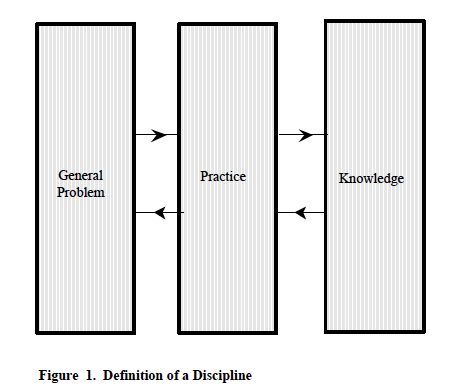
 

Two basic properties of disciplines are therefore concluded. One is the property of the scope of a general discipline problem. The other is the possibility of division of a discipline into sub-disciplines by decomposition of its general discipline problem.

Taken together, the three necessary characteristics of a discipline (and the two basic properties additionally concluded), suggest the definition of a discipline as: ‘the use of knowledge to support practices seeking solutions to a general problem having a particular scope’. It is represented schematically in Figure 1. This definition will be used subsequently to express HCI.

2.2. Of Humans Interacting with Computers

The second prerequisite of a framework for conceptions of the HCI discipline is a definition of the scope of the general problem addressed by the discipline. In delimiting the province of concern of the HCI discipline, such a definition might assure the completeness of any one conception (see Section 1.2.).

HCI concerns humans and computers interacting to perform work. It implicates: humans, both individually and in organisations; computers, both as programmable machines and functionally embedded devices within machines (stand alone or networked); and work performed by humans and computers within organisational contexts. It implicates both behaviours and structures of humans and computers. It implicates the interactions between humans and computers in performing both physical work (ie, transforming energy) and abstract work (ie, transforming information). Further, since both organisations and individuals have requirements for the effectiveness with which work is performed, also implicated is the optimisation of all aspects of the interactions supporting effectiveness.

Taken together, these implications suggest a definition of the scope of the general (discipline) problem of HCI. It is expressed, in summary, as ‘humans and computers interacting to perform work effectively’; it is represented schematically in Figure 2. This definition, in conjunction with the general definition of disciplines, will now enable expression of a framework for conceptions of the HCI discipline.
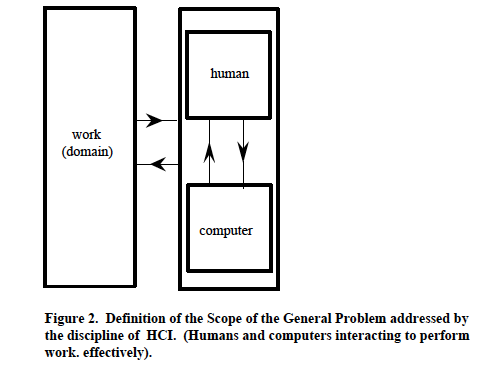
2.3. The Framework for Conceptions of the HCI Discipline

The possibility of alternative, and equally legitimate, conceptions of the discipline of HCI was earlier postulated. This section proposes a framework within which different conceptions may be established, ordered, and related.

Given the definition of its scope (above), and the preceding definition of disciplines, the general problem addressed by the discipline of HCI is asserted as: ‘the design of humans and computers interacting to perform work effectively’. It is a general (discipline) problem of design : its ultimate product is designs. The practices of the HCI discipline seek solutions to this general problem, for example: in the construction of computer hardware and software; in the selection and training of humans to use computers; in aspects of the management of work, etc. HCI discipline knowledge supports the practices that provide such solutions.

The general problem of HCI can be decomposed (with regard to its scope) into two general problems, each having a particular scope. Whilst subsumed within the general problem of HCI, these two general problems are expressed as: ‘the design of humans interacting with computers’; and ‘the design of computers interacting with humans’. Each problem can be associated with a different sub-discipline of HCI. Human Factors (HF), or Ergonomics, addresses the problem of designing the human as they interact with a computer. Software Engineering (SE) addresses the problem of designing the computer as it interacts with a human. With different – though complementary – aims, both sub-disciplines address the problem of designing humans and computers which interact to perform work effectively. However, the HF discipline concerns the physical and mental aspects of the human and is supported by HF discipline knowledge. The SE discipline concerns the physical and software aspects of the computer and is supported by SE discipline knowledge.

Hence, we may express a framework for conceptions of the discipline of HCI as:

‘the use of HCI knowledge to support practices seeking solutions to the general problem of HCI of designing humans and computers interacting to perform work effectively. HCI knowledge is constituted of HF knowledge and SE knowledge, respectively supporting HF practices and SE practices. Those practices respectively address the HF general problem of the design of humans interacting with computers, and the SE general problem of the design of computers interacting with humans’. The framework is represented schematically in Figure 3.

Importantly, the framework supposes the nature of effectiveness of the HCI discipline itself. There are two apparent components of this effectiveness. The first is the success with which its practices solve the general problem of designing humans and computers interacting to perform work effectively. It may be understood to be synonymous with ‘product quality’. The second component of effectiveness of the discipline is the resource costs incurred in solving the general problem to a given degree of success – costs incurred by both the acquisition and application of knowledge. It may be understood to be synonymous with ‘production costs’.

The framework will be used in Section 3 to establish, order, and relate alternative conceptions of HCI. It supports comparative assessment of the effectiveness of the discipline as supposed by each conception.
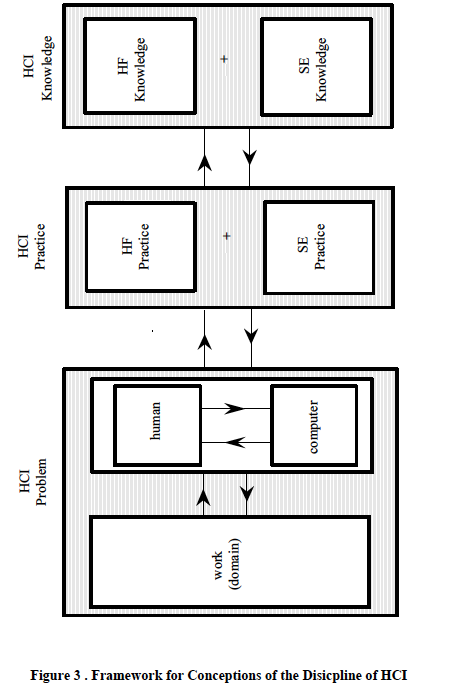


3. Three Conceptions of the Discipline of HCI

A review of the literature was undertaken to identify alternative conceptions of HCI, that is, conceptions of the use of knowledge to support practices solving the general problem of the design of humans and computers interacting to perform work effectively. The review identified three such conceptions. They are HCI as a craft discipline; as an applied scientific discipline; and as an engineering discipline. Each conception will be described and exemplified in terms of the framework.

3.1. Conception of HCI as a Craft Discipline

Craft disciplines solve the general problems they address by practices of implementation and evaluation. Their practices are supported by knowledge typically in the form of heuristics; heuristics are implicit (as in the procedures of good practice) and informal (as in the advice provided by one craftsperson to another). Craft knowledge is acquired by practice and example, and so is experiential; it is neither explicit nor formal. Conception of HCI as a craft discipline is represented schematically in Figure 4.

HCI as a craft discipline addresses the general problem of designing humans and computers interacting to perform work effectively. For example, Prestel uses Videotex technology to provide a public information service which also includes remote electronic shopping and banking facilities (Gilligan & Long [1984]). The practice of HCI to solve the general problem of Prestel interaction design is by implementation, evaluation and iteration (Buckley [1989]). For example, Videotex screen designers try out new solutions – for assigning colours to displays, for selecting formats to express user instructions, etc. Successful forms of interaction are integrated into accepted good practice – for example, clearly distinguishing references to domain ‘objects’ (goods on sale) from references to interface ‘objects’ (forms to order the goods) and so reducing user difficulties and errors. Screen designs successful in supporting interactions are copied by other designers. Unsuccessful interactions are excluded from subsequent implementations – for example, the repetition of large scale logos on all the screens (because the screens are written top-to-bottom and the interaction is slowed unacceptably).

HCI craft knowledge, supporting practice, is maintained by practice itself. For example, in the case of Videotex shopping, users often fail to cite on the order form the reference number of the goods they wish to purchase. A useful design heuristic is to try prompting users with the relevant information, for example, by reminding them on the screen displaying the goods that the associated reference number is required for ordering and should be noted. An alternative heuristic is to try re-labelling the reference number of the goods, for example to ‘ordering’ rather than reference number. Heuristics such as these are formulated and tried out on new implementations and are retained if associated with successful interactions. To illustrate HCI as a craft discipline more completely, there follows a detailed example taken from a case history reporting the design of a text editor (Bornat & Thimbleby [1989]).

Bornat and Thimbleby are computer scientists who, in the 1970s, designed a novel text display editor called ‘Ded’. The general problem of HCI for them was to design a text editor which would enable the user to enter text, review it, add to it, to reorganise its structure and to print it. In addition, the editor was to be easy to use. They characterise their practice as ‘production’ (implementation as used here) suffused by design activity. Indeed, their view is that Ded was not designed but evolved. There was always a fully working version of the text editor to be discussed, even from the very early days.
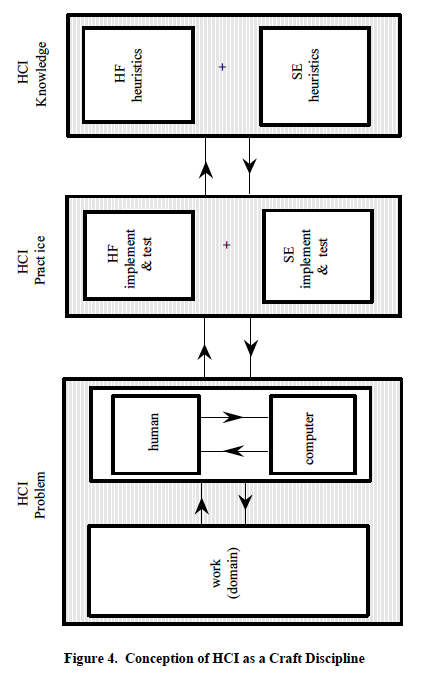
The evolution, however, was informed by ‘user interface principles’ (which they sometimes call theories and at other times call design ideas) which they invented themselves, tried out on Ded, retained if successful and reformulated if unsuccessful. The status of the principles at the time of their use would be termed here craft discipline knowledge or heuristics. (Subsequent validation of the heuristics as other than craft knowledge would of course be possible, and so change this status.) For example, ‘to indicate to users exactly what they are doing, try providing rapid feedback for every keypress’. Most feedback was embodied in changes to the display (cursor movements, characters added or deleted, etc.) which were visible to the user. However, if the effect of a keypress was not visible, there was no effect, but a bell rang to let the user know. In this way, the craft heuristic supporting the SE craft practice – by informing the design of the computer interacting with the human – can be expressed as: ‘if key depression and no display change, then ring bell’. The heuristic also supported HF craft practice – by informing the design of the human interacting with the computer. It may be expressed as: ‘if key pressed and no display change seen, and bell heard, then understand no effect of keypress (other than bell ring)’.

Another example of a craft heuristic used by Bornat and Thimbleby (and one introduced to them by a colleague) is ‘to ensure that information in the computer is what the user thinks it is, try using only one mode’. The heuristic supported SE practice, informing the design of the computer interacting with the human – ‘if text displayed, and cursor under a character, and key depression, then insert character before cursor position’. The heuristic also supported HF practice, informing the design of the human interacting with the computer – ‘if text seen, and cursor located under a character, and key has been pressed, then only the insertion of a character before the cursor position can be seen to be effected (but nothing else)’.

In summary, the design of Ded by Bornat and Thimbleby illustrates the critical features of HCI as a craft discipline. They addressed the specific form of the general problem (general because their colleague suggested part of the solution – one ‘mode’ – and because their heuristics were made available to others practising the craft discipline). Their practices involved the iterative implementation and evaluation of the computer interacting with the human, and of the human interacting with the computer. They were supported by craft discipline heuristics – for example: ‘simple operations should be simple, and the complex possible’. Such craft knowledge was either implicit or informal; the concepts of ‘simple’ and ‘complex’ remaining undefined, together with their associated operations (the only definitions being those implicit in Ded and in the expertise of Bornat and Thimbleby, or informal in their report). And finally, the heuristics were generated for a purpose, tried out for their adequacy (in the case of Ded) and then retained or discarded (for further application to Ded). This too is characteristic of a craft discipline. Accepting that Ded met its requirements for both functionality (enter text, review text, etc.) and for usability (use straight away, etc) – as claimed by Bornat and Thimbleby – it can be accepted as an example of good HCI craft practice.

To conclude this characterisation of HCI as a craft discipline, let us consider its potential for effectiveness. As earlier proposed (Section 2.3), an effective discipline is one whose practices successfully solve its general problem, whilst incurring acceptable costs in acquiring and applying the knowledge supporting those practices (see Dowell & Long [1988]). HCI as a craft discipline will be evaluated in general for its effectiveness in solving the general problem of designing humans and computers interacting, as exemplified by Bornat and Thimbleby’s development of Ded in particular.

Consideration of HCI as a craft discipline suggests that it fails to be effective (Dowell & Long [manuscript submitted for publication]). The first explanation of this – and one that may at first appear paradoxical – is that the (public) knowledge possessed by HCI as a craft discipline is not operational. That is to say, because it is either implicit or informal, it cannot be directly applied by those who are not associated with the generation of the heuristics or exposed to their use. If the heuristics are implicit in practice, they can be applied by others only by means of example practice. If the heuristics are informal, they can be applied only with the help of guidance from a successful practitioner (or by additional, but unvalidated, reasoning by the user). For example, the heuristic ”simple operations should be simple, and the complex possible’ could not be implemented without the help of Bornat and Thimbleby or extensive interpretation by the designer. The heuristic provides insufficient information for its operationalisation. In addition, since craft heuristics cannot be directly applied to practice, practice cannot be easily planned and coordinated. Further, when HF and SE design practice are allocated to different people or groups, practice cannot easily be integrated. (Bornat was responsible for both HF and SE design practice and was also final arbiter of design solutions.) Thus, with respect to the requirement for its knowledge to be operational, the HCI craft discipline fails to be effective.

If craft knowledge is not operational, then it is unlikely to be testable – for example, whether the ‘simple’ operations when implemented are indeed ‘simple’, and whether the ‘complex’ operations when implemented are indeed ‘possible’. Hence, the second reason why HCI as a craft discipline fails to be effective is because there is no guarantee that practice applying HCI craft knowledge will have the consequences intended (guarantees cannot be provided if testing is precluded). There is no guarantee that its application to designing humans and computers interacting will result in their performing work effectively. For example, the heuristic of providing rapid feedback in Ded does not guarantee that users know what they are doing, because they might not understand the contingencies of the feedback. (However, it would be expected to help understanding, at least to some extent, and more often than not). Thus, with respect to the guarantee that knowledge applied by practice will solve the general HCI problem, the HCI craft discipline fails to be effective.

If craft knowledge is not testable, then neither is it likely to be generalisable – for example, whether ‘simple’ operations that are simple when implemented in Ded are also ‘simple’ when implemented in a different text editor. Hence, the third explanation of the failure of HCI as a craft discipline to be effective arises from the absence of generality of its knowledge. To be clear, if being operational demands that (public) discipline knowledge can be directly applied by others than those who generated the knowledge, then being general demands that the knowledge be guaranteed to be appropriate in instances other than those in which it was generated. Yet, the knowledge possessed by HCI as a craft discipline applies only to those problems already addressed by its practice, that is, in the instances in which it was generated. Bornat and Thimbleby’s heuristics for solving the design problem of Ded may have succeeded in this instance, but the ability of the heuristics to support the solution of other design problems is unknown and, until a solution is attempted, unknowable. The suitability of the heuristics ‘ignore deficiencies of the terminal hardware’ and ‘undo one keystroke at a time’ for a system controlling the processes of a nuclear power plant could only be established by implementation and evaluation in the context of the power plant. In the absence of a well defined general scope for the problems to be addressed by the knowledge supporting HCI craft practice, each problem of designing humans and computers interacting has to be solved anew. Thus, with respect to the generality of its knowledge, the HCI craft discipline fails to be effective.

Further consideration of HCI as a craft discipline suggests that the costs incurred in generating, and so in acquiring craft knowledge, are few and acceptable. For example, Bornat and Thimbleby generated their design heuristics as required, that is – as evaluation showed the implementation of one heuristic to fail. Further, heuristics can be easily communicated (if not applied) and applied now (if applicable). Thus, with respect to the costs of acquiring its knowledge, HCI as a craft discipline would seem to be effective.

In summary, although the costs of acquiring its knowledge would appear acceptable, and although its knowledge when applied by practice sometimes successfully solves the general problem of designing humans and computers interacting to perform work effectively, the craft discipline of HCI is ineffective because it is generally unable to solve the general problem. It is ineffective because its knowledge is neither operational (except in practice itself), nor generalisable, nor guaranteed to achieve its intended effect – except as the continued success of its practice and its continued use by successful craftspeople.

3.2. Conception of HCI as an Applied Science Discipline

The discipline of science uses scientific knowledge (in the form of theories, models, laws, truth propositions, hypotheses, etc.) to support the scientific practice (analytic, empirical, etc.) of solving the general problem of explaining and predicting the phenomena within its scope (structural, behavioural, etc.) (see Section 3.1). Science solves its general problem by hypothesis and test. Hypotheses may be based on deduction from theory or induction from regularities of structure or behaviour associated with the phenomena. Scientific knowledge is explicit and formal, operational, testable and generalisable. It is therefore refutable (if not proveable; Popper [1959]).

Scientific disciplines can be associated with both HF – for example, psychology, linguistics, artificial intelligence, etc. and SE – for example, computer science, artificial intelligence, etc. Psychology explains and predicts the phenomena of the mental life and behaviour of humans (for example, the acquisition of cognitive skill (Anderson [1983])); computer science explains, and predicts the phenomena of the computability of computers as Turing-compatible machines (for example, as concerns abstract data types (Scott [1976])).

An applied science discipline is one which recruits scientific knowledge to the practice of solving its general problem – a design problem. HCI as an applied science discipline uses scientific knowledge as an aid to addressing the general problem of designing humans and computers interacting to perform work effectively. HCI as an applied science is represented schematically in Figure 5.
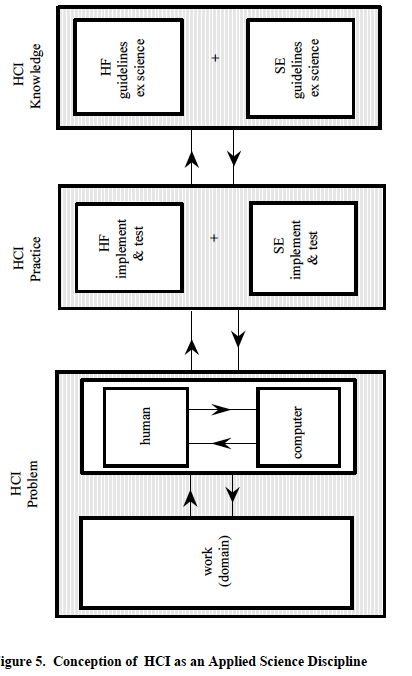
An example of psychological science knowledge which might be recruited to support the HF practice concerns the effect of feedback on sequences of behaviour, for example, noise and touch on keyboard operation, and confirmatory feedback on the sending of electronic messages (Hammond [1987]). (Feedback is chosen here because it was also used to exemplify craft discipline knowledge (see Section 3.1) and the contrast is informative.) Psychology provides the following predictive truth proposition concerning feedback: ‘controlled sequences need confirmatory feedback (both required and redundant); automated sequences only need required feedback during the automated sequence’. (The research supporting this predictive (but also explanatory proposition) would be expected to have defined and operationalised the terms – ‘feedback’, ‘controlled’, etc. and to have reported the empirical data on which the proposition is based.)

However, as it stands, the proposition cannot contribute to the solution of the HF design problem such as that posed by the development of the text-editor Ded (Bornat & Thimbleby [1989] – see Section 3.1). The proposition only predicts the modifications of behaviour sequences by feedback under a given set of conditions. It does not prescribe the feedback required by Ded to achieve effective performance of work (enter text, review it, etc.; to be usable straight away etc.).

Predictive psychological knowledge can be made prescriptive. For example Hammond transforms the predictive truth proposition concerning feedback into the following prescriptive proposition (or ‘guideline’): “When a procedure, task or sequence is not automatic to users (either because they are novice users or because the task is particularly complex or difficult), provide feedback in a number of complementary forms. Feedback should be provided both during the task sequence, to inform the user that things are progressing satisfactorily or otherwise, and at completion, to inform the user that the task sequence has been brought to a close satisfactorily or otherwise”.

However, although prescriptive, it is so with respect to the modifiability of sequences of behaviour and not with respect to the effective performance of work. Although application of the guideline might be expected to modify behaviour (for example, decrease errors and increase speed), there is no indication of how the modification (either in absolute terms, or relative to other forms of feedback or its absence) would ensure any particular desired effective performance of work. Nor can there be, since its prescriptive form has not been characterised, operationalised, tested, and generalised with respect to design for effective performance (but only the knowledge on which it is based with respect to behavioural phenomena).

As a result, the design of a system involving feedback, configured in the manner prescribed by the guideline, would still necessarily proceed by implementation, evaluation, and iteration. For example, although Bornat and Thimbleby appear not to have provided complementary feedback for the novice users of Ded, but only feedback by keypress (and not in addition on sequence completion – for example, at the end of editing a command), their users appear to have achieved the desired effective performance of work of entering text, using Ded straight away etc.

Computer science knowledge might similarly be recruited to support SE practice in solving the problem of designing computers interacting with humans to perform work effectively. For example, explanatory and predictive propositions concerning computability, complexity, etc. might be transformed into prescriptive propositions informing system implementation, perhaps in ways similar to the attempt to achieve ‘effective computability’ (Kapur & Srivs [1988]). Alternatively, predictive computer science propositions might support general prescriptive SE principles, such as modularity, abstraction, hiding, localization, uniformity, completeness, confirmability, etc. (Charette [1986]). These general principles might in turn be used to support specific principles to solve the SE design problem of computers interacting with humans.

However, as in the case of psychology, for as long as the general problem of computer science is the explanation and prediction of computability, and not the design of computers interacting with humans to perform work effectively, computer science knowledge cannot be prescriptive with respect to the latter. Whatever computer science knowledge (for example, use of abstract data types) or general SE principles (for example, modularity) informed or could have informed Bornat and Thimbleby’s development of Ded, the design would still have had to proceed by implementation, evaluation and iteration, because neither the computer science knowledge nor the SE principles address the problem of designing for the effective performance of work – entering text, using Ded straight away, etc.

To illustrate HCI as an applied science discipline more completely, there follows a detailed example taken from a case history reporting the design of a computer-aided learning system to induct new undergraduates into their field of study – cognitive psychology (Hammond & Allinson [1988]).

Hammond and Allinson called upon three areas of psychological knowledge, concerned with understanding and learning, to support the design of their system. These were ‘encoding specificity’ theory (Tulving [1972]), ‘schema’ theory (Mandler [1979]), and ‘depth of processing’ theory (Craik & Lockhart [1972]). Only the first will be used as an example here. ‘Encoding specificity’ and ‘encoding variability’ explain and predict peoples’ memory behaviours. ‘Encoding specificity’ asserts that material can be recalled if it contains distinctive retrieval cues that can be generated at the time of recall. ‘Encoding variability’ asserts that multiple exposure to the same material in different contexts results in easier recall, since the varied contexts will result in a greater number of potential retrieval cues.

On the basis of this psychological knowledge, Hammond and Allinson construct the guideline or principle: ‘provide distinctive and multiple forms of representation.’ They followed this prescription in their learning system by using the graphical and dynamic presentation of materials, working demonstrations and varied perspectives of the same information. However, although the guideline might have been expected to modify learning behaviour towards that of the easier recall of materials, the system design would have had to proceed by implementation, evaluation, and iteration. The theory of encoding specificity does not address the problem of the design of effective learning, in this case – new undergraduate induction, and the guideline has not been defined, operationalised, tested or generalised with respect to effective learning. Effective induction learning might follow from application of the guideline, but equally it might not (in spite of materials being recalled).

Although Hammond and Allinson do not report whether computer science knowledge was recruited to support the solution of the SE problem of designing the computer interacting with the undergraduates, nor whether general SE principles were recruited, the same conclusion would follow as for the use of psychological knowledge. Effective induction learning performance might follow from the application of notions such as effective computability, or of principles such as modularity, but equally it might not (in spite of the computer’s program being more computably effective and better structured).

In summary, the design of the undergraduate induction system by Hammond and Allinson illustrates the critical features of HCI as an applied science discipline. They addressed the specific form of the general problem (general because the knowledge and guidelines employed were intended to support a wide range of designs). Their practice involved the application of guidelines, the iterative implementation of the interacting computer and interacting human, and their evaluation. The implementation was supported by the use of psychological knowledge which formed the basis for the guidelines. The psychological knowledge (encoding specificity) was defined, operationalised, tested and generalised. The guideline ‘provide distinctive and multiple forms of representation’ was neither defined, operationalised, tested nor generalised with respect to effective learning performance.

Finally, consider the effectiveness of HCI as an applied science discipline. An evaluation suggests that many of the conclusions concerning HCI as a craft discipline also hold for HCI as an applied science discipline. First, its science knowledge cannot be applied directly, not – as in the case of craft knowledge – because it is implicit or informal, but because the knowledge is not prescriptive; it is only explanatory and predictive. Its scope is not that of the general problem of design. The theory of encoding specificity is not directly applicable.

Second, the guidelines based on the science knowledge, which are not predictive but prescriptive, are not defined, operationalised, tested or generalised with respect to desired effective performance. Their selection and application in any system would be a matter of heuristics (and so paradoxically of good practice). Even if the guideline of providing distinctive and multiple forms of representation worked in the case of undergraduate induction, it could not be generalised on the basis of this good practice alone.

Third, the application of guidelines based on science knowledge does not guarantee the consequences intended, that is effective performance. The provision of distinctive and multiple forms of representation may enhance learning behaviours, but not necessarily such as to achieve the effective undergraduate induction desired.

HCI as an applied science discipline, however, differs in two important respects from HCI as a craft discipline. Science knowledge is explicit and formal, and so supports reasoning about the derivation of guidelines, their solution and application (although one might have to be a discipline specialist so to do). Second, science knowledge (of encoding specificity, for example) would be expected to be more correct, coherent and complete than common sense knowledge concerning learning and memory behaviours.

Further, consideration of HCI as an applied science discipline suggests that the costs incurred in generating, and so in acquiring applied science knowledge, are both high (in acquiring science knowledge) and low (in generating guidelines). Whether the costs are acceptable depends on the extent to which the guidelines are effective. However, as indicated earlier, they are neither generalisable nor offer guarantees of effective performance.

In summary, although its knowledge when applied by practice in the form of guidelines sometimes solves the general problem of designing humans and computers interacting to perform work effectively, the applied science discipline is ultimately ineffective because it is generally unsuccessful in solving the general problem and its costs may be unacceptable. It fails to be effective principally because its knowledge is not directly applicable and because the guidelines based on its knowledge are neither generalisable, nor guaranteed to achieve their intended effect.

3.3. Conception of HCI as an Engineering Discipline

The discipline of engineering may characteristically solve its general problem (of design) by the specification of designs before their implementation. It is able to do so because of the prescriptive nature of its discipline knowledge supporting those practices – knowledge formulated as engineering principles. Further, its practices are characterised by their aim of ‘design for performance’. Engineering principles may enable designs to be prescriptively specified for artefacts, or systems which when implemented, demonstrate a prescribed and assured performance. And further, engineering disciplines may solve their general problem by exploiting a decompositional approach to design. Designs specified at a general level of description may be systematically decomposed until their specification is possible at a level of description of their complete implementation. Engineering principles may assure each level of specification as a representation of the previous level.

A conception of HCI as an engineering discipline is also apparent (for example: Dix & Harrison [1987]; Dowell & Long [manuscript submitted for publication]). It is a conception of HCI discipline knowledge as (ideally) constituted of (HF and SE) engineering principles, and its practices (HF and SE practices) as (ideally) specifying then implementing designs. This Section summarises the conception (schematically represented in Figure 6) and attempts to indicate the effectiveness of such a discipline.

The conception of HCI engineering principles assumes the possibility of a codified, general and testable formulation of HCI discipline knowledge which might be prescriptively applied to designing humans and computers interacting to perform work effectively. Such principles would be unequivocally formal and operational. Indeed their operational capability would derive directly from their formality, including the formality of their concepts – for example, the concepts of ‘simple’ and ‘complex’ would have an explicit and consistent definition (see Section 3.1).

The complete and coherent definition of concepts, as necessary for the formulation of HCI engineering principles, would occur within a public and consensus conception of the general problem of HCI. A proposal for the form of such a conception (Dowell & Long [manuscript submitted for publication]), intended to promote the formulation of HCI engineering principles, can be summarised here. It dichotomises ‘interactive worksystems’ which perform work, and ‘domains of application’ in which work originates, is performed, and has its consequences. An interactive worksystem is conceptualised as the interacting behaviours of a human (the ‘user’) and a computer: it is a behavioural system. The user and computer constitute behavioural systems in their own right, and therefore sub-systems of the interactive worksystem. Behaviours are the trajectory of states of humans and computers in their execution of work. The behaviours of the interactive worksystem are reflexive with two independent structures, a human structure of the user and a hardware and software structure of the computer. The behaviours of the interactive worksystem are both physical and informational, and so also are its structures. Further, behaviour incurs a resource cost, distinguished as the ‘structural’ resource cost of establishing and maintaining the structure able to support behaviour, and the ‘behavioural’ resource cost of recruiting the structure to express behaviour.
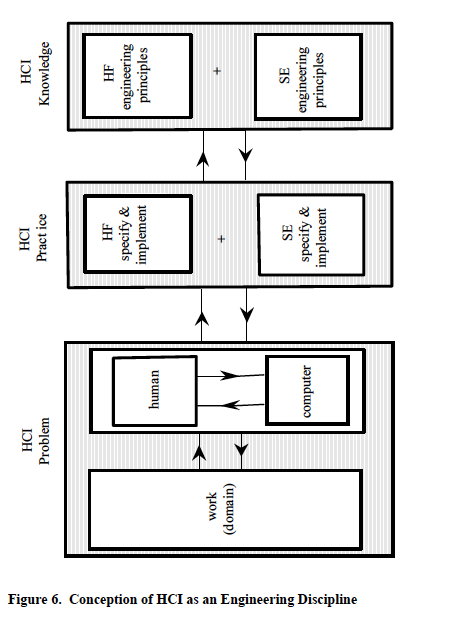


The behaviours of an interactive worksystem intentionally effect, and so correspond with, transformations of objects. Objects are physical and abstract and exhibit the affordance for transformations arising from the state potential of their attributes. A domain of application is a class of transformation afforded by a class of objects. An organisations` requirements for specific transformations of objects are expressed as product goals; they motivate the behaviours of an interactive worksystem.

The effectiveness of an interactive worksystem is expressed in the concept of performance. Performance assimilates concepts expressing the transformation of objects with regard to its satisfying a product goal, and concepts expressing the resource costs incurred in realising that transformation. Hence, performance relates an interactive worksystem with a domain of application. A desired performance may be specified for any worksystem attempting to satisfy a particular product goal.

The concepts described enable the expression of the general problem addressed by an engineering discipline of HCI as: specify then implement user behaviour {U} and computer behaviour {C}, such that {U} interacting with {C} constitutes an interactive worksystem exhibiting desired performance (PD). It is implicit in this expression that the specification of behaviour supposes and enables specification of the structure supporting that behaviour. HCI engineering principles are conceptualised as supporting the practices of an engineering HCI discipline in specifying implementable designs for the interacting behaviours of both the user and computer that would achieve PD.

This conception of the general problem of an engineering discipline of HCI supposes its further decomposition into two related general problems of different particular scopes. One problem engenders the discipline of HF, the other the discipline of SE; both disciplines being incorporated in HCI. The problem engendering the discipline of SE is expressed as: specify then implement {C}, such that {C} interacting with {U} constitutes an interactive worksystem exhibiting PD. The problem engendering the discipline of HF is expressed as: specify then implement {U}, such that {U} interacting with {C} constitutes an interactive worksystem exhibiting PD.

The disciplines of SE and HF might each possess their own principles. The abstracted form of those principles is visible. An HF engineering principle would take as input a performance requirement of the interactive worksystem, and a specified behaviour of the computer, and prescribe the necessary interacting behaviour of the user. An SE engineering principle would take as input the performance requirement of the interactive worksystem, and a specified behaviour of the user, and prescribe the necessary interacting behaviour of the computer.

Given the independence of their principles, the engineering disciplines of SE and HF might each pursue their own practices, having commensurate and integrated roles in the development of interactive worksystems. Whilst SE specified and implemented the interacting behaviours of computers, HF would specify and implement the interacting behaviours of users. Together, the practices of SE and HF would aim to produce interactive worksystems which achieved PD.

It is the case, however, that the contemporary discipline of HF does not possess engineering principles of this idealised form. Dowell & Long [manuscript submitted for publication) have postulated the form of potential HF engineering principles for application to the training of designers interacting with particular visualisation techniques of CAD systems. A visualisation technique is a graphical representational form within which images of artefacts are displayed; for example, the 21/2 D wireframe representational form of the Necker cube. The supposed principle would prescribe the visual search strategy {u} of the designer interacting with a specified display behaviour {c} of the computer (supported by a specified visualisation technique) to achieve a desired performance in the ‘benchmark’ evaluation of a design.

Neither does the contemporary discipline of SE possess engineering principles of the idealised form discussed. However, formal models of the interaction of display editors proposed by Dix and Harrison [1987] may show potential for development in this respect. For example, Dix and Harrison model the (behavioural) property of a command that is ‘passive’, a command having no effect on the ‘data’ component of the computer’s state. Defining a projection from state into result as r: SR, a passive command c has the property that r(s) = r(c(s)). Although the model has a formal expression, the user behaviour interacting with the (passive) computer behaviour is only implied, and the model makes no reference to desired performance.

It is likely the case, however, that some would claim the (idealised) conception of HCI as an engineering discipline to be unrealiseable. They might justify their objection by claiming the general problem of HCI to be ‘too soft’ to allow the development of engineering principles – that human behaviour is too indeterministic (too unspecifiable) to be subject to such principles. Yet human behaviour can be usefully deterministic to some degree – as demonstrated, for example, by the response of driver behaviour to traffic system protocols. There may well be at least a commensurate potential for the development of HCI engineering principles.

To conclude this summary description of the conception of an engineering discipline of HCI, we might consider the potential effectiveness of such a discipline. As before, effectiveness is evaluated as the success with which the discipline might solve its general problem, and the costs incurred with regard to both the acquisition and application of knowledge.

First, HCI engineering principles would be a generaliseable knowledge. Hence, application of principles to solving each new design problem could be direct and efficient with regard to costs incurred. The discipline would be effective. Second, engineering HCI principles would be operational, and so their application would be specifiable. The further consequence of this would be that the roles of HF and SE in Systems Development could be specified and integrated, providing better planned and executed development programmes. The minimisation of application costs would result in an effective discipline. Third, engineering principles would have a guaranteed efficacy. Because they would be operational, they would be testable and their reliability and generality could be specified. Their consequent assurance of product quality would render effective an engineering discipline of HCI.

Finally, consideration of HCI as an engineering discipline suggests that the costs of formulating engineering principles would be severe. A research programme committed to formulating even a basic corpus of HCI engineering principles might only be conceived as a long-term endeavour of extreme scale.

In summary, although the costs of their formulation would be severe, the potential of a corpus of engineering principles for improving product quality is large, and so also might be the potential for effectiveness of an engineering discipline of HCI.

4. Summary and Conclusions

This paper has developed the Conference theme of ‘the theory and practice of HCI’. Generalisation of the theme, in terms of a framework for conceptions of the HCI discipline, has shown that in addition to theory and practice, the theme needs to explicitly reference the general problem addressed by the discipline of HCI and the scope of the general problem.

The proposal made here is that the general problem of HCI is the design of humans and computers interacting to perform work effectively. The qualification of the general problem as ‘design’, and the addition to the scope of that problem of ‘…. to perform work effectively’, has important consequences for the different conceptions of HCI (see Section 3). For example, since design is not the general problem of science, scientific knowledge (for example, psychology or computer science) cannot be recruited directly to the practice of solving the general problem of design (see Barnard, Grudin & Maclean [1989]). Further, certain attempts to develop complete engineering principles for HCI fail to qualify as such, because they make no reference to ‘…. to perform work effectively’ (Dix & Harrison [1987]; Thimbleby [1984]).

Development of the theme indicated there might be no singular conception of the discipline of HCI. Although all conceptions of HCI as a discipline necessarily include the notion of practice (albeit of different types), the concept of theory is more readily associated with HCI as an applied science discipline, because scientific knowledge in its most correct, coherent and complete form is typically expressed as theories. Craft knowledge is more typically expressed as heuristics. Engineering knowledge is more typically expressed as principles. If HCI knowledge is limited to theory, and theory is presumed to be that of science, then other conceptions of HCI as a discipline are excluded (for example, Dowell & Long [manuscript submitted for publication]).

Finally, generalisation of the Conference theme has identified two conceptions of HCI as a discipline as alternatives to the applied science conception implied by the theme. The other two conceptions are HCI as a craft discipline and HCI as an engineering discipline. Although all three conceptions address the general problem of HCI, they differ concerning the knowledge recruited to solve the problem. Craft recruits heuristics; applied science recruits theories expressed as guidelines; and engineering recruits principles. They also differ in the practice they espouse to solve the general problem. Craft typically implements, evaluates and iterates (Bornat & Thimbleby [1989]); applied science typically selects guidelines to inform implementation, evaluation and iteration (although guidelines may also be generated on the basis of extant knowledge, e.g. – Hammond & Allinson [1988]); and engineering typically would specify and then implement (Dowell & Long [1988]).

The different types of knowledge and the different types of practice have important consequences for the effectiveness of any discipline of HCI. Heuristics are easy to generate, but offer no guarantee that the design solution will exhibit the properties of performance desired. Scientific theories are difficult and costly to generate, and the guidelines derived from them (like heuristics) offer no final guarantee concerning performance. Engineering principles would offer guarantees, but are predicted to be difficult, costly and slow to develop.

The development of the theme and the expression of the conceptions of HCI as a discipline – as craft, applied science and engineering – can usefully be employed to explicate issues raised by, and of concern to, the HCI community. Thus, Landauer’s complaint (Landauer [1987a]) that psychologists have not brought to HCI an impressive tool kit of design methods or principles can be understood as resulting from the disjunction between psychological principles explaining and predicting phenomena, and prescriptive design principles required to guarantee effective performance of work (see Section 3.2). Since research has primarily been directed at establishing the psychological principles, and not at validating the design guidelines, then the absence of an impressive tool kit of design methods or principles is perhaps not so surprising.

A further issue which can be explained concerns the relationship between HF and SE during system development. In particular, there is a complaint by SE that the contributions of HF to system development are ‘too little’, too late’ and unemployable (Walsh, Lim, Long, & Carver [1988]). Assuming HCI to be an applied science discipline, HF contributions are too little because psychology does not address the general problem of design and so fails to provide a set of principles for the solution of that problem. HF contributions are too late, because they consist largely of evaluations of designs already implemented, but without the benefit of HF. They are unemployable, because they were never specified, and because implemented designs can be difficult, if not impossible, and costly to modify. Within an HCI engineering discipline, HF contributions would be adequate (because within the scope of the discipline’s problem); on time (because specifiable); and implementable (because specified). Landauer’s plea (Landauer [1987b]) that HF should extend its practice from implementation evaluation to user requirements identification and the creation of designs to satisfy those requirements can be similarly explicated.

Lastly, Carroll and Campbell’s claim (Carroll & Campbell [1988]) that HCI research has been more successful at developing methodology than theory can be explicated by the need for guidelines to express psychological knowledge and the need to validate those guidelines formally, and the absence of engineering principles, plus the importation of psychology research methods into HCI and the simulation of good (craft) practice. The methodologies, however, are not methodological principles which guarantee the solution of the design problem (Dowell & Long [manuscript submitted for publication]), but procedures to be tailored anew in the manner of a craft discipline. Thus, relating the conceptions of HCI as a set of possible disciplines provides insight into whether HCI research has been more successful at developing methodologies than theories.

In addition to explicating issues already formulated, the development of the Conference theme and the expression of the conceptions of HCI as a discipline raise two novel issues. The first concerns reflexivity both with respect to the general design problem and with respect to the creation of discipline knowledge. It is often assumed that only HCI as an applied scientific discipline (by means of guidelines) and as an engineering discipline (by means of principles) are reflexive with respect to the general design problem. The conception of HCI as a craft discipline, however, has shown that it is similarly reflexive – by means of heuristics. Concerning the creation of discipline knowledge, it is often assumed that only the solution of the general discipline problem requires the reflexive cognitive act – of reason and intuition concerning the objects of activity (Kant [1781]). However, the conceptions of HCI as a craft discipline, as an applied science discipline, and as an engineering discipline suggest that the intial creation of discipline knowledge, whether heuristics, guidelines or principles, in all cases requires a reflexive cognitive act involving intuition and reason. Thus, contrary to common assumption, the craft, applied science, and engineering conceptions of the discipline of HCI are similarly reflexive with regard to the general design problem. The intial generation of albeit different discipline knowledges requires in each case the reflexive cognitive act of reason and intuition.

The second novel issue raised by the development of the Conference theme and the conceptions of HCI as a discipline is the relationship between the different conceptions. For example, the different conceptions of HCI and their associated paradigm activities might be considered to be mutually exclusive and uninformative, one with respect to the other. Alternatively, one conception and its associated activities might be considered to be mutually supportive with respect to another. For example, engineering principles might be developed bottom-up on the basis of inductions from good craft practice. Alternatively, engineering principles might be developed top-down on the basis of deductions from scientific theory – both from psychology and from computer science. It would be possible to advance a rationale justifying either mutual exclusion of conceptions or mutual support. The case for mutual exclusion would be based on the fact that the form of their knowledge and practice differs, and so one conception would be unable directly to inform another. For example, craft practice will not develop a theory which can be directly assimilated to science; science will not develop design principles which can be directly recruited to engineering. Thus, the case for mutual exclusion is strong.

However, there is a case for mutual support of conceptions and it is presented here as a final conclusion. The case is based on the claim made earlier that the creation of discipline knowledge of each conception of HCI requires a reflexive cognitive act of reason and intuition. If the claim is accepted, the reflexive cognitive act of one conception might be usefully but indirectly informed by the discipline knowledge of another. For example, the design ideas, or heuristics, which formed part of the craft practice of Bornat and Thimbleby in the 1970s (Bornat & Thimbleby [1989]), undoubtedly contributed to Thimbleby’s more systematic formulation (Thimbleby [1984]) and the formal expression by Dix and Harrison (Dix & Harrison [1987]). Although the principles fail to address the effectiveness of work and so fail to qualify as HCI engineering principles, their development towards that end might be encouraged by mutual support from engineering conceptions of HCI. Likewise, scientific concepts such as compatibility (Long [1987]) may indirectly inform the development of principles relating users’ mental structures to the analytic structure of a domain of application (Long [1989]), and even provide an indirect rationalisation for the concepts themselves and their relations with other associated concepts. Mutual support of conceptions, as opposed to mutual exclusion, has two further advantages. First, it maximises the exploitation of what is known and practised in HCI. The current success of HCI is not such that it can afford to ignore potential contributions to its own advancement. Second, it encourages the notion of a community of HCI superordinate to that of any single discipline conception. The novelty and complexity of the enterprise of developing knowledge to support the solution of the general problem of designing humans and computers interacting to perform work effectively requires every encouragement for the establishment and maintenance of such a community. Thus, the mutual support of different conceptions of HCI as a discipline is recommended.

References

J R Anderson [1983], The Architecture of Cognition, Harvard

University, Cambridge MA.

P Barnard, J Grudin & A Maclean [1989], “Developing a Science Base for the Naming of Computer Commands”, in Cognitive Ergonomics and Human Computer Interaction, J B Long & A D Whitefield, eds., Cambridge University Press, Cambridge.

R Bornat & H Thimbleby [1989], “The Life and Times of Ded, Text Display editor”, in Cognitive Ergonomics and Human Computer Interaction, J B Long & A D Whitefield, eds., Cambridge University Press, Cambridge.

P Buckley [1989], “Expressing Research Findings to have a Practical Influence on Design”, in Cognitive Ergonomics and Human Computer Interaction, J B Long & A D Whitefield, eds., Cambridge University Press, Cambridge.

J M Carroll & R L Campbell [1988], “Artifacts as Psychological Theories: the Case of Human Computer Interaction”, IBM research report, RC 13454(60225) 1/26/88, T.J. Watson Research Division Center, Yorktown Heights, NY. 10598.

R N Charette [1986], Software Engineering Environments, Intertexts Publishers/McGraw Hill, New York.

F I M Craik & R S Lockhart [1972], “Levels of Processing: A Framework for Memory Research”, Journal of Verbal Learning and Verbal Behaviour, 11, 671-684.

A J Dix & M D Harrison [1987], “Formalising Models of Interaction in the Design of a Display Editor”, in Human-Computer Interaction – INTERACT’87, H J Bullinger & B Shackel, (ed.s), North-Holland, Amsterdam, 409-414.

J Dowell & J B Long [1988], “Human-Computer Interaction Engineering”, in Designing End-User Interfaces, N Heaton & M Sinclair, eds., Pergamon Infotech, Oxford.

J Dowell & J B Long, “Towards a Conception for an Engineering Discipline of Human Factors”, (manuscript submitted for publication).

P Gilligan & J B Long [1984], “Videotext Technology: an Overview with Special Reference to Transaction Processing as an Interactive Service”, Behaviour and Information Technology, 3, 41-47.

N Hammond & L Allinson [1988], “Development and Evaluation of a CAL System for Non-Formal Domains: the Hitchhiker`s Guide to Cognition”, Computer Education, 12, 215-220.

N Hammond [1987], “Principles from the Psychology of Skill Acquisition”, in Applying Cognitive Psychology to User-Interface Design, M Gardiner & B Christie, eds., John Wiley and Sons, Chichester.

I Kant [1781], The Critique of Pure Reason, Second Edition, translated by Max Muller, Macmillan, London.

D Kapur & M Srivas [1988], “Computability and Implementability: Issues in Abstract Data Types,” Science of Computer Programming, Vol. 10.

T K Landauer [1987a], “Relations Between Cognitive Psychology and Computer System Design”, in Interfacing Thought: Cognitive Aspects of Human-Computer Interaction, J M Carroll, (ed.), MIT Press, Cambridge MA. 23

T K Landauer [1987b], “Psychology as Mother of Invention”, CHI SI. ACM-0-89791-213-6/84/0004/0333

J B Long [1989], “Cognitive Ergonomics and Human Computer Interaction: an Introduction”, in Cognitive Ergonomics and Human Computer Interaction, J B Long & A D Whitefield, eds., Cambridge University Press, Cambridge.

J Long [1987], “Cognitive Ergonomics and Human Computer Interaction”, in Psychology at Work, P Warr, eds., Penguin, England.

J M Mandler [1979], “Categorical and Schematic Organisation in Memory”, in Memory Organisation and Structure, C R Puff, ed., Academic Press, New York.

H H Pattee [1973], Hierarchy Theory: the Challenge of Complex Systems, Braziller, New York.

K R Popper [1959], The Logic of Scientific Discovery, Hutchinson, London.

D Scott [1976], “Logic and Programming”, Communications of ACM, 20, 634-641.

H Thimbleby [1984], “Generative User Engineering Principles for User Interface Design”, in Proceedings of the First IFIP Conference on Human-Computer Interaction, Human-Computer Interaction – INTERACT’84. Vol.2, B Shackel, ed., Elsevier Science, Amsterdam, 102-107.

E Tulving [1972], “Episodic and Semantic Memory”, in Organisation of Memory, E Tulving & N Donaldson, eds., Academic Press, New York.

P Walsh, K Y Lim, J B Long & M K Carver [1988], “Integrating Human Factors with System Development”, in Designing End-User Interfaces, N Heaton & M Sinclair, eds., Pergamon Infotech, Oxford.

Acknowledgement. This paper has greatly benefited from discussion with others and from their criticisms. In particular, we would like to thank: Andy Whitefield and Andrew Life, colleagues at the Ergonomics Unit, University College London; Charles Brennan of Cambridge University, and Michael Harrison of York University; and also those who attended a seminar presentation of many of these ideas at the MRC Applied Psychology Unit, Cambridge. The views expressed in the paper, however, are those of the authors.
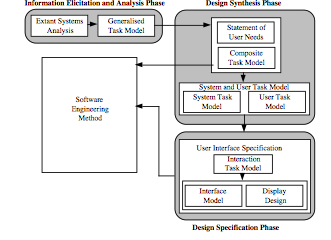
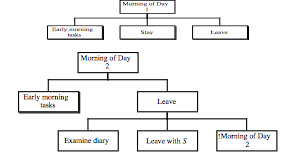
 

A Specific Planning and Design Problem in the Home: Rationale and a Case Study 150 150 John

A Specific Planning and Design Problem in the Home: Rationale and a Case Study

Adam Stork and John Long

Ergonomics and HCI Unit University College London
26 Bedford Way London WC1H 0AP

Accepted for Publication: 1994  .  In Proceedings of the International Working Conference on Home-Oriented Informatics, Telematics and Automation, Amager, Denmark.

Abstract

This paper seeks to contribute to more effective design practice in the longer term both for Human Computer Interaction in general and for Home Informatics in particular.  The ultimate goal of more effective design practice is held to be practice supported by ‘general design principles’ (Dowell and Long 89), which are conceptualised, operationalised, tested, and generalised.  The value of such a goal can be seen in the ‘hard’ Engineering disciplines, such as Electrical or Mechanical Engineering, which have general design principles that are better conceptualised, operationalised, tested, and generalised than those in other design disciplines, such as the emergent discipline of Human Computer Interaction.  These Engineering disciplines can offer earlier success and a better guarantee in the solution of design problems.

The paper first argues that a pre-requisite of, and so one potential contribution towards, the development of general design principles for Human Computer Interaction would be to develop operationalisations of specific design problems and specific design solutions that are better conceptualised and operationalised than existing such operationalisations.   The initial conceptualisation and operationalisation of a specific design problem is then described.

The specific design problem, object of the case study reported here, was one of the failure to maintain desired comfort and costs by a heating system of a typical home.  The resulting specific design problem specification is considered to be better conceptualised and operationalised than other specifications of such design problems.  It expresses the domain of application and interactive worksystem as they relate to the design problem of supporting the planning and control of comfort and costs of heating in the home.

The paper concludes that the conceptualisation and operationalisation raise no undue concerns for the aim of developing general design principles in the longer term and demonstrates some modest progress towards this aim.  Further research towards achieving this aim is identified.

Keywords

Energy Management Systems,  Engineering, Home Informatics, Human Computer Interaction, Planning and Control

Introduction: Scope and Aims of this Paper

Technology continues to penetrate the home (Home Informatics).  Even the home, however, is a challenge for the discipline of Human Computer Interaction (HCI), an emerging discipline which has demonstrated only limited success in other more developed technological areas.  This paper describes work that aims to improve the success of HCI in the longer term for Home Informatics in particular, but also for HCI in general.

The paper describes work that is part of an overall effort to improve HCI.  The research can be summarised by describing the ultimate goal of HCI knowledge to be practice supported by ‘general design principles’ (Dowell and Long 89), which are conceptualised, operationalised, tested, and generalised to offer an earlier and a better guarantee of success in application.  A strategy is described for the development of general design principles for which a pre-requisite is the development of operationalisations of specific HCI design problems and specific HCI design solutions that are better conceptualised and operationalised than existing such operationalisations.

The work can be summarised as the development of a conception of the general HCI design problem and the operationalisation of that conception for a specific HCI design problem.  This operationalisation is to be better conceptualised and operationalised than existing such operationalisations.

The achievements towards, and implications for, the overall research consequent on this detailed work are then considered.

Engineering: The Likely Future of Human Computer Interaction

Dowell and Long have made proposals concerning the nature of the discipline of HCI (Dowell and Long 89; Long and Dowell 89).  Firstly, they have characterised HCI as a design discipline rather than as a scientific discipline: HCI knowledge supports HCI practice which is to provide solutions to general HCI design problems.  Secondly, they have identified from this statement a means of assessing the effectiveness of HCI knowledge and used this means to argue for certain properties of that knowledge for it to be effective.  These properties can be used to assess the current HCI discipline and propose a more effective (a possible future) discipline.

The effectiveness of HCI knowledge is dependent on its ability to support HCI practice to solve general HCI design problems.  Dowell and Long identify four necessary properties of effective HCI knowledge: it must be conceptualisable; operationalisable; testable; and generalisable.

The current state of the HCI discipline is characterised as that of a ‘Craft’ discipline.  Knowledge is currently implicit and informal, consisting of ‘heuristics’; and practice is that of ‘implement and test’ (and iterate).  Heuristics are poorly, if at all, conceptualised (often only through example practice), which leads to them being difficult to operationalise, therefore unlikely to be testable, and so unlikely to be generalisable.  This characterisation represents an understanding as to the current state of the poor guarantee of success offered by current HCI knowledge and practice.

The alternative, more effective, HCI discipline is characterised as that of an ‘Engineering’ discipline.  Knowledge would need to be conceptualised, with explicit, complete, consistent, and formal definitions, to be operationalisable, testable, and generalisable.  Dowell and Long call this knowledge ‘engineering principles’, and practice would be that of ‘specify then implement’.  HCI engineering principles would offer a high guarantee of success of application in practice, similar to that currently enjoyed by the existing (‘hard’) Engineering disciplines like Electrical or Mechanical Engineering.

A Strategy for Developing Human Computer Interaction Engineering

The development of HCI engineering principles requires the development of knowledge to support practice.  HCI practice is the provision of general design solutions to general design problems, which are general over types of user, types of computer, and types of domain of application.  HCI knowledge contains general relationships between general HCI design problems and general HCI design solutions.

It is suggested that one possible means of developing this HCI knowledge is to identify general relationships between general design problems and solutions from specific relationships between specific design problems and solutions, where a specific design problem and solution is defined as being particular to a user, a computer system, and a domain of application.  Such a development requires the conceptualisation and operationalisation of specific HCI design problems and solutions from a conception of the complete general HCI design problem and solution which is general over all types of user, all types of computer, and all types of domain of application, hereafter referred to as ‘a conception of the general HCI design problem and solution’.

A conception is understood to be a set of concepts, which are abstractions on a class of objects based on their common aspects, and their relations.  Conceptualisation is the process of generating a conception.  Operationalisation is the process of instancing a conception to produce an operationalisation.  An operationalisation of a conception is a set of less abstract concepts (related to the concepts in the conception) that reference observables in the ‘real’ world.  It is convenient to introduce the concept of ‘a set of metrics’ and the process of ‘metrication’.  Metrication is the process of instancing an operationalisation (in the limit) to produce a set of metrics.  Metrics quantify the less abstract concepts of the operationalisation in an observable relation with the ‘real’ world.

For the knowledge to support engineering principles, the operationalisation of the specific design problems and solutions needs to be explicit and formal, where formal is understood as a representation that has defined rules of syntax and semantics, and is therefore understandable by some people for some purpose.  Formality requires the metrication of the operationalisations of the conceptions of the specific HCI design problem and solution.

It is proposed that tractable re-design problems be selected, then described as ‘user requirements’, and finally design solutions to these problems developed using best current HCI practice (craft ‘heuristics’, including evaluation, applied by an HCI designer).  These design problems and solutions will be operationalised according to the conception of the specific HCI design problem.  It is considered easier to operationalise installed design solutions than to operationalise design problems.  The selection of re-design problems, instead of design problems, enables the operationalisation (according to the conception of the specific HCI design solution) of the existing (installed) design ‘solution’ (to an earlier, probably implicit, design problem) to guide the operationalisation of the re-design problem.  The selection of a tractable re-design problem ensures: that the differences between the operationalisations of the current design ‘solution’ and the tractable re-design problem be minimal; and that a design solution exists.

This approach is the one adopted here.  The current state of the present work is that conceptions of the general HCI design problem and solution have been identified and instantiated to conceptions of the specific HCI design problem and solution.  An initial tractable re-design problem has been described as ‘user requirements’.  The current design ‘solution’ has been operationalised, according to the conception of the specific HCI design solution, and this operationalisation has guided the operationalisation of the initial tractable re-design problem, according to the conception of the specific HCI design problem.

The user requirements for this initial tractable re-design problem were intended to be operationalisable according to the conception of the specific design problem in order to prevent concentration, for the moment, on the relationship between the user requirements and the operationalisation of the specific design problem.

The strategy adopted to perform the operationalisations of the conceptions of the specific HCI design problem and solution was to develop an explicit operationalisation as a step towards an explicit and formal set of metrics.  The current work, as presented here, describes the explicit operationalisations of the conceptions of the specific HCI design problem and solution with the specific tractable re-design problem and current specific design ‘solution’.

Conceptions of the General Human Computer Interaction Engineering Design Problem and Solution

Dowell and Long (89) have proposed a conception of the general HCI design problem and this conception is presented here with some additional detail.  No attempt is made to indicate in all cases where their work ends and the present begins to achieve an uninterrupted exposition of the concepts.  Readers interested in the differences, however, are directed to read the original paper by Dowell and Long.

Dowell and Long state the general HCI design problem informally as ‘the design of interactive worksystems for performance’.  They propose a more precise description as follows (slightly amended for typographical considerations):

‘the design of behaviours constituting a worksystem {S} whose actual performance (Pa) conforms with some desired performance (Pd).  And to design {S} would require the design of human behaviours {U} interacting with computer behaviours {C}.  Hence conception of the general design problem of an engineering discipline of HCI is expressed as:

Specify then implement {U} and {C}, such that

{U} interacting with {C} = {S}Pa=Pd

where           Pd=fn(Qd, Kd)

Qd expresses the desired quality of the products of work within the given domain of application;
Kd expresses acceptable (i.e., desired) costs incurred by the worksystem, i.e. by both human and computer.’

This statement expresses Dowell and Long’s distinction between the behavioural system (that is the interactive worksystem) that performs work, and the world of work (that is the domain of application, within which the work is performed).  It is inferred from their work that Pa is a function of the actual quality of the products of work within a particular domain of application (Qa) and the actual costs incurred by a particular worksystem (Ka).

Furthermore, an expression of the general HCI design solution is inferred from their work as:

‘a specification and implementation of {U} and {C}, such that

{U} interacting with {C} = {S}Pa=Pd

where           Pd=fn(Qd, Kd)
and                      Pa=fn(Qa, Ka)’

It follows from these expressions that a statement of the general HCI design problem requires a statement for the desired performance of the desired interactive worksystem whereas a statement of the general HCI design solution requires a statement of the actual performance of the actual interactive worksystem.

The components of performance are now considered, following Dowell and Long, for desired performance and actual performance.  Important occurrences of the concepts are highlighted to aid their identification and permit an informal assessment that the later operationalisation indeed operationalises these concepts.

A Conception of Desired Performance

The desired performance, Pd, is conceptualised as a function of the desired quality of the products of work, Qd, within the domain of application and the acceptable or desired costs, Kd, incurred by the interactive worksystem.

The interactive worksystem boundary criteria allow assertion of the behavioural system which constitutes the interactive worksystem, that system ‘whose purpose is to achieve and satisfy … common goal[s]’.  The domain boundary critieria allow assertion of the world of work which constitutes the domain of application, that world of work which is determined by the requirement to express these common goals.

A Conception of Actual Performance

Actual performance, Pa, is conceptualised as a function of the actual quality of the products of work, Qa, within the given domain of application and the current or actual costs, Ka, incurred by the worksystem.

The interactive worksystem boundary criteria and domain boundary criteria are the same as for the conception of desired performance.

A Conception of Desired Quality

Dowell and Long conceptualise the world of work as consisting of objects that have attributes that have a set of possible states (defining their affordance for change).  The desired quality of the products of work to be achieved by the interactive worksystem are conceptualised as transformations of states of attributes of objects that are desirable, called product goals.  These objects and their attributes are conceptualised as abstract or physical, and related or unrelated.  The transformations described by a product goal can be identified for each attribute, and these transformations are termed task goals.

Dowell and Long describe the difference between abstract and physical attributes of objects as: ‘abstract attributes of objects are attributes of information and knowledge’; and ‘physical attributes of objects are attributes of energy and matter’.  They also conceive that ‘different attributes of an object emerge at different levels within an hierarchy of levels of complexity’ and in general abstract attributes emerge at a higher level than physical attributes.  Similarly, ‘objects are described at different levels of specification commensurate with their levels of complexity’.  Furthermore, attributes of objects are related to attributes of other objects both across and within levels of complexity.

A Conception of Actual Quality

The actual quality of the products of work achieved by the interactive worksystem are conceptualised as similar to desired quality, with transformations of states of attributes of objects that are achieved, called product achieved goals, and transformations for each attribute, called task achieved goals.

A Conception of Desired Costs

Dowell and Long conceptualise the interactive worksystem (the behavioural system) as ‘human and computer behaviours together performing work’.  They distinguish human behaviour as purposeful from computer behaviour as purposive.  They claim that human behaviours correspond with the transformation of objects in a domain and that an expression of them must ‘at least be expressed at a level commensurate with the level of description of the transformation of objects in the domain’.  These statements would appear to hold for computer and interactive worksystem behaviours.

These behaviours can be abstract or physical .  Abstract behaviours ‘are generally the acquisition, storage, and transformation of information.  They represent and process information at least concerning: domain objects and their attributes, attribute relations and attribute states, and the transformations required by goals’.  Physical behaviours express abstract behaviours and are ‘related in an hierarchy of behaviour types’.

Dowell and Long conceptualise the user as having cognitive, conative, and affective behaviours.  ‘The cognitive aspects of the user are those of knowing, reasoning and remembering, etc.; the conative aspects are those of acting, trying and persevering, etc.; and the affective aspects are those of being patient, caring, and assuring, etc.’

Dowell and Long conceptualise humans and computers as ‘having (separable) structures that support their (separable) behaviours’.  Furthermore, ‘Human structures may be physical (neural, bio-mechanical, and physiological) or mental (representational schemes and processes)’.  Similarly, computer structures may be physical or abstract.

Dowell and Long claim that ‘work performed by interactive worksystems always incurs resource costs’.  They identify resource costs as behavioural or structural and associated with the human or the computer (separable).  These costs can be further associated with abstract (mental) and physical behaviours or structures.  Examples of resource costs related to the human are: physical workload for human physical behavioural costs; mental workload for human abstract (mental) behavioural costs; physical development and deterioration for human physical structural costs; and mental development and deterioration for human abstract (mental) structural costs.  Examples of resource costs related to the computer are: energy emission and consumption for computer physical behavioural costs; software and functional resource (transaction and access resources) usage for computer abstract behavioural costs; system (hardware) development and degradation for computer physical structural costs; and software and functional development (and degradation) for computer abstract structural costs.

The desired costs are conceptualised as the necessary resource costs of the interactive worksystem to achieve the desired quality.

A Conception of Actual Costs

The actual costs are conceptualised as the actual resource costs of the interactive worksystem to achieve the actual quality.

Conceptions of the Specific Human Computer Interaction Engineering Design Problem and Solution

The conceptions of the specific HCI design problem and solution are operationalised from the conceptions of the general HCI design problem and solution.  The specific HCI design problem and solution are particular to a user, a computer system, and a domain of application (and by definition).

The (specific) desired performance is conceptualised as a function of the desired quality of the products of work within a particular domain of application and the desired costs incurred by a particular interactive worksystem consisting of a particular user and a particular computer system.

The (specific) actual performance is conceptualised as a function of the actual quality of the products of work within a particular domain of application and the actual costs incurred by a particular interactive worksystem consisting of a particular user and a particular computer system.

An Operationalisation of a Specific HCI Design Problem

The following tractable specific HCI (re-)design problem was selected as the first specific HCI design problem to be operationalised according to the conception of the specific HCI design problem developed above.  This operationalisation was guided by first operationalising the current (inadequate) design ‘solution’ consistent with the strategy adopted for this research.  The following is a (shortened) statement of the user requirements for the specific HCI (re-)design problem.

‘if A stays at home to work and leaves after 8 o’clock in the morning then the house is too cold until the gas-powered central heating is turned back on.  If he expects to be at home for a short time then he often uses the one-hour boost facility on the heating controller to turn the heating back on, which can result in him being too cold if he is at home for longer than expected.  The current gas bill is acceptable and an increase could be tolerated although a decrease would be desirable.’

The particular user is A, the particular computer system (or device) is the energy management heating system, and the particular domain of application is the planning and control of the comfort of A in the home of A.  The concepts are highlighted to aid identification and permit an informal assessment that this operationalisation in fact operationalises the earlier concepts.

The Specific Actual Performance

The specific actual performance is operationalised as the union of the specific actual quality and the specific actual costs.  The interactive worksystem boundary criteria are operationalised by the requirement that the constituents of the interactive worksystem have the common goals of the current (level of) achievement and satisfaction of the planning and control of the comfort of A in the home of A using the radiators.  The domain boundary criteria are operationalised by the requirement that the constituents of the domain of application express the current (level of) achievement and satisfaction of these common goals.
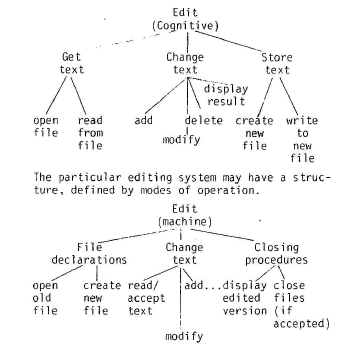
The Specific Desired Performance

The specific desired performance is operationalised as the union of the specific desired quality and the specific desired costs.  The interactive worksystem boundary criteria are operationalised by the requirement that the constituents of the interactive worksystem have the common goals of the desired achievement and satisfaction of the planning and control of the comfort of A in the home of A using the radiators.  The domain boundary criteria are operationalised by the requirement that the constituents of the domain of application express the desired achievement and satisfaction of these common goals.
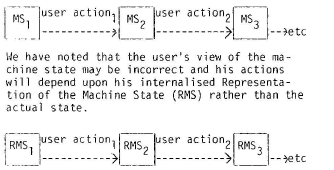
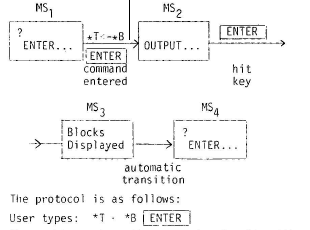
The Specific Actual Quality

The specific actual domain of application has two main physical objects: A and the house.  A has a physical attribute of temperature and an abstract attribute of comfort.  The attribute of comfort is related to the attribute of temperature having a range of acceptable temperatures (between 35.75˚C and 37.5˚C).
The second physical object is the house, which has physical objects that are the rooms.  The rooms have a physical attribute of their temperature and physical objects of the radiators.  The radiators have a physical attribute of their temperature.  The temperature of the room is related to the temperature of A (an approximately linear relationship) and the temperature of the radiators (related through convection, u-value of the room, etc.).  The temperatures of the radiators are controlled by the heating system in the interactive worksystem.

The current states of the temperatures of the radiators result in the state of the comfort attribute of A being ‘not comfortable’ at some times.  This state is a task achieved goal and defines the product achieved goal of the actual quality by interpretation of the relationships between this attribute and the other attributes in the actual domain of application.

The Specific Desired Quality

In this case, the specific desired quality is very similar to the specific actual quality of the current inadequate ‘solution’ described above.  The difference is that the specific desired quality has a task goal to maintain the state of A’s comfort attribute as ‘comfortable’ instead of a task achieved goal of ‘not comfortable’.  This task goal results in the product goals being different from the product achieved goals.

The Specific Actual Costs

There are two main sub-systems in the interactive worksystem: the user (A) and the heating system (a common combination boiler system with a simple two-period time controller).  The heating system has the following interacting physical behaviours: receive control of the temperatures (at times) of the radiators; receive press of advance button; and receive press of a one-hour boost button.  The user has the following interacting physical behaviours: perform control of the temperatures (at times) of the radiators; perform press of advance button; and perform press of one-hour boost button.  The non-interacting physical behaviours include, as examples: for the heating system, fire-up the main burners from the pilot light; and for the user, move to (and from) the location of the heating controller.  A further non-interacting physical behaviour of the heating system, and an example of a behaviour that corresponds with the transformation of the attributes of objects in the domain of application, is flow of hot-water to and from the radiators.

The physical structures can be derived from the physical behaviours, for example the heating controller has a physical structure of a one-hour boost button and the user has a physical structure of a body.

The abstract behaviours of the heating controller are the execution of an algorithm on some data structures, where the algorithm and data structures are the abstract structures of the heating controller.  The algorithm and data structures can be described in pseudo-code as follows:

‘boostTime = off           // Counter decrements with time.  At zero is ‘off’.

task 1 – constant
currentTime                      // Maintains the current time.
heatingState = domain.radiatorOnOffState

if (currentTime > 6.40am & currentTime < 7.20am | boostTime != off)
heatingState = on
else
heatingState = off

task2 – on boostButton.pressed
if (boostTime = off)
boostTime = 1hour
else
boostTime = off’

The cognitive abstract (mental) behaviours of the user are the operation of mental processes on mental representations, where the mental processes and the mental representation are the cognitive abstract (mental) structures.  The mental processes and mental representation can be described in pseudo-code as follows:

‘comfort = domain.A.comfort
leaving  = leavingPlan(comfort).leaveWithinHalfHour?

if (comfort = uncomfortable.tooCold & !leaving)
moveToController
pressBoostButton
returnFromController’

The conative and affective abstract (mental) behaviours and structures are not operationalised here.

The physical behavioural costs of the heating system can be operationalised by the energy consumption and release due to the behaviours of the heating system, for example:  potential energy is stored and dissipated when the boost button is pressed and released.  The abstract behavioural costs of the heating system can be operationalised by the transaction and access resource usage incurred in performing the algorithm and data structures given above, for example: the frequency of access of the timer.

.

The Specific Desired Costs

The specific desired costs are similar to the specific actual costs of the current inadequate ‘solution’ described above.  The differences, in this case, are due to statements in the user requirements and interpretations of the user requirements.  The ‘current gas bill is acceptable and an increase could be tolerated although a decrease would be desirable’ (from the original problem statement) suggests that the operationalisation of the physical structural costs of the heating system should be within a range that allows for this desirable decrease or acceptable increase in gas usage.  It is assumed that the heating system can be upgraded and, therefore, the operationalisation of the physical structural costs of the heating system should also be within a range that allows for a different installation and maintenance price.

It is assumed that the other costs should either remain the same, and be operationalised in the same manner—for example the user physical structural costs—, or decrease if possible, and be operationalised to be within a range—for example the user physical behavioural costs.

Further Research

The operationalisation of the planning and control specific HCI design problem needs to be developed further, both in terms of the range of concepts operationalised and the operationalisation to the level of metrics.  A rigorous demonstration that the operationalisation indeed operationalises the concepts needs to be constructed.  A design solution has been developed using best current HCI practice, and this solution will be installed and evaluated soon.  The conceptualisation of the specific HCI design solution will allow this design solution to be operationalised.  The conceptualisation and operationalisation of this initial specific HCI design problem and solution is expected to enable specific relationships to be identified.  Further specific HCI design problems and solutions will then be addressed and general relationships, as putative general design principles, identified where possible.  The overall research strategy will then be assessed and pursued or amended.

Conclusion

The current operationalisation of the specific HCI design problem can, informally, be said: to be developed from the conception of the general HCI design problem and to have failed to identify properties in the conception of the general HCI design problem that could not be operationalised.  There arise, therefore, no negative implications for the conception of the general HCI design problem.  Hence, there are no negative implications for the strategy for the development of general HCI design principles.

The validation of the conception and operationalisation of general HCI design problems, and the strategy for the development of general HCI design principles, will be achieved if putative general HCI design principles are produced and validated.

The current operationalisation, however, can be considered to be better conceptualised and operationalised than other operationalisations of the general HCI design problem.  The very production of the operationalisation demonstrates that this conception is better than other conceptions of general HCI design problems (and HCI knowledge) that have not produced operationalisations, for example Storrs’ conception of HCI (89).  The authors are not aware of other operationalisations of general HCI design problems based on this conception (or indeed other conceptions) of the general HCI design problem.

The operationalisation also serves as a interesting example that contains explicit, partly structured, but informal HCI design knowledge of a planning and control Home Informatics design problem that could be used by Craft HCI practitioners.

Overall, this work is proceeding according to a well-developed view of the requirements for a discipline of HCI for Home Informatics.  The work aims to offer long term benefits towards the development of general engineering design principles for HCI and shows progress towards that aim.  Such engineering general HCI design principles would offer a better and earlier guarantee, one that is significantly greater than the current (low) guarantee of existing HCI Craft-based knowledge.  This improvement will benefit the challenging area for HCI of introducing technology into the home.

Acknowledgements

The research associated with this paper was carried out under a SERC CASE studentship sponsored by Schlumberger Industries.  Views expressed in the paper are those of the authors and should not necessarily be attributed to SERC or Schlumberger Industries.

References

Dowell J. & Long J. B. (1989). Towards a conception for an engineering discipline of human factors. Ergonomics, November 1989, 32(11), pp. 1513-1535.

Long J.B. & Dowell J. (1989).  Conceptions for the discipline of HCI: Craft, Applied Science and Engineering.  In: A. Sutcliffe & L. Macaulay (eds).  Proceedings of the Fifth Conference of the BCS HCI SIG, Nottingham, England, 5-8 September 1989, Cambridge: Cambridge University Press.  pp. 9-32.

Storrs, G (1989).  A conceptual model of human-computer interaction?  Behaviour and Information Technology, 5(4), pp. 323-334.


  • 1
  • 2